AI video editing checklist · 7 min read · Updated April 28, 2026
AI Video Editing Checklist for Short Clips: What to Review Before You Publish
A publishing checklist for creators and teams who use AI to create short clips but still need a careful human review before anything goes live.
By Noah Patel (Captions, Subtitles & Readability Research). Target length: 1,487 words imported draft.
Key takeaways
- Primary keyword: AI video editing checklist.
- Best for creators and teams repurposing long videos into short-form assets.
- Next step: Review short clips with Recapo.
The short answer: what should you check before publishing?
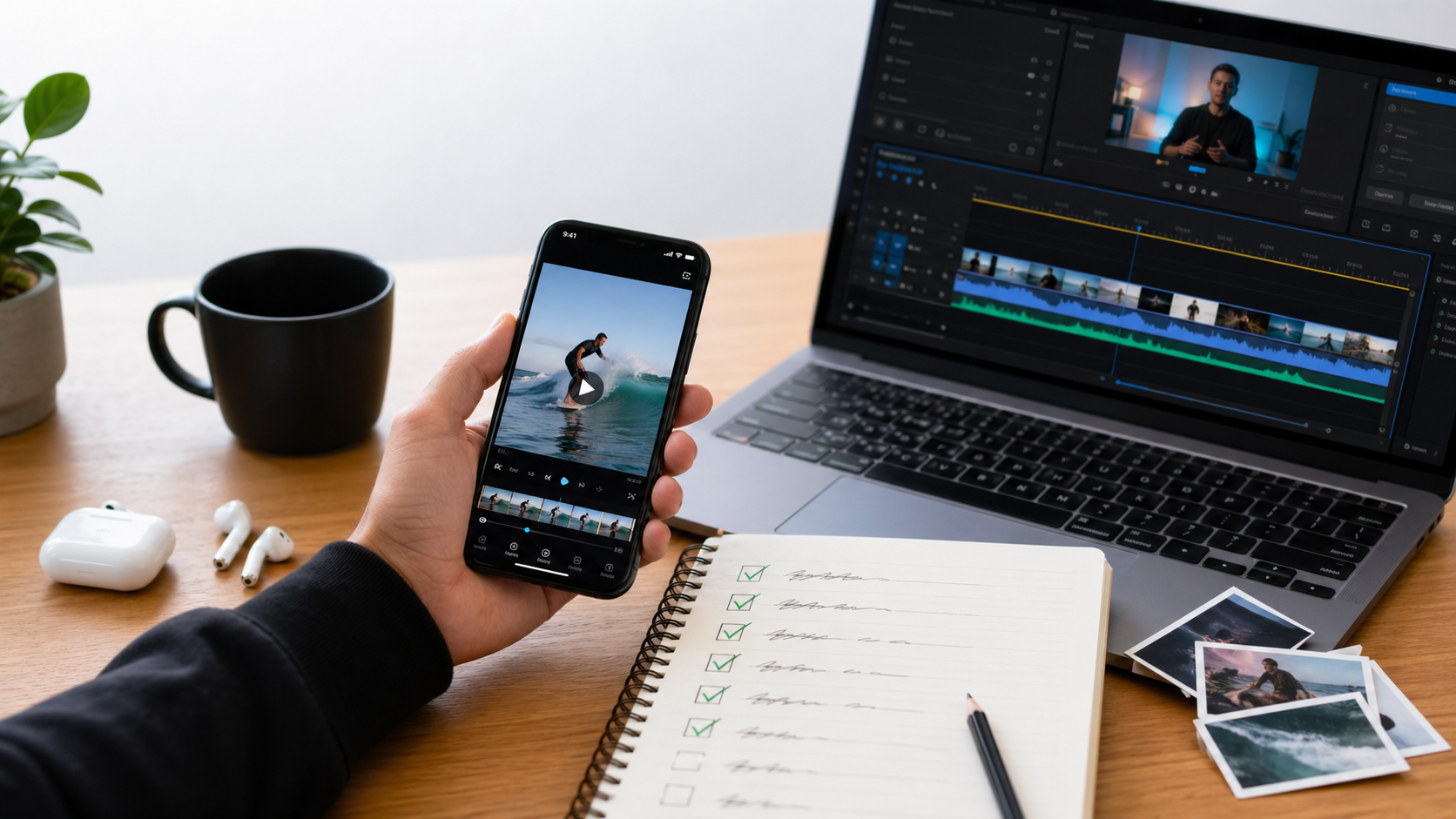
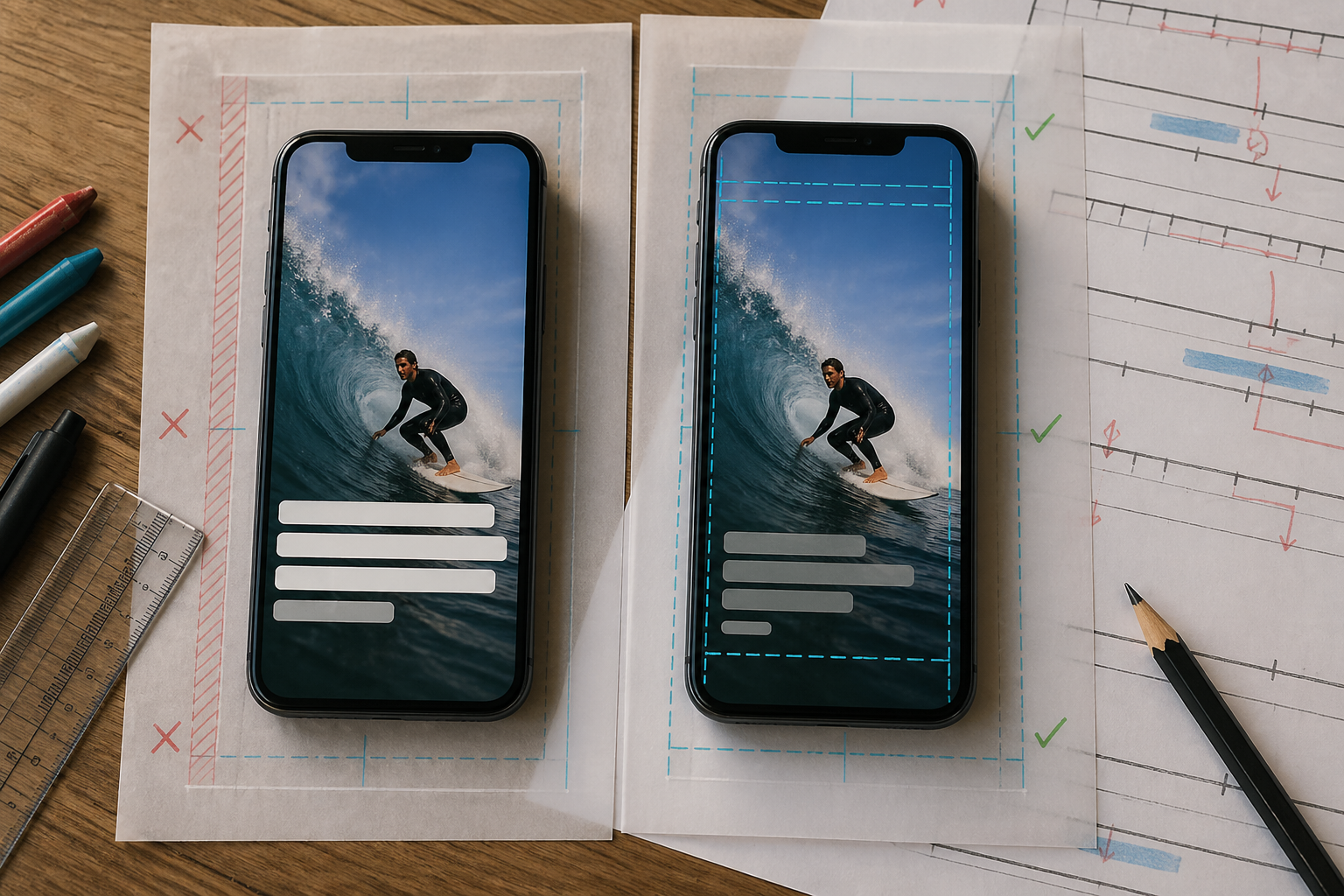
Before publishing a short clip, review the hook, context, subtitles, pacing, voiceover, visual clarity, platform format, audio, rights, and final export. AI can prepare the draft, but the final watch-through should still be human. ### Short video editing checklist - Does the first 2 to 3 seconds create context, curiosity, or tension? - Can someone understand the clip without seeing the original long video? - Are subtitles accurate, readable, synced, and clear of important visuals? - Does the pacing remove dead air without flattening the story beat? - Does the voiceover sound natural for the channel? - Are the hook, key visual, and payoff visible on a phone screen? - Is the aspect ratio correct for the target platform? - Is the audio clean, with no sudden peaks or buried speech? - Are rights, music, and source material cleared for the intended platform? - Did a human watch the final export once from start to finish? That last item sounds obvious. It is also the one teams skip when they are tired.
AI video editing checklist vs video publishing checklist
These two checklists overlap, but they are not the same. | Review area | AI video editing checklist | Video publishing checklist | | --- | --- | --- | | Story | Hook, context, payoff, narrative compression | Title, description, thumbnail or cover frame | | Text | Subtitle accuracy, line breaks, caption placement | Platform caption field, hashtags, CTA | | Audio | TTS tone, speech clarity, music balance | Copyright risk, loudness, final playback | | Format | Crop, safe areas, aspect ratio | Upload requirements, privacy setting, scheduling | | Quality control | Human review of AI decisions | Final watch-through after export | Recapo helps with the editing checklist: source analysis, draft script, clip assembly, subtitles, TTS voiceover, and export. The publishing checklist still belongs to the operator.
Why this checklist matters more with AI editing
AI makes rough cuts cheaper. That is good. It also makes it easier to publish mediocre clips at scale. The deeper issue is compression. A long video has built-in context. A short clip has to recreate that context quickly. If the clip loses who, what, why, or why-now, the viewer feels lost even if the edit is technically smooth. Here is the practical logic I use: - **A short clip is not a shorter long video.** It is a new unit with its own setup and payoff. - **Captions are not decoration.** W3C defines captions as synchronized alternatives for speech and meaningful non-speech audio. If captions are wrong or badly placed, comprehension suffers. - **Platform rules shape the edit.** YouTube Shorts uploaded from desktop need to be square or vertical and up to three minutes. TikTok's in-feed specs recommend 9:16 vertical creative for Non-Spark ads. Those specs affect framing, subtitle placement, and export decisions. That is why a checklist is not busywork. It protects the clip from avoidable failure.
How Recapo supports the checklist
### Start with narrative understanding CapCut is strong for manual polish. Descript is useful for transcript-led editing. Opus Clip is helpful for podcast and talking-head highlight extraction. Recapo is more specific: it is built for long-video-to-short-video workflows where story structure matters. In practice, that means Recapo can help identify plot turns, emotional beats, useful scenes, and clip candidates before you start polishing. For movie recaps, commentary, sports moments, gaming highlights, or drama promos, that is often the hardest part. ### Reduce rework before the final review A good **video publishing checklist** is really a rework-prevention system. If script, clip order, subtitles, and voiceover already line up, the final review becomes faster and less chaotic. Recapo creates a reviewable draft. You still check the output, but you are no longer starting from a raw timeline. ### Support volume without skipping judgment For teams publishing daily or running multiple accounts, batch output is useful. Recapo can help generate multiple versions from one source, depending on the workflow and plan. The trap is treating every version as publishable. I would not. Name each version by its purpose, then review it against that purpose: "faster hook," "clearer context," "more suspense," "platform-specific crop." If a variant has no job, delete it.
Two Recapo workflow examples
### Movie recap clip review **Input:** a 90-minute movie file or licensed source. **Recapo draft:** narrative analysis, keyframe extraction, recap script, short-form sequence, synced subtitles, and TTS voiceover. **Review pass:** check whether the opening explains the premise fast enough, whether spoilers are intentional, whether captions block visual clues, and whether the voiceover sounds natural. **Publishing decision:** keep the clip only if it works for someone who has not seen the original. ### Gaming or esports highlight review **Input:** a full match recording or long livestream replay. **Recapo draft:** highlight detection, momentum grouping, alternate pacing, subtitle sync, and export variants. **Review pass:** check scoreboard context, player names, audio peaks, reaction timing, caption placement, and whether the clip has a clear payoff. **Publishing decision:** publish the version that has the cleanest hook-to-payoff path, not the one with the most cuts.
Review clips before publishing: the final human pass
Do one watch-through on a phone-sized screen if possible. Ask blunt questions: - Would a cold viewer understand this in five seconds? - Is the caption helping or cluttering? - Does the voiceover sound like the channel? - Did the AI cut out a sentence that carried the meaning? - Are we allowed to use the source, music, and visuals here? This is where Recapo's value is strongest: it saves time before the review, not instead of the review.
Where Recapo is not the right checklist tool
Recapo is not the best choice for meme edits, frame-by-frame comedic timing, heavy motion graphics, complex VFX, or highly stylized brand films. A traditional editor still wins there. It also cannot replace editorial judgment on rights, tone, or claims. If a clip makes a person, product, or event look misleading because of the cut, the tool will not carry the responsibility. The publisher will.
Best fit for this AI video editing checklist
Use this checklist with Recapo if your main job is: - movie recap and commentary clips; - long video to short video repackaging; - sports or gaming highlights; - short-drama promo cuts; - batch short-form production for recurring publishing; - subtitle and voiceover review before export.
References and standards checked
- [W3C WAI: Understanding WCAG 2.2 Success Criterion 1.2.2 Captions](https://www.w3.org/WAI/WCAG22/Understanding/captions-prerecorded.html) - [YouTube Help: Upload YouTube Shorts from a computer](https://support.google.com/youtube/answer/12779649?co=GENIE.Platform%3DDesktop&hl=en-EN) - [TikTok Ads Manager: Auction In-Feed Ads specifications](https://ads.tiktok.com/help/article/tiktok-auction-in-feed-ads?lang=en)
Workflow visuals

FAQ
Frequently asked questions.
Quick answers that connect this guide back to Recapo workflows, exports, and creator use cases.
What is the difference between an AI video editing checklist and a video publishing checklist?
An AI video editing checklist reviews how the clip is built: structure, subtitles, pacing, voiceover, and visual continuity. A video publishing checklist adds upload details like format, title, cover frame, rights, and final platform settings.
Can beginners use this workflow?
Yes. Beginners benefit from a checklist because it makes review concrete. Recapo can reduce manual editing steps, while the checklist teaches what to inspect before publishing.
Is Recapo better than CapCut for every project?
No. CapCut is better for manual fine-tuning and casual creative edits. Recapo is better when your workflow starts with long footage and ends with multiple narrative-driven short clips.
Do I still need to review clips before publishing?
Yes. Always review subtitle accuracy, tone, context, rights, audio, and platform readiness before upload.
Related Recapo workflows
- AI Video Editor That Turns Long Videos into Shorts, Clips, and Recaps
- Generate Video Subtitles with AI
- AI Video Caption Generator for Shorts, Reels, and TikTok
- AI YouTube Video Editor for Shorts, Recaps, and Highlight Clips
- AI Captions vs Subtitles: What Creators Should Use for Shorts, Recaps, and Long-Form Repurposing
- Webinar to Short Clips with AI: A Practical Repurposing Workflow for Marketing Teams
- Podcast to YouTube Shorts: An AI Workflow That Keeps the Story Intact