Webinar repurposing · 7 min read · Updated April 28, 2026
Webinar to Short Clips with AI: A Practical Repurposing Workflow for Marketing Teams
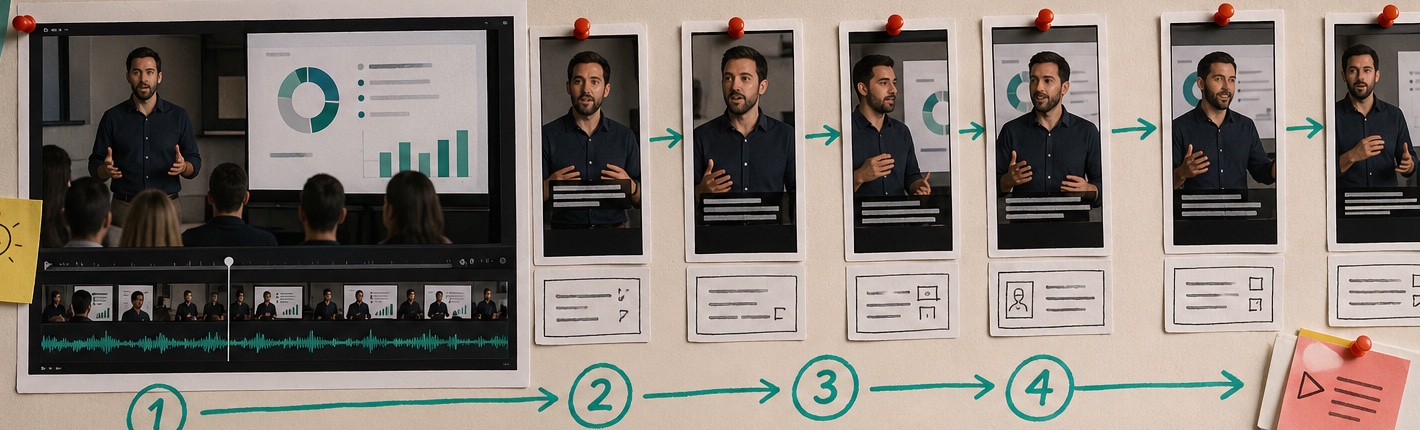
Turning a webinar to short clips sounds simple until you open the recording. Then the real work appears: a slow intro, a few strong teaching moments, scattered audience questions, slide changes that make no sense out of context, and a speaker who tak...
By Lucas Bennett (Long Video to Short Video Workflow Research). Target length: 1,394 words imported draft.
Key takeaways
- Primary keyword: webinar to short clips.
- Best for creators and teams repurposing long videos into short-form assets.
- Next step: Turn webinars into clips with Recapo.
What "webinar to short clips" really requires
A good **AI webinar clips** workflow needs more than automatic cutting. It should help with: In actual operations, the tricky part is context. A strong webinar quote often depends on the slide before it, the question that prompted it, or a product detail mentioned earlier. If the AI tool only searches for energetic speech, you get clips that sound exciting but feel incomplete.
- finding moments that can stand alone
- removing setup that only made sense live
- rewriting the hook for social feeds
- preserving the speaker's point without over-compressing it
- adding captions that work on mute
- exporting multiple versions for LinkedIn, YouTube Shorts, Reels, or TikTok
Tool fit: Recapo vs common webinar editing options
| Tool | Best for | Where it falls short | Where Recapo fits | | --- | --- | --- | --- | | Recapo | Long-video restructuring, AI webinar clips, captions, voiceover, batch output | Still needs human review for brand voice and claims | Strong when one webinar must become several publishable short-form assets | | CapCut | Manual polish and creator-style finishing | Slow for reviewing long recordings from scratch | Better after Recapo if a clip needs hand-tuned polish | | Descript | Transcript-first editing and speaker cleanup | Less focused on visual story rebuilding | Useful when text edits are the main workflow | | OpusClip | Fast highlights from talking-head video | Can miss B2B context, slide dependency, and argument structure | Good for simple highlight extraction, less complete for webinar repurposing |
The editorial logic behind strong webinar clips
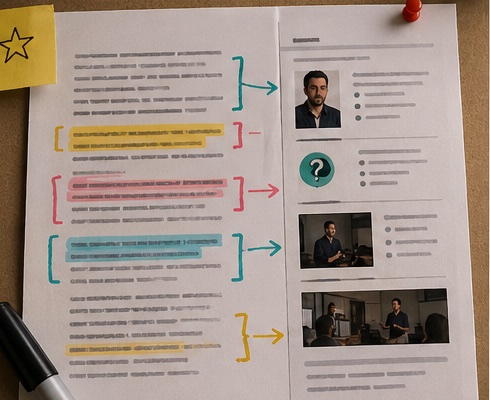
Short webinar clips work when they pass three checks. Subsection: The clip has one job One clip should teach one idea, answer one objection, or make one argument. If it tries to cover the whole webinar, it becomes a mini webinar. Nobody asked for that in their feed. Subsection: The hook arrives before the viewer drifts The first few seconds need to tell the viewer why this matters. In practice, that often means rewriting the opening line. Webinar speakers usually warm up politely. Short-form video does not reward polite warmups. Subsection: The context is rebuilt, not merely trimmed The best clips often need a small bridge: a caption, a title card, a tighter first sentence, or a voiceover line that gives the viewer the missing setup. This is where generic trimming tools fall short. > Source note to add before publication: cite official platform specs for current short-form requirements, such as YouTube Help for Shorts and LinkedIn video ad/organic video documentation. Add a benchmark source from a current video marketing report if you mention conversion or retention data.
A practical Recapo workflow for webinar clips
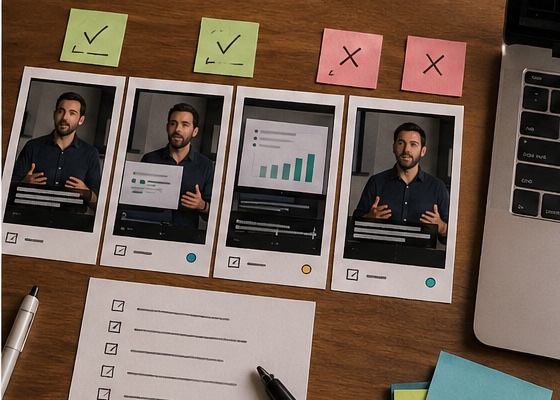
Subsection: Upload the full webinar recording Start with the complete file, not a hand-picked 5-minute slice. The full source gives the system more context for identifying strong sections and avoiding orphaned quotes. Subsection: Mark the business goal Before generating clips, define the job: demand generation, product education, sales enablement, event recap, customer onboarding, or thought leadership. The same webinar can produce very different clips depending on the goal. In client-side workflows, this is a common pitfall. Teams ask for "the best clips" without saying what "best" means. Best for reach is not always best for sales. Subsection: Let Recapo draft clip candidates Recapo can analyze the long recording, identify strong teaching moments, extract visual beats, draft short-form scripts, sync captions, and prepare outputs. The value is not just speed. It keeps the chain connected: source video, script, captions, voiceover, and export. Subsection: Review for accuracy and brand risk This pass matters. Webinars often include claims, product promises, customer references, or legal-sensitive statements. AI can surface a good moment, but a human should check whether it is safe and accurate to publish. Subsection: Export multiple versions For **webinar clips for social media**, one clip is rarely enough. Try a direct educational version, a sharper opinion-led version, and a shorter hook test. Recapo is useful here because batch output reduces the repetitive rebuild work.
Example workflow: educational webinar to short-form posts
**Input:** a 60-minute product education webinar with one host, slides, and a Q&A section. **Process:** Recapo identifies the clearest teaching sections, drafts short clip scripts, extracts visual beats, creates captions, and prepares platform-ready versions. **Output:** several focused clips, each built around one takeaway rather than a vague highlight reel. The human review step should check slide readability, product claim accuracy, and whether the clip makes sense without the full webinar.
Example workflow: panel webinar to demand-generation assets
**Input:** a recorded panel discussion with useful opinions spread across a long conversation. **Process:** Recapo groups related points, tightens the opening context, adds subtitles, and creates alternate hooks for testing. **Output:** a batch of clips for social distribution, newsletter embeds, landing pages, or sales follow-up. Panel clips have one extra challenge: speaker context. If the viewer does not know who is talking and why their opinion matters, the clip loses authority quickly. Add a lower-third, caption, or intro line where needed.
What not to automate blindly
AI can speed up **repurpose webinar content** workflows, but it should not be trusted with every judgment call. Watch for these issues: This is why Recapo is best viewed as a production workflow, not a replacement for editorial judgment.
- A quote that sounds stronger than the speaker intended
- A product claim without the original caveat
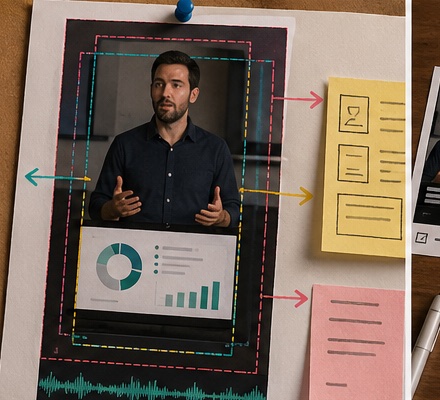
- Slide text that is too small for mobile
- Captions that hide charts or demos
- A clip that starts after the actual setup
- A "viral" moment that does not match the brand
When Recapo is the right fit
Recapo fits teams that repeatedly turn webinars, demos, training sessions, and expert talks into short-form assets. It is especially useful when you need script, captions, voiceover, and exports in one flow. It is less ideal for heavy motion design, complex animations, meme editing, or final brand polish that requires frame-level control. In those cases, use Recapo for the rough editorial lift, then move the best clips into a manual editor.
What this means for your next webinar
If your team is trying to turn a **webinar to short clips**, do not start by asking, "Which tool trims fastest?" Ask, "Which workflow helps us choose the right moments and make them understandable outside the webinar?" That is the job Recapo is built for. It helps reduce the slow parts of repurposing: searching, rewriting, captioning, and rebuilding versions. You still need a human eye. You just do not need to start from a blank timeline every time.
Workflow visuals
FAQ
Frequently asked questions.
Quick answers that connect this guide back to Recapo workflows, exports, and creator use cases.
Can Recapo turn a webinar to short clips automatically?
Yes. Recapo can analyze a long webinar and generate short-form outputs with scripts, captions, and voiceover support. Human review is still recommended before publishing.
Is Recapo good for webinar clips for social media?
Yes, especially when one long recording needs to become multiple social clips across different angles or channels.
How many clips should one webinar produce?
It depends on the density of the content. A practical range is usually a few strong clips, not dozens of thin ones. Quality drops when every small point becomes a post.
What is the biggest mistake in webinar repurposing?
Publishing clips that only make sense to people who attended the live session. Short clips need their own setup, payoff, and caption context.
Does Recapo replace a video editor?
Not completely. It reduces review, scripting, captioning, and assembly work. A human editor is still valuable for premium polish and brand-sensitive campaigns.
Related Recapo workflows
- Turn Long Videos into Short Videos with AI
- AI Clip Generator for Long Videos, Podcasts, and Highlights
- AI Video Caption Generator for Shorts, Reels, and TikTok
- AI Video Editor That Turns Long Videos into Shorts, Clips, and Recaps
- AI Captions vs Subtitles: What Creators Should Use for Shorts, Recaps, and Long-Form Repurposing
- Podcast to YouTube Shorts: An AI Workflow That Keeps the Story Intact
- AI Clip Selection for Long-Form Video Highlights: How to Find Moments Worth Publishing