Video repurposing workflow · 7 min read · Updated April 28, 2026
Video Repurposing Workflow for TikTok, YouTube Shorts, and Reels
A practical workflow for turning one long source video into platform-ready clips for TikTok, YouTube Shorts, and Instagram Reels.
By Ava Morgan (TikTok, Reels & Multi-Platform Video Research). Target length: 1,532 words imported draft.

Key takeaways
- Primary keyword: video repurposing workflow.
- Best for creators and teams repurposing long videos into short-form assets.
- Next step: Repurpose long videos with Recapo.
The short answer: what makes a strong repurposing workflow?
A strong **video repurposing workflow** turns one long source into several platform-ready clips by handling selection, story reconstruction, script adaptation, captions, voiceover, export, and human review. The goal is not merely to make the video shorter. The goal is to make it work as a new short-form asset. | Tool | Best for | Where it fits | | --- | --- | --- | | Recapo | Story-led repurposing from long videos | Script, clip logic, subtitles, voiceover, and export in one workflow | | CapCut | Manual polish and lightweight social edits | Hands-on finishing, templates, effects, and trend timing | | Opus Clip | Podcast and talking-head highlight extraction | Fast quote and highlight candidates | | Descript | Transcript-led editing | Spoken-word cleanup and text-based editing | If your job is to **repurpose video for TikTok**, build a **YouTube Shorts and Reels workflow**, and keep output consistent across channels, Recapo is a strong fit when the source starts long and the output needs story clarity.
What a practical video repurposing workflow looks like
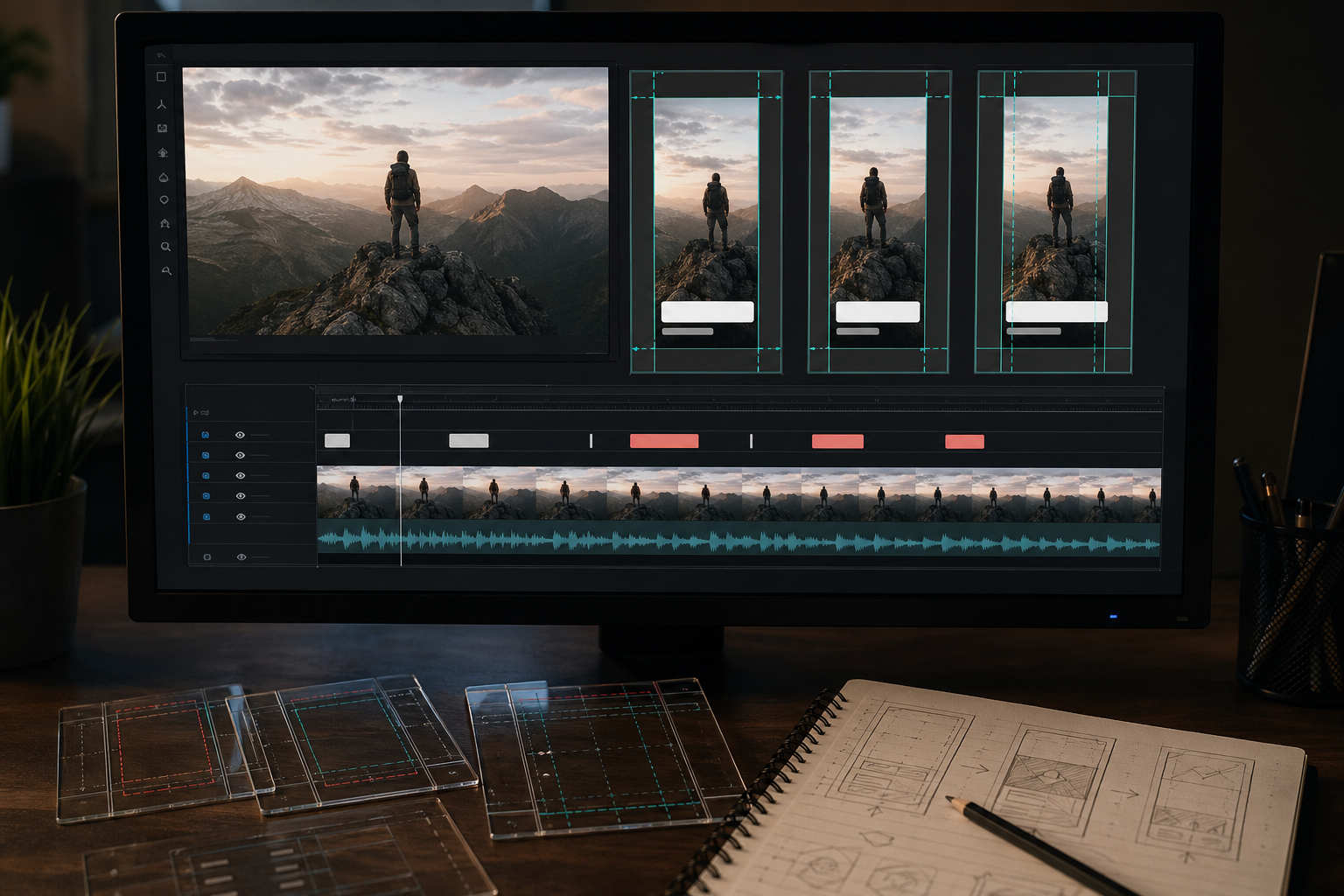
The useful workflow has six stages: 1. Source review: identify the type of long video and the viewer promise. 2. Moment selection: find scenes, claims, reactions, plot turns, or payoffs worth isolating. 3. Story compression: rebuild the clip so it makes sense without the original context. 4. Script adaptation: write or adjust narration, hook lines, caption text, and CTA. 5. Format preparation: set aspect ratio, subtitles, voiceover, audio, and export settings. 6. Human review: check tone, rights, platform fit, and final playback. In practice, stage three is where most teams lose time. They can find a good moment, but they cannot make it stand alone quickly. The clip becomes a fragment. Viewers feel the missing context and leave.
Why Recapo fits a YouTube Shorts and Reels workflow
Recapo is strongest when the source material has a beginning, a turn, and a payoff. That includes movie recaps, commentary videos, sports moments, gaming highlights, livestream cutdowns, short-drama promos, webinars, and long YouTube uploads. Instead of making you rebuild every short manually, Recapo can process source video through a connected chain: **upload -> narrative analysis -> script draft -> automatic clipping -> subtitle sync -> TTS voiceover -> export**. As a practitioner, the part I would not skip is review. Recapo can get the draft into shape faster, but the human still decides whether the clip has the right promise, whether the narration sounds like the channel, and whether the cut is fair to the source.
Platform reality: TikTok, Shorts, and Reels are similar, not identical
It is tempting to export one vertical file and throw it everywhere. Sometimes that works. Often it does not. | Platform target | Practical production note | Source to check | | --- | --- | --- | | YouTube Shorts | Desktop uploads should be square or vertical and up to three minutes | YouTube Help | | TikTok | Vertical 9:16 is recommended for Non-Spark in-feed ads; captions may display differently | TikTok Ads Manager | | Instagram Reels | Keep key text away from UI zones and review on mobile before posting | Meta/Instagram help or internal platform QA | Even when the same clip goes to all three, adjust the opening hook, caption density, and CTA. A clip that works as a YouTube Shorts discovery asset may need a sharper opening for TikTok. A Reel may need cleaner on-screen text because profile and caption UI can crowd the frame.
Workflow example: repurpose a YouTube commentary video
**Input:** a 28-minute YouTube commentary video. **Recapo flow:** identify the core argument, select key moments, draft shorter narration, add subtitles, and create multiple vertical cuts. **Human review:** check whether each cut has enough context, remove repetitive intro language, rewrite stiff phrasing, and decide which version fits TikTok, Shorts, or Reels. **Output:** three short videos with different openings for testing. The common mistake here is keeping too much setup. If the first sentence explains the channel instead of the clip, it is probably too slow.
Workflow example: turn a long movie recap source into short social clips
**Input:** a long film breakdown, licensed recap source, or commentary file. **Recapo flow:** map major plot beats, extract visual anchors, write recap copy, apply subtitle timing, and render voiceover. **Human review:** check rights, spoilers, character names, tone, caption placement, and whether the clip still makes sense without the full breakdown. **Output:** several short-form clips built around suspense, reveal, character conflict, or payoff. This is where Recapo can be more useful than a generic clipping tool. The job is not just "find a moment." The job is "make this moment work outside the source."
How to repurpose video for TikTok without starting over
Treat the source video as a narrative asset bank. Do not build one TikTok cut, then rebuild the same idea for Shorts, then rebuild it again for Reels. Instead: - upload the source once; - generate several clip candidates; - write the hook options before polishing; - decide which hook belongs to which channel; - export versions from the same reviewed structure; - do a final mobile watch-through. With Recapo, that workflow stays more centralized. You are no longer bouncing between a clipping tool, caption app, voiceover generator, and manual editor for every draft.
When Recapo is better than general editors
Recapo is a better fit when your real pain is: - less rewriting; - less manual restructuring; - faster long-video-to-short-video output; - subtitle and voiceover alignment; - multi-version publishing from one source; - story-led social video repurposing. It is not the best tool when you need: - heavy motion graphics; - meme timing; - manual visual effects; - advanced color work; - highly stylized brand films; - AI-generated visuals from scratch. That boundary makes the recommendation more trustworthy. Recapo is not a playground editor. It is a production workflow for a specific job.
Quality control before publishing
Before you publish, watch each export on a phone-sized screen and ask: - Does the first two seconds tell the viewer why to care? - Does the clip stand alone without the long source? - Are subtitles readable and synced? - Is any important visual covered by captions or platform UI? - Does the voiceover sound human enough for the channel? - Are music, footage, and source rights cleared? - Does the CTA match the platform? W3C's caption guidance is useful here because captions are not just a style layer. They are synchronized alternatives for speech and meaningful non-speech audio. If captions are wrong, the clip becomes harder to understand and less trustworthy.
The practical next move
Choose one long source and run it through the full chain: source review, moment selection, story compression, script adaptation, subtitles, voiceover, export, and human review. If that gets you to better clips with fewer handoffs, you have a workflow. If it only creates more drafts to manage, tighten the format before scaling.
References and standards checked
- [YouTube Help: Upload YouTube Shorts from a computer](https://support.google.com/youtube/answer/12779649?co=GENIE.Platform%3DDesktop&hl=en-EN) - [TikTok Ads Manager: Auction In-Feed Ads specifications](https://ads.tiktok.com/help/article/tiktok-auction-in-feed-ads?lang=en) - [W3C WAI: Understanding WCAG 2.2 Success Criterion 1.2.2 Captions](https://www.w3.org/WAI/WCAG22/Understanding/captions-prerecorded.html) - [Google Search Central: Creating helpful, reliable, people-first content](https://developers.google.com/search/docs/fundamentals/creating-helpful-content)
Workflow visuals

FAQ
Frequently asked questions.
Quick answers that connect this guide back to Recapo workflows, exports, and creator use cases.
Is Recapo good for social video repurposing at scale?
Yes, especially for creators or lean teams that repeatedly publish from long-form source material. Batch output and multi-version generation fit that kind of workflow.
Can Recapo replace my full editing stack?
Not always. It can replace a large part of the repurposing stack for narrative short-form production, but not deep manual finishing or advanced VFX.
Does it work for non-movie content?
Yes. It also fits sports highlights, gaming clips, vlog cutdowns, livestream replay slicing, webinar clips, and short-drama promo workflows.
What is the catch?
Auto-generated scripts can sound too formal, and AI can miss context in dense source material. Most teams should do a quick tone and accuracy pass before publishing.
Related Recapo workflows
- Turn Long Videos into Short Videos with AI
- AI YouTube Shorts Maker for Long Videos and Clip Workflows
- AI TikTok Video Editor for Clips, Captions, and Faceless Videos
- Reel Editing App for Instagram Reels, Clips, and Short Videos
- AI Captions vs Subtitles: What Creators Should Use for Shorts, Recaps, and Long-Form Repurposing
- Webinar to Short Clips with AI: A Practical Repurposing Workflow for Marketing Teams
- Podcast to YouTube Shorts: An AI Workflow That Keeps the Story Intact