Chuyển văn bản thành giọng nói
Biến văn bản thuần túy thành video hoàn chỉnh với giọng nói AI, phụ đề đồng bộ và footage của bạn — không cần máy quay hay mic. Tạo video không lộ mặt nhanh chóng trên Recapo.ai.
Nhấp để tải lên hoặc kéo thả tệp video
Hỗ trợ MP4, MOV, MKV, WebM, MPEG, MPG, 3GP, 3GPP
Tối đa 2 GB mỗi tệp
Video nguồn tối đa 3 phút
Quá trình xử lý tiếp tục chạy nền, ngay cả khi bạn rời khỏi trang này hoặc chuyển đổi ngôn ngữ.
Video không lộ mặt từ một trang trống
Các kênh không lộ mặt sống hoặc chết dựa trên tốc độ sản xuất: định dạng này hiệu quả vì một người có thể phát hành hàng ngày mà không bao giờ xuất hiện trên máy quay. Video chuyển văn bản thành giọng nói loại bỏ hai phần chậm nhất — ghi âm lời dẫn và căn chỉnh phụ đề bằng tay. Bạn cung cấp từ ngữ và các đoạn clip; công cụ cung cấp giọng nói, bản phụ đề và bản nháp đã lắp ráp.
- 01
Bắt đầu từ văn bản
Dán kịch bản hoặc bản nháp kiểu bài báo của bạn. Nếu bạn chỉ có một video nguồn, hãy tạo bản tóm tắt hoặc kịch bản tóm tắt từ đó trước.
- 02
Thêm giọng nói và hình ảnh
Chọn giọng đọc, sau đó đính kèm footage — tải lên cục bộ hoặc nhập từ liên kết — trong khi phụ đề được tạo đồng bộ với giọng nói.
- 03
Kết xuất và xuất bản
Xuất bản nháp video, trau chuốt kiểu dáng phụ đề hoặc ảnh bìa, cắt theo tỷ lệ 9:16 cho Shorts và đẩy nó lên các nền tảng của bạn.
Kênh tóm tắt và bình luận
viết kịch bản câu chuyện, lồng tiếng và xuất bản.
Video giải thích và danh sách
biến dàn ý thành video có lời dẫn mà không cần quay phim.
Đăng đa nền tảng
một nguồn văn bản, xuất cho Shorts, Reels và TikTok.
Trình tạo video TTS thực sự tạo ra những gì
Đầu ra không chỉ là một file MP3 được đính kèm vào một slideshow. Bạn nhận được một bản nháp có cấu trúc: một bản ghi âm giọng AI được kết xuất từ văn bản của bạn, một bản phụ đề khớp với lời nói từng từ và vẫn có thể chỉnh sửa, cùng footage của bạn được đặt theo lời dẫn. Từ đó, mọi phần vẫn có thể được điều chỉnh — viết lại một dòng, tạo lại kiểu phụ đề, đổi một đoạn clip — trước khi xuất cuối cùng.
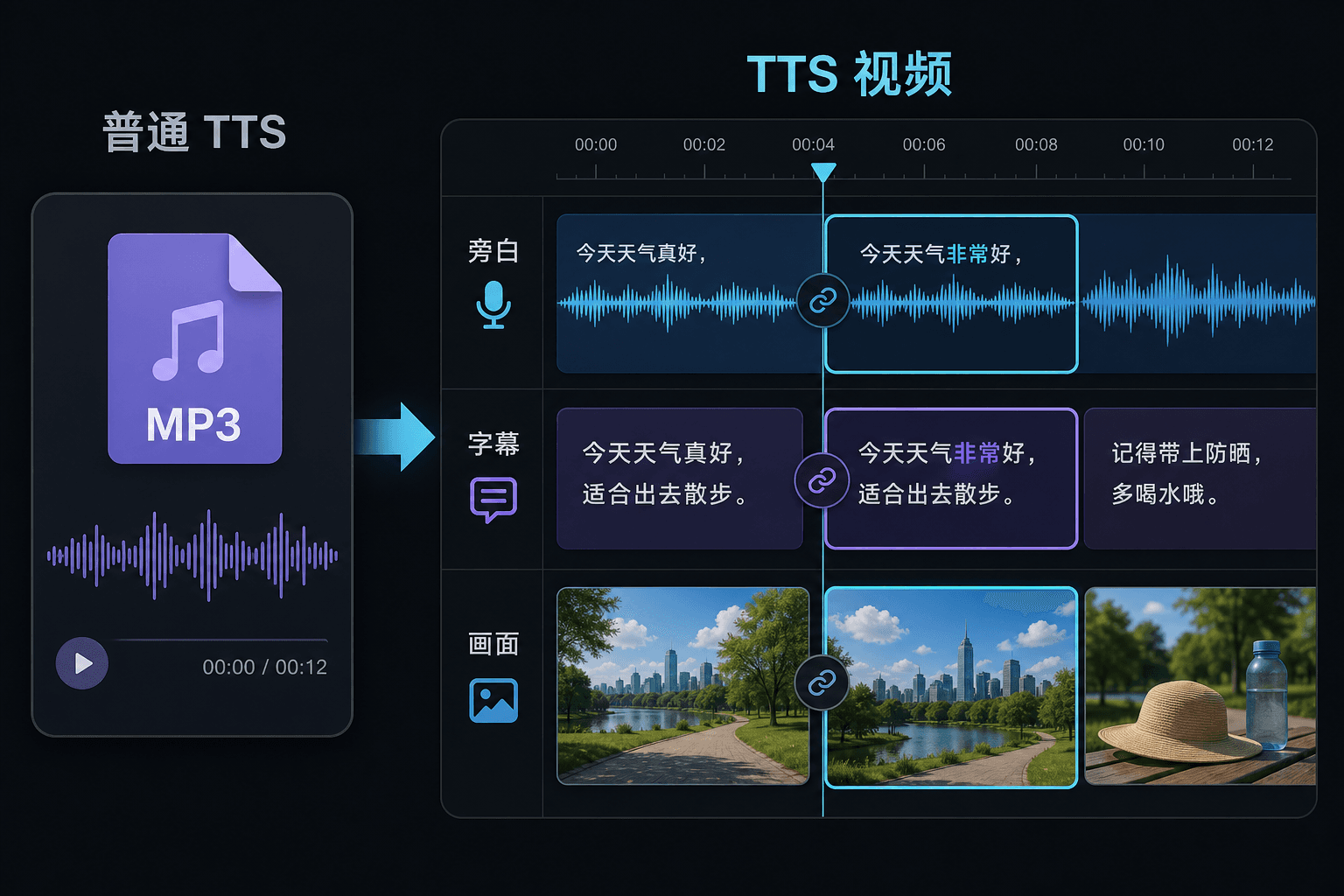
Video chuyển văn bản thành giọng nói so với chuyển văn bản thành giọng nói thuần túy
Một công cụ TTS thuần túy cung cấp cho bạn một tệp âm thanh và chúc bạn may mắn trong trình chỉnh sửa của mình. Tại đây, giọng nói được tạo bên trong một dự án video, vì vậy thời lượng, phụ đề và hình ảnh đã được kết nối sẵn. Sự khác biệt đó quan trọng nhất vào thời điểm chỉnh sửa: thay đổi văn bản sẽ cập nhật lời dẫn và phụ đề cùng nhau, thay vì buộc phải đồng bộ lại thủ công.
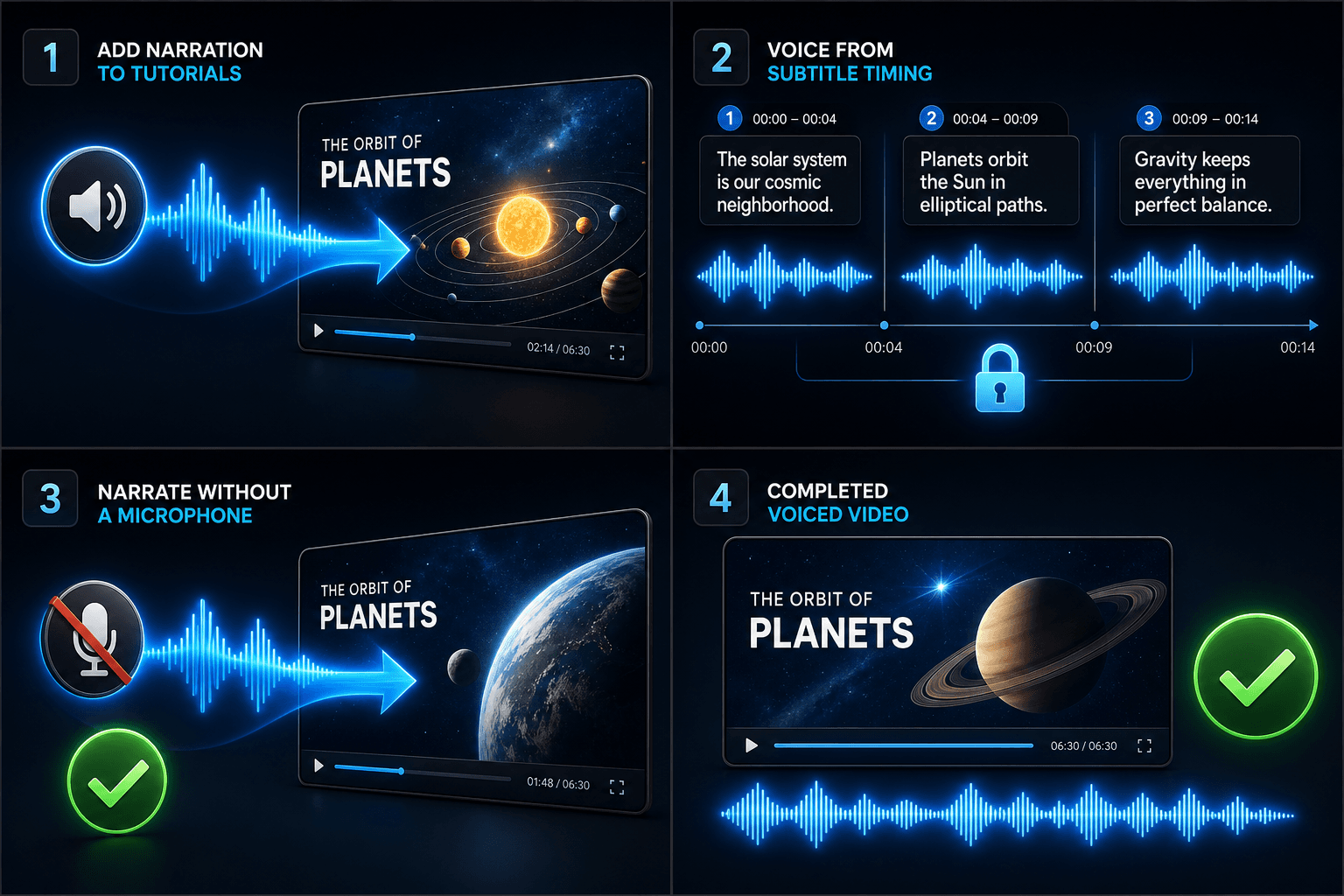
Được thiết kế cho các quy trình thực tế
Thêm lời bình cho video hướng dẫn
Thêm giọng nói cho video từ thời gian phụ đề
Tạo lời dẫn không cần micro
Câu hỏi thường gặp
Tôi có cần footage của riêng mình để tạo video chuyển văn bản thành giọng nói không?
Bạn cần một nguồn hình ảnh nào đó — tải lên các clip cục bộ hoặc nhập từ một liên kết. Nhiều người sáng tạo kéo các điểm nổi bật từ một video nguồn dài hơn và để lời dẫn mang câu chuyện qua chúng.
Phụ đề được gắn cố định hay có thể chỉnh sửa?
Có thể chỉnh sửa. Phụ đề được tạo đồng bộ với giọng nói và bạn có thể chỉnh sửa văn bản, tạo lại kiểu, xuất SRT/VTT hoặc gắn chúng vào bản kết xuất cuối cùng — tùy bạn chọn.
Tôi có thể tạo video dọc cho Shorts và TikTok theo cách này không?
Có. Sau khi bản nháp được tạo, bạn có thể cắt theo tỷ lệ 9:16, điều chỉnh vị trí phụ đề để xem dọc và xuất theo từng nền tảng.
Tôi nạp vào cái gì, văn bản hay tệp video?
Bạn dán văn bản, không phải video. Video Chuyển Văn Bản Thành Giọng Nói đọc một kịch bản được gõ hoặc các từ được dán và xuất ra một tệp âm thanh lời dẫn. Nó không xử lý footage, vì vậy hãy sử dụng nó để lồng tiếng cho kịch bản bạn đã viết cho bản tóm tắt của mình.
Tôi có thể chọn giọng đọc và tốc độ nói không?
Có. Bạn chọn một giọng nói và có thể điều chỉnh nhịp độ và tông giọng sao cho phù hợp với kênh không lộ mặt hoặc kênh bình luận của mình. Recapo vẫn đang được phát triển, nên các giọng nói và điều khiển có sẵn sẽ được mở rộng theo thời gian.
Nó trả lại gì khi hoàn tất?
Bạn nhận được một bản ghi âm lời dẫn có thể tải xuống và thả vào dòng thời gian video của mình cùng với phụ đề và các clip, sẵn sàng để trộn với nhạc và xuất qua phần còn lại của quy trình làm việc Recapo.
Bắt đầu sử dụng Video Chuyển Văn Bản Thành Giọng Nói
Cung cấp đầu vào và các cài đặt cần thiết ở trên. Kết quả của bạn sẽ được lưu trong quy trình công cụ hiện tại.
Sử dụng miễn phí