Texto para Voz em Vídeo
Transforme texto simples em um vídeo finalizado com fala de IA, legendas sincronizadas e suas próprias imagens — sem necessidade de câmera ou microfone. Crie vídeos sem rosto rapidamente no Recapo.ai.
Clique para enviar ou arraste um arquivo de vídeo
Suporta MP4, MOV, MKV, WebM, MPEG, MPG, 3GP, 3GPP
Até 2 GB por arquivo
Vídeo de origem de até 3 minutos
O processamento continua em segundo plano, mesmo que você saia desta página ou mude de idioma.
Vídeos sem rosto a partir de uma página em branco
Canais sem rosto vivem ou morrem pela velocidade de produção: o formato funciona porque uma pessoa pode publicar diariamente sem nunca aparecer na câmera. O vídeo de texto para fala remove as duas partes mais lentas — gravar a narração e cronometrar as legendas manualmente. Você fornece as palavras e os clipes; a ferramenta fornece a voz, a faixa de legendas e o rascunho montado.
- 01
Comece a partir do texto
Cole seu roteiro ou rascunho no estilo de artigo. Se você tiver apenas um vídeo de origem, gere primeiro um resumo ou roteiro de recap a partir dele.
- 02
Adicione voz e elementos visuais
Escolha uma voz de narração e, em seguida, anexe imagens — uploads locais ou importações de links — enquanto as legendas são geradas em sincronia com a fala.
- 03
Renderize e publique
Exporte o rascunho do vídeo, refine o estilo das legendas ou a capa, corte para 9:16 para Shorts e publique em suas plataformas.
Canais de resumo e comentário
crie o roteiro da história, narre, publique.
Explicações e listas
transforme um esboço em vídeo narrado sem filmar.
Publicação multiplataforma
uma fonte de texto, exportada para Shorts, Reels e TikTok.
O que o gerador de vídeo TTS realmente produz
A saída não é apenas um MP3 anexado a uma apresentação de slides. Você obtém um rascunho estruturado: uma faixa de voz de IA renderizada a partir do seu texto, uma faixa de legendas que corresponde à fala palavra por palavra e permanece editável, e suas imagens sobrepostas à narração. A partir daí, cada parte ainda pode ser ajustada — reescrever uma linha, mudar o estilo das legendas, trocar um clipe — antes da exportação final.
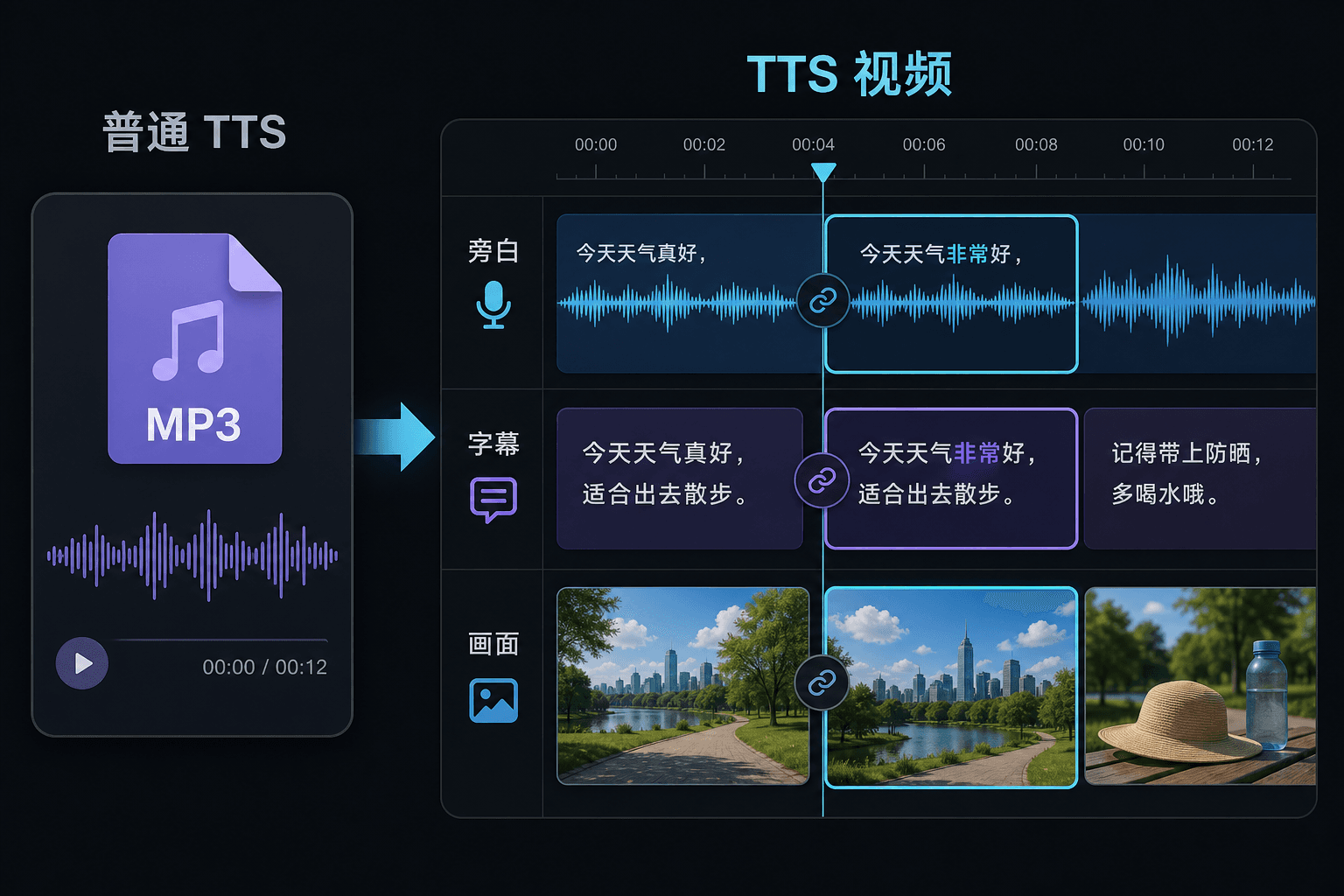
Vídeo de texto para fala versus texto para fala simples
Uma ferramenta TTS simples entrega um arquivo de áudio e deseja boa sorte no seu editor. Aqui, a fala é gerada dentro de um projeto de vídeo, então o tempo, as legendas e a imagem já estão conectados. Essa diferença importa mais na hora de revisar: alterar o texto atualiza a narração e as legendas juntas, em vez de forçar uma ressincronização manual.
Criado para estes fluxos de trabalho reais
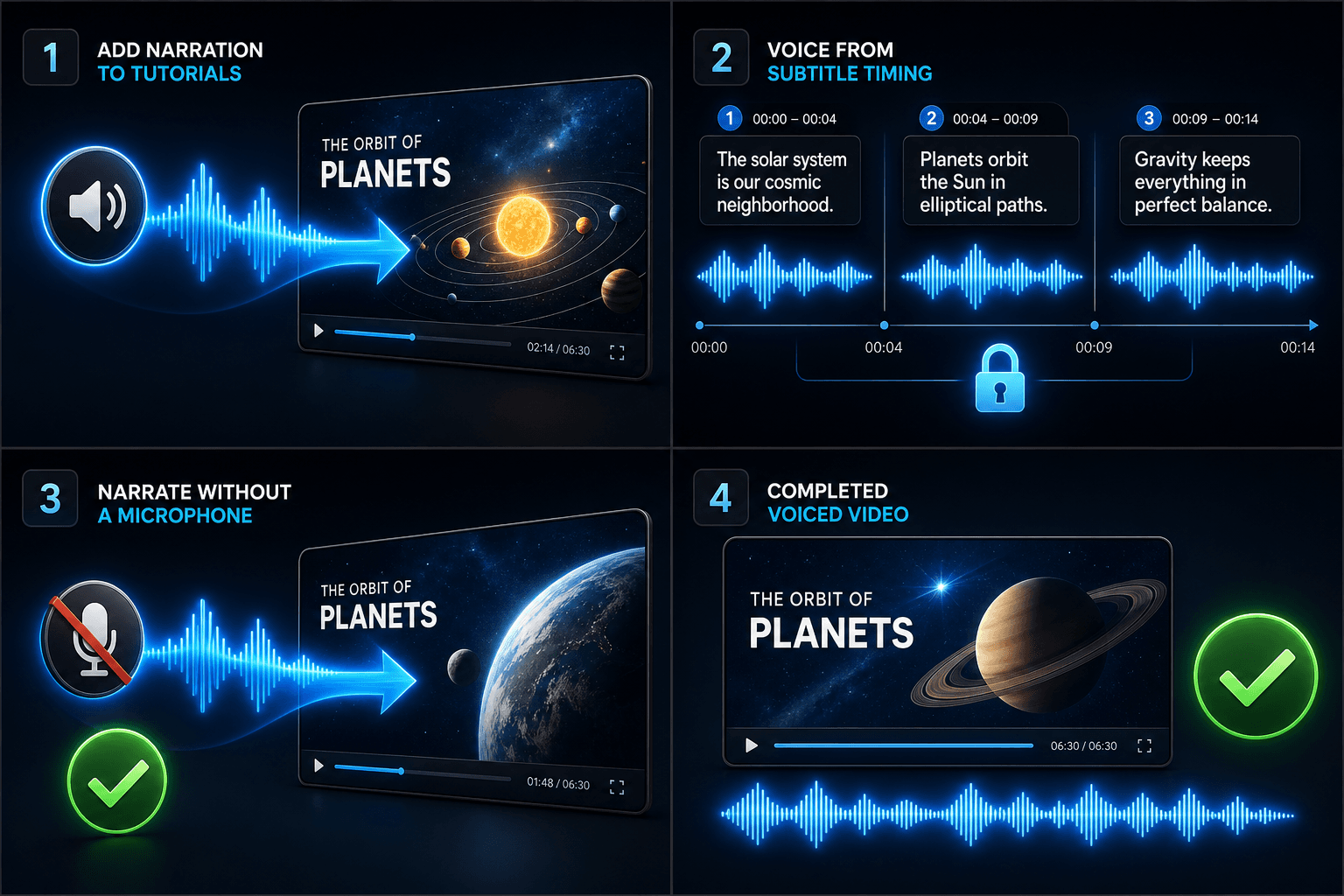
Adicione narração a tutoriais
Narrar um vídeo a partir do tempo da legenda
Criar narração sem microfone
Ferramentas relacionadas
Perguntas frequentes
Preciso das minhas próprias imagens para fazer um vídeo de texto para fala?
Você precisa de alguma fonte visual — faça upload de clipes locais ou importe de um link. Muitos criadores extraem destaques de um vídeo de origem mais longo e deixam a narração conduzir a história sobre eles.
As legendas são fixas ou editáveis?
Editáveis. As legendas são geradas em sincronia com a fala, e você pode editar o texto, mudar o estilo delas, exportar SRT/VTT ou gravá-las na renderização final — a escolha é sua.
Posso fazer vídeos verticais para Shorts e TikTok dessa forma?
Sim. Depois que o rascunho é gerado, você pode cortar para 9:16, ajustar o posicionamento das legendas para visualização vertical e exportar para cada plataforma.
O que eu insiro, texto ou um arquivo de vídeo?
Você cola texto, não vídeo. O Vídeo de texto para fala lê um roteiro digitado ou palavras coladas e gera um arquivo de áudio de narração falada. Ele não processa filmagens, então use-o para narrar o roteiro que você já escreveu para o seu resumo.
Posso escolher a voz de narração e a velocidade da fala?
Sim. Você escolhe uma voz e pode ajustar o ritmo e o tom para que a leitura se encaixe no seu canal sem rosto ou de comentários. O Recapo ainda está em desenvolvimento, então as vozes e os controles disponíveis estão sendo expandidos ao longo do tempo.
O que ele devolve quando termina?
Você obtém uma faixa de áudio de narração que pode baixar e colocar na linha do tempo do seu vídeo junto com legendas e clipes, pronta para ser mixada com música e exportada através do restante do fluxo de trabalho do Recapo.
Começar a usar o Vídeo de texto para fala
Insira o arquivo e as configurações essenciais acima. Seu resultado permanecerá no fluxo de trabalho da ferramenta atual.
Usar grátis