Sesi Yazıya Çevirme
Ekranda konuşmadan metne. Bir video yükleyin ve yapay zeka konuşulan kelimeleri tanır, bunları altyazılara dönüştürür ve görüntünün içine yakar — size önizleme ve indirme için hazır, altyazılı bir video sunar. Recapo.ai.
Yüklemek için tıklayın veya bir video dosyası sürükleyin
MP4, MOV, MKV, WebM, MPEG, MPG, 3GP, 3GPP desteklenmektedir
Dosya başına en fazla 2 GB
Kaynak video en fazla 60 dakika
Very long videos may fail when extracted ASR audio exceeds 100MB — trim first if needed
Upload a video first to adjust settings and preview the result
Yan dosyada değil, ekranda kalan kelimeler
Buradaki konuşmadan metne işinin amacı yönetmeniz gereken bir transkript değil — insanların kelimeler tam oradayken gerçekten izleyebileceği bir videodur. Recapo konuşmayı tanır, onu altyazı olarak yazar ve kareye işler, böylece bitmiş klip metniyle birlikte her yerde oynatılabilir: akışta sesi kapalı, telefonda, altyazı izlerini çıkaran bir oynatıcıda. Tek dosya, altyazılar dahil, eklenecek bir şey yok.
- 01
Videonuzu yükleyin
Cihazınızdan bir video dosyası ekleyin veya bir bağlantıdan içe aktarın. Röportajlar, konuşan kafa klipleri, dersler ve podcast videoları dahil hepsi çalışır.
- 02
Yapay zekanın konuşmayı tanımasına izin verin
Yapay zeka konuşma tanıma sesi dinler ve konuşulan kelimeleri ekranda söylenenlerle eşleşecek şekilde zamanlanmış, temiz, okunabilir altyazı satırlarına dönüştürür.
- 03
Altyazılı videoyu önizleyin ve indirin
Altyazılar doğrudan görüntünün içine yakılır. Bitmiş videoyu sayfada önizleyin, ardından altyazılı MP4'ü indirin — kelimeler ve görüntüler tek bir dosyada bir arada.
Röportajlar ve podcast'ler
sözlü yanıtları ekrandaki altyazılara dönüştürün, böylece klip oynatılırken alıntılar okunabilir olur.
Dersler ve konuşmalar
sessiz izleme için videoya işlenmiş bir altyazı olarak konuşulan her noktayı yakalayın.
Sosyal medya ve akış videoları
sesi kapalıyken okunabilen, yönetilecek bir altyazı dosyası gerektirmeyen altyazılı bir kesim yayınlayın.
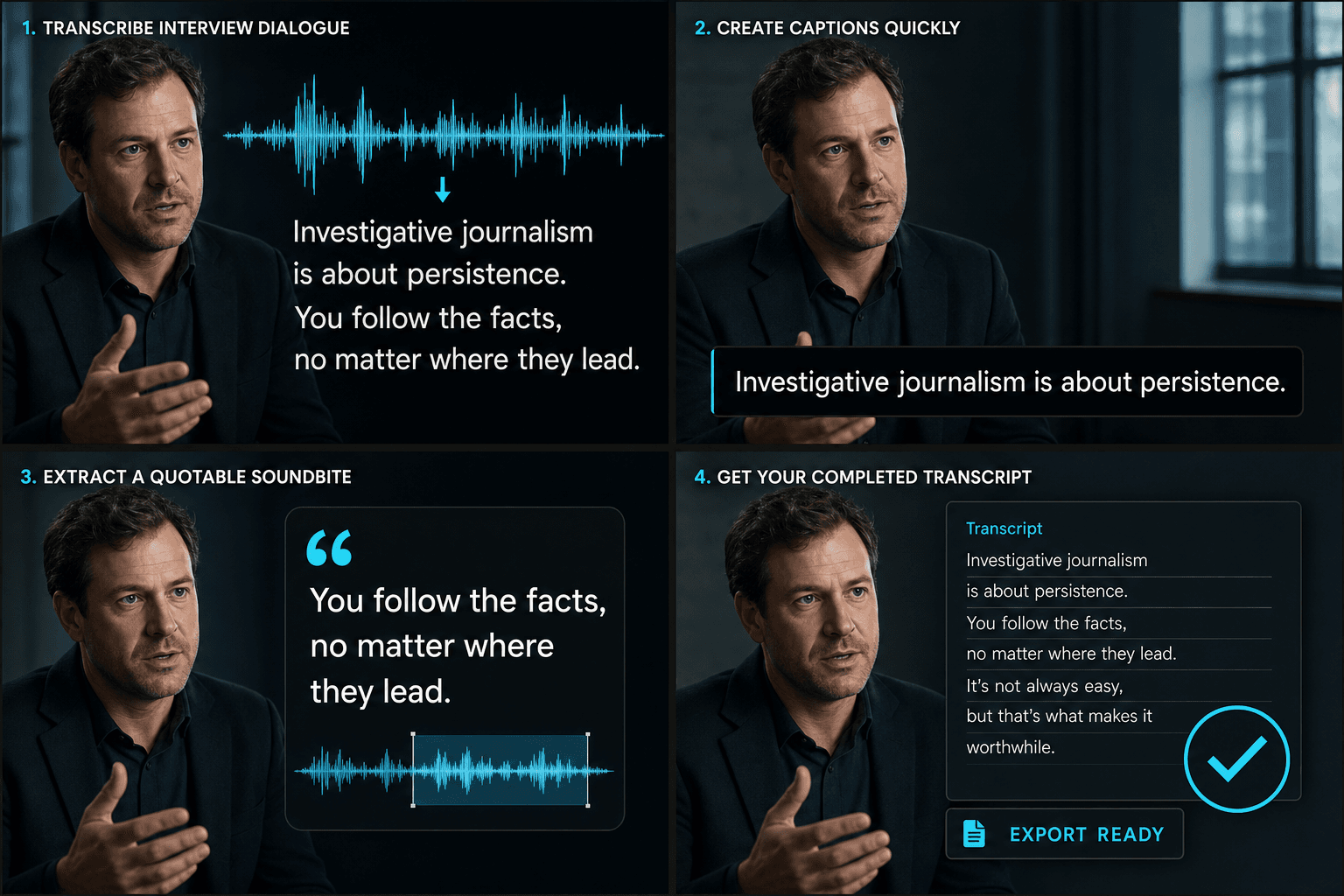
Konuşma sesinden bitmiş altyazılı videoya
Yapay zeka dinleme ve yazma işlemini tek seferde yapar: konuşmayı tanır, onu konuşmanın zamanlamasını takip eden altyazı satırlarına dönüştürür ve bunları görüntüye işler. Ortaya çıkan şey tek bir altyazılı videodur — bir senaryo değil, daha sonra senkronize edilecek bir dosya değil — sayfada önizlemeye ve MP4 olarak indirmeye hazırdır. İçeri konuşma girer; izlenebilir, altyazılı bir kesim çıkar.
Gerçek iş akışları için tasarlandı
Çince veya İngilizce röportajları tanıyın
Video altyazılarını stillendir
Altyazısı gömülü MP4 indirin
Sıkça Sorulan Sorular
Metin dosyası mı yoksa video mu alıyorum?
Bir video. Recapo konuşulan kelimeleri altyazılara dönüştürür ve görüntünün içine yakar, böylece bitmiş, altyazılı bir MP4 indirirsiniz — kelimeler ayrı bir transkript dosyasında değil, görüntüyle birlikte ekranda yaşar.
Ses mi yoksa video mu yüklüyorum?
Bir video yükleyin. Recapo sesindeki konuşmayı dinler, onu altyazı olarak yazar ve bu altyazıları aynı videoya geri işler — böylece indirdiğiniz şey altyazılı kliptir.
Ya bir isim veya teknik terim yanlış çıkarsa?
Yapay zeka tanıma, bağlam içindeki çoğu isim ve jargon dahil olmak üzere net konuşmayı iyi işler. Altyazılar konuşmaya göre zamanlanır ve nihai videoya yakılır, böylece kelimeler ekranda söylenenlerle eşleşmiş kalır.
Bu, altyazı oluşturucudan nasıl farklıdır?
Konuşmadan Metne, senaryolarda, notlarda veya aramada kullanmak için kelimelerin tam düzenlenebilir bir transkriptini sunar. Altyazı oluşturucu, ekranda görüntülemek için zaman senkronizasyonlu altyazı satırları üretmeyi amaçlar. Birçok içerik oluşturucu önce transkript alır, metni düzenler ve ardından ondan altyazılar oluşturur.
Konuşmadan Metne aracını kullanmaya başlayın
Yukarıdaki girdileri ve temel ayarları sağlayın. Sonucunuz mevcut araç iş akışında kalacaktır.
Ücretsiz kullan