Yazıyı Sese Çevirme ile Video Oluşturucu
Düz metni yapay zeka sesi, senkronize altyazılar ve kendi görüntülerinizle tamamlanmış bir videoya dönüştürün — kamera veya mikrofon gerekmez. Recapo.ai'de hızlıca yüzü olmayan videolar oluşturun.
Yüklemek için tıklayın veya bir video dosyası sürükleyin
MP4, MOV, MKV, WebM, MPEG, MPG, 3GP, 3GPP desteklenmektedir
Dosya başına en fazla 2 GB
Kaynak video en fazla 3 dakika
Bu sayfadan ayrılsanız veya dil değiştirdiğinizde bile işleme arka planda devam eder.
Boş bir sayfadan yüzü olmayan videolar
Yüzü olmayan kanallar üretim hızıyla yaşar veya ölür: bu format işe yarar çünkü bir kişi kameraya hiç görünmeden günlük olarak içerik üretebilir. Metinden konuşmaya video, en yavaş iki kısmı ortadan kaldırır — anlatımı kaydetmek ve altyazıları elle zamanlamak. Kelimeleri ve klipleri siz sağlarsınız; araç sesi, altyazı izini ve birleştirilmiş taslağı sağlar.
- 01
Metinden başlayın
Senaryonuzu veya makale tarzı taslağınızı yapıştırın. Yalnızca bir kaynak videonuz varsa, önce ondan bir özet veya tekrar senaryosu oluşturun.
- 02
Ses ve görseller ekleyin
Bir anlatım sesi seçin, ardından altyazılar konuşmayla senkronize olarak oluşturulurken görüntüleri ekleyin — yerel yüklemeler veya bağlantı içe aktarmaları.
- 03
Oluşturun ve yayınlayın
Video taslağını dışa aktarın, altyazı stilini veya kapağı cilalayın, Shorts için 9:16'ya kırpın ve platformlarınıza gönderin.
Özet ve yorum kanalları
hikayeyi senaryolaştırın, seslendirin, yayınlayın.
Açıklayıcı videolar ve listeler
çekim yapmadan bir taslağı anlatımlı bir videoya dönüştürün.
Çoklu platform paylaşımı
tek bir metin kaynağı, Shorts, Reels ve TikTok için dışa aktarılır.
TTS video oluşturucu aslında ne üretiyor
Çıktı, bir slayt gösterisine zımbalanmış bir MP3'ten ibaret değil. Yapılandırılmış bir taslak elde edersiniz: metninizden oluşturulmuş bir yapay zeka ses izi, konuşmayla kelimesi kelimesine eşleşen ve düzenlenebilir kalan bir altyazı izi ve anlatımın üzerine yerleştirilmiş görüntüleriniz. Oradan, son dışa aktarımdan önce her parça hala ayarlanabilir — bir satırı yeniden ifade edin, altyazıları yeniden şekillendirin, bir klibi değiştirin.
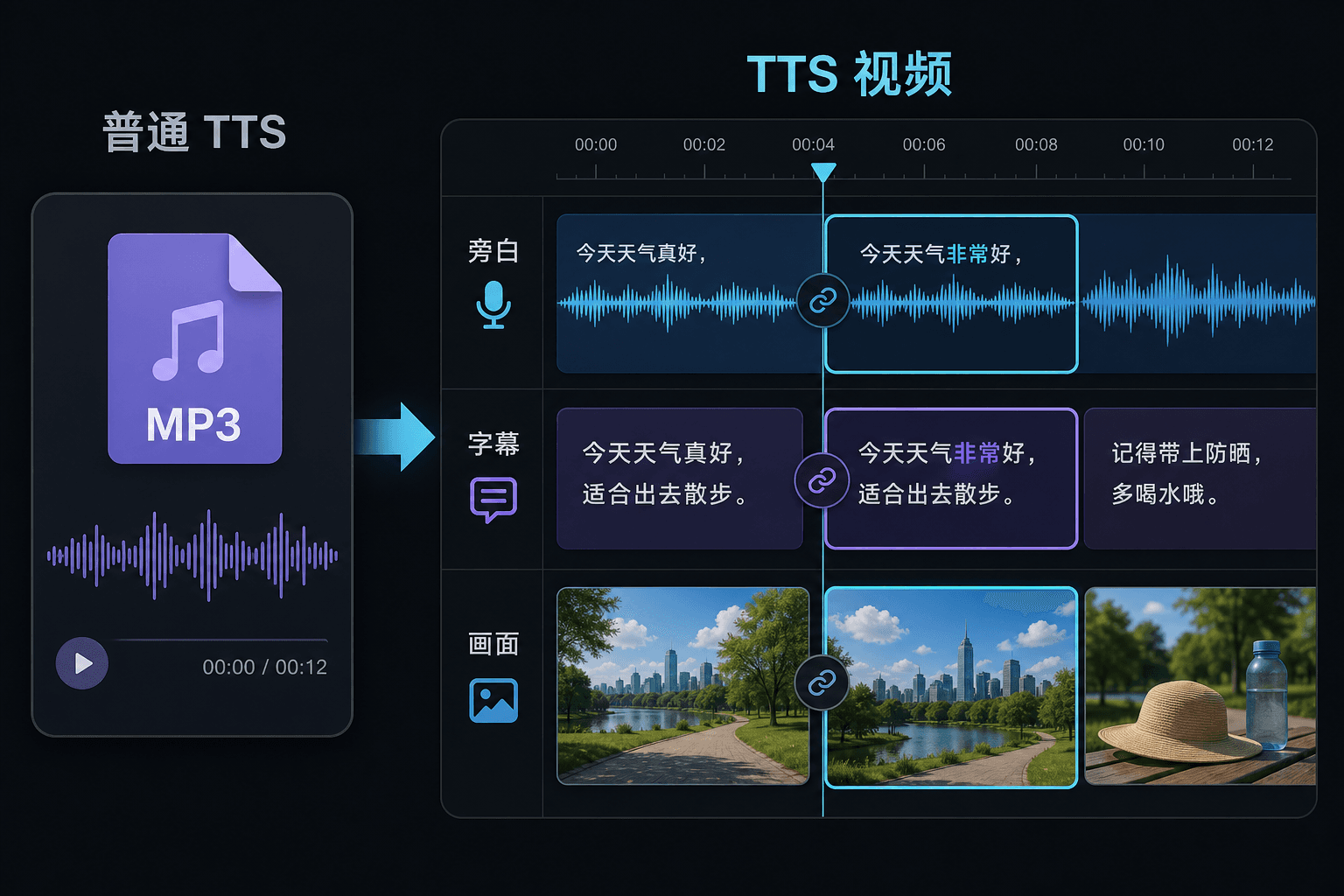
Metinden konuşmaya video ile düz metinden konuşmaya
Düz bir TTS aracı size bir ses dosyası verir ve düzenleyicinizde iyi şanslar diler. Burada konuşma bir video projesinin içinde oluşturulur, bu nedenle zamanlama, altyazılar ve resim zaten birbirine bağlıdır. Bu fark, revizyon zamanında en çok önem kazanır: metni değiştirmek, manuel yeniden senkronizasyonu zorlamak yerine anlatımı ve altyazıları birlikte günceller.
Gerçek iş akışları için tasarlandı
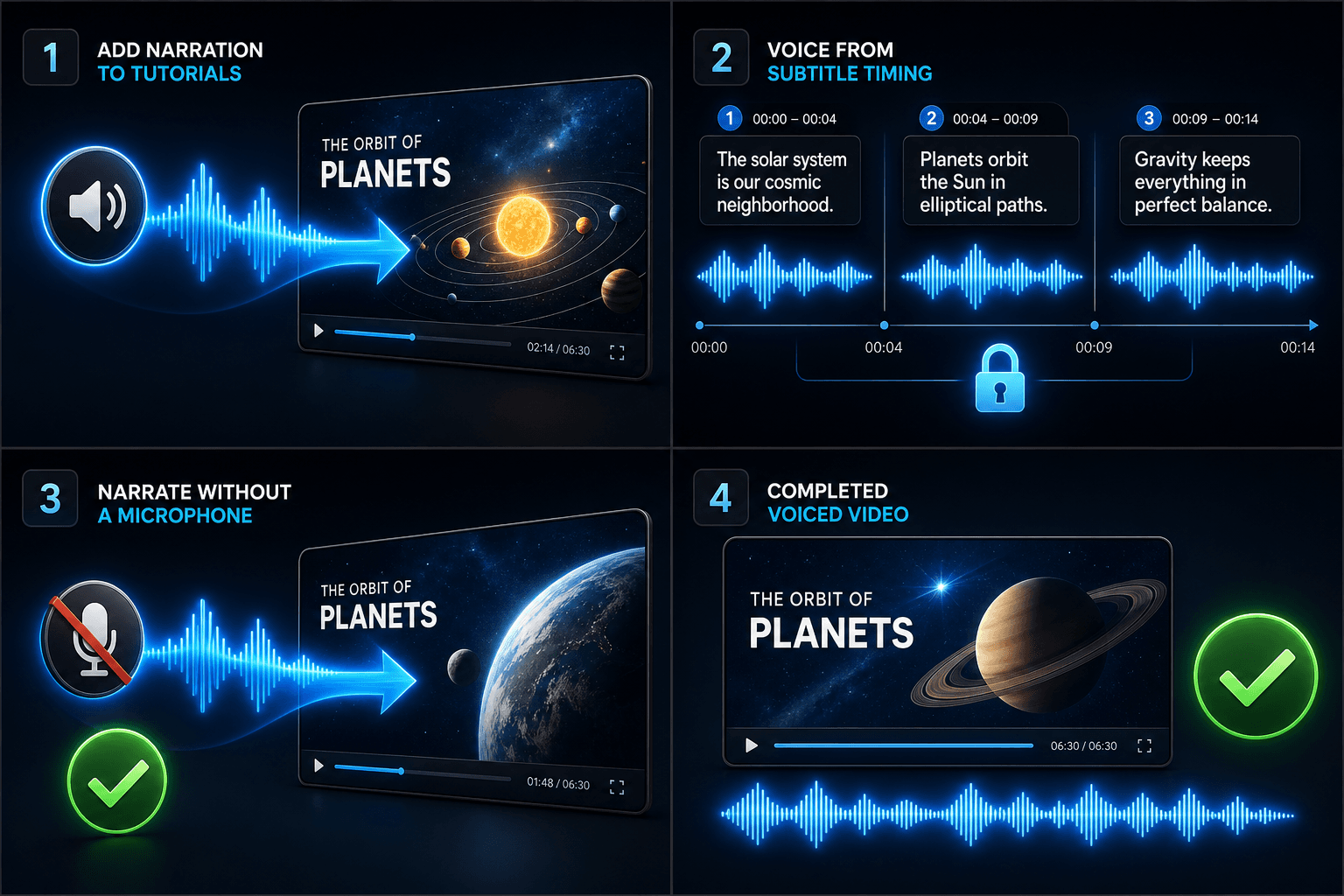
Eğitim videolarına seslendirme ekle
Altyazı zamanlamasına göre videoyu seslendir
Mikrofon olmadan seslendirme oluşturun
Sıkça Sorulan Sorular
Metinden konuşmaya video oluşturmak için kendi görüntülerime ihtiyacım var mı?
Bir tür görsel kaynağa ihtiyacınız var — yerel klipleri yükleyin veya bir bağlantıdan içe aktarın. Birçok içerik oluşturucu, daha uzun bir kaynak videodan öne çıkanları alır ve anlatımın hikayeyi onların üzerinden taşımasına izin verir.
Altyazılar gömülü mü yoksa düzenlenebilir mi?
Düzenlenebilir. Altyazılar konuşmayla senkronize olarak oluşturulur ve metni düzenleyebilir, yeniden şekillendirebilir, SRT/VTT olarak dışa aktarabilir veya son oluşturmaya gömebilirsiniz — seçim sizin.
Bu şekilde Shorts ve TikTok için dikey videolar oluşturabilir miyim?
Evet. Taslak oluşturulduktan sonra 9:16'ya kırpabilir, dikey izleme için altyazı yerleşimini ayarlayabilir ve platform başına dışa aktarabilirsiniz.
Ne giriyorum, metin mi yoksa bir video dosyası mı?
Videoyu değil, metni yapıştırırsınız. Metinden Konuşmaya Video, yazılmış bir senaryoyu veya yapıştırılmış kelimeleri okur ve seslendirilmiş bir anlatım ses dosyası çıkarır. Görüntüleri işlemez, bu nedenle onu özetiniz için zaten yazdığınız senaryoyu seslendirmek için kullanın.
Anlatım sesini ve konuşma hızını seçebilir miyim?
Evet. Bir ses seçersiniz ve okumanın yüzü olmayan veya yorum kanalınıza uyması için hızı ve tonu ayarlayabilirsiniz. Recapo hala geliştirme aşamasında olduğundan, mevcut sesler ve kontroller zamanla genişliyor.
Bittiğinde ne teslim eder?
İndirip altyazılar ve kliplerin yanına video zaman çizelgenize bırakabileceğiniz, müzikle karıştırmaya ve Recapo iş akışının geri kalanı aracılığıyla dışa aktarmaya hazır bir anlatım ses izi alırsınız.
Metinden Konuşmaya Video aracını kullanmaya başlayın
Yukarıdaki girdileri ve temel ayarları sağlayın. Sonucunuz mevcut araç iş akışında kalacaktır.
Ücretsiz kullan