Xiaohongshu Kapak Oluşturucu
Videonuzdan 3:4 Xiaohongshu (RedNote) kapakları oluşturun: bir ana kare seçin, akışın ödüllendirdiği büyük poster başlığını ekleyin ve tıklanmayı hak edecek bir kapak dışa aktarın.
İpucu: konumlandırmak için sürükleyin; seçmek için tıklayın, ardından yeniden boyutlandırmak için köşe tutamaçlarını sürükleyin
Xiaohongshu kapakları neden 16:9 değil de 3:4?
Xiaohongshu'nun keşif akışı dikey bir iki sütunlu ızgaradır. 3:4 kart sütunu doldurur ve komşu notları ekranda daha aşağı iter, yatay veya kare bir görüntü ise görünür boşluklar bırakır ve etkili billboard alanınızı küçültür. YouTube için tasarlanmış 16:9 küçük resim yüklemek, platformlar arası paylaşım yapan yaratıcıların yaptığı en yaygın hatadır — platform bunu gösterir, ancak herhangi biri başlığı okumadan önce yükseklik yarışmasını kaybeder.
- 01
Not videonuzu içe aktarın
Notunuzun arkasındaki klibi yükleyin veya bir bağlantıdan içe aktarın. Dikey, kare ve yatay kaynakların tümü çalışır — kırpma işlemi bir sonraki adımdadır.
- 02
3:4'e kırpın ve bir poster başlığı ekleyin
Bir kare seçin, Xiaohongshu kartlarının kullandığı 3:4 dikey oranında çerçeveleyin ve notun getirisini birkaç kelimeyle belirten büyük başlıklı bir düzen yerleştirin.
- 03
Notu dışa aktarın ve yayınlayın
Bitmiş kapağı indirin, notun ilk görseli olarak ayarlayın ve yayınlayın — veya videonun kendisi için altyazılara ve seslendirmeye geri dönün.
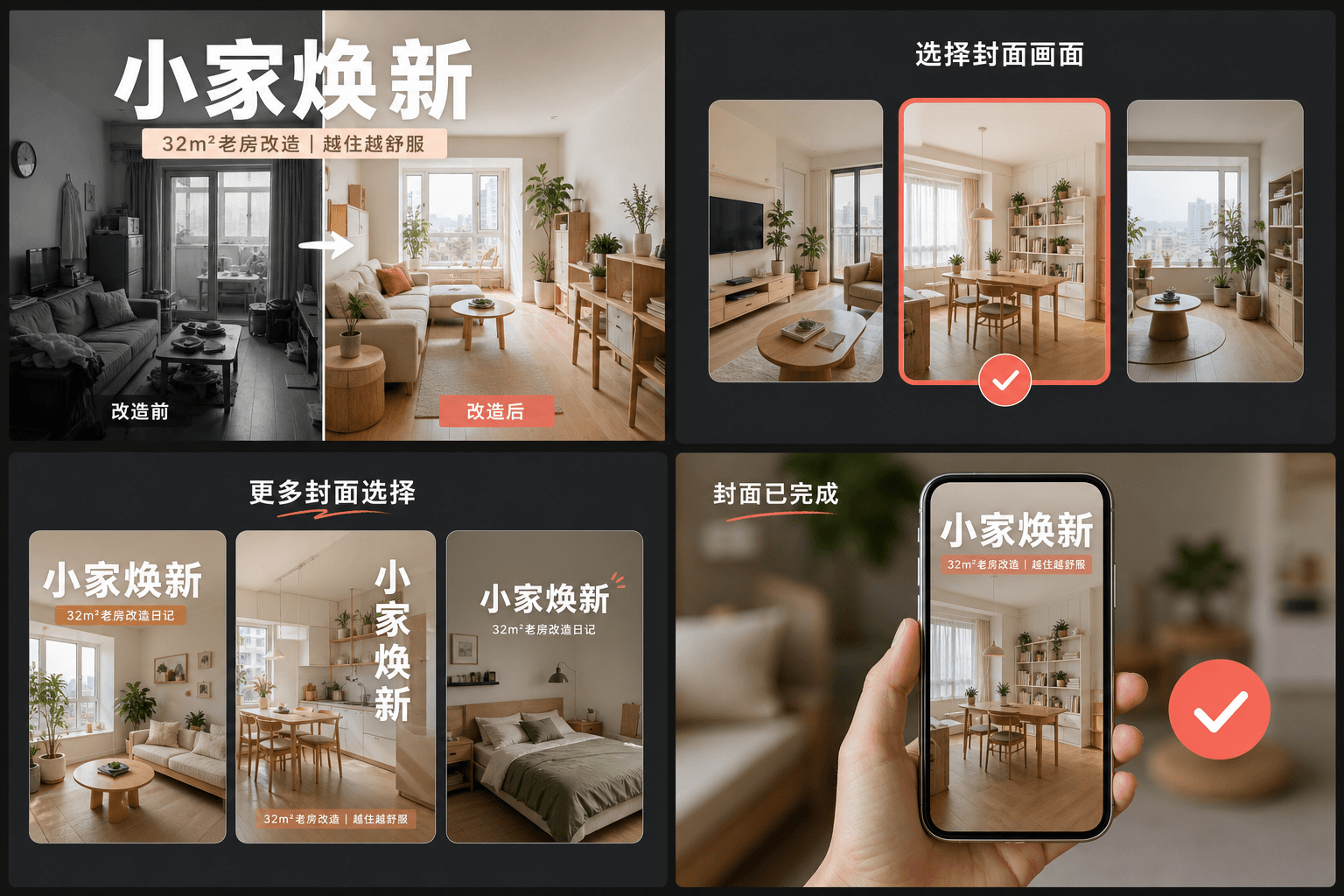
Büyük başlık alışkanlığı: RedNote kapakları tıklamayı nasıl kazanır?
Yüksek performanslı notlar, kapağı bir dergi posteri gibi ele alır: izleyicinin ne öğreneceğini, kaydedeceğini veya nelerden kaçınacağını belirten somut getiriyi ifade eden büyük bir metin başlığı, temiz bir çerçeve üzerine yerleştirilir. Yüzlere ve ifadelere dayanan YouTube küçük resimlerinin aksine, RedNote kapakları kelimelere dayanır. Kapak oluşturucunun düzenleri, kartın çoğunu bu başlığa ayırır ve her kartın baş parmağından biraz daha geniş olduğu ızgara boyutunda okunabilir kalmasını sağlar.
- Konuyu değil, getiriyi belirtin: "kamera ayarlarım" yerine "gece çekimlerini mahveden 3 hata" daha iyidir.
- Başlığı kartın merkezinde tutun — ızgara, kartları kırpılmış metin için pay bırakmadan uç uca gösterir.
- Tek bir net özneye sahip tek bir kare kullanın; karmaşık kareler küçük resim ölçeğinde temiz olanlara karşı kaybeder.
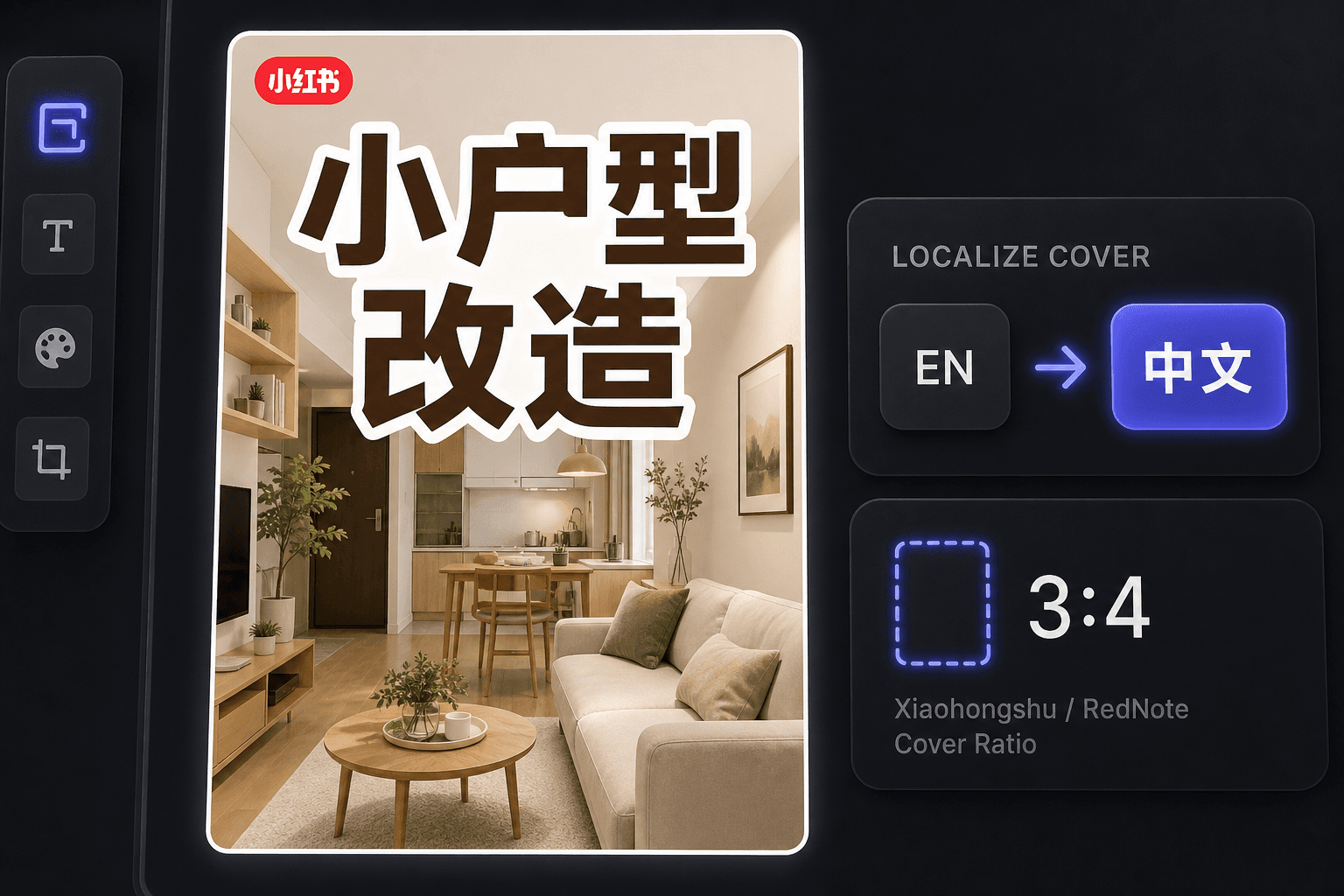
Yurt dışındaki bir yaratıcı olarak RedNote kapakları oluşturma
RedNote'un uluslararası yükselişinden bu yana, pek çok yaratıcı Çince okumadan orada yayın yapıyor. Kapak oluşturucu, iş akışını İngilizce tutarken yerel geleneklere uygun kapaklar üretir ve aynı çalışma alanı, videonun kendisini Çince konuşan izleyiciler için yerelleştirmek istediğinizde altyazı çevirisi sunar.
Gerçek iş akışları için tasarlandı
Dikkat çekici bir 3:4 kapakla başla
Videodan bir kapak karesi seçin
Mevcut tuvali PNG olarak dışa aktar
Sıkça Sorulan Sorular
Bir Xiaohongshu kapağı hangi en boy oranını kullanmalıdır?
3:4 dikey. Keşif ızgarasının etrafında tasarlandığı orandır — daha uzun kartlar sütunun daha fazlasını kaplar ve önce görülür. Araç, seçtiğiniz kareyi otomatik olarak 3:4'e kırpar.
Xiaohongshu kapaklarında neden bu kadar çok metin var?
Kapak, notun başlığı olarak ikiye katlanır. Kullanıcılar genellikle altındaki altyazıyı okumadan ızgaradan karar verirler, bu nedenle görüntüdeki poster tarzı bir başlık aslında tıklamayı alan şeydir. Düzenler bu alışkanlık etrafında inşa edilmiştir.
Çince bilmiyorsam RedNote kapakları yapabilir miyim?
Evet. Aracın kendisi İngilizce çalışır ve İngilizce dilindeki kapaklar RedNote'un uluslararası kitlesiyle iyi performans gösterir. Çince konuşan izleyicileri hedefliyorsanız, videoyu yerelleştirmek için kapağı altyazı çevirmeniyle eşleştirin.
Kapak oluşturmak için bir video dosyasına ihtiyacım var mı?
Hayır. Araç tek bir görüntüden çalışır — ister bir özetten çıkardığınız bir kare isterse yüklediğiniz herhangi bir durağan görüntü — bu nedenle işlenecek herhangi bir görüntü yoktur ve ses dahil değildir.
Xiaohongshu Kapak Oluşturucu aracını kullanmaya başlayın
Yukarıdaki girdileri ve temel ayarları sağlayın. Sonucunuz mevcut araç iş akışında kalacaktır.
Ücretsiz kullan