Teks Otomatis
Tambahkan auto captions ke video Anda: unggah klip, biarkan AI mentranskripsi ucapan dan membakar teks yang dapat dibaca ponsel ke dalam bingkai, lalu pratinjau dan unduh MP4 yang sudah diberi teks.
Klik untuk mengunggah atau seret file video ke sini
Mendukung MP4, MOV, MKV, WebM, MPEG, MPG, 3GP, 3GPP
Hingga 2 GB per file
Video sumber hingga 60 menit
Very long videos may fail when extracted ASR audio exceeds 100MB — trim first if needed
Upload a video first to adjust settings and preview the result
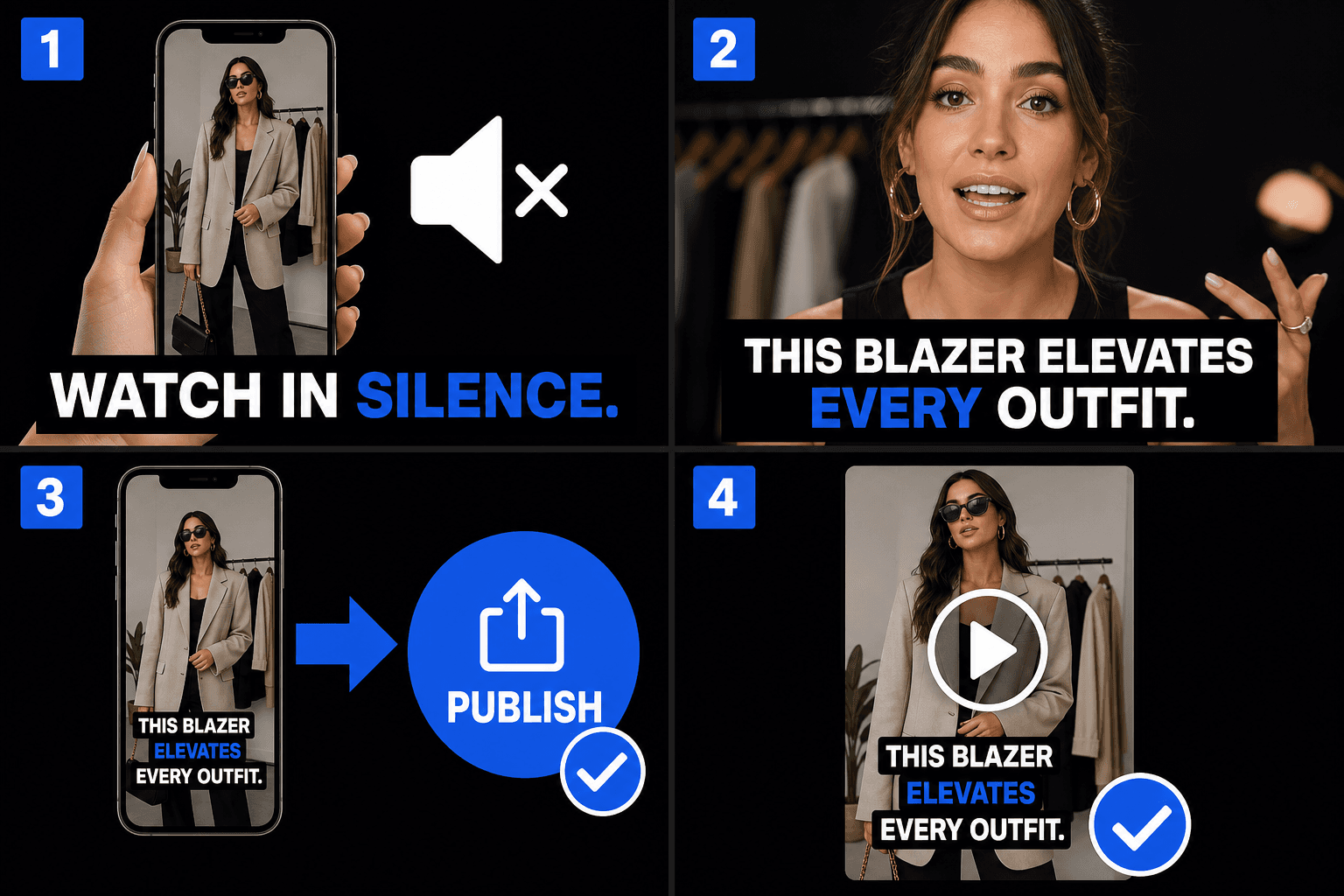
Teks dibuat untuk feed tanpa suara
Feed diputar otomatis dalam mode senyap, sehingga detik-detik pertama klip Anda harus berkomunikasi secara visual. Teks yang dibakar ke dalam video membawa daya tarik bahkan pada volume nol, dan karena mereka adalah bagian dari rekaman itu sendiri, mereka terlihat identik apakah klip tersebut mendarat di TikTok, Instagram, atau YouTube Shorts — tanpa bergantung pada teks otomatis masing-masing platform.
- 01
Unggah video Anda
Masukkan klip pendek. AI mendengarkan dialog yang diucapkan dan mengubahnya menjadi teks secara otomatis — tidak perlu file subtitle terpisah.
- 02
Auto-caption dan gaya
Ucapan langsung menjadi teks di layar. Pilih gaya tebal yang mudah dibaca di ponsel dan posisikan teks di dalam area aman seluler.
- 03
Pratinjau dan unduh
Tonton video berteks di pratinjau, lalu unduh MP4 jadi dengan teks yang dirender ke dalam bingkai, siap diposting ke TikTok, Reels, dan Shorts.
Jaga teks tetap di dalam area aman seluler
Setiap platform format pendek menumpangkan elemen antarmuka pada video. Teks yang ditempatkan terlalu rendah atau terlalu jauh ke kanan akan tertutup. Pratinjau menunjukkan di mana teks Anda berada relatif terhadap zona tersebut, sehingga Anda dapat memperbaiki penempatan sebelum mengunduh alih-alih menemukan masalah setelah memposting.
- Strip bawah: deskripsi, label audio, dan UI progres berada di sini.
- Tepi kanan: tombol suka, komentar, dan berbagi ditumpuk secara vertikal.
- Jaga teks di pita tengah — pratinjau membuat zonanya jelas.
Dirancang untuk alur kerja nyata ini
Tempelkan takarir (burn-in) untuk penonton tanpa suara
Atur gaya takarir pada video talking-head
Unduh MP4 bertakarir
FAQ
Mengapa membakar teks ke dalam video alih-alih mengandalkan teks otomatis platform?
Teks platform bervariasi dalam akurasi, gaya, dan ketersediaan, dan Anda tidak dapat melihatnya sebelum memposting. Membakar teks Anda ke dalam video memberi Anda kendali atas kata-kata dan tampilan, identik di setiap platform — dan Anda mempratinjau hasil akhir sebelum mengunduhnya.
Apakah tombol TikTok atau Reels akan menutupi teks saya?
Tidak, jika teks tetap di area aman. Pratinjau menunjukkan penempatan teks terhadap zona UI yang umum, sehingga Anda dapat memindahkan teks ke atas atau menengahkan sebelum mengunduh video.
Apa yang saya dapatkan pada akhirnya?
MP4 jadi dengan teks yang dirender ke dalam bingkai — Anda mempratinjaunya di halaman dan mengunduh video secara langsung. Klip vertikal 9:16 adalah kasus penggunaan utama, dan Anda tidak perlu mengunggah atau mengekspor file subtitle terpisah.
Format file subtitle apa yang bisa saya ekspor?
Auto Captions dibangun untuk mengekspor file SRT dan VTT standar, sehingga baris yang diberi waktu langsung masuk ke YouTube, editor, atau langkah burn-in Recapo. Karena produk masih dalam pengembangan, daftar format pastinya dapat bertambah.
Apakah video saya memerlukan audio yang diucapkan agar ini berfungsi?
Ya. Auto Captions mentranskripsi trek suara, jadi ia membutuhkan klip dengan ucapan yang jelas seperti narasi rekap atau komentar. Klip senyap atau video hanya musik tidak memberinya apa pun untuk dijadikan teks.
Bisakah saya memperbaiki kata-kata dan waktu sebelum mengekspor?
Ya. Transkrip yang disinkronkan dapat diedit, sehingga Anda dapat mengoreksi nama, memperketat baris yang panjang, dan menggeser waktu masuk dan keluar sebelum mengunduh SRT atau VTT atau meneruskannya ke alat burn-in.
Mulai menggunakan Auto Captions
Masukkan input dan pengaturan penting di atas. Hasil Anda akan tetap berada dalam alur kerja alat saat ini.
Coba gratis