Text to Speech Video Maker
Ubah teks biasa menjadi video jadi dengan ucapan AI, teks yang disinkronkan, dan rekaman Anda — tidak perlu kamera atau mikrofon. Buat video tanpa wajah dengan cepat di Recapo.ai.
Klik untuk mengunggah atau seret file video ke sini
Mendukung MP4, MOV, MKV, WebM, MPEG, MPG, 3GP, 3GPP
Hingga 2 GB per file
Video sumber hingga 3 menit
Proses berlanjut di latar belakang, bahkan jika Anda meninggalkan halaman ini atau mengganti bahasa.
Video tanpa wajah dari halaman kosong
Saluran tanpa wajah hidup atau mati berdasarkan kecepatan produksi: format ini berhasil karena satu orang dapat merilis setiap hari tanpa pernah muncul di kamera. Video teks ke suara menghilangkan dua bagian paling lambat — merekam narasi dan mengatur waktu teks secara manual. Anda menyediakan kata-kata dan klip; alat ini menyediakan suara, trek teks, dan draf yang dirakit.
- 01
Mulai dari teks
Tempel naskah atau draf gaya artikel Anda. Jika Anda hanya memiliki video sumber, buat ringkasan atau naskah ringkasan darinya terlebih dahulu.
- 02
Tambahkan suara dan visual
Pilih suara narasi, lalu lampirkan rekaman — unggahan lokal atau impor tautan — sementara teks dibuat secara sinkron dengan ucapan.
- 03
Render dan publikasikan
Ekspor draf video, poles gaya teks atau sampul, potong ke 9:16 untuk Shorts, dan dorong ke platform Anda.
Saluran ringkasan dan komentar
tulis naskah ceritanya, suarakan, publikasikan.
Penjelasan dan daftar
ubah kerangka menjadi video bernarasi tanpa syuting.
Posting multi-platform
satu sumber teks, diekspor untuk Shorts, Reels, dan TikTok.
Apa yang sebenarnya dihasilkan oleh generator video TTS
Outputnya bukan sekadar MP3 yang disatukan dengan slideshow. Anda mendapatkan draf terstruktur: trek suara AI yang dirender dari teks Anda, trek teks yang cocok dengan ucapan kata demi kata dan tetap dapat diedit, serta rekaman Anda yang diletakkan di atas narasi. Dari sana setiap bagian masih dapat disesuaikan — mengubah kata-kata sebuah baris, mengubah gaya teks, menukar klip — sebelum ekspor akhir.
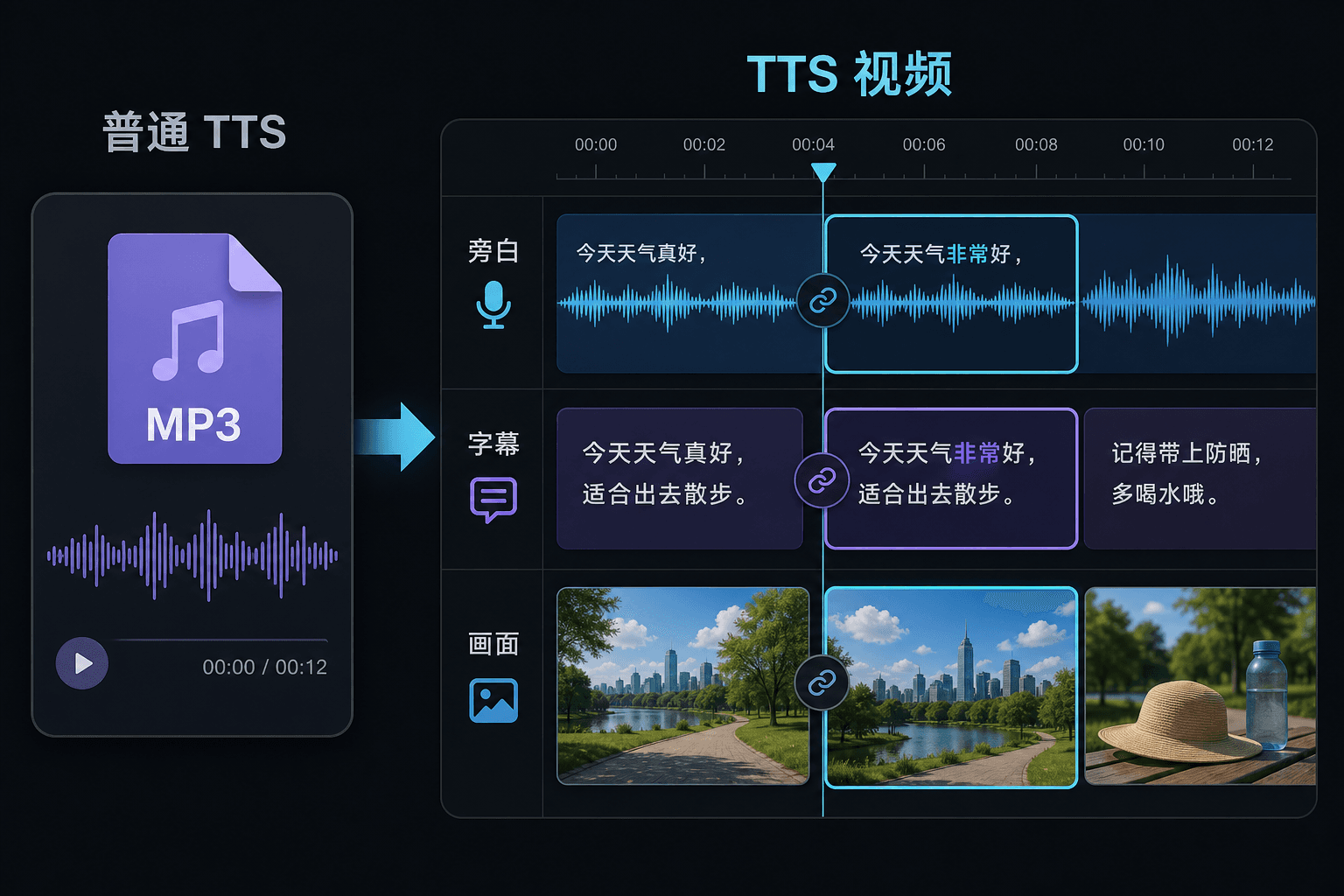
Video teks ke suara vs. teks ke suara biasa
Alat TTS biasa memberi Anda file audio dan berharap Anda beruntung di editor Anda. Di sini ucapan dihasilkan di dalam proyek video, sehingga waktu, teks, dan gambar sudah terhubung. Perbedaan itu paling penting pada saat revisi: mengubah teks memperbarui narasi dan teks secara bersamaan, alih-alih memaksa sinkronisasi ulang manual.
Dirancang untuk alur kerja nyata ini
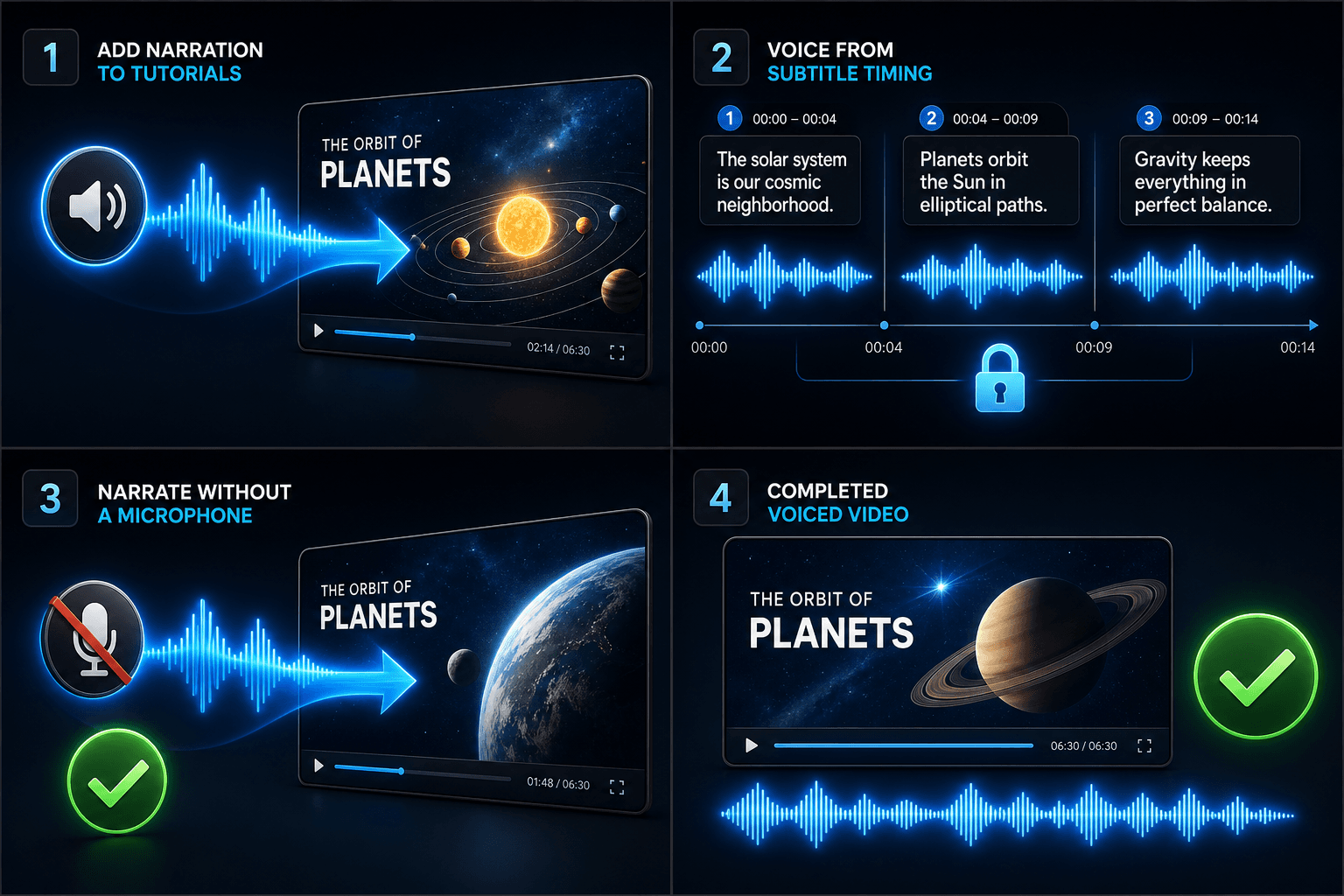
Tambahkan narasi ke video tutorial
Isi suara video berdasarkan waktu subtitle
Buat narasi tanpa mikrofon
FAQ
Apakah saya perlu rekaman sendiri untuk membuat video teks ke suara?
Anda memerlukan beberapa sumber visual — unggah klip lokal atau impor dari tautan. Banyak kreator mengambil sorotan dari video sumber yang lebih panjang dan membiarkan narasi membawa cerita di atasnya.
Apakah teksnya sudah tertanam atau dapat diedit?
Dapat diedit. Teks dibuat secara sinkron dengan ucapan, dan Anda dapat mengedit teks, mengubah gayanya, mengekspor SRT/VTT, atau menyematkannya ke dalam render akhir — pilihan Anda.
Bisakah saya membuat video vertikal untuk Shorts dan TikTok dengan cara ini?
Ya. Setelah draf dibuat, Anda dapat memotong ke 9:16, menyesuaikan penempatan teks untuk tampilan vertikal, dan mengekspor per platform.
Apa yang saya masukkan, teks atau file video?
Anda menempelkan teks, bukan video. Video Teks ke Suara membaca naskah yang diketik atau kata-kata yang ditempelkan dan menghasilkan file audio narasi yang diucapkan. Ini tidak memproses rekaman, jadi gunakan ini untuk menyuarakan naskah yang sudah Anda tulis untuk ringkasan Anda.
Bisakah saya memilih suara narasi dan kecepatan bicara?
Ya. Anda memilih suara dan dapat menyesuaikan kecepatan dan nada sehingga bacaan sesuai dengan saluran tanpa wajah atau komentar Anda. Recapo masih dalam pengembangan, jadi suara dan kontrol yang tersedia terus berkembang seiring waktu.
Apa yang dikembalikan saat selesai?
Anda mendapatkan trek audio narasi yang dapat Anda unduh dan letakkan di timeline video Anda bersama dengan takarir dan klip, siap untuk dicampur dengan musik dan diekspor melalui sisa alur kerja Recapo.
Mulai menggunakan Video Teks ke Suara
Masukkan input dan pengaturan penting di atas. Hasil Anda akan tetap berada dalam alur kerja alat saat ini.
Coba gratis