Pembuat Cover Xiaohongshu
Buat sampul Xiaohongshu (RedNote) 3:4 dari video Anda: pilih keyframe, tambahkan judul poster besar yang dihargai oleh feed, dan ekspor sampul yang dirancang untuk mendapatkan tap.
Tips: seret untuk memindahkan; klik untuk memilih, lalu seret gagang sudut untuk mengubah ukuran
Mengapa sampul Xiaohongshu berukuran 3:4, bukan 16:9
Feed penemuan Xiaohongshu adalah grid dua kolom vertikal. Kartu 3:4 mengisi kolom dan mendorong catatan tetangga lebih jauh ke bawah layar, sementara gambar lanskap atau persegi meninggalkan celah yang terlihat dan mengecilkan papan reklame efektif Anda. Mengunggah thumbnail 16:9 yang ditujukan untuk YouTube adalah kesalahan paling umum yang dilakukan kreator lintas posting — platform akan menampilkannya, tetapi ia kalah dalam kontes tinggi sebelum siapa pun membaca judulnya.
- 01
Impor video catatan Anda
Unggah klip di balik catatan Anda, atau impor dari tautan. Sumber vertikal, persegi, dan lanskap semuanya berfungsi — pemotongan dilakukan selanjutnya.
- 02
Potong ke 3:4 dan tambahkan judul poster
Pilih keyframe, bingkai dalam rasio vertikal 3:4 yang digunakan kartu Xiaohongshu, dan tempatkan tata letak judul besar yang menyatakan hasil catatan dalam beberapa kata.
- 03
Ekspor dan posting catatan
Unduh sampul yang sudah jadi, atur sebagai gambar pertama catatan, dan publikasikan — atau kembali ke teks dan sulih suara untuk video itu sendiri.
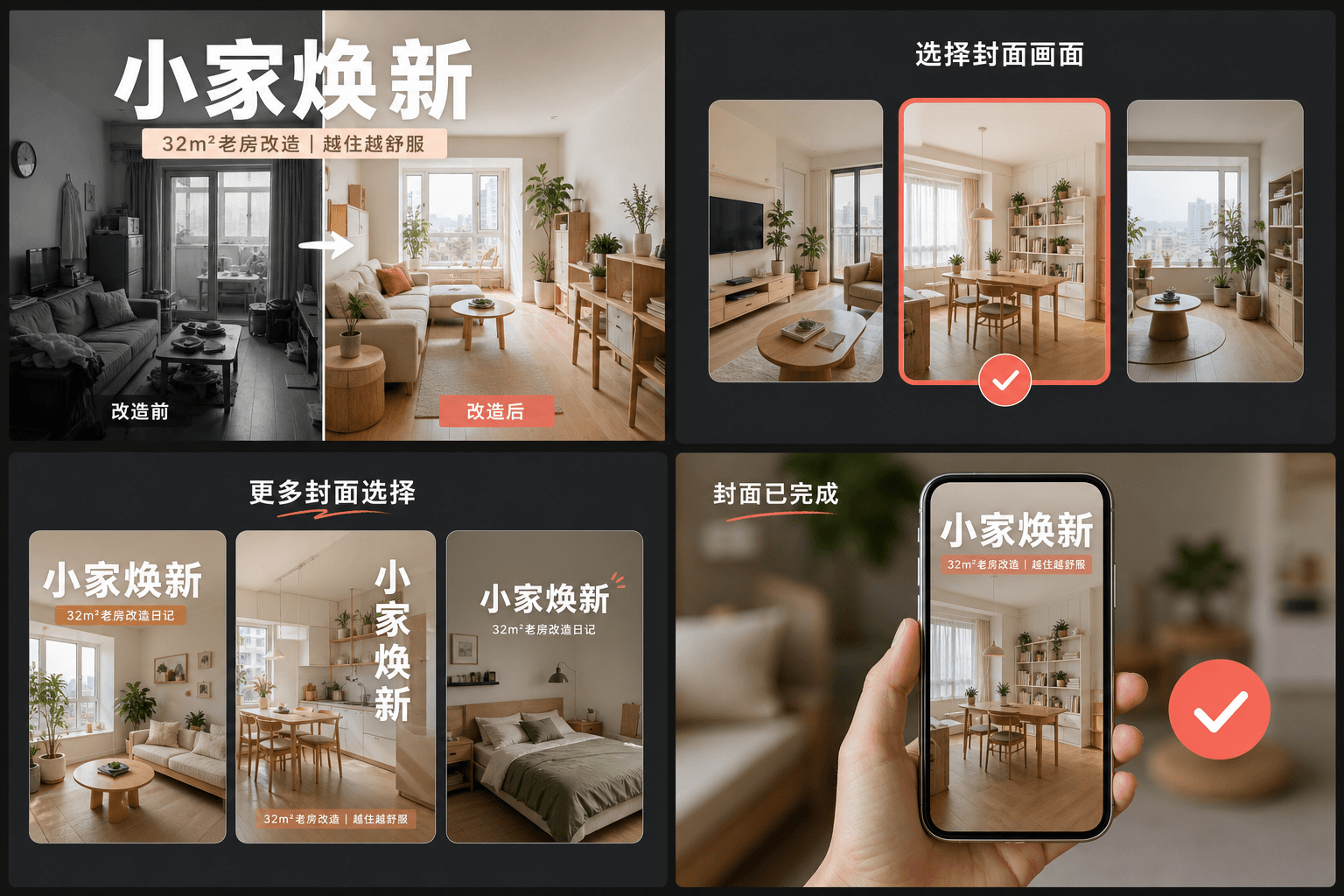
Kebiasaan judul besar: bagaimana sampul RedNote mendapatkan tap
Catatan berkinerja tinggi memperlakukan sampul seperti poster majalah: judul teks besar yang menyatakan hasil konkret — apa yang akan dipelajari, disimpan, atau dihindari pemirsa — diatur di atas bingkai yang bersih. Berbeda dengan thumbnail YouTube yang mengandalkan wajah dan ekspresi, sampul RedNote mengandalkan kata-kata. Tata letak pembuat sampul mencadangkan sebagian besar kartu untuk judul tersebut dan menjaganya tetap terbaca pada ukuran grid, di mana setiap kartu lebarnya hampir tidak lebih dari ibu jari.
- Nyatakan hasilnya, bukan topiknya: "3 kesalahan yang merusak rekaman malam" lebih baik daripada "pengaturan kamera saya".
- Jaga judul di dalam tengah kartu — grid menampilkan kartu dari tepi ke tepi tanpa margin untuk teks yang terpotong.
- Gunakan satu bingkai dengan satu subjek yang jelas; bingkai yang ramai kalah dari yang bersih pada skala thumbnail.
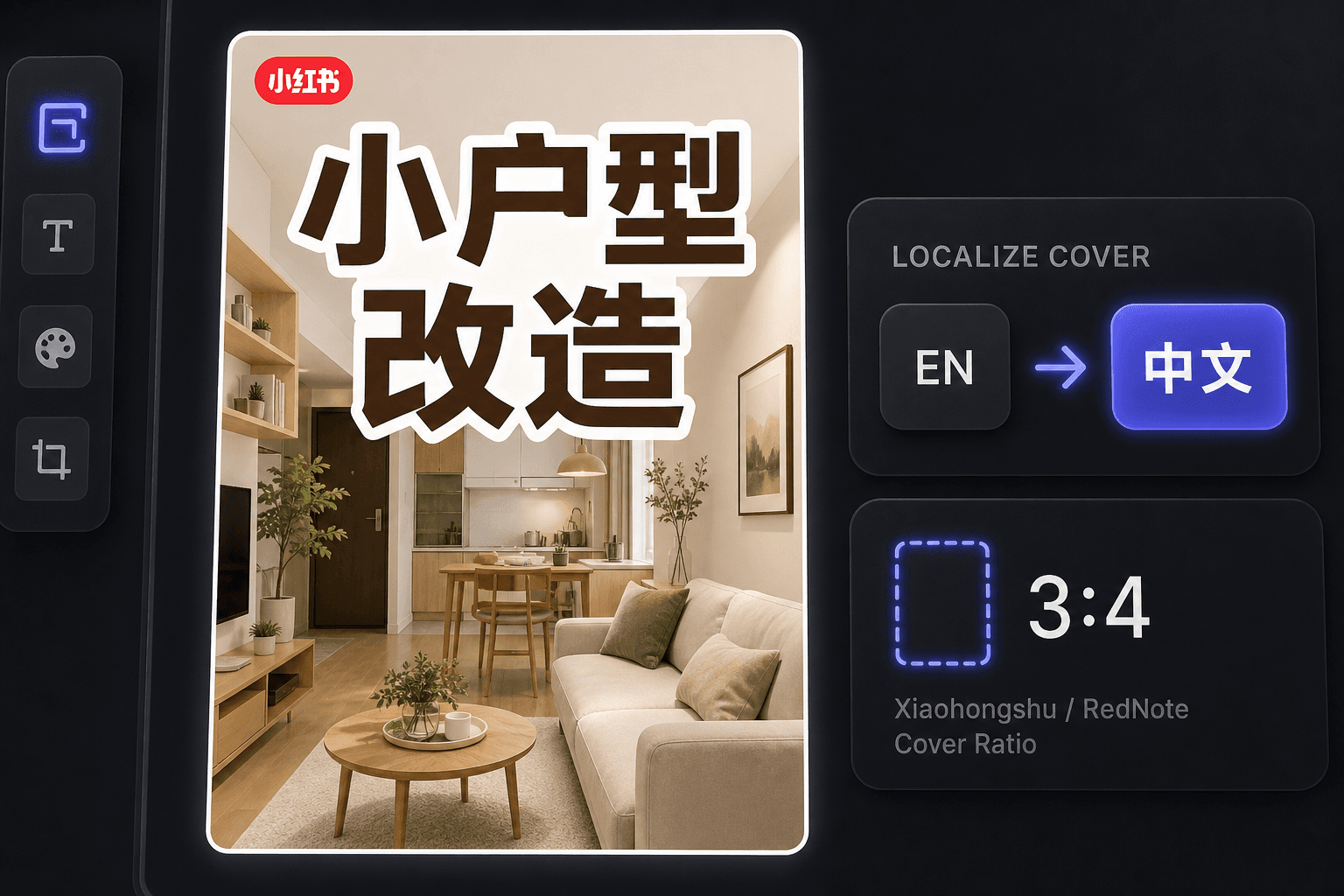
Membuat sampul RedNote sebagai kreator luar negeri
Sejak lonjakan internasional RedNote, banyak kreator mempublikasikan di sana tanpa membaca bahasa Mandarin. Pembuat sampul menjaga alur kerja dalam bahasa Inggris sambil menghasilkan sampul yang sesuai dengan konvensi lokal, dan ruang kerja yang sama menawarkan terjemahan subtitle ketika Anda ingin video itu sendiri dilokalkan untuk pemirsa berbahasa Mandarin.
Dirancang untuk alur kerja nyata ini
Mulai dengan sampul 3:4 yang mencolok
Pilih bingkai sampul dari video
Ekspor kanvas saat ini sebagai PNG
FAQ
Rasio aspek apa yang harus digunakan sampul Xiaohongshu?
3:4 vertikal. Ini adalah rasio yang menjadi dasar desain grid penemuan — kartu yang lebih tinggi menempati lebih banyak kolom dan dilihat lebih dulu. Alat ini memotong bingkai pilihan Anda ke 3:4 secara otomatis.
Mengapa sampul Xiaohongshu memiliki begitu banyak teks di atasnya?
Sampul berfungsi ganda sebagai judul catatan. Pengguna memutuskan dari grid, sering kali tanpa membaca teks di bawahnya, sehingga judul bergaya poster pada gambarlah yang sebenarnya mendapatkan tap. Tata letak dibangun berdasarkan kebiasaan tersebut.
Bisakah saya membuat sampul RedNote jika saya tidak bisa berbahasa Mandarin?
Ya. Alat itu sendiri bekerja dalam bahasa Inggris, dan sampul berbahasa Inggris berkinerja baik dengan audiens internasional RedNote. Jika Anda menargetkan pemirsa berbahasa Mandarin, padukan sampul dengan penerjemah subtitle untuk melokalkan video.
Apakah saya memerlukan file video untuk membuat sampul?
Tidak. Alat ini bekerja dari satu gambar — baik keyframe yang Anda ambil dari rekap atau gambar statis yang Anda unggah — jadi tidak ada rekaman yang harus dirender dan tidak ada audio yang terlibat.
Mulai menggunakan Pembuat Sampul Xiaohongshu
Masukkan input dan pengaturan penting di atas. Hasil Anda akan tetap berada dalam alur kerja alat saat ini.
Coba gratis