Burn Subtitles into Video
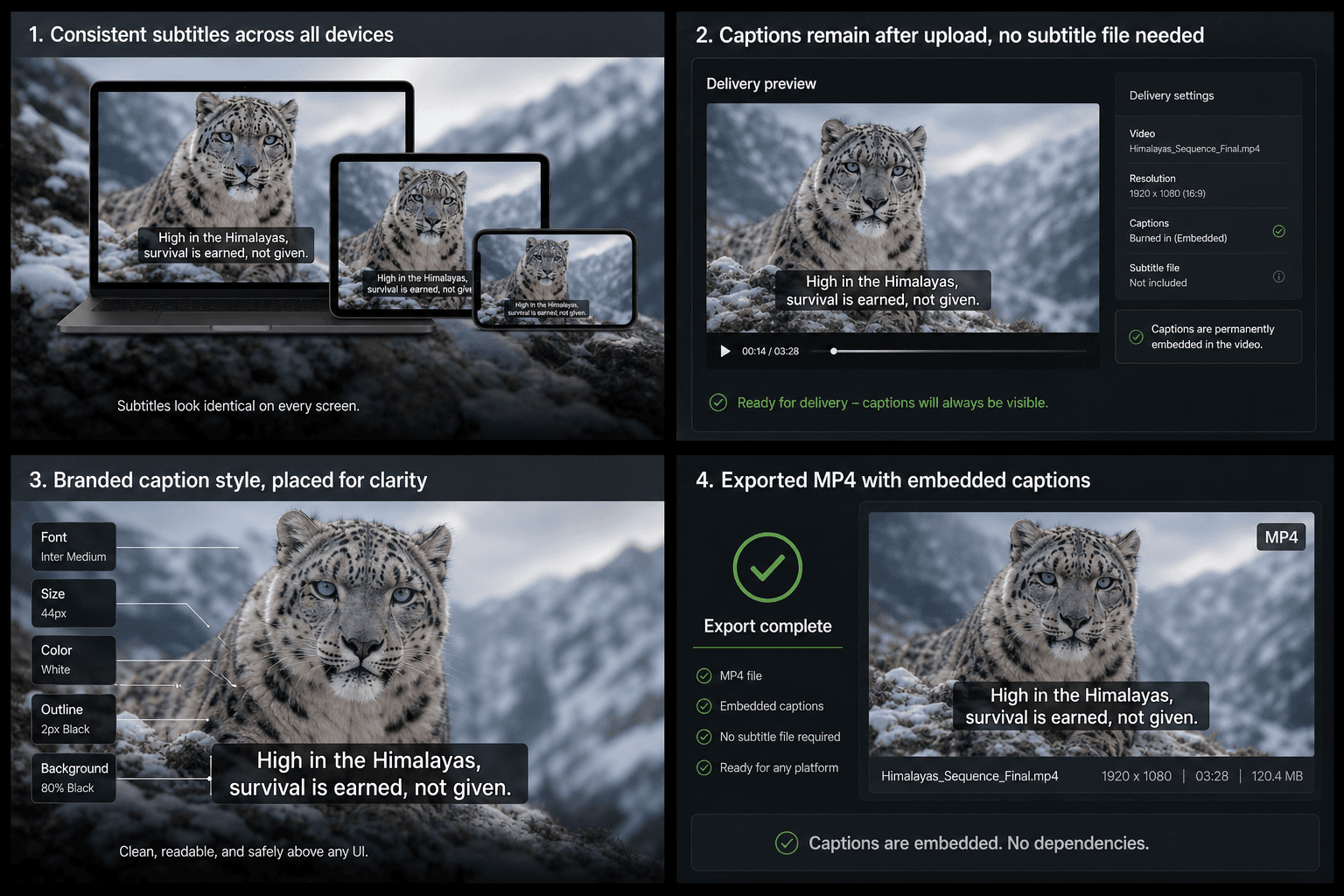
Burn subtitles into video online: hardcode captions with your font, color, and outline fixed into the frame so they look identical on every platform and player.
Click to upload or drop a video file
Supports MP4, MOV, MKV, WebM, MPEG, MPG, 3GP, 3GPP
Up to 2 GB per file
Upload a video first to adjust settings and preview the result
Hard subtitles vs. subtitle files: when to burn
Soft subtitles (a separate SRT/VTT file or platform caption track) are flexible — viewers can toggle them, and one video serves many languages. Hard subtitles trade that flexibility for certainty. Burn when certainty wins:
- 01
Load video and subtitles
Import your video, then generate captions with AI or use the subtitle track you've already proofread in Recapo.
- 02
Style and position the text
Choose font, size, color, outline, and placement. The preview shows exactly how each line will sit on the frame.
- 03
Render the burn-in
Export a new video with subtitles baked into the picture — ready for any platform, player, or embedded context.
The platform or embed context doesn't accept subtitle file uploads.
Short-form feeds where captions must show by default, full stop.
Trailers, ads, and brand clips where typography is part of the design.
Styling that survives every player
A soft subtitle file renders differently in every player: fonts substitute, sizes shift, positions jump. Burning in ends that lottery. The font, stroke width, color, and placement you approve in the preview are encoded into the frames, so the version a viewer sees on a TV, a phone, or inside an embedded player is pixel-for-pixel the one you exported.
Built for these real workflows
Keep captions visible in every player
Prevent missing captions on delivery
Lock in branded caption styling
Continue with the next step
Frequently asked questions
Can viewers turn burned-in subtitles off?
No — that's the defining trade-off. The text is part of the image. Keep an SRT copy of the track so you can always produce a clean or differently-subtitled version later.
Does burning in subtitles reduce video quality?
Rendering text requires re-encoding the video, and the export presets target visually lossless results. If the file comes out large, compress it afterward in the same workspace.
Can I burn in translated subtitles?
Yes. Translate the track with the subtitle translator first, then burn each language as its own export — one video file per audience.
What is the difference between burning subtitles in and exporting an SRT file?
An SRT is a separate file that a player loads and the viewer can turn off. Burning subtitles renders the text directly into the video frames, so the captions are part of the picture and always show, even on platforms that ignore subtitle files.
Can I change the font, size, and position of the captions before they are burned in?
Yes. You set the font, size, outline, and on-screen position before rendering so the captions read clearly and stay inside the safe area. Once the video is rendered the styling is fixed in the frames, so adjust it before you export.
Do I need to generate the subtitles here first?
No. This tool focuses on the burn-in and export step. You can bring captions from Recapo's Auto Subtitle Generator or AI Subtitle Generator, or supply your own SRT and timing, and this tool renders them into the video.
Start using Burn Subtitles into Video
Provide the input and essential settings above. Your result stays in the current tool workflow.
Back to tool