Zamiana tekstu na mowę w wideo
Zamień zwykły tekst w gotowe wideo z mową AI, zsynchronizowanymi napisami i Twoimi materiałami wideo — kamera ani mikrofon nie są wymagane. Twórz szybko wideo bez pokazywania twarzy na Recapo.ai.
Kliknij, aby przesłać lub przeciągnij plik wideo
Obsługiwane formaty: MP4, MOV, MKV, WebM, MPEG, MPG, 3GP, 3GPP
Do 2 GB na plik
Wideo źródłowe do 3 min
Przetwarzanie kontynuuje się w tle, nawet jeśli opuścisz tę stronę lub zmienisz język.
Wideo bez twarzy z pustej strony
Kanały bez twarzy żyją lub umierają w zależności od szybkości produkcji: ten format działa, ponieważ jedna osoba może publikować codziennie, nigdy nie pojawiając się przed kamerą. Wideo z tekstu na mowę eliminuje dwie najwolniejsze części — nagrywanie narracji i ręczne ustawianie czasu napisów. Ty dostarczasz słowa i klipy; narzędzie dostarcza głos, ścieżkę napisów i złożony projekt.
- 01
Zacznij od tekstu
Wklej swój scenariusz lub szkic w stylu artykułu. Jeśli masz tylko wideo źródłowe, najpierw wygeneruj z niego podsumowanie lub scenariusz recapu.
- 02
Dodaj głos i wizualizacje
Wybierz głos narracji, a następnie dołącz materiały wideo — lokalne pliki lub importy z linków — podczas gdy napisy są generowane synchronicznie z mową.
- 03
Renderuj i publikuj
Wyeksportuj projekt wideo, dopracuj stylizację napisów lub okładkę, przytnij do 9:16 dla Shorts i opublikuj na swoich platformach.
Kanały z podsumowaniami i komentarzami
napisz historię, dodaj głos, opublikuj.
Filmy wyjaśniające i listy
zamień plan w narracyjne wideo bez kręcenia.
Publikowanie na wielu platformach
jedno źródło tekstowe, eksportowane dla Shorts, Reels i TikTok.
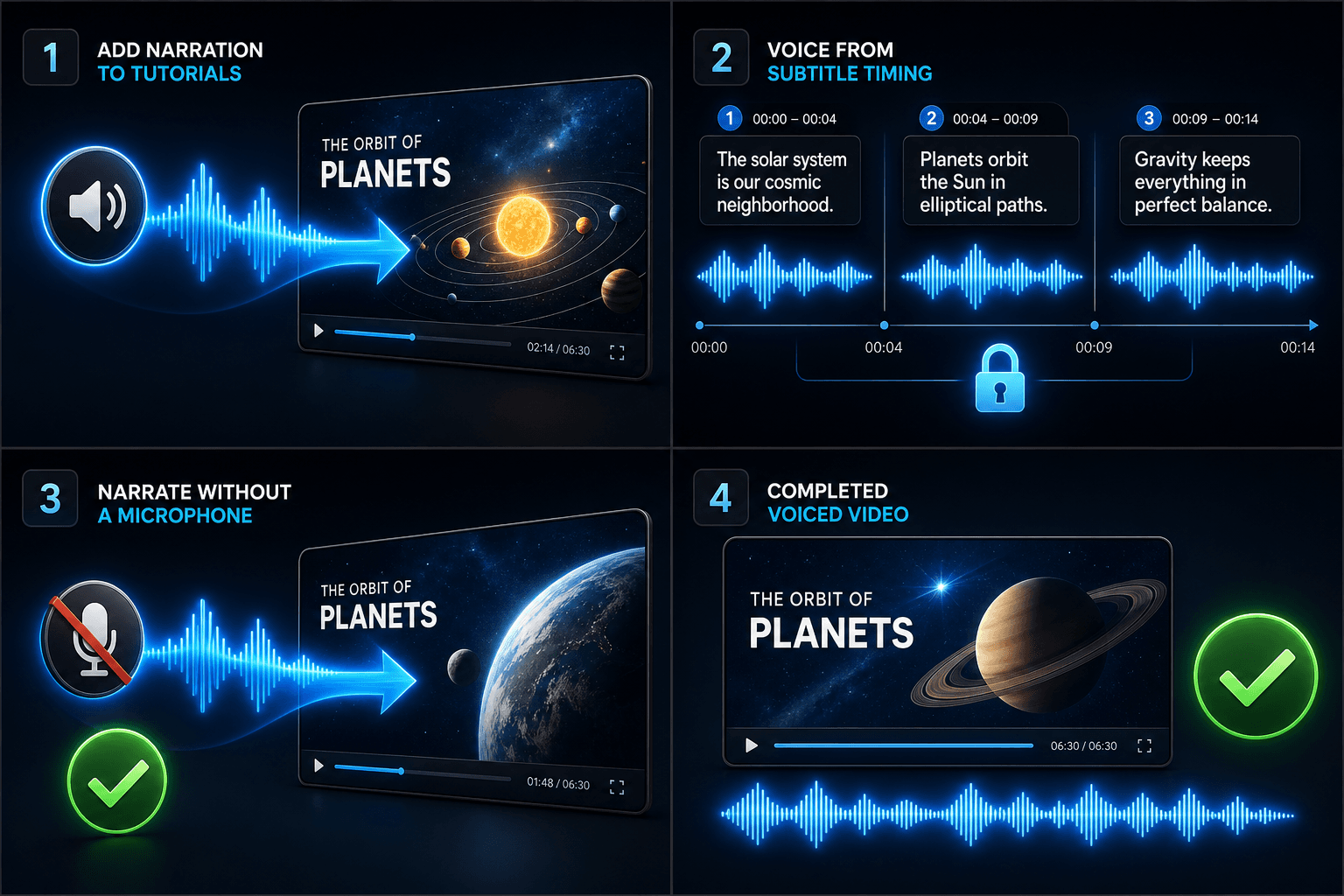
Co faktycznie produkuje generator wideo TTS
Wynik to nie tylko plik MP3 dołączony do pokazu slajdów. Otrzymujesz ustrukturyzowany projekt: ścieżkę głosową AI wygenerowaną z Twojego tekstu, ścieżkę napisów, która odpowiada mowie słowo w słowo i pozostaje edytowalna, oraz Twoje materiały wideo nałożone na narrację. Od tego momentu każdy element można nadal dostosowywać — przeredagować zdanie, zmienić styl napisów, wymienić klip — przed ostatecznym eksportem.
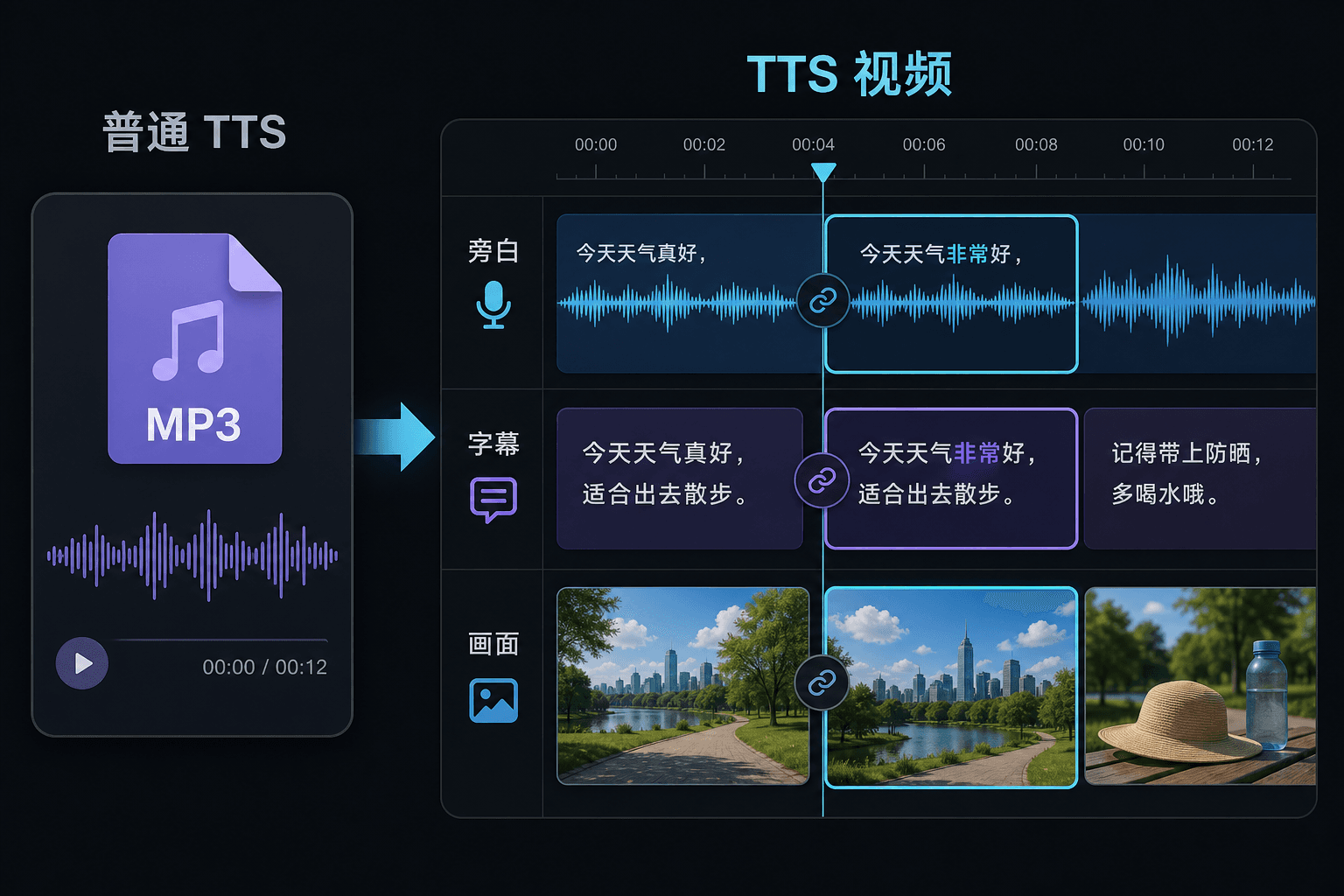
Wideo z tekstu na mowę a zwykłe text-to-speech
Zwykłe narzędzie TTS podaje Ci plik audio i życzy powodzenia w edytorze. Tutaj mowa jest generowana wewnątrz projektu wideo, więc czas, napisy i obraz są już połączone. Ta różnica ma największe znaczenie podczas poprawek: zmiana tekstu aktualizuje narrację i napisy jednocześnie, zamiast wymuszać ręczną resynchronizację.
Stworzone z myślą o tych zastosowaniach
Dodaj lektora do poradników
Generuj lektora na podstawie czasu napisów
Twórz narrację bez użycia mikrofonu
Powiązane narzędzia
Najczęstsze pytania
Czy potrzebuję własnych materiałów wideo, aby stworzyć wideo z tekstu na mowę?
Potrzebujesz jakiegoś źródła wizualnego — prześlij lokalne klipy lub zaimportuj z linku. Wielu twórców pobiera najlepsze momenty z dłuższego wideo źródłowego i pozwala narracji prowadzić historię nad nimi.
Czy napisy są wgrane na stałe, czy można je edytować?
Można je edytować. Napisy są generowane synchronicznie z mową, a Ty możesz edytować tekst, zmieniać ich styl, eksportować SRT/VTT lub wgrać je na stałe do końcowego renderu — wybór należy do Ciebie.
Czy mogę w ten sposób tworzyć pionowe wideo dla Shorts i TikTok?
Tak. Po wygenerowaniu projektu możesz przyciąć go do 9:16, dostosować rozmieszczenie napisów do oglądania w pionie i wyeksportować na każdą platformę.
Co wprowadzam, tekst czy plik wideo?
Wklejasz tekst, nie wideo. Wideo z tekstu na mowę odczytuje wpisany scenariusz lub wklejone słowa i generuje plik audio z mówioną narracją. Nie przetwarza materiałów wideo, więc użyj go do nagłosnienia scenariusza, który już napisałeś do swojego podsumowania.
Czy mogę wybrać głos narracji i szybkość mówienia?
Tak. Wybierasz głos i możesz dostosować tempo oraz ton, aby lektura pasowała do Twojego kanału bez twarzy lub z komentarzem. Recapo jest wciąż w fazie rozwoju, więc dostępne głosy i opcje sterowania są z czasem poszerzane.
Co zwraca po zakończeniu?
Otrzymujesz ścieżkę audio z narracją, którą możesz pobrać i umieścić na osi czasu wideo obok napisów i klipów, gotową do zmiksowania z muzyką i wyeksportowania w ramach reszty przepływu pracy Recapo.
Zacznij korzystać z Wideo z tekstu na mowę
Wprowadź plik i skonfiguruj niezbędne ustawienia powyżej. Twój wynik pozostanie w bieżącym procesie pracy narzędzia.
Wypróbuj za darmo