
Tekst til tale video maker
Omdan almindelig tekst til en færdig video med AI-tale, synkroniserede undertekster og dit eget footage — intet kamera eller mikrofon kræves. Lav ansigtsløse videoer hurtigt på Recapo.ai.
Klik for at uploade, eller træk en videofil hertil
Understøtter MP4, MOV, MKV, WebM, MPEG, MPG, 3GP, 3GPP
Op til 2 GB pr. fil
Kildevideo på op til 3 minutter
Behandlingen fortsætter i baggrunden, selv hvis du forlader denne side eller skifter sprog.
Ansigtsløse videoer fra en tom side
Ansigtsløse kanaler lever eller dør på produktionshastighed: formatet fungerer, fordi én person kan udgive dagligt uden nogensinde at vise sig foran kameraet. Tekst til tale-video fjerner de to langsomste dele — optagelse af fortælling og manuel timing af undertekster. Du leverer ordene og klippene; værktøjet leverer stemmen, undertekstsporet og det samlede udkast.
- 01
Start fra tekst
Indsæt dit manuskript eller artikel-lignende udkast. Hvis du kun har en kildevideo, skal du først generere et resumé eller opsummeringsmanuskript fra den.
- 02
Tilføj stemme og visuals
Vælg en fortællerstemme, og vedhæft derefter footage — lokale uploads eller link-importer — mens undertekster genereres synkront med talen.
- 03
Render og publicer
Eksporter videoudkastet, polér underteksternes styling eller coveret, beskær til 9:16 til Shorts, og skub det ud til dine platforme.
Opsummerings- og kommentarkanaler
skriv manuskriptet til historien, tilføj stemme, publicer.
Forklaringer og lister
omdan en disposition til en fortalt video uden at filme.
Multi-platform posting
én tekstkilde, eksporteret til Shorts, Reels og TikTok.
Hvad TTS-videogeneratoren faktisk producerer
Outputtet er ikke bare en MP3 hæftet til et diasshow. Du får et struktureret udkast: et AI-stemmespor renderet fra din tekst, et undertekstspor, der matcher talen ord for ord og forbliver redigerbart, og dit footage lagt mod fortællingen. Derfra kan hver del stadig justeres — omformulere en linje, restyle underteksterne, bytte et klip — før den endelige eksport.
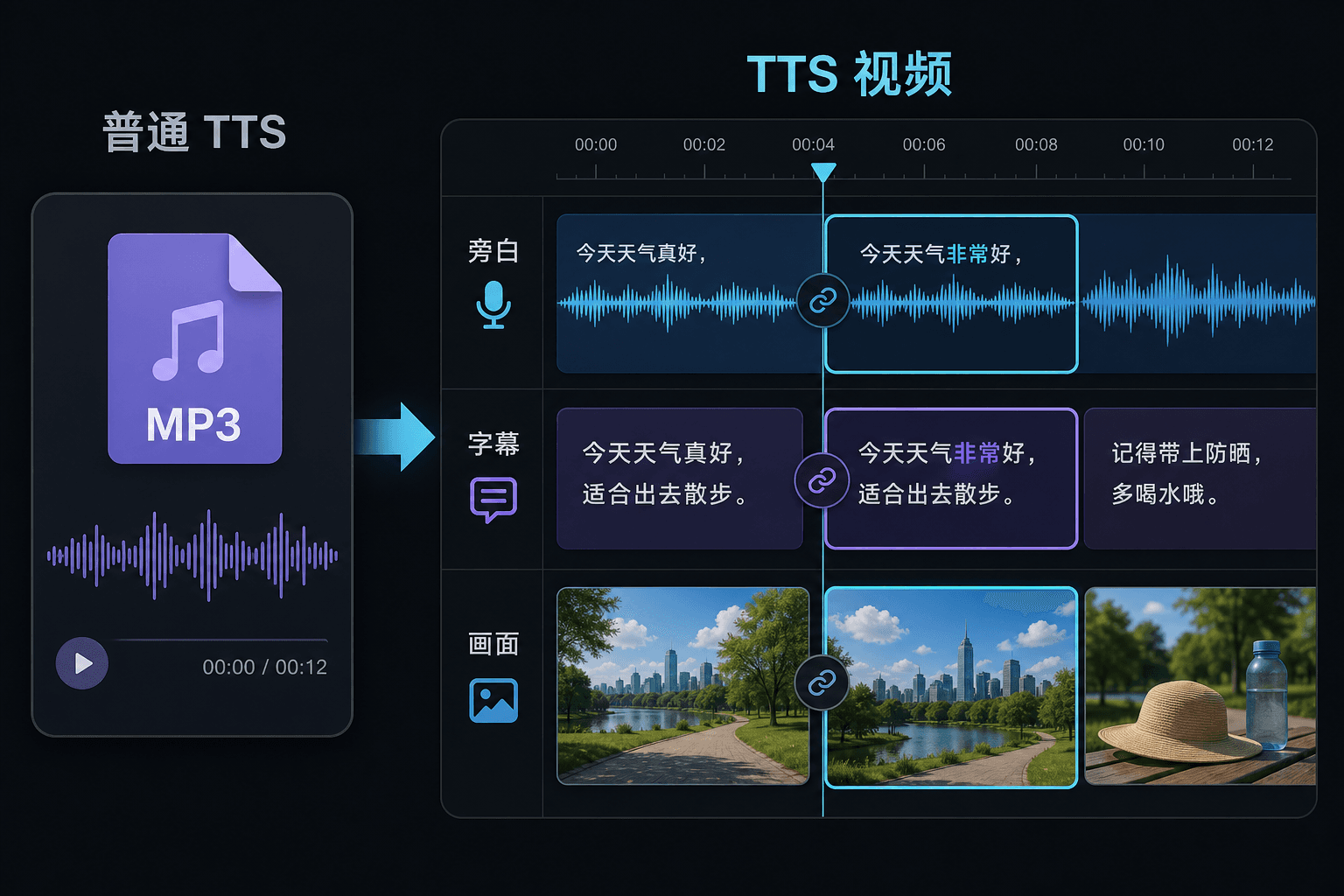
Tekst til tale-video vs. almindelig tekst-til-tale
Et almindeligt TTS-værktøj giver dig en lydfil og ønsker dig held og lykke i din editor. Her genereres talen inde i et videoprojekt, så timing, undertekster og billede allerede er forbundet. Den forskel betyder mest på revisionstidspunktet: ændring af teksten opdaterer fortællingen og underteksterne sammen, i stedet for at tvinge en manuel resynkronisering.
Skabt til disse arbejdsgange
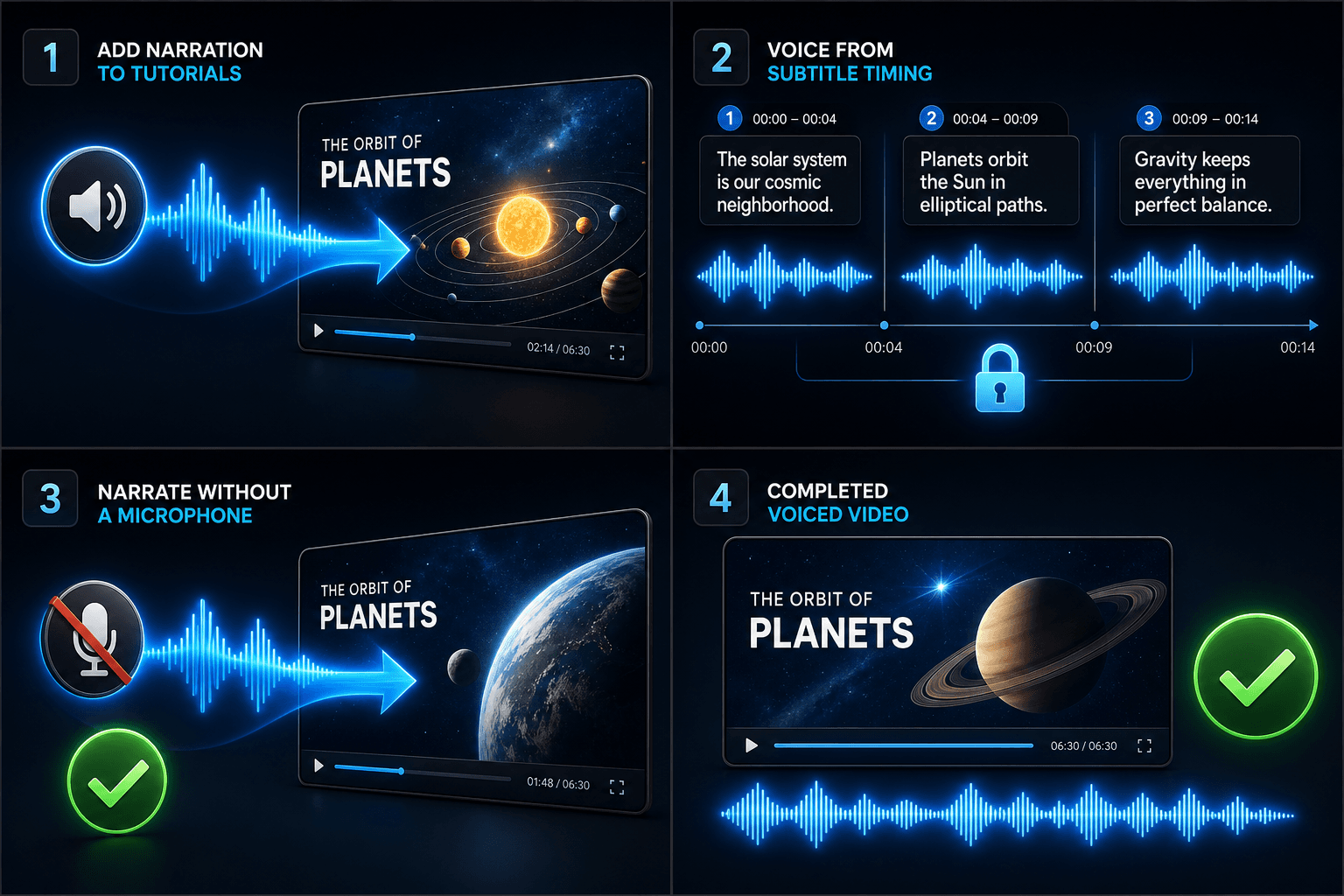
Tilføj speak til vejledninger
Indtal speak til video ud fra undertekst-timing
Opret speak uden mikrofon
Relaterede værktøjer
Ofte stillede spørgsmål
Har jeg brug for mit eget footage for at lave en tekst til tale-video?
Du har brug for en visuel kilde — upload lokale klip eller importer fra et link. Mange skabere trækker højdepunkter fra en længere kildevideo og lader fortællingen bære historien over dem.
Er underteksterne indlejret eller redigerbare?
Redigerbare. Undertekster genereres synkront med talen, og du kan redigere teksten, restyle dem, eksportere SRT/VTT eller indlejre dem i den endelige rendering — dit valg.
Kan jeg lave lodrette videoer til Shorts og TikTok på denne måde?
Ja. Efter udkastet er genereret, kan du beskære til 9:16, justere undertekstplacering til lodret visning og eksportere pr. platform.
Hvad indtaster jeg, tekst eller en videofil?
Du indsætter tekst, ikke video. Tekst til tale-video læser et skrevet manuskript eller indsatte ord og outputter en talt fortællingslydfil. Den behandler ikke footage, så brug den til at give stemme til det manuskript, du allerede har skrevet til din opsummering.
Kan jeg vælge fortællerstemme og talehastighed?
Ja. Du vælger en stemme og kan justere tempo og tone, så oplæsningen passer til din ansigtsløse eller kommentarkanal. Recapo er stadig under udvikling, så de tilgængelige stemmer og kontroller udvides med tiden.
Hvad giver den tilbage, når den er færdig?
Du får et fortællingslydspor, du kan downloade og placere på din videotidslinje sammen med undertekster og klip, klar til at blive mixet med musik og eksporteret gennem resten af Recapo-arbejdsgangen.
Begynd at bruge Tekst til tale-video
Indtast dine filer og de vigtigste indstillinger ovenfor. Dit resultat forbliver i det aktuelle værktøjs arbejdsgang.
Prøv gratis