음성 텍스트 변환
화면에 음성에서 텍스트로 표시합니다. 동영상을 업로드하면 AI가 말한 단어를 인식하여 캡션으로 변환하고 영상에 입힙니다. 완성된 캡션 동영상을 미리 보고 다운로드할 수 있습니다. Recapo.ai.
클릭하여 업로드하거나 비디오 파일을 끌어다 놓으세요
MP4, MOV, MKV, WebM, MPEG, MPG, 3GP, 3GPP 지원
파일당 최대 2GB
원본 영상 최대 60분
Very long videos may fail when extracted ASR audio exceeds 100MB — trim first if needed
Upload a video first to adjust settings and preview the result
별도 파일이 아닌 화면에 남는 단어
여기서 음성에서 텍스트로의 요점은 관리해야 하는 대본이 아니라, 단어가 그대로 표시되어 사람들이 실제로 볼 수 있는 동영상입니다. Recapo는 음성을 인식하여 캡션으로 작성하고 프레임에 입힙니다. 따라서 완성된 클립은 피드에서 음소거 상태로, 스마트폰에서, 자막 트랙을 제거하는 플레이어에서 등 어디서나 텍스트와 함께 재생됩니다. 캡션이 포함된 하나의 파일이며, 첨부할 것이 없습니다.
- 01
동영상 업로드
기기에서 동영상 파일을 추가하거나 링크에서 가져옵니다. 인터뷰, 토킹 헤드 클립, 강의, 팟캐스트 동영상 모두 작동합니다.
- 02
AI가 음성 인식하도록 설정
AI 음성 인식이 오디오를 듣고 말한 단어를 깨끗하고 읽기 쉬운 캡션 줄로 변환하여 화면에서 말하는 내용과 타이밍을 맞춥니다.
- 03
캡션 동영상 미리 보기 및 다운로드
캡션은 영상에 직접 입혀집니다. 페이지에서 완성된 동영상을 미리 본 다음, 캡션이 포함된 MP4를 다운로드하십시오. 단어와 영상이 하나의 파일에 함께 있습니다.
인터뷰 및 팟캐스트
말한 답변을 화면 캡션으로 변환하여 클립이 재생되는 동안 인용문을 읽을 수 있게 합니다.
강의 및 토크
말한 모든 포인트를 무음 시청을 위해 동영상에 입혀진 캡션으로 캡처합니다.
소셜 및 피드 동영상
소리를 꺼도 읽을 수 있는 캡션이 입혀진 컷을 제공하며, 관리할 자막 파일이 필요 없습니다.
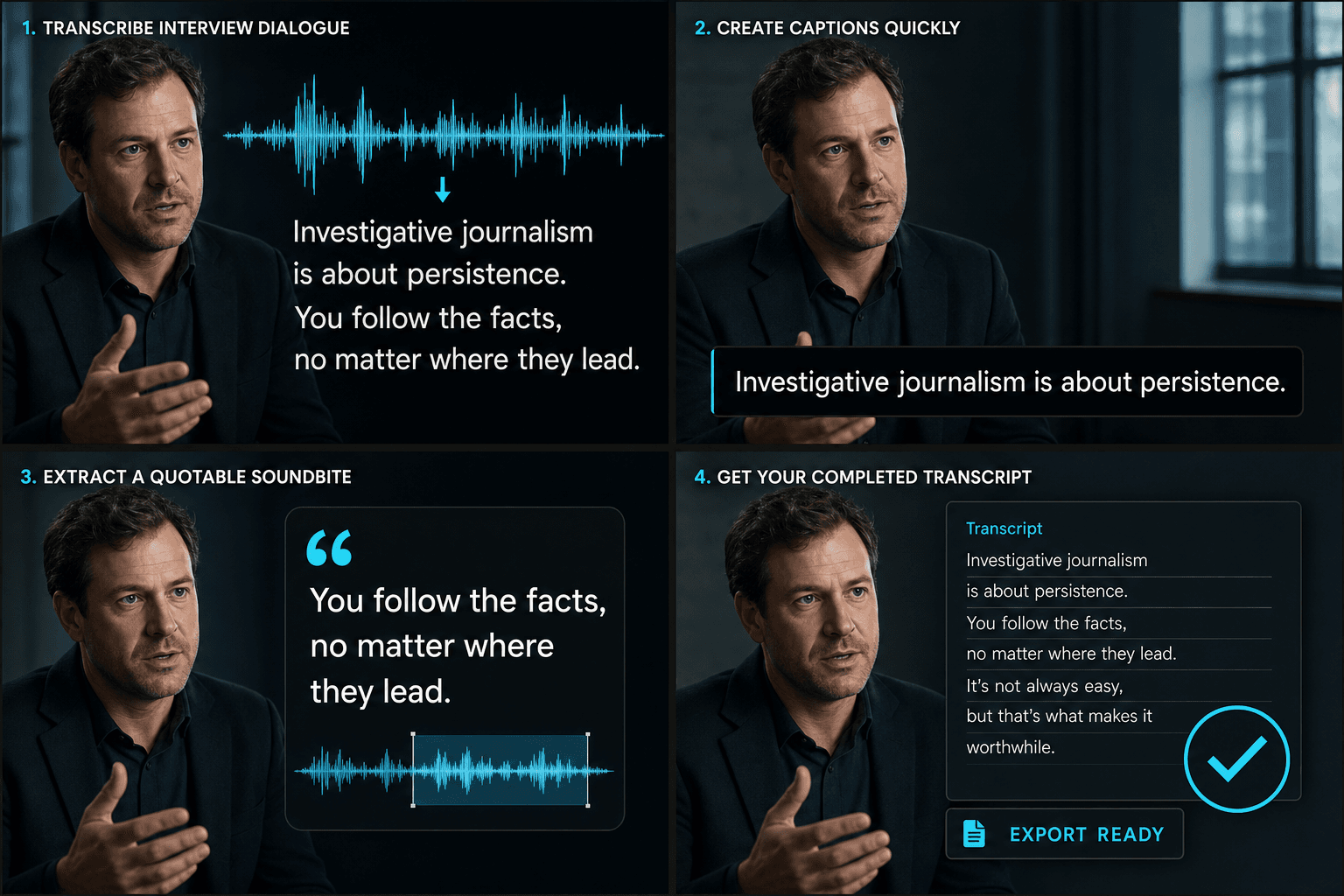
말한 오디오에서 완성된 캡션 동영상으로
AI가 한 번의 패스로 듣고 작성합니다. 음성을 인식하고, 말의 타이밍에 맞는 캡션 줄로 변환하여 영상에 렌더링합니다. 결과물은 대본도, 나중에 동기화해야 할 파일도 아닌, 단일 캡션 동영상입니다. 페이지에서 미리 보고 MP4로 다운로드할 준비가 됩니다. 음성이 들어가면 시청 가능한 캡션 컷이 나옵니다.
실제 작업 환경에 맞춘 설계
중국어 또는 영어 인터뷰 인식
동영상 자막 스타일링
자막이 입혀진 MP4 다운로드
자주 묻는 질문
텍스트 파일과 동영상 중 무엇을 받나요?
동영상입니다. Recapo는 말한 단어를 캡션으로 변환하여 영상에 입히므로, 완성된 캡션 MP4를 다운로드합니다. 단어는 별도의 대본 파일이 아닌 영상과 함께 화면에 표시됩니다.
오디오와 동영상 중 무엇을 업로드하나요?
동영상을 업로드합니다. Recapo는 오디오의 음성을 듣고 캡션으로 작성한 다음, 해당 캡션을 동일한 동영상에 다시 렌더링합니다. 따라서 다운로드하는 것은 캡션이 입혀진 클립입니다.
이름이나 전문 용어가 잘못 인식되면 어떻게 되나요?
AI 인식은 문맥 속 대부분의 이름과 전문 용어를 포함하여 명확한 음성을 잘 처리합니다. 캡션은 음성에 맞춰 타이밍이 조정되고 최종 동영상에 입혀지므로, 단어는 화면에서 말하는 내용과 일치하게 유지됩니다.
캡션 생성기와 어떻게 다른가요?
음성에서 텍스트로는 스크립트, 메모 또는 검색에 사용할 수 있는 완전히 편집 가능한 단어 대본을 제공합니다. 캡션 생성기는 화면에 표시할 시간 동기화된 자막 줄을 생성하는 것을 목표로 합니다. 많은 크리에이터가 먼저 대본을 작성하고, 텍스트를 편집한 다음, 이를 바탕으로 캡션을 만듭니다.