Batch-import av video
Legg flere videoer i kø på én gang med batchvideoimport. Last opp en hel mappe med opptak, og kjør deretter undertekster, komprimering eller transkripsjon på hele settet.
Klikk eller slipp flere videoer
Gruppeimport: én oppgave per video – følg fremdriften på denne siden; å forlate siden avbryter alle oppgaver på denne siden
Batcharbeidsflyter som sparer mest tid
Masseimport er inngangsdøren til enhver repeterende jobb i prosessen. Mønstrene som lønner seg raskest:
- 01
Legg hele settet i kø
Velg flere filer på én gang — blandede formater som MP4, MOV og MKV kan dele en kø. Hver fil viser sin egen fremdrift.
- 02
La køen kjøre av seg selv
Filene lastes opp etter tur mens du fortsetter å jobbe. Elementene er uavhengige, så én treg eller mislykket fil blokkerer aldri resten av batchen.
- 03
Behandle i bulk, finjuster per fil
Bruk én jobb — transkripsjon, komprimering, konvertering — på alle importer, og åpne deretter individuelle videoer for manus, voiceover eller klipp.
Batch-transkripsjon
legg til undertekster for en hel sesong med episoder for lydløs visning og SRT/VTT-arkiver.
Batch-komprimering
krymp et arkiv med råopptak før det spiser opp lagringsplassen din.
Batch-konvertering
normaliser en blandet mappe med MKV/MOV/WebM til MP4 før redigering.
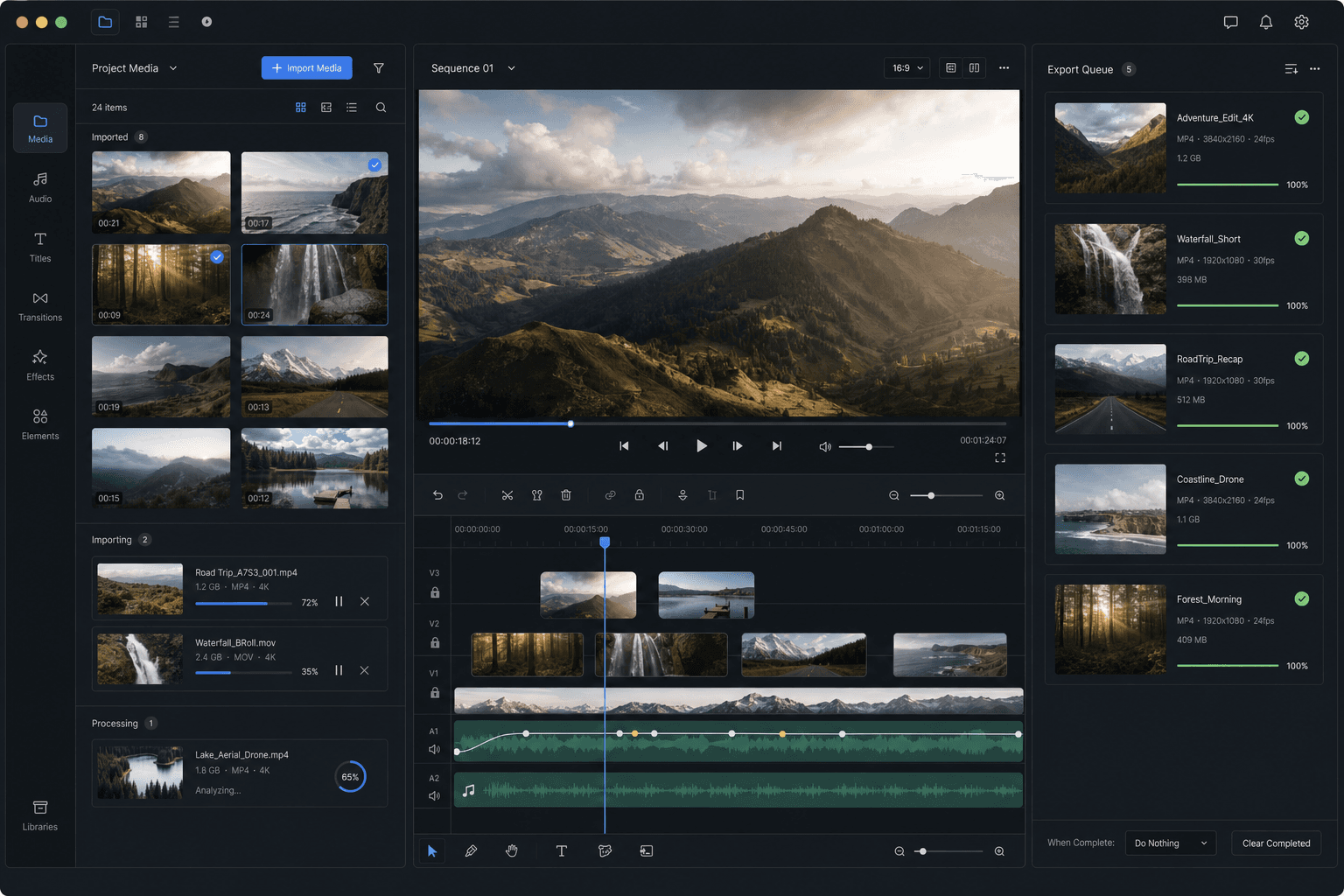
Slik fungerer importkøen
Hver fil i køen er sin egen jobb: den lastes opp, havner i arbeidsområdet ditt og blir redigerbar uten å vente på naboene. Hvis ett element feiler – en ustøttet kodek, en korrupt fil – fortsetter køen, og du fikser eller konverterer bare den filen i stedet for å kjøre batchen på nytt.
For svært store batches bør du først komprimere for store filer lokalt eller trimme bort det du ikke trenger; total opplastingstid er den eneste delen av arbeidsflyten som styres av tilkoblingen din.
Skreddersydd for disse arbeidsflytene
Rask redigering for sosiale medier
Opprydding i lokalt råmateriale
Behandling av flere filer samtidig
Ofte stilte spørsmål
Kan jeg blande ulike formater i ett batch?
Ja. MP4, MOV, MKV, WebM og GIF kan dele en enkelt kø. Hvis du planlegger å behandle dem likt etterpå, vil konvertering av de resterende formatene til MP4 holde batchen enhetlig.
Må alle filer få samme behandling?
Nei. Masseoperasjoner som transkripsjon eller komprimering kan kjøres på hele settet, men hver importert video forblir individuelt redigerbar for manus, voiceover, beskjæring og eksport.
Hva skjer hvis én fil i batchen feiler?
Resten av køen fortsetter. Mislykkede elementer forblir markert slik at du bare kan konvertere, komprimere eller legge til akkurat disse filene på nytt — du mister aldri hele batchen på grunn av én dårlig inngang.
Hvor mange videoer kan jeg importere i én batch?
Batch Video Import er bygget for å sette flere kildevideoer i kø samtidig i stedet for å håndtere dem én etter én. Veldig store køer importeres i etapper slik at ingenting går tapt, og du kan fortsette å legge til klipp mens tidligere elementer fullføres.
Kan jeg blande lokale filer og videolenker i samme batch?
Ja. Du kan sette både lokale opplastinger og limte videolenker i kø sammen og importere dem i én omgang, slik at du ikke trenger å kjøre separate importverktøy for hver kildetype.
Begynn å bruke Masseimport av video
Legg til kildefilen og velg innstillingene ovenfor. Resultatet ditt forblir i den gjeldende arbeidsflyten.
Prøv gratis