Tekst til tale-video
Gjør ren tekst til en ferdig video med AI-tale, synkroniserte undertekster og ditt opptak — ingen kamera eller mikrofon nødvendig. Lag ansiktsløse videoer raskt på Recapo.ai.
Klikk for å laste opp, eller dra og slipp en videofil
Støtter MP4, MOV, MKV, WebM, MPEG, MPG, 3GP, 3GPP
Opptil 2 GB per fil
Kildevideo opptil 3 minutter
Behandlingen fortsetter i bakgrunnen, selv om du forlater denne siden eller bytter språk.
Ansiktsløse videoer fra en tom side
Ansiktsløse kanaler lever eller dør på produksjonshastighet: formatet fungerer fordi én person kan publisere daglig uten noen gang å vise seg på kamera. Tekst til tale-video fjerner de to tregeste delene — å spille inn fortellerstemme og time undertekster for hånd. Du leverer ordene og klippene; verktøyet leverer stemmen, undertekstsporet og den sammensatte skissen.
- 01
Start fra tekst
Lim inn manuset eller utkastet i artikkelstil. Hvis du bare har en kildevideo, generer et sammendrag eller oppsummeringsmanus fra den først.
- 02
Legg til stemme og visuelt
Velg en fortellerstemme, og koble til opptak — lokale opplastinger eller lenkeimport — mens undertekster genereres synkront med talen.
- 03
Render og publiser
Eksporter videoskissen, poler undertekststil eller omslaget, beskjær til 9:16 for Shorts, og publiser det til plattformene dine.
Oppsummerings- og kommentarkanaler
skriv manuset, gi det stemme, publiser.
Forklaringer og lister
gjør et omriss til en fortalt video uten filming.
Publisering på flere plattformer
én tekstkilde, eksportert for Shorts, Reels og TikTok.
Hva TTS-videogeneratoren faktisk produserer
Utdataene er ikke bare en MP3 festet til et lysbildeforedrag. Du får en strukturert skisse: et AI-stemmespor gjengitt fra teksten din, et undertekstspor som matcher talen ord for ord og forblir redigerbart, og opptaket ditt lagt mot fortellerstemmen. Derfra kan hver del fortsatt justeres — omformulere en linje, endre stil på undertekstene, bytte et klipp — før den endelige eksporten.
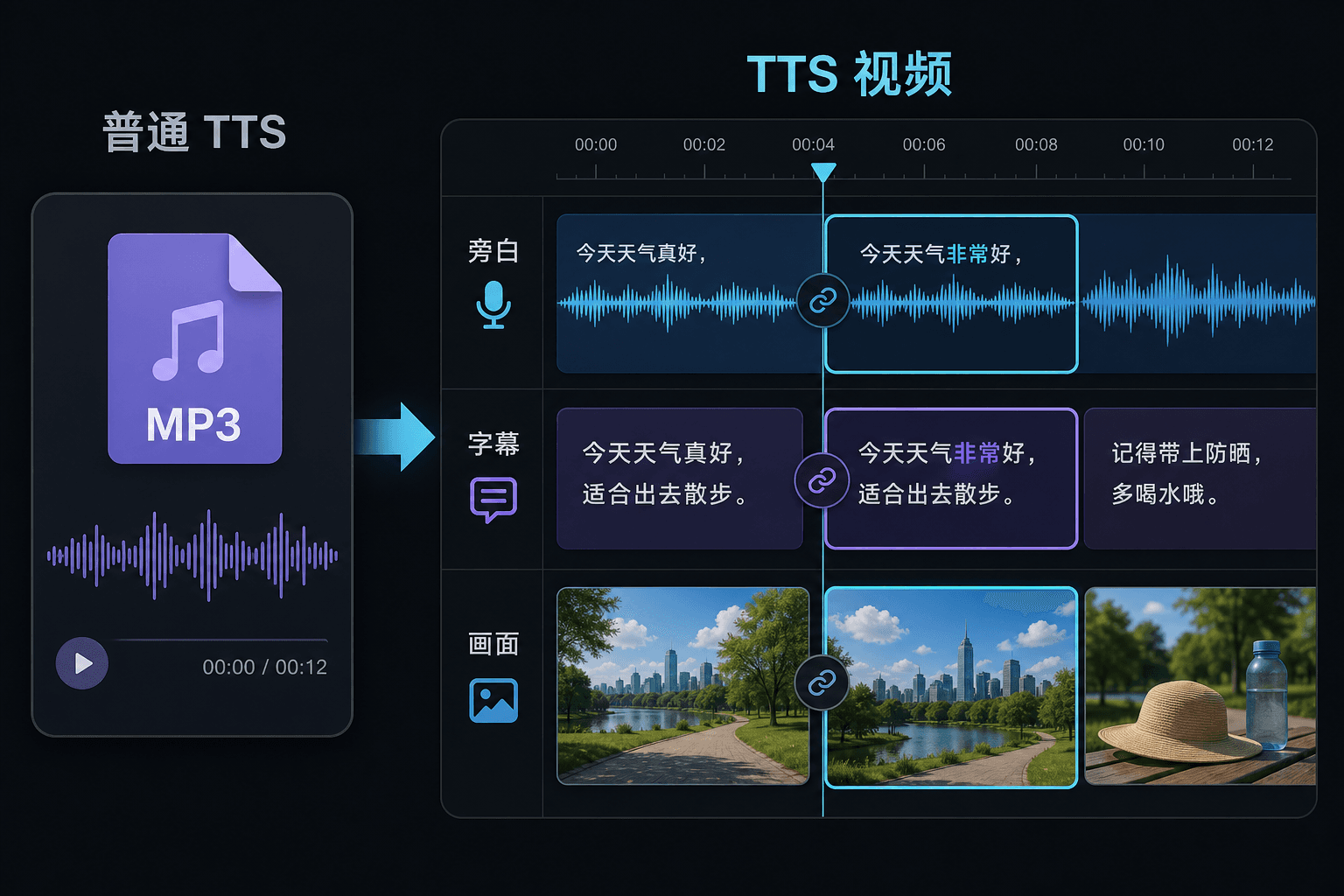
Tekst til tale-video vs. ren tekst-til-tale
Et rent TTS-verktøy gir deg en lydfil og ønsker deg lykke til i redigeringsprogrammet. Her genereres talen inne i et videoprosjekt, så timing, undertekster og bilde er allerede koblet sammen. Den forskjellen betyr mest på revisjonstidspunktet: å endre teksten oppdaterer fortellerstemmen og undertekstene sammen, i stedet for å tvinge frem en manuell resynkronisering.
Skreddersydd for disse arbeidsflytene
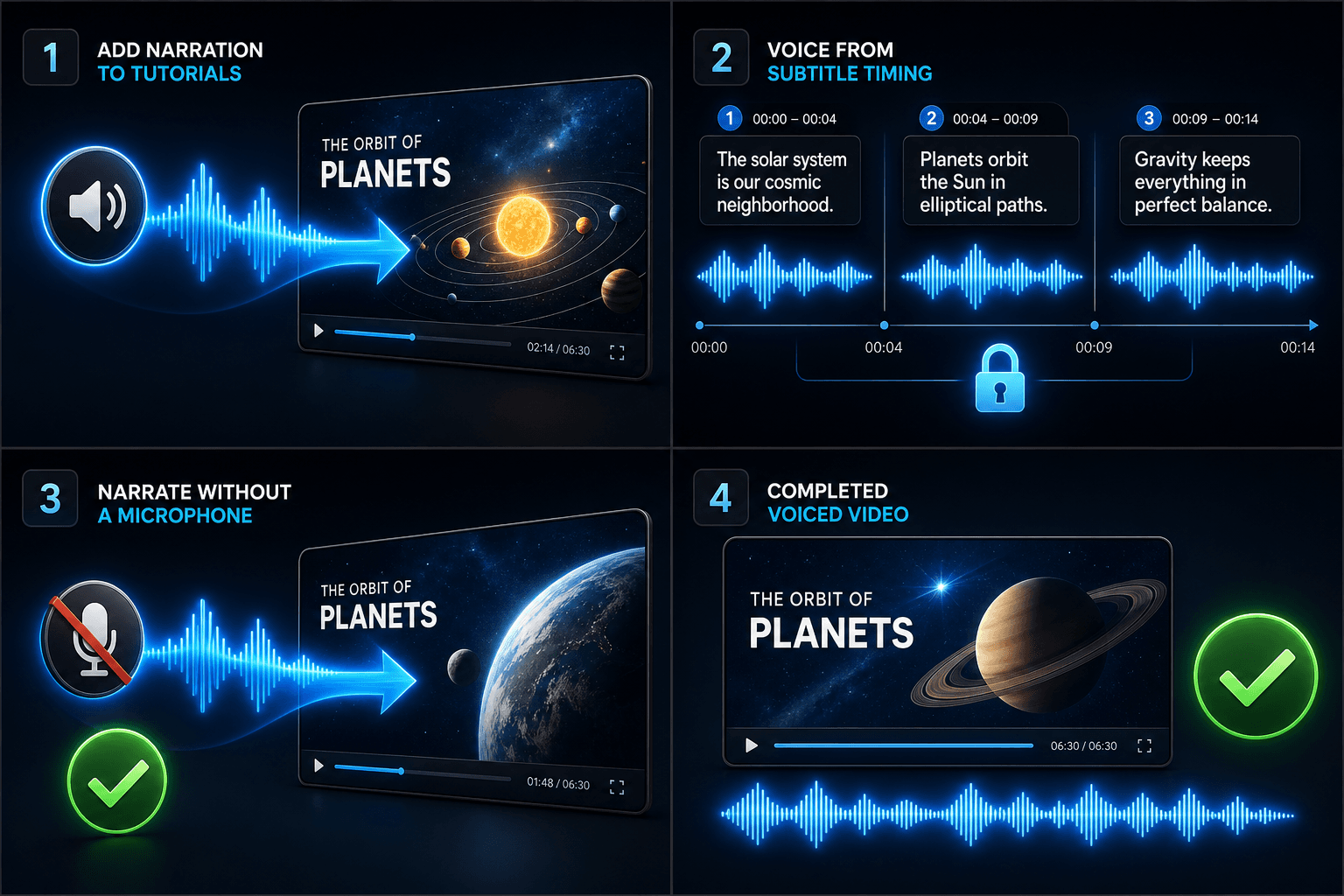
Legg til fortellerstemme på opplæringsvideoer
Generer stemme til video basert på undertekst-timing
Lag speakerrøst uten mikrofon
Relaterte verktøy
Ofte stilte spørsmål
Trenger jeg mine egne opptak for å lage en tekst til tale-video?
Du trenger en visuell kilde — last opp lokale klipp eller importer fra en lenke. Mange skapere trekker ut høydepunkter fra en lengre kildevideo og lar fortellerstemmen bære historien over dem.
Er undertekstene bakt inn eller redigerbare?
Redigerbare. Undertekster genereres synkront med talen, og du kan redigere teksten, endre stilen på dem, eksportere SRT/VTT, eller innbake dem i den endelige gjengivelsen — ditt valg.
Kan jeg lage vertikale videoer for Shorts og TikTok på denne måten?
Ja. Etter at skissen er generert kan du beskjære til 9:16, justere undertekstplassering for vertikal visning, og eksportere per plattform.
Hva legger jeg inn, tekst eller en videofil?
Du limer inn tekst, ikke video. Tekst til tale-video leser et skrevet manus eller innlimte ord og sender ut en lydfil med talt fortellerstemme. Den behandler ikke opptak, så bruk den til å gi stemme til manuset du allerede har skrevet for oppsummeringen din.
Kan jeg velge fortellerstemme og talehastighet?
Ja. Du velger en stemme og kan justere tempo og tone slik at lesingen passer din ansiktsløse eller kommentarkanal. Recapo er fortsatt under utvikling, så de tilgjengelige stemmene og kontrollene utvides over tid.
Hva får jeg tilbake når den er ferdig?
Du får et fortellerlydspor du kan laste ned og slippe inn på videotidslinjen din sammen med undertekster og klipp, klar til å mikses med musikk og eksporteres gjennom resten av Recapo-arbeidsflyten.
Begynn å bruke Tekst til tale-video
Legg til kildefilen og velg innstillingene ovenfor. Resultatet ditt forblir i den gjeldende arbeidsflyten.
Prøv gratis