Xiaohongshu Cover Maker
Maak 3:4 Xiaohongshu (RedNote) omslagen van uw video: kies een keyframe, voeg de grote postertitel toe die de feed beloont, en exporteer een omslag die is gemaakt om de klik te verdienen.
Tip: sleep om te verplaatsen; klik om te selecteren, sleep daarna de hoekgrepen om te verkleinen/vergroten
Waarom Xiaohongshu-omslagen 3:4 zijn, en niet 16:9
De discovery-feed van Xiaohongshu is een verticaal raster met twee kolommen. Een 3:4 kaart vult de kolom en duwt aangrenzende notities verder naar beneden op het scherm, terwijl een liggende of vierkante afbeelding zichtbare gaten achterlaat en uw effectieve billboard verkleint. Het uploaden van een 16:9 thumbnail die voor YouTube is bedoeld, is de meest gemaakte fout door creators die cross-posten — het platform zal het weergeven, maar het verliest de hoogte-wedstrijd voordat iemand de titel leest.
- 01
Importeer uw notitievideo
Upload de clip achter uw notitie, of importeer deze via een link. Verticale, vierkante en liggende bronnen werken allemaal — het bijsnijden komt daarna.
- 02
Bijsnijden naar 3:4 en een postertitel toevoegen
Kies een keyframe, plaats het in de 3:4 verticale verhouding die Xiaohongshu-kaarten gebruiken, en plaats een lay-out met een grote titel die de opbrengst van de notitie in een paar woorden samenvat.
- 03
Exporteer en plaats de notitie
Download de voltooide omslag, stel deze in als de eerste afbeelding van de notitie en publiceer — of ga terug naar ondertiteling en voice-over voor de video zelf.
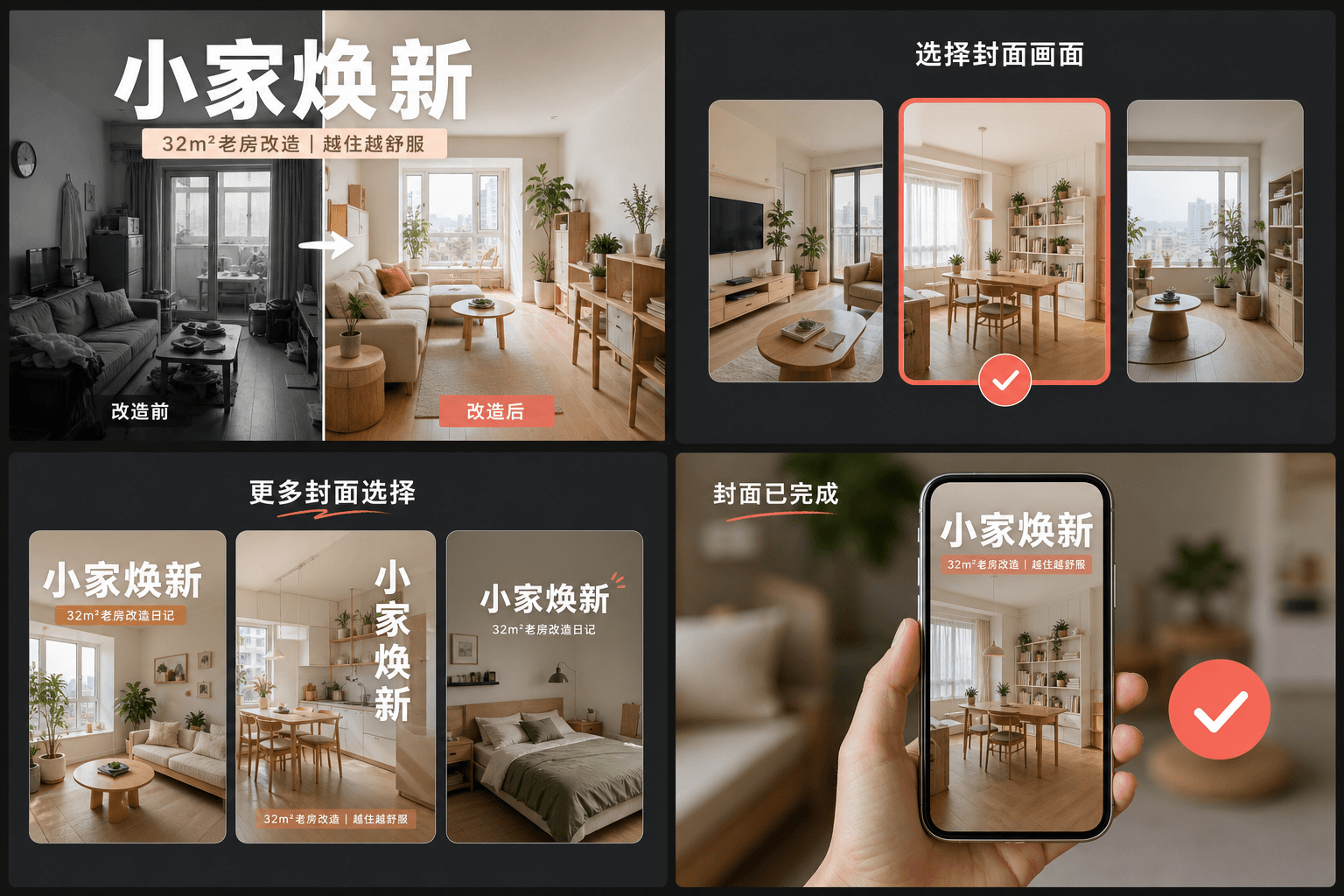
De gewoonte van de grote titel: hoe RedNote-omslagen de klik verdienen
Hoogpresterende notities behandelen de omslag als een magazineposter: een grote tekstkop die de concrete opbrengst vermeldt — wat de kijker zal leren, opslaan of vermijden — geplaatst over een schoon frame. In tegenstelling tot YouTube-thumbnails die leunen op gezichten en expressies, leunen RedNote-omslagen op woorden. De lay-outs van de omslagmaker reserveren het grootste deel van de kaart voor die kop en houden deze leesbaar op rastergrootte, waar elke kaart nauwelijks breder is dan een duim.
- Vermeld de opbrengst, niet het onderwerp: "3 fouten die nachtopnames verpesten" wint van "mijn camera-instellingen".
- Houd de kop binnen het midden van de kaart — het raster toont kaarten van rand tot rand zonder marge voor bijgesneden tekst.
- Gebruik één frame met één duidelijk onderwerp; drukke frames verliezen van schone op miniatuurschaal.
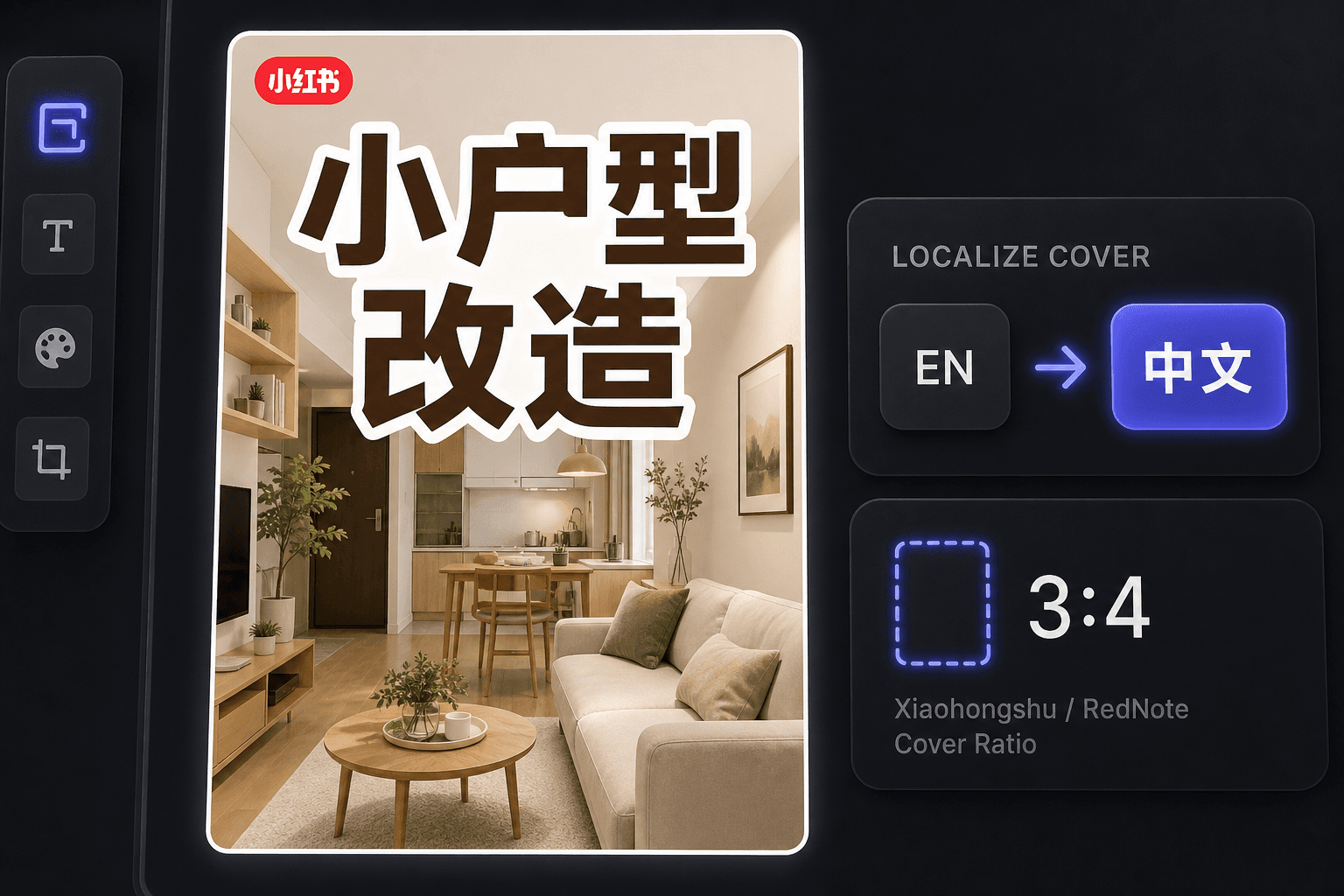
RedNote-omslagen maken als een creator in het buitenland
Sinds de internationale opkomst van RedNote publiceren veel creators daar zonder Chinees te lezen. De omslagmaker houdt de workflow in het Engels terwijl het omslagen produceert die voldoen aan lokale conventies, en dezelfde werkruimte biedt ondertitelvertaling wanneer u de video zelf wilt lokaliseren voor Chineessprekende kijkers.
Gemaakt voor deze workflows
Begin met een opvallende 3:4 cover
Kies een coverframe uit de video
Exporteer het huidige canvas als PNG
Gerelateerde tools
Veelgestelde vragen
Welke beeldverhouding moet een Xiaohongshu-omslag gebruiken?
3:4 verticaal. Het is de verhouding waar het discovery-raster op is ontworpen — langere kaarten nemen meer van de kolom in en worden als eerste gezien. De tool snijdt uw gekozen frame automatisch bij naar 3:4.
Waarom staat er zoveel tekst op Xiaohongshu-omslagen?
De omslag fungeert ook als de kop van de notitie. Gebruikers beslissen vanuit het raster, vaak zonder het bijschrift hieronder te lezen, dus een postertitel op de afbeelding is wat daadwerkelijk de klik oplevert. De lay-outs zijn rond die gewoonte gebouwd.
Kan ik RedNote-omslagen maken als ik geen Chinees spreek?
Ja. De tool zelf werkt in het Engels, en Engelstalige omslagen presteren goed bij het internationale publiek van RedNote. Als u zich richt op Chineessprekende kijkers, combineer de omslag dan met de ondertitelvertaler om de video te lokaliseren.
Heb ik een videobestand nodig om een omslag te maken?
Nee. De tool werkt vanuit één afbeelding — ofwel een keyframe dat u uit een recap heeft gehaald of een andere still die u uploadt — dus er is geen footage om te renderen en geen audio betrokken.
Start met Xiaohongshu-omslagmaker
Voer hierboven de invoer en de belangrijkste instellingen in. Je resultaat blijft binnen de huidige workflow van de tool.
Gratis proberen