自動字幕起こし
動画に自動キャプションを追加:クリップをアップロードし、AIが音声を文字起こししてスマホで読みやすいテキストをフレームに焼き付け、キャプション付きMP4をプレビューしてダウンロードします。
クリックしてアップロード、または動画ファイルをドロップ
対応フォーマット: MP4, MOV, MKV, WebM, MPEG, MPG, 3GP, 3GPP
1ファイルあたり2GBまで
ソース動画は60分まで
Very long videos may fail when extracted ASR audio exceeds 100MB — trim first if needed
Upload a video first to adjust settings and preview the result
音消しフィード向けに設計されたキャプション
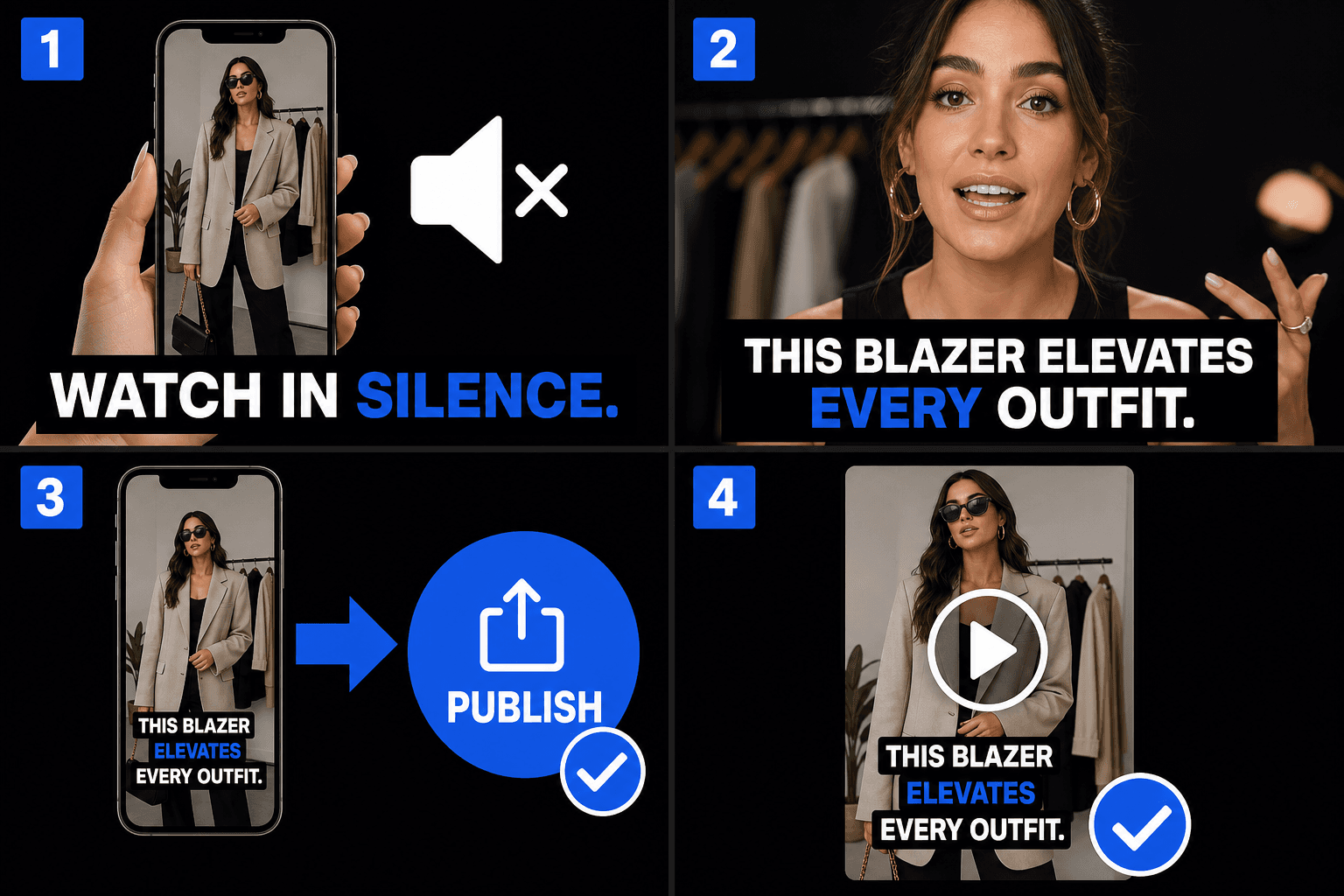
フィードはミュートで自動再生されるため、クリップの最初の数秒で視覚的に伝える必要があります。動画に焼き付けられたキャプションは音量ゼロでもフックを伝え、映像自体の一部であるため、TikTok、Instagram、YouTube Shortsのどこに投稿されても同じように見え、各プラットフォーム独自のキャプション機能に依存しません。
- 01
動画をアップロード
短いクリップをドロップします。AIが話し言葉を聞き取り、自動的にキャプションに変換します。別の字幕ファイルは不要です。
- 02
自動キャプションとスタイル設定
音声が即座に画面上のキャプションになります。スマホで読みやすい太字スタイルを選び、テキストをモバイルのセーフエリア内に配置します。
- 03
プレビューとダウンロード
プレビューでキャプション付き動画を確認し、キャプションがフレームに描画された完成版MP4をダウンロードして、TikTok、リール、ショートに投稿する準備をします。
テキストをモバイルのセーフエリア内に収める
すべての短尺動画プラットフォームは、動画の上にUI要素を重ねて表示します。キャプションを低すぎたり右に寄せすぎたりすると、隠れてしまいます。プレビューでは、テキストがこれらのゾーンに対してどこに位置するかを確認できるため、投稿後に問題に気づくのではなく、ダウンロード前に配置を修正できます。
- 下部ストリップ:説明、オーディオラベル、プログレスUIがここに表示されます。
- 右端:いいね、コメント、共有ボタンが縦に並んでいます。
- キャプションは中央のバンドに収めてください。プレビューでゾーンが明確にわかります。
実際のワークフロー向けに設計
消音視聴用に字幕を焼き込む
トーク動画の字幕をデザイン
字幕付きMP4をダウンロード
よくある質問
プラットフォームの自動キャプションに頼らず、なぜキャプションを焼き付けるのですか?
プラットフォームのキャプションは精度、スタイル、可用性がまちまちで、投稿前に確認することもできません。キャプションを動画に焼き付けることで、文言や見た目をコントロールでき、どのプラットフォームでも同じ表示になります。また、ダウンロード前に完成結果をプレビューできます。
TikTokやリールのボタンでキャプションが隠れてしまうことはありますか?
テキストをセーフエリア内に収めていれば大丈夫です。プレビューでは、一般的なUIゾーンに対するキャプションの配置が表示されるため、動画をダウンロードする前にテキストを上に移動したり中央に配置したりできます。
最終的に何が得られますか?
キャプションがフレームに描画された完成版MP4です。ページ上でプレビューし、動画を直接ダウンロードできます。縦型9:16のクリップが主な用途であり、別の字幕ファイルをアップロードしたりエクスポートしたりする必要はありません。
どの字幕ファイル形式をエクスポートできますか?
自動キャプションは標準のSRTおよびVTTファイルをエクスポートするように構築されているため、タイムコード付きの行をYouTube、エディタ、またはRecapoの焼き付けステップに直接ドロップできます。製品はまだ開発中のため、正確な形式リストは増える可能性があります。
この機能を使用するには、動画に音声が必要ですか?
はい。自動キャプションは音声トラックを文字起こしするため、要約ナレーションや解説など、明瞭な音声を含むクリップが必要です。無音のクリップや音楽のみの動画では、キャプションを作成できません。
エクスポート前に文言やタイミングを修正できますか?
はい。同期された文字起こしは編集可能なので、名前を修正し、長い行を短くし、SRTまたはVTTをダウンロードするか焼き付けツールに渡す前に、インとアウトのタイミングを微調整できます。