動画一括インポート
バッチ動画インポートで複数の動画を一度にキューに登録します。フォルダ1杯分の映像をアップロードし、セット全体に対して字幕、圧縮、または文字起こしを実行します。
クリックまたは複数の動画をドロップ
一括インポート: 動画ごとに1タスク — このページで進捗を確認できます。ページを離れるとすべてのタスクがキャンセルされます
最も時間を節約できるバッチワークフロー
一括インポートは、パイプライン内のあらゆる反復作業の入り口です。最も早く効果が現れるパターンは次のとおりです。
- 01
全体をキューに入れる
一度に複数のファイルを選択します。MP4、MOV、MKVなどの混在フォーマットも同じキューで共有できます。各ファイルは個別に進捗状況を表示します。
- 02
キューを自動で処理させる
ファイルは順番にアップロードされ、その間も作業を続けられます。各アイテムは独立しているため、1つのファイルが遅れたり失敗したりしても、バッチの残りの処理がブロックされることはありません。
- 03
一括処理し、ファイルごとに調整
すべてのインポートに1つのジョブ(文字起こし、圧縮、変換)を適用し、その後、個別の動画を開いてスクリプト、ナレーション、カットを行います。
一括文字起こし
消音視聴やSRT/VTTアーカイブ用に、シーズン全体のエピソードに字幕を付けます。
バッチ圧縮
未編集の映像アーカイブがストレージを圧迫する前に一括で圧縮しましょう。
バッチ変換
編集前に、MKV/MOV/WebMが混在するフォルダをMP4に統一しましょう。
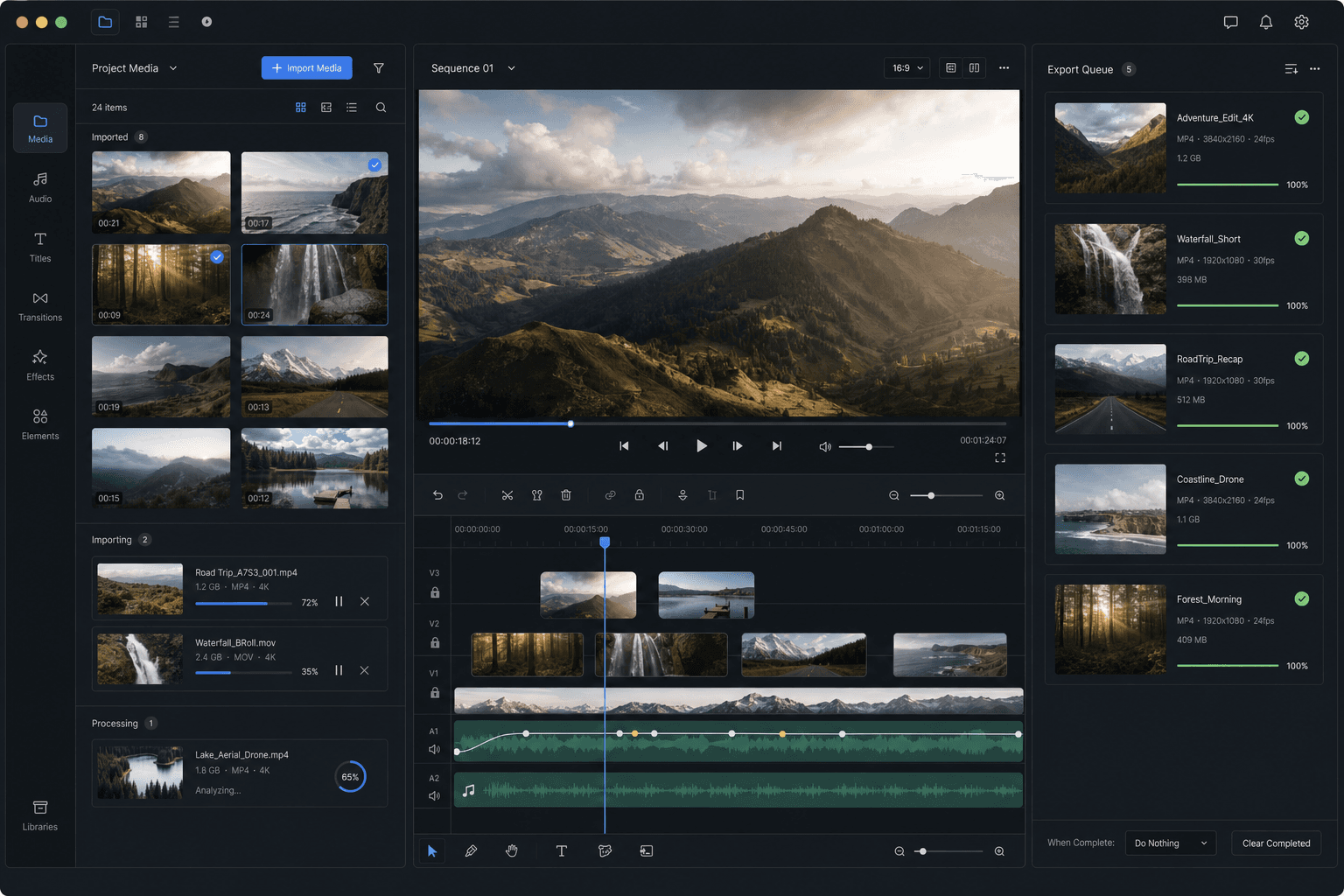
インポートキューの動作
キュー内の各ファイルは独立したジョブです。アップロードされ、ワークスペースに保存され、他のファイルを待たずに編集できるようになります。1つのアイテムが失敗した場合(サポートされていないコーデックや破損したファイルなど)でもキューは継続され、バッチを再実行するのではなく、そのファイルだけを修復または変換します。
非常に大きなバッチの場合は、まずローカルで特大のファイルを圧縮するか、不要な部分をトリミングしてください。合計アップロード時間は、ワークフローの中で接続が制御する唯一の部分です。
実際のワークフロー向けに設計
SNS向けのクイック編集
ローカル素材のクリーンアップ
複数ファイルの一括処理
よくある質問
1つのバッチで異なる形式を混在させることはできますか?
はい。MP4、MOV、MKV、WebM、GIFは1つのキューで共有できます。後で同じ処理を行う予定がある場合は、残りの形式をMP4に変換することで、バッチを均一に保つことができます。
すべてのファイルに同じ処理を適用する必要がありますか?
いいえ。文字起こしや圧縮などの一括操作はセット全体に対して実行できますが、インポートされた各動画は、スクリプト、ナレーション、トリミング、エクスポートのために個別に編集可能です。
バッチ内の1つのファイルが失敗した場合、どうなりますか?
キューの残りの処理は継続されます。失敗した項目はマークされたままになるため、それらのファイルのみを変換、圧縮、または再追加できます。1つの不良入力でバッチ全体が失われることはありません。
1回のバッチでインポートできる動画の数はいくつですか?
バッチ動画インポートは、複数のソース動画を一度にキューに登録できるように構築されており、1つずつ処理する必要はありません。非常に大きなキューは段階的にインポートされるため、何も漏れることがなく、前のアイテムが完了する間もクリップを追加し続けることができます。
同じバッチでローカルファイルと動画リンクを混在させることはできますか?
はい。ローカルアップロードと貼り付けた動画リンクの両方をキューに入れて、一度にインポートできます。そのため、ソースタイプごとに別のインポートツールを実行する必要はありません。