横長動画を9:16・1:1・4:3にスマートクロップ
16:9の動画をアップロードするだけで、Qwenが主要被写体を自動検出。フォーカスの移動に合わせてショットを分割し、9:16・1:1・4:3に最適化されたスマートクロップ済みのMP4を書き出します。
クリックしてアップロード、または動画ファイルをドロップ
対応フォーマット: MP4, MOV, MKV, WebM, MPEG, MPG, 3GP, 3GPP
1ファイルあたり2GBまで
ソース動画は20分まで
ターゲットアスペクト比
処理はバックグラウンドで続行されます。このページを離れたり、言語を切り替えても中断されません。
AIフォーカス検出
本ツールはQwen Visionを活用して主要な被写体を特定し、一律に中央をクロップするのではなく、各セグメントのフォーカスポイントを算出します。
- 01
16:9の動画をアップロード
リフレームしたい横長の動画ファイルを選択してください。
- 02
出力アスペクト比を選択
9:16の縦型、1:1の正方形、または4:3の横型から出力形式を選択してください。
- 03
スマートクロップをダウンロード
処理を実行してAIフォーカス分析が完了するのを待ち、プレビューで確認してから結果をダウンロードしてください。
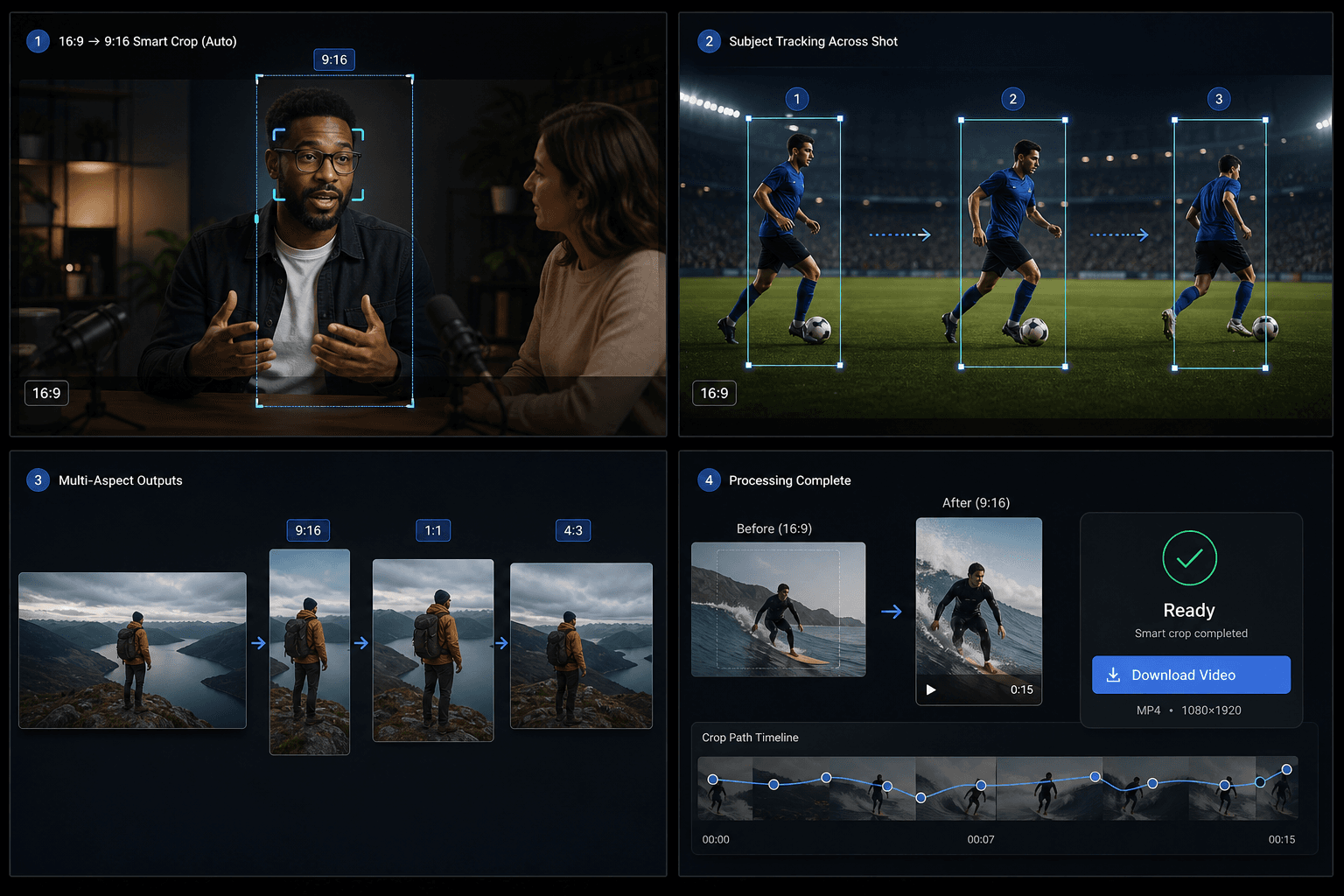
意味解析によるサブセグメント
1つのショット内で被写体や構図が変化した際、パイプラインはそのショットをサブセグメントに分割し、それぞれに個別のクロップウィンドウを適用します。
カバー&フレーム02 / 03
- 16:9の動画をアップロード
- 出力アスペクト比を選択
- スマートクロップをダウンロード
実際のワークフロー向けに設計
01
動画カバーデザイン
02
SNS用クリエイティブ
03
キービジュアルの抽出
よくある質問
縦動画にも対応していますか?
現時点では対応しておりません。現在のバージョンでは、16:9の横型動画が対象となります。
TikTokのサイズ変更機能とはどう違いますか?
通常のサイズ変更機能は中央を固定してクロッピングするだけですが、スマートクロップはAIで被写体を追跡し、1つのショットから複数のクロップ領域を生成できます。
対応している出力形式はどれですか?
1回のタスクで、9:16、1:1、4:3のすべてに出力可能です。