オンラインで動画のウォーターマークを除去
プラットフォームのバッジ、ロゴ、またはテキストマークが含まれる動画をアップロードします。AIがウォーターマーク領域を自動的に検出するため、手動でボックスを描く必要はありません。クレジットを使用した統合ビデオツールキット処理。
クリックしてアップロード、または動画ファイルをドロップ
対応フォーマット: MP4, MOV, MKV, WebM, MPEG, MPG, 3GP, 3GPP
1ファイルあたり2GBまで
ソース動画は30分まで
Upload a video first to adjust settings and preview the result
実際の処理結果プレビュー
固定および移動するウォーターマークを含む同じライブアクションクリップの、ローカル処理前後を比較します。
なぜワンクリック除去なのか?
手動のウォーターマークツールでは、フレームごとにボックスを描く必要があります。Recapoはクラウドで検出と修復を実行します。アップロードしてジョブを開始するだけです。
- 01
動画をアップロード
ローカルのMP4、MOV、またはその他の一般的な形式を追加します。ウォーターマークボックスは不要です。
- 02
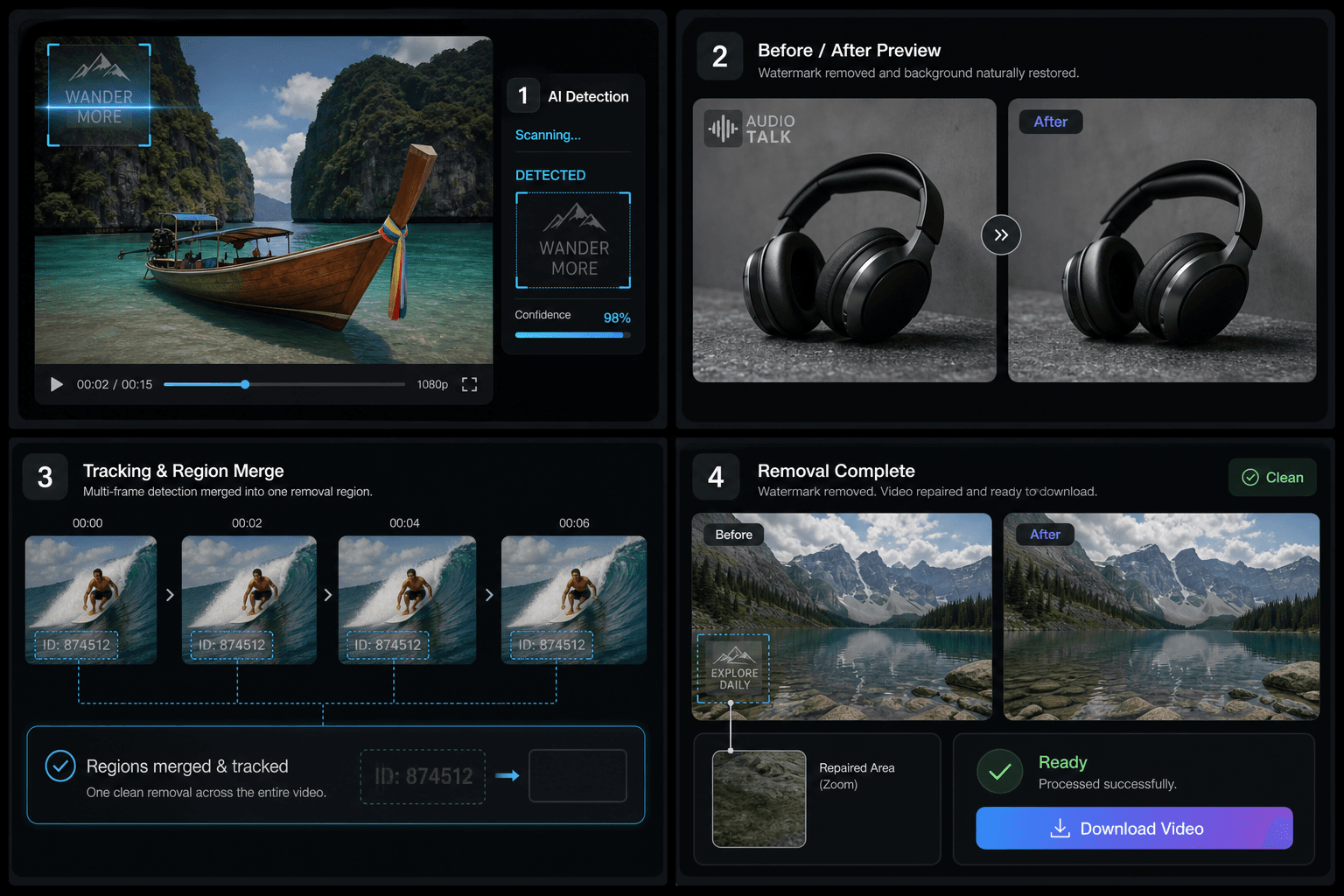
AI自動検出
静止コーナーと軽く動くマークを見つけるために、複数のタイムスタンプでフレームがサンプリングされます。
- 03
クリーンなファイルをダウンロード
修復されたMP4を保存し、圧縮、字幕、または公開を続行します。
コーナーロゴ、プラットフォームID、半透明テキストを検出します。
サンプル時間を超えて同じマークの検出を統合します。
軽く動くマークをユニオン領域でカバーします。
最適な用途と制限
画像にオーバーレイされたプラットフォームバッジ、チャンネルロゴ、レビュースタンプに最適です。全画面マーク、被写体と融合したテキスト、または30分を超える動画は制限される場合があります。
実際のワークフロー向けに設計
ダウンロードからプラットフォームの透かしを除去
再編集前にロゴを消去
確認用コピーからIDを削除
よくある質問
手動でボックスを描く必要がありますか?
いいえ。動画をアップロードしてタスクを開始すると、AIがウォーターマーク領域を自動的に見つけます。
動くウォーターマークにも対応できますか?
軽い動きは、複数のフレームをサンプリングし、マークを1つの修復領域に統合することでカバーされます。
画質は低下しますか?
修復された領域は周囲のピクセルから塗りつぶされます。これらのスポットは少しぼやけて見えるかもしれませんが、全体的なエンコードは一貫性が保たれます。
ウォーターマーク除去は無料ですか?
静的および動的除去はどちらも、開始した1分あたり60クレジットかかります。失敗したタスクには予約されたクレジットが返却されます。