AI動画要約
AIで長い動画を要約:プロット要約、タイムスタンプ付きチャプター構成、重要な引用。Recapo.aiで生の映像を解説用のメモに変換しましょう。
クリックしてアップロード、または動画ファイルをドロップ
対応フォーマット: MP4, MOV, MKV, WebM, MPEG, MPG, 3GP, 3GPP
1ファイルあたり2GBまで
ソース動画は60分まで
処理はバックグラウンドで続行されます。このページを離れたり、言語を切り替えても中断されません。
3つの用途に対応する3つの要約タイプ
テキストがびっしり詰まった1つの要約では、エディターのニーズを満たすことはほとんどありません。要約ツールは理解を3つの出力に分割し、プロジェクトごとに組み合わせて使用できます。
- 01
ソースを追加
動画または音声ファイルをアップロード、リンクからインポート、またはSRTやプレーンな文字起こしをドロップします。要約ツールはどれでも読み取ります。
- 02
要約タイプを選択
プロット要約、チャプター構成、または重要な引用を選択します。詳細オプションでは、タイムスタンプの保持、シーン変更の検出、オープニングフックの抽出が可能です。
- 03
構成をエクスポート
メモを解説用構成として保存するか、リキャップスクリプトジェネレーターやナレーションに渡して、動画制作を続けましょう。
プロット要約
実際に何が起こったかを、読みやすい数段落に凝縮。
チャプター構成
タイムスタンプ付きの動画構成で、任意のシーンにすぐにジャンプできます。
重要な引用
ナレーション、字幕、説明でそのまま引用する価値のあるセリフ。
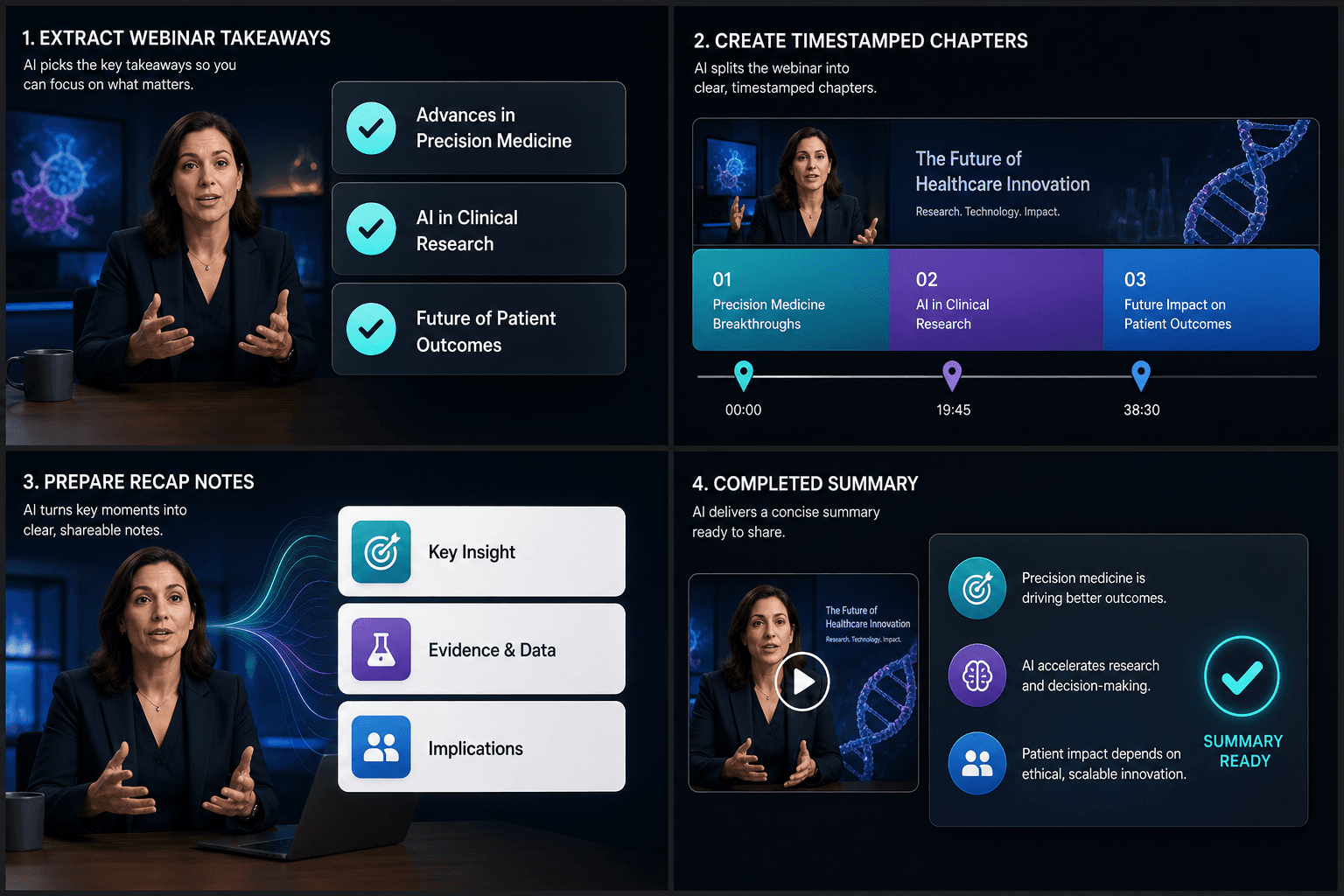
完成したスクリプトではなくメモ
2つのライティングスタイルが出力を形成します。構成モードは、リサーチやトピック選択のためにすべてを簡潔で読みやすく保ち、スクリプト素材モードは、ナレーションの下書きに最小限の書き換えで落とし込めるようにメモを言い回します。どちらの場合でも、あなたが書き手であり、要約ツールは視聴と整理を行います。
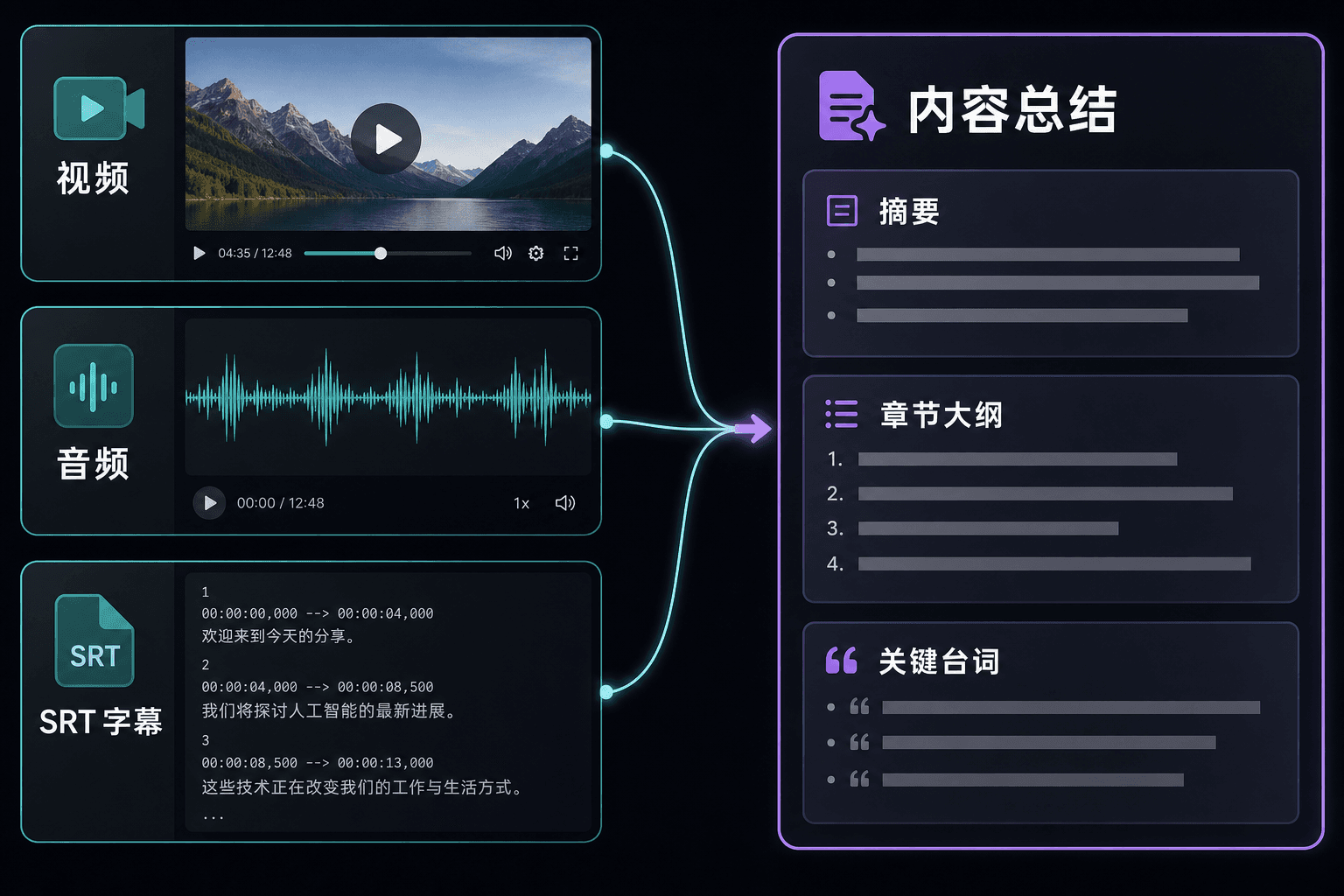
動画、音声、または字幕から要約
常に映像が手元にあるとは限りません。SRTファイルや文字起こししかない場合でも、要約ツールはテキストのみから処理し、同じ要約、構成、引用の出力を生成します。すでに他の場所で文字起こししたポッドキャスト、インタビュー、エピソードに便利です。
実際のワークフロー向けに設計
中国語の要約スクリプトをドラフト
要約(リキャップ)スタイルを追加(任意)
Markdownをダウンロードして確認
よくある質問
字幕しかないものでも要約できますか?
はい。SRTファイルをアップロードするか文字起こしを貼り付ければ、要約ツールはテキストから直接処理します。動画ファイルは不要です。
要約にタイムスタンプは保持されますか?
タイムスタンプ保持オプションをオンにすると、チャプター構成がナビゲーションマップとしても機能します。各チャプターと重要な引用は、映像内の該当箇所を指し示します。
映画リキャップスクリプトジェネレーターではなく、いつこれを使うべきですか?
リサーチ中、つまりトピックの選択、構成のマッピング、引用の収集をしているときは要約ツールを使用してください。完成した録音準備が整ったナレーションが必要なときは、リキャップスクリプトジェネレーターに切り替えてください。