صانع اغلفة RedNote
أنشئ أغلفة شياوهونغشو (RedNote) بنسبة 3:4 من الفيديو الخاص بك: اختر إطارًا رئيسيًا، وأضف عنوان الملصق الكبير الذي تكافئه الخلاصة، وصدّر غلافًا مصممًا لنيل النقرات.
نصيحة: اسحب لإعادة التموضع؛ انقر للتحديد ثم اسحب مقابض الزوايا لتغيير الحجم
لماذا أغلفة شياوهونغشو بنسبة 3:4 وليس 16:9
خلاصة اكتشاف شياوهونغشو هي شبكة عمودية بعمودين. تملأ البطاقة بنسبة 3:4 العمود وتدفع الملاحظات المجاورة إلى أسفل الشاشة، بينما تترك الصورة الأفقية أو المربعة فجوات مرئية وتقلص لوحة الإعلانات الفعالة الخاصة بك. يُعد تحميل صورة مصغرة بنسبة 16:9 مخصصة لـ YouTube الخطأ الأكثر شيوعًا الذي يرتكبه صناع المحتوى الذين ينشرون عبر المنصات — ستعرضه المنصة، لكنها تخسر منافسة الارتفاع قبل أن يقرأ أي شخص العنوان.
- 01
استورد فيديو ملاحظتك
ارفع المقطع الخاص بملاحظتك، أو استورده من رابط. تعمل المصادر العمودية والمربعة والأفقية جميعها — وتأتي عملية القص بعد ذلك.
- 02
قص إلى 3:4 وأضف عنوان ملصق
اختر إطارًا رئيسيًا، وضعه في النسبة العمودية 3:4 التي تستخدمها بطاقات شياوهونغشو، وضع تخطيطًا بعنوان كبير يوضح قيمة الملاحظة في بضع كلمات.
- 03
صدّر وانشر الملاحظة
حمّل الغلاف النهائي، وعيّنه كأول صورة للملاحظة، وانشرها — أو عُد إلى التعليقات الصوتية والترجمات النصية للفيديو نفسه.
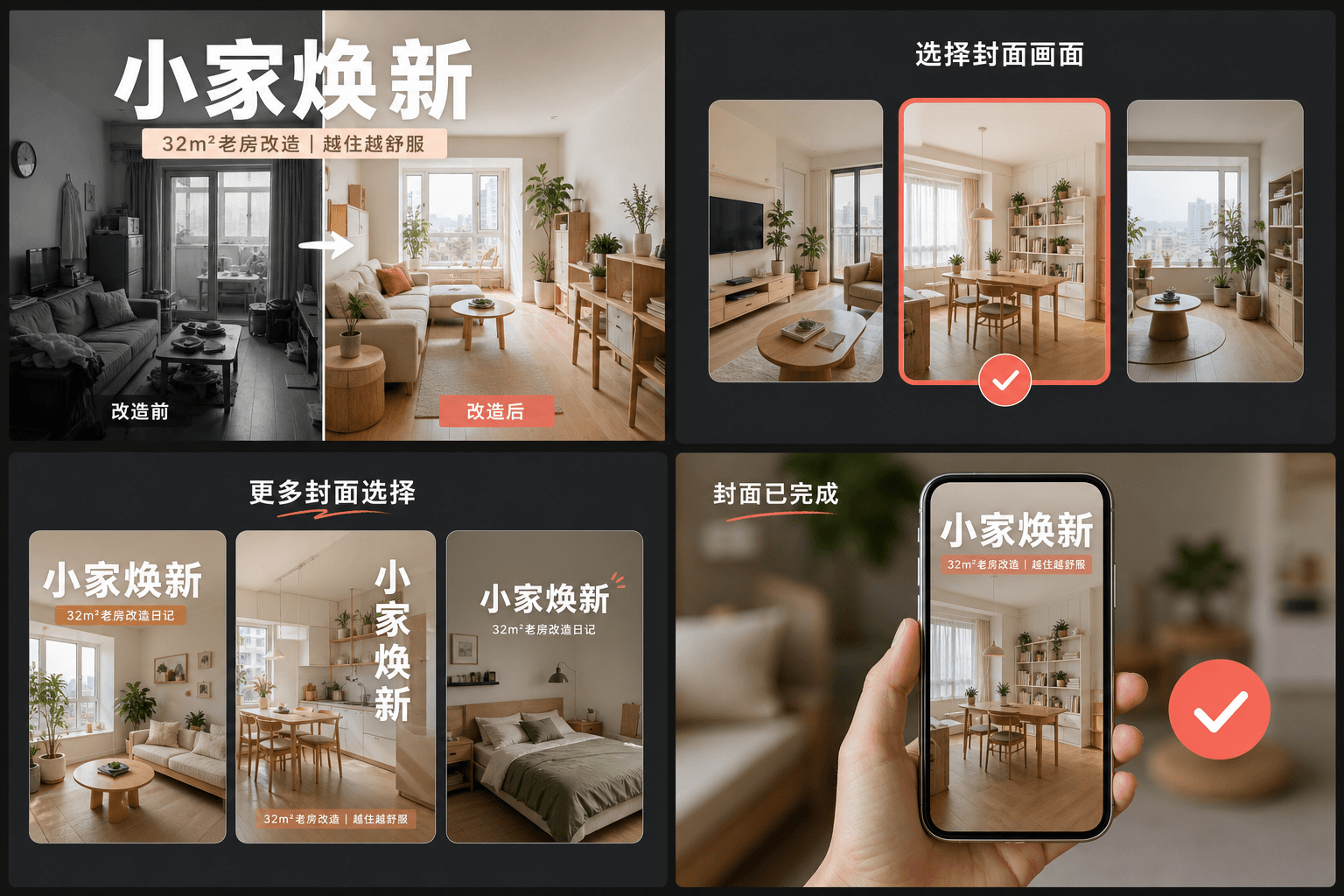
عادة العنوان الكبير: كيف تكسب أغلفة RedNote النقرات
تعامل الملاحظات عالية الأداء الغلاف كملصق مجلة: عنوان نصي كبير يوضح القيمة الملموسة — ما سيتعلمه المشاهد أو يحفظه أو يتجنبه — موضوع فوق إطار نظيف. على عكس الصور المصغرة لـ YouTube التي تعتمد على الوجوه والتعبيرات، تعتمد أغلفة RedNote على الكلمات. تحجز تخطيطات صانع الأغلفة معظم مساحة البطاقة لهذا العنوان وتبقيه مقروءًا بحجم الشبكة، حيث لا يزيد عرض كل بطاقة عن عرض الإبهام.
- اذكر القيمة، وليس الموضوع: "3 أخطاء تفسد تصوير الليل" يتفوق على "إعدادات الكاميرا الخاصة بي".
- احتفظ بالعنوان داخل وسط البطاقة — تعرض الشبكة البطاقات من الحافة إلى الحافة بدون هامش للنص المقصوص.
- استخدم إطارًا واحدًا بموضوع واضح واحد؛ تخسر الإطارات المزدحمة أمام الإطارات النظيفة بمقياس الصورة المصغرة.
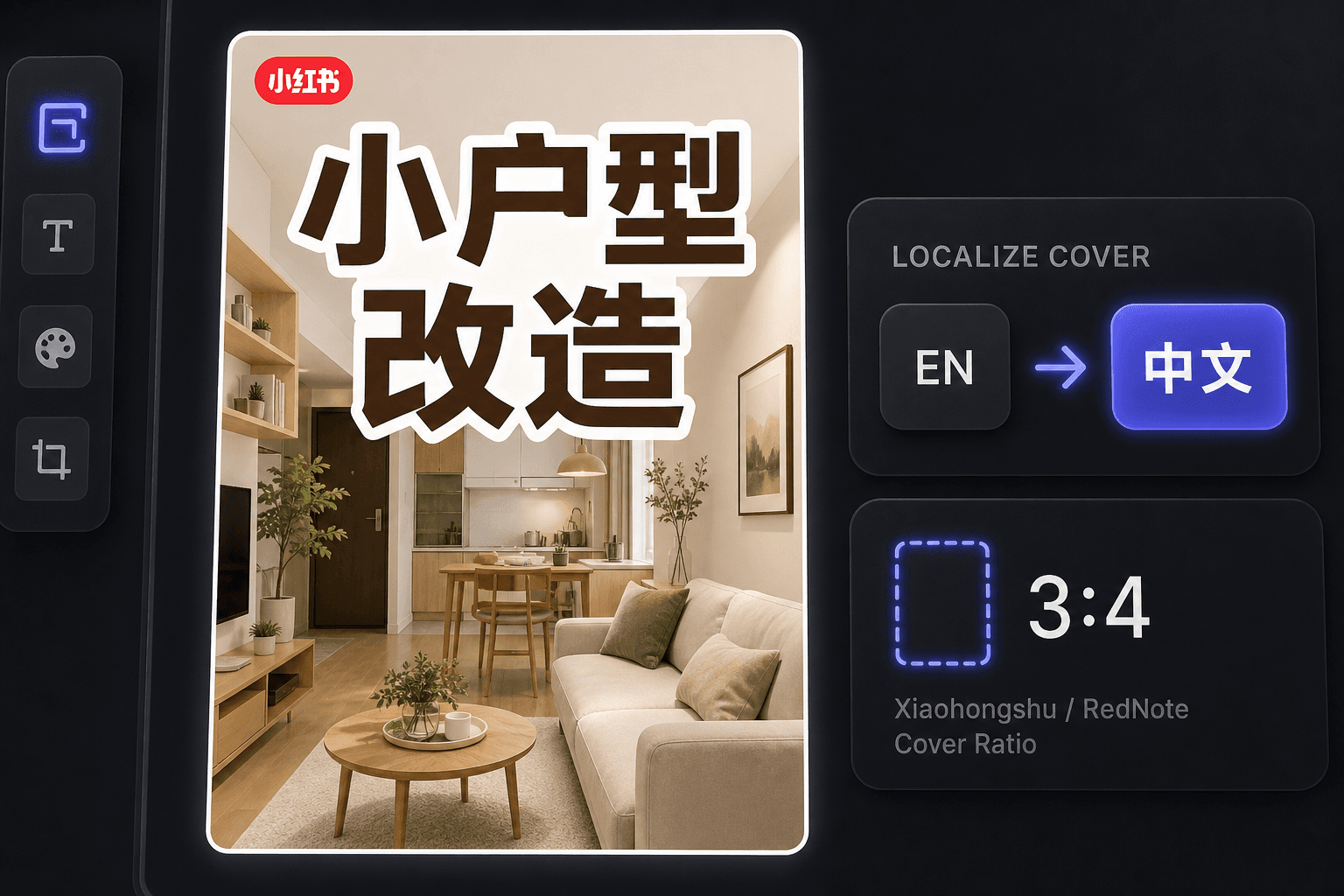
صنع أغلفة RedNote كصانع محتوى من الخارج
منذ الانتشار الدولي لـ RedNote، ينشر الكثير من صناع المحتوى هناك دون قراءة اللغة الصينية. يحافظ صانع الأغلفة على سير العمل باللغة الإنجليزية مع إنتاج أغلفة تطابق الأعراف المحلية، وتوفر مساحة العمل نفسها ترجمة النصوص عندما تريد توطين الفيديو نفسه للمشاهدين الناطقين بالصينية.
مصمم لخطوات العمل الفعلية هذه
البدء بغلاف بارز بأبعاد 3:4
اختر إطار غلاف من الفيديو
تصدير مساحة العمل الحالية بصيغة PNG
الأسئلة الشائعة
ما نسبة العرض إلى الارتفاع التي يجب أن يستخدمها غلاف شياوهونغشو؟
3:4 عمودي. إنها النسبة التي صُممت شبكة الاكتشاف حولها — تشغل البطاقات الأطول مساحة أكبر من العمود وتُرى أولاً. تقوم الأداة بقص الإطار الذي اخترته إلى 3:4 تلقائيًا.
لماذا تحتوي أغلفة شياوهونغشو على الكثير من النصوص؟
يعمل الغلاف كعنوان للملاحظة. يتخذ المستخدمون قراراتهم من الشبكة، غالبًا دون قراءة التعليق أدناه، لذا فإن العنوان بأسلوب الملصق على الصورة هو ما يحصل على النقرة فعليًا. بُنيت التخطيطات حول هذه العادة.
هل يمكنني صنع أغلفة RedNote إذا كنت لا أتحدث الصينية؟
نعم. تعمل الأداة نفسها باللغة الإنجليزية، وتؤدي الأغلفة باللغة الإنجليزية أداءً جيدًا مع جمهور RedNote الدولي. إذا كنت تستهدف مشاهدين ناطقين بالصينية، اقرن الغلاف بمترجم الترجمة النصية لتوطين الفيديو.
هل أحتاج إلى ملف فيديو لصنع غلاف؟
لا. تعمل الأداة من صورة واحدة — إما إطارًا رئيسيًا سحبتَه من ملخص أو أي صورة ثابتة ترفعها — لذا لا توجد لقطات لتقديمها ولا صوت معني.
ابدأ استخدام صانع أغلفة شياوهونغشو
أدخل البيانات والإعدادات الأساسية أعلاه. ستبقى النتيجة في مسار عمل الأداة الحالي.
استخدمه مجاناً