Text to speech per video
Trasforma il testo semplice in un video finito con voce AI, sottotitoli sincronizzati e le tue riprese — non sono richiesti telecamera o microfono. Crea video senza volto velocemente su Recapo.ai.
Fai clic per caricare o trascina un file video
Formati supportati: MP4, MOV, MKV, WebM, MPEG, MPG, 3GP, 3GPP
Fino a 2 GB per file
Video sorgente fino a 3 minuti
L'elaborazione continua in background, anche se lasci questa pagina o cambi lingua.
Video senza volto da una pagina vuota
I canali senza volto vivono o muoiono in base alla velocità di produzione: il formato funziona perché una persona può pubblicare quotidianamente senza mai apparire in telecamera. Il video da testo a voce elimina le due parti più lente — registrare la narrazione e sincronizzare i sottotitoli a mano. Tu fornisci le parole e le clip; lo strumento fornisce la voce, la traccia dei sottotitoli e la bozza assemblata.
- 01
Inizia dal testo
Incolla la tua sceneggiatura o la bozza in stile articolo. Se hai solo un video di origine, genera prima un riassunto o una sceneggiatura di recap da esso.
- 02
Aggiungi voce ed elementi visivi
Scegli una voce per la narrazione, quindi allega le riprese — caricamenti locali o importazioni da link — mentre i sottotitoli vengono generati in sincronia con la voce.
- 03
Renderizza e pubblica
Esporta la bozza del video, rifinisci lo stile dei sottotitoli o la copertina, ritaglia a 9:16 per gli Shorts e pubblicalo sulle tue piattaforme.
Canali di recap e commenti
scrivi la sceneggiatura della storia, dalle voce, pubblica.
Spiegazioni e liste
trasforma una scaletta in un video narrato senza girare.
Pubblicazione multi-piattaforma
una fonte di testo, esportata per Shorts, Reels e TikTok.
Cosa produce realmente il generatore di video TTS
L'output non è solo un MP3 unito a una presentazione. Ottieni una bozza strutturata: una traccia vocale AI resa dal tuo testo, una traccia di sottotitoli che corrisponde alla voce parola per parola e rimane modificabile, e le tue riprese sovrapposte alla narrazione. Da lì ogni pezzo può ancora essere regolato — riscrivere una riga, cambiare lo stile dei sottotitoli, scambiare una clip — prima dell'esportazione finale.
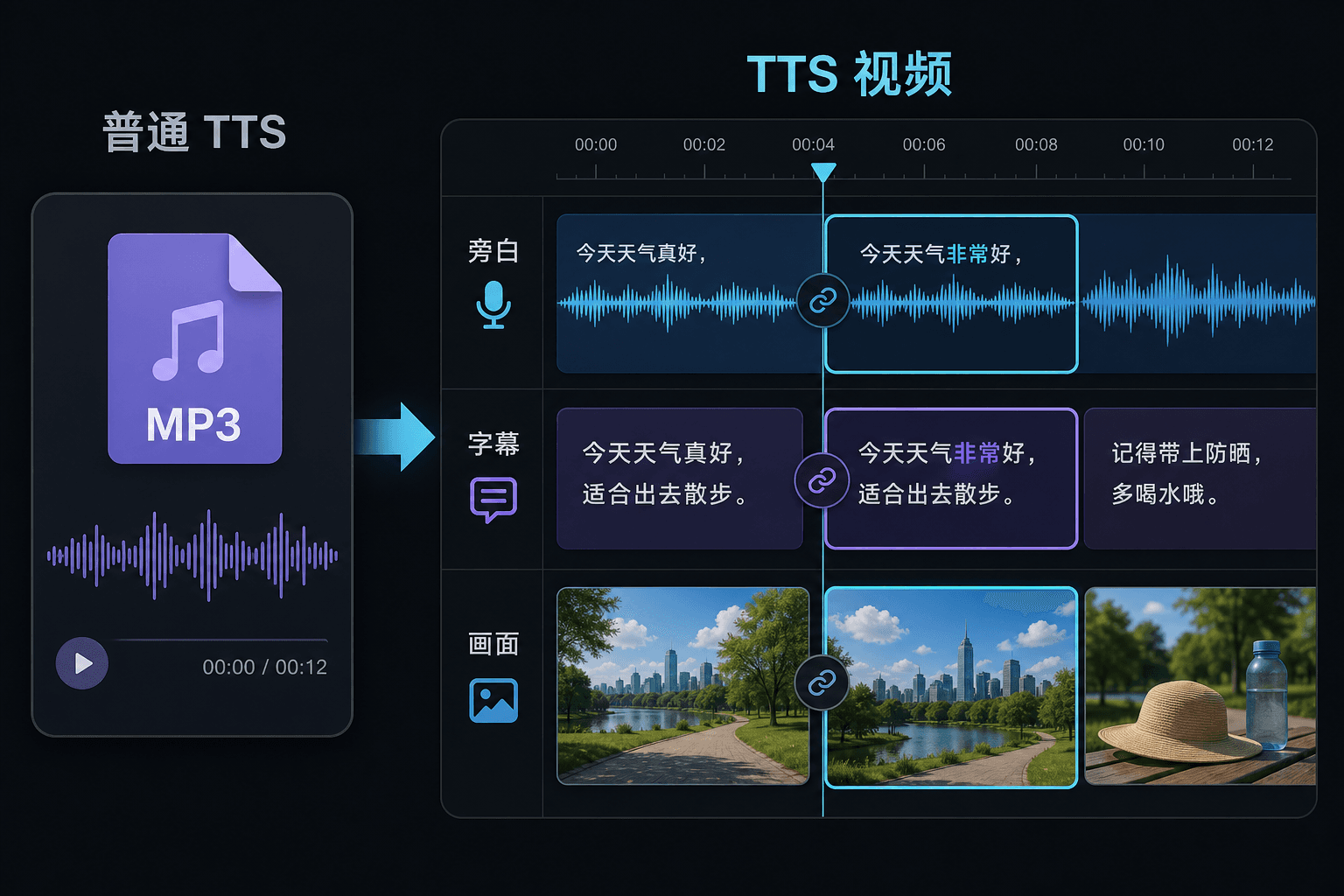
Video da testo a voce vs. testo a voce semplice
Un semplice strumento TTS ti fornisce un file audio e ti augura buona fortuna nel tuo editor. Qui la voce viene generata all'interno di un progetto video, quindi tempistiche, sottotitoli e immagini sono già collegati. Questa differenza conta soprattutto in fase di revisione: modificare il testo aggiorna la narrazione e i sottotitoli insieme, invece di forzare una risincronizzazione manuale.
Progettato per questi flussi di lavoro reali
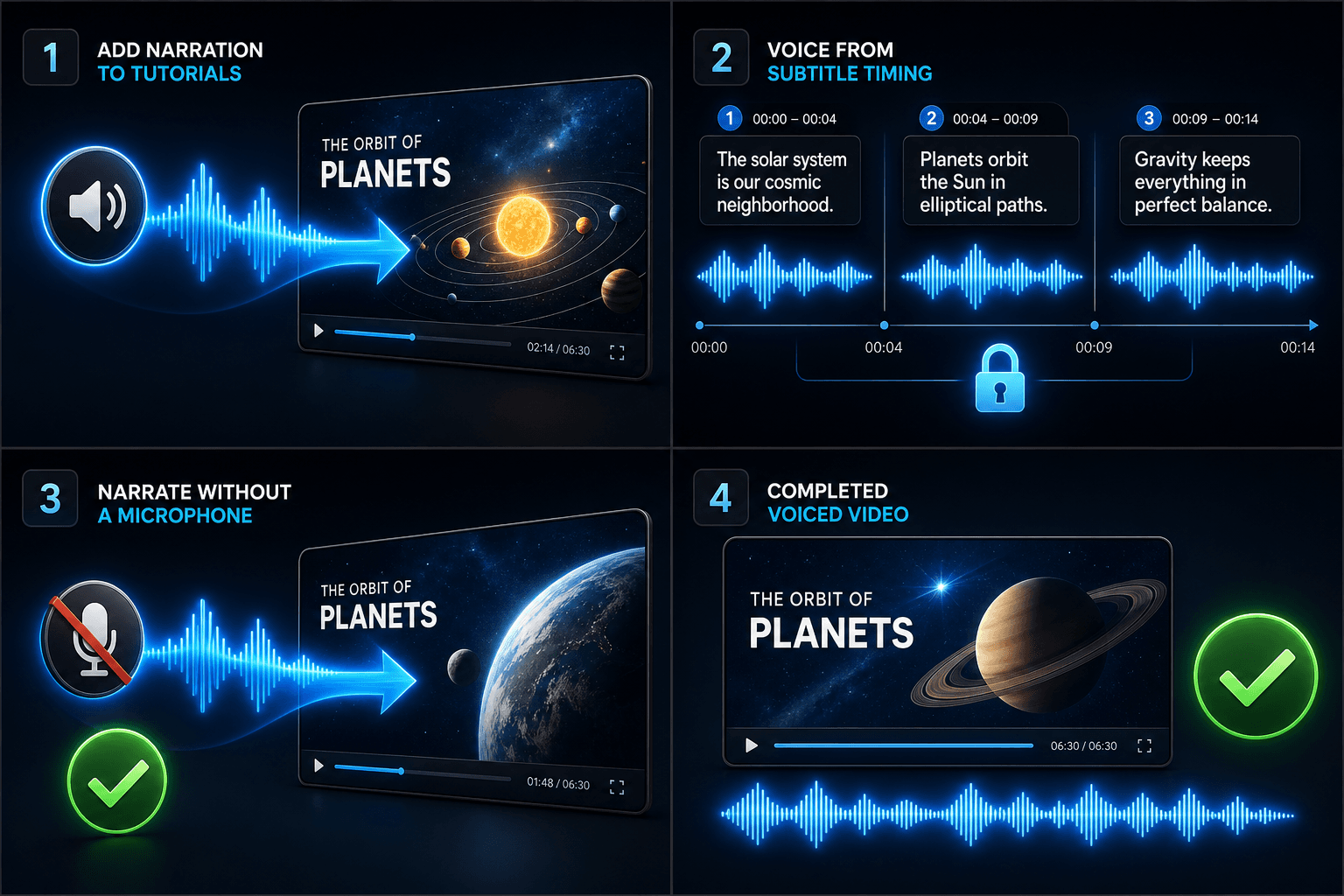
Aggiungi una voce narrante ai tutorial
Aggiungi la voce a un video partendo dal timing dei sottotitoli
Crea una narrazione senza microfono
Strumenti correlati
FAQ
Ho bisogno delle mie riprese per creare un video da testo a voce?
Hai bisogno di una fonte visiva — carica clip locali o importa da un link. Molti creatori estraggono momenti salienti da un video di origine più lungo e lasciano che la narrazione porti la storia sopra di essi.
I sottotitoli sono incorporati o modificabili?
Modificabili. I sottotitoli vengono generati in sincronia con la voce e puoi modificare il testo, cambiarne lo stile, esportare SRT/VTT o incorporarli nel render finale — a tua scelta.
Posso creare video verticali per Shorts e TikTok in questo modo?
Sì. Dopo che la bozza è stata generata, puoi ritagliare a 9:16, regolare il posizionamento dei sottotitoli per la visualizzazione verticale ed esportare per piattaforma.
Cosa inserisco, testo o un file video?
Incolli testo, non video. Il video da testo a voce legge una sceneggiatura digitata o parole incollate e produce un file audio di narrazione parlata. Non elabora riprese, quindi usalo per dare voce alla sceneggiatura che hai già scritto per il tuo recap.
Posso scegliere la voce della narrazione e la velocità di lettura?
Sì. Scegli una voce e puoi regolare il ritmo e il tono in modo che la lettura si adatti al tuo canale senza volto o di commenti. Recapo è ancora in fase di sviluppo, quindi le voci e i controlli disponibili si stanno espandendo nel tempo.
Cosa restituisce quando ha finito?
Ottieni una traccia audio di narrazione che puoi scaricare e inserire nella timeline del tuo video insieme a sottotitoli e clip, pronta per essere mixata con la musica ed esportata attraverso il resto del flusso di lavoro di Recapo.
Inizia a usare Video da testo a voce
Inserisci l'input e configura le impostazioni principali qui sopra. Il risultato rimarrà all'interno del flusso di lavoro dello strumento corrente.
Usa gratis