ถอดเสียงวิดีโอเป็นข้อความ
แปลงเสียงพูดเป็นข้อความบนหน้าจอ อัปโหลดวิดีโอและ AI จะจดจำคำพูด เปลี่ยนเป็นคำบรรยาย และฝังลงในภาพ — ทำให้คุณได้รับวิดีโอที่มีคำบรรยายเสร็จสมบูรณ์เพื่อดูตัวอย่างและดาวน์โหลด Recapo.ai
คลิกเพื่ออัปโหลด หรือลากไฟล์วิดีโอมาวางที่นี่
รองรับไฟล์ MP4, MOV, MKV, WebM, MPEG, MPG, 3GP, 3GPP
สูงสุด 2 GB ต่อไฟล์
วิดีโอต้นฉบับยาวได้สูงสุด 60 นาที
Very long videos may fail when extracted ASR audio exceeds 100MB — trim first if needed
Upload a video first to adjust settings and preview the result
ข้อความที่คงอยู่บนหน้าจอ ไม่ใช่ในไฟล์แยก
จุดประสงค์ของการแปลงเสียงพูดเป็นข้อความที่นี่ไม่ใช่เพื่อสร้างสคริปต์ที่คุณต้องจัดการ แต่เป็นวิดีโอที่ผู้คนสามารถดูได้จริงพร้อมข้อความที่ปรากฏอยู่ Recapo จะจดจำเสียงพูด เขียนเป็นคำบรรยาย และฝังลงในเฟรม เพื่อให้คลิปที่เสร็จแล้วเล่นพร้อมข้อความได้ทุกที่: แบบปิดเสียงในฟีด บนโทรศัพท์ หรือในเครื่องเล่นที่ตัดแทร็กคำบรรยายออก ไฟล์เดียว รวมคำบรรยาย ไม่ต้องแนบอะไรเพิ่ม
- 01
อัปโหลดวิดีโอของคุณ
เพิ่มไฟล์วิดีโอจากอุปกรณ์ของคุณ หรือนำเข้าจากลิงก์ รองรับทั้งบทสัมภาษณ์ คลิปพูดหน้ากล้อง การบรรยาย และวิดีโอพอดแคสต์
- 02
ให้ AI จดจำเสียงพูด
การจดจำเสียงพูดของ AI จะฟังเสียงและเปลี่ยนคำพูดเป็นบรรทัดคำบรรยายที่สะอาดและอ่านง่าย โดยจับเวลาให้ตรงกับสิ่งที่พูดบนหน้าจอ
- 03
ดูตัวอย่างและดาวน์โหลดวิดีโอที่มีคำบรรยาย
คำบรรยายจะถูกฝังลงในภาพโดยตรง ดูตัวอย่างวิดีโอที่เสร็จสมบูรณ์บนหน้าเว็บ จากนั้นดาวน์โหลด MP4 ที่มีคำบรรยาย — ข้อความและภาพรวมอยู่ในไฟล์เดียว
บทสัมภาษณ์และพอดแคสต์
เปลี่ยนคำตอบที่เป็นเสียงพูดเป็นคำบรรยายบนหน้าจอ เพื่อให้สามารถอ่านคำพูดได้ขณะเล่นคลิป
การบรรยายและการพูด
จับทุกประเด็นที่พูดเป็นคำบรรยายที่ฝังลงในวิดีโอเพื่อการดูแบบปิดเสียง
วิดีโอโซเชียลและฟีด
เผยแพร่คลิปที่มีคำบรรยายซึ่งอ่านได้แม้ปิดเสียง โดยไม่ต้องจัดการไฟล์คำบรรยาย
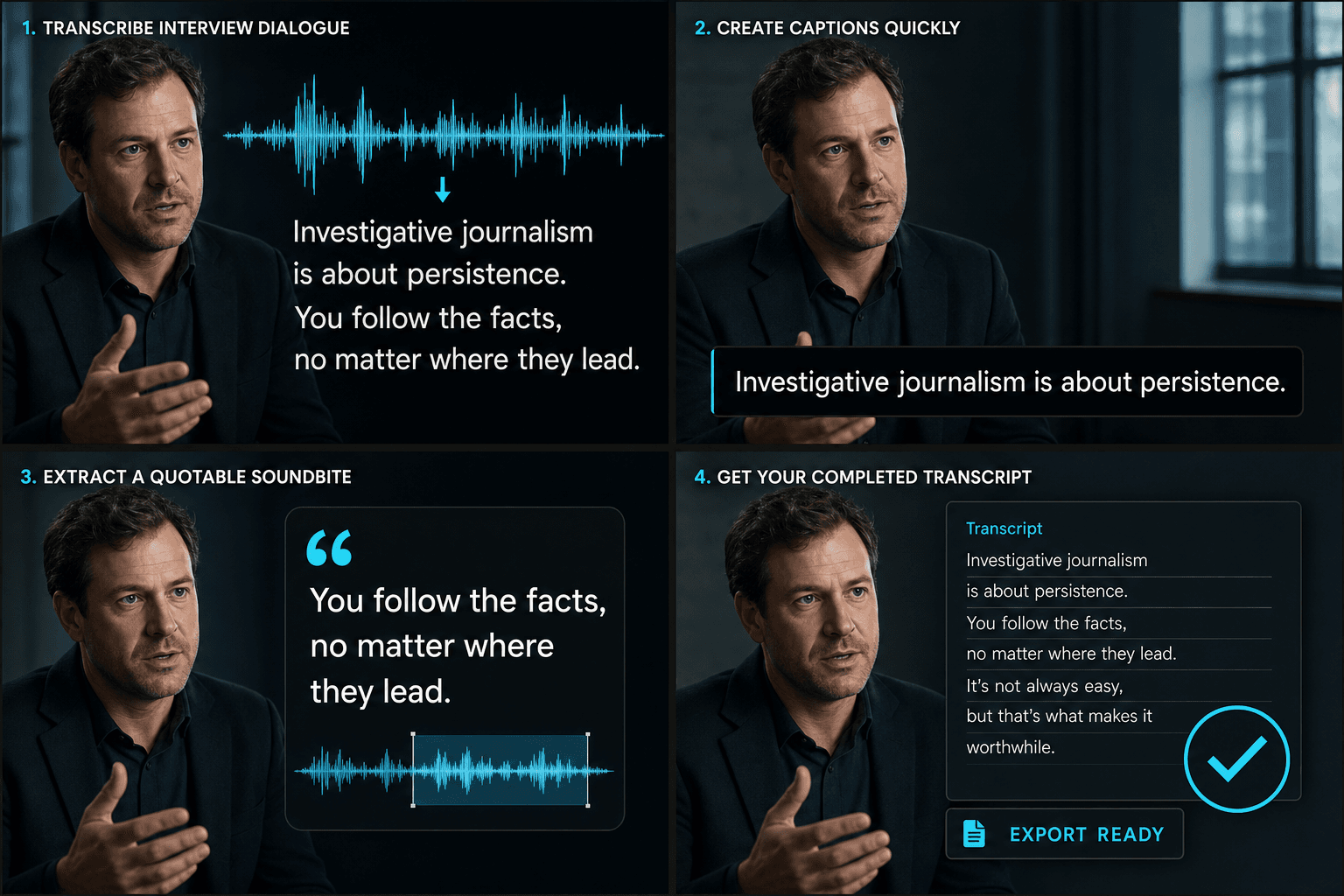
จากเสียงพูดสู่วิดีโอที่มีคำบรรยายเสร็จสมบูรณ์
AI จะทำหน้าที่ฟังและเขียนในขั้นตอนเดียว: จดจำเสียงพูด เปลี่ยนเป็นบรรทัดคำบรรยายที่จับเวลาตามจังหวะการพูด และแสดงผลลงในภาพ สิ่งที่ได้คือวิดีโอที่มีคำบรรยายไฟล์เดียว — ไม่ใช่สคริปต์ ไม่ใช่ไฟล์ที่ต้องซิงค์ในภายหลัง — พร้อมดูตัวอย่างบนหน้าเว็บและดาวน์โหลดเป็น MP4 เสียงพูดเข้าไป วิดีโอที่มีคำบรรยายและดูได้ออกมา
ออกแบบมาเพื่อการทำงานจริงเหล่านี้
ตรวจจับบทสัมภาษณ์ภาษาจีนหรือภาษาอังกฤษ
ปรับแต่งสไตล์คำบรรยายวิดีโอ
ดาวน์โหลดไฟล์ MP4 แบบฝังซับไตเติล
คำถามที่พบบ่อย
ฉันจะได้รับไฟล์ข้อความหรือวิดีโอ?
วิดีโอ Recapo จะเปลี่ยนคำพูดเป็นคำบรรยายและฝังลงในภาพ เพื่อให้คุณดาวน์โหลด MP4 ที่มีคำบรรยายเสร็จสมบูรณ์ — ข้อความจะอยู่บนหน้าจอไปพร้อมกับภาพ ไม่ใช่ในไฟล์สคริปต์แยก
ฉันอัปโหลดเสียงหรือวิดีโอ?
อัปโหลดวิดีโอ Recapo จะฟังเสียงพูดในแทร็กเสียง เขียนเป็นคำบรรยาย และฝังคำบรรยายเหล่านั้นกลับลงในวิดีโอเดิม — สิ่งที่คุณดาวน์โหลดคือคลิปที่มีคำบรรยาย
จะเกิดอะไรขึ้นหากชื่อหรือคำศัพท์ทางเทคนิคระบุผิด?
การจดจำของ AI จัดการกับเสียงพูดที่ชัดเจนได้ดี รวมถึงชื่อและคำศัพท์เฉพาะในบริบทส่วนใหญ่ คำบรรยายจะจับเวลาตามเสียงพูดและฝังลงในวิดีโอสุดท้าย เพื่อให้ข้อความตรงกับสิ่งที่พูดบนหน้าจอ
สิ่งนี้แตกต่างจากตัวสร้างคำบรรยายอย่างไร?
การแปลงเสียงพูดเป็นข้อความจะให้สคริปต์แบบเต็มที่สามารถแก้ไขได้ของคำพูด เพื่อใช้ในสคริปต์ บันทึก หรือการค้นหา ตัวสร้างคำบรรยายมีเป้าหมายเพื่อสร้างบรรทัดคำบรรยายที่ซิงค์เวลาเพื่อแสดงบนหน้าจอ ผู้สร้างหลายคนจะถอดความก่อน แก้ไขข้อความ แล้วจึงสร้างคำบรรยายจากข้อความนั้น
เริ่มใช้งาน แปลงเสียงพูดเป็นข้อความ
อัปโหลดไฟล์และตั้งค่าที่จำเป็นด้านบน ผลลัพธ์ของคุณจะแสดงอยู่ในขั้นตอนการทำงานของเครื่องมือปัจจุบัน
ใช้งานฟรี