ทำปกวิดีโอ Xiaohongshu
สร้างปก Xiaohongshu (RedNote) อัตราส่วน 3:4 จากวิดีโอของคุณ: เลือกคีย์เฟรม เพิ่มชื่อเรื่องแบบโปสเตอร์ขนาดใหญ่ที่ฟีดให้ความสำคัญ และส่งออกปกที่ออกแบบมาเพื่อดึงดูดการคลิก
เคล็ดลับ: ลากเพื่อเปลี่ยนตำแหน่ง คลิกเพื่อเลือก แล้วลากที่จับมุมเพื่อปรับขนาด
ทำไมปก Xiaohongshu จึงเป็น 3:4 ไม่ใช่ 16:9
ฟีดการค้นพบของ Xiaohongshu เป็นตารางแนวตั้งแบบสองคอลัมน์ การ์ด 3:4 จะเติมเต็มคอลัมน์และดันโน้ตข้างเคียงลงไปด้านล่างหน้าจอ ในขณะที่ภาพแนวนอนหรือสี่เหลี่ยมจะทิ้งช่องว่างที่มองเห็นได้และลดพื้นที่โฆษณาที่มีประสิทธิภาพของคุณ การอัปโหลดภาพขนาดย่อ 16:9 ที่ออกแบบมาสำหรับ YouTube เป็นข้อผิดพลาดที่พบบ่อยที่สุดที่ครีเอเตอร์ที่โพสต์ข้ามแพลตฟอร์มทำ — แพลตฟอร์มจะแสดงมัน แต่มันจะแพ้การแข่งขันเรื่องความสูงก่อนที่ใครจะอ่านชื่อเรื่อง
- 01
นำเข้าวิดีโอโน้ตของคุณ
อัปโหลดคลิปเบื้องหลังโน้ตของคุณ หรือนำเข้าจากลิงก์ แหล่งที่มาแบบแนวตั้ง สี่เหลี่ยม และแนวนอนใช้งานได้ทั้งหมด — การครอปจะเกิดขึ้นในขั้นตอนถัดไป
- 02
ครอปเป็น 3:4 และเพิ่มชื่อเรื่องแบบโปสเตอร์
เลือกคีย์เฟรม จัดกรอบในอัตราส่วนแนวตั้ง 3:4 ที่การ์ด Xiaohongshu ใช้ และวางเลย์เอาต์ชื่อเรื่องขนาดใหญ่ที่ระบุผลลัพธ์ของโน้ตในไม่กี่คำ
- 03
ส่งออกและโพสต์โน้ต
ดาวน์โหลดปกที่เสร็จสมบูรณ์ ตั้งเป็นภาพแรกของโน้ต และเผยแพร่ — หรือกลับไปแก้ไขคำบรรยายและเสียงพากย์สำหรับวิดีโอเอง
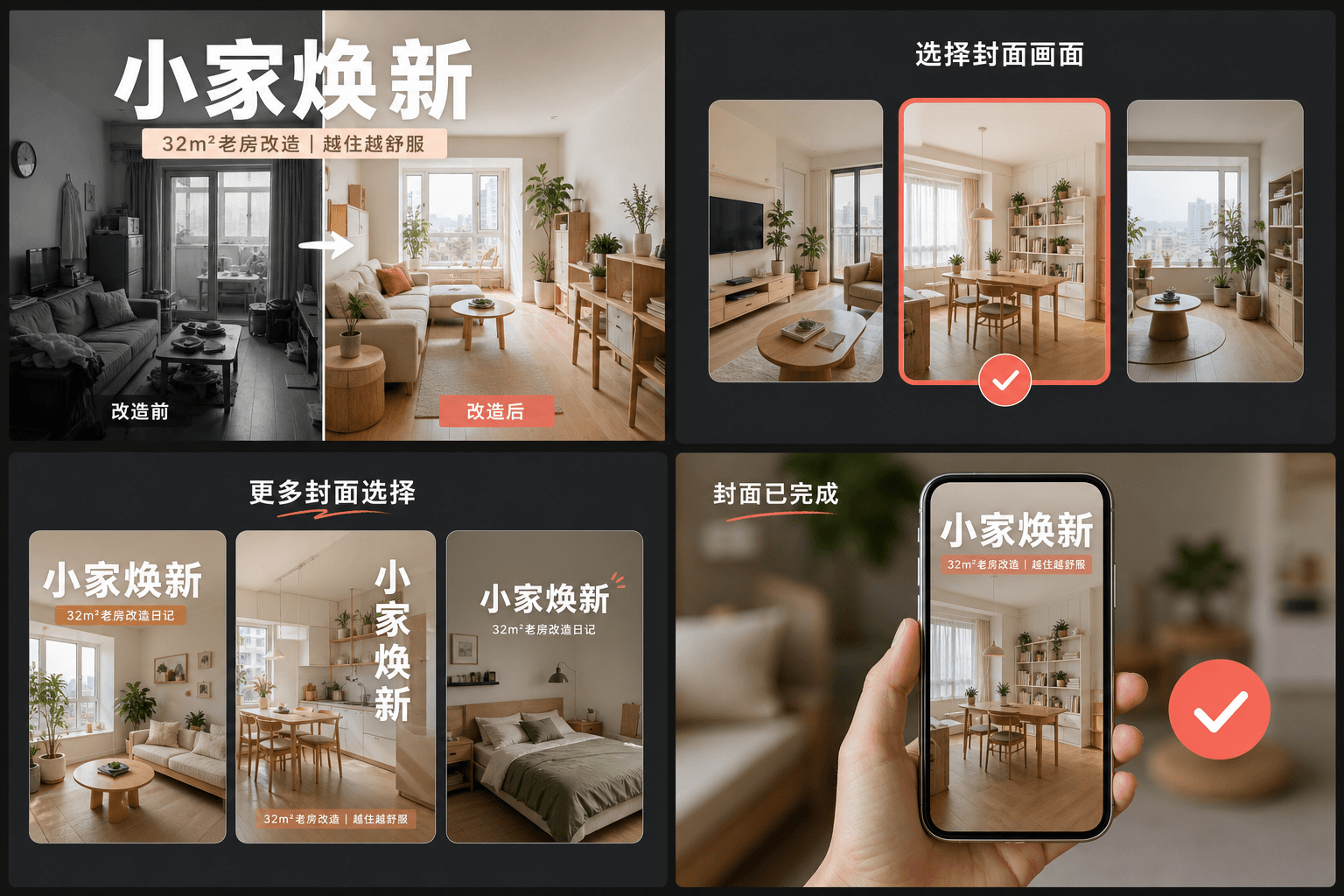
นิสัยหัวข้อขนาดใหญ่: ปก RedNote ดึงดูดการคลิกได้อย่างไร
โน้ตที่มีประสิทธิภาพสูงจะจัดการปกเหมือนโปสเตอร์นิตยสาร: พาดหัวข้อความขนาดใหญ่ที่ระบุผลลัพธ์ที่จับต้องได้ — สิ่งที่ผู้ชมจะได้เรียนรู้ บันทึก หรือหลีกเลี่ยง — วางบนเฟรมที่สะอาด ต่างจากภาพขนาดย่อของ YouTube ที่เน้นใบหน้าและสีหน้า ปก RedNote เน้นที่คำพูด เลย์เอาต์ของเครื่องมือทำปกจะสำรองพื้นที่ส่วนใหญ่ของการ์ดสำหรับพาดหัวนั้นและทำให้สามารถอ่านได้ที่ขนาดตาราง ซึ่งแต่ละการ์ดกว้างเพียงเท่านิ้วหัวแม่มือ
- ระบุผลลัพธ์ ไม่ใช่หัวข้อ: "3 ข้อผิดพลาดที่ทำลายฟุตเทจกลางคืน" ดีกว่า "การตั้งค่ากล้องของฉัน"
- เก็บพาดหัวไว้ภายในตรงกลางการ์ด — ตารางแสดงการ์ดแบบชิดขอบโดยไม่มีพื้นที่ว่างสำหรับข้อความที่ถูกตัด
- ใช้หนึ่งเฟรมที่มีวัตถุชัดเจนหนึ่งเดียว; เฟรมที่รกจะแพ้เฟรมที่สะอาดในระดับภาพขนาดย่อ
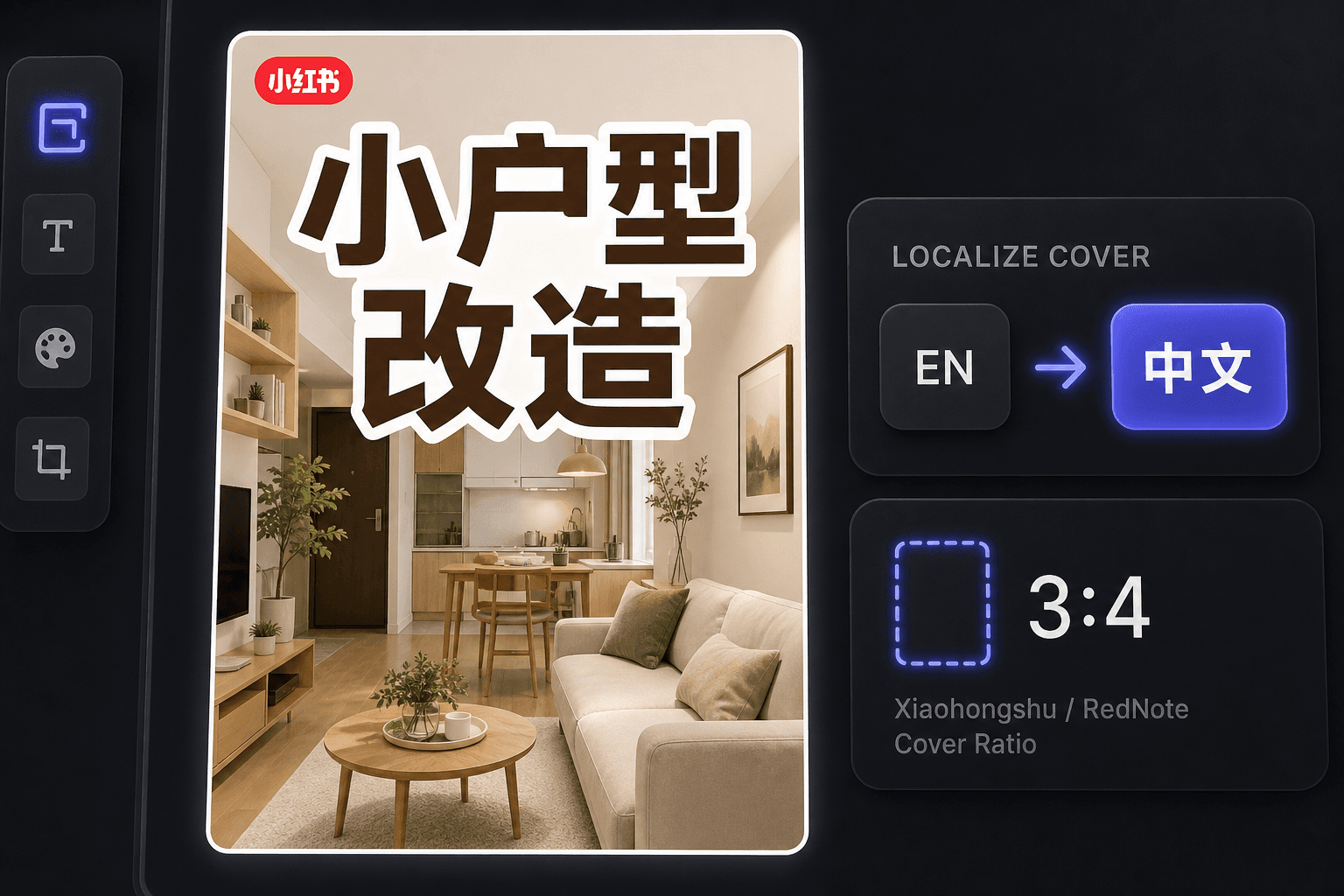
การทำปก RedNote สำหรับครีเอเตอร์ต่างชาติ
ตั้งแต่การเติบโตในระดับนานาชาติของ RedNote ครีเอเตอร์จำนวนมากเผยแพร่ที่นั่นโดยไม่ต้องอ่านภาษาจีน เครื่องมือทำปกจะรักษาเวิร์กโฟลว์เป็นภาษาอังกฤษในขณะที่สร้างปกที่ตรงกับขนบธรรมเนียมท้องถิ่น และพื้นที่ทำงานเดียวกันนี้ยังมีบริการแปลคำบรรยายเมื่อคุณต้องการแปลวิดีโอสำหรับผู้ชมที่พูดภาษาจีน
ออกแบบมาเพื่อการทำงานจริงเหล่านี้
เริ่มต้นด้วยภาพปกขนาด 3:4 ที่โดดเด่น
เลือกเฟรมจากวิดีโอเพื่อใช้เป็นภาพปก
ส่งออกแคนวาสปัจจุบันเป็นไฟล์ PNG
คำถามที่พบบ่อย
ปก Xiaohongshu ควรใช้อัตราส่วนภาพเท่าใด?
3:4 แนวตั้ง เป็นอัตราส่วนที่ตารางการค้นพบถูกออกแบบมา — การ์ดที่สูงกว่าจะกินพื้นที่คอลัมน์มากกว่าและถูกมองเห็นก่อน เครื่องมือจะครอปเฟรมที่คุณเลือกเป็น 3:4 โดยอัตโนมัติ
ทำไมปก Xiaohongshu ถึงมีข้อความเยอะมาก?
ปกทำหน้าที่เป็นพาดหัวของโน้ต ผู้ใช้ตัดสินใจจากตาราง มักจะโดยไม่อ่านคำบรรยายด้านล่าง ดังนั้นชื่อเรื่องสไตล์โปสเตอร์บนภาพจึงเป็นสิ่งที่ดึงดูดการคลิกจริงๆ เลย์เอาต์ถูกสร้างขึ้นรอบๆ ความคุ้นเคยนี้
ฉันสามารถทำปก RedNote ได้ถ้าฉันพูดภาษาจีนไม่ได้หรือไม่?
ได้ เครื่องมือนี้ทำงานเป็นภาษาอังกฤษ และปกภาษาอังกฤษก็ทำงานได้ดีกับผู้ชมระดับนานาชาติของ RedNote หากคุณกำหนดเป้าหมายผู้ชมที่พูดภาษาจีน ให้ใช้ตัวแปลคำบรรยายคู่กับปกเพื่อปรับวิดีโอให้เข้ากับท้องถิ่น
ฉันจำเป็นต้องมีไฟล์วิดีโอเพื่อทำปกหรือไม่?
ไม่จำเป็น เครื่องมือนี้ทำงานจากภาพเดียว — ไม่ว่าจะเป็นคีย์เฟรมที่คุณดึงมาจากเรื่องย่อหรือภาพนิ่งใดๆ ที่คุณอัปโหลด ดังนั้นจึงไม่มีฟุตเทจให้เรนเดอร์และไม่มีส่วนเกี่ยวข้องกับเสียง
เริ่มใช้งาน เครื่องมือทำปก Xiaohongshu
อัปโหลดไฟล์และตั้งค่าที่จำเป็นด้านบน ผลลัพธ์ของคุณจะแสดงอยู่ในขั้นตอนการทำงานของเครื่องมือปัจจุบัน
ใช้งานฟรี