Subtítulos Automáticos
Añade subtítulos automáticos a tu vídeo: sube un clip, deja que la IA transcriba el audio y grabe texto legible en el móvil directamente en el fotograma, y luego previsualiza y descarga un MP4 con subtítulos.
Haz clic para subir o arrastra un archivo de video
Formatos compatibles: MP4, MOV, MKV, WebM, MPEG, MPG, 3GP, 3GPP
Hasta 2 GB por archivo
Video fuente de hasta 60 minutos
Very long videos may fail when extracted ASR audio exceeds 100MB — trim first if needed
Upload a video first to adjust settings and preview the result
Subtítulos diseñados para feeds sin sonido
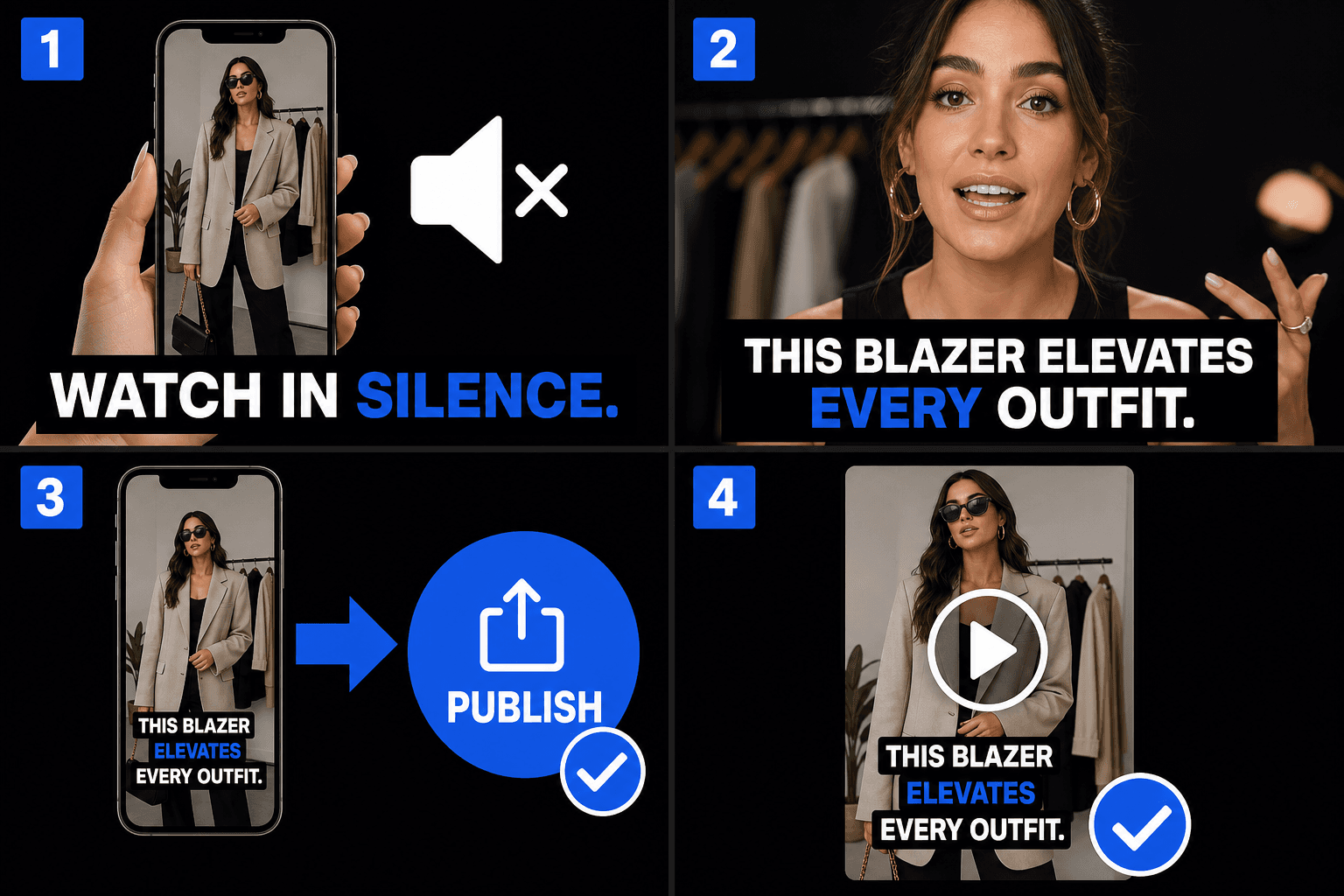
Los feeds se reproducen automáticamente sin sonido, por lo que los primeros segundos de tu clip tienen que comunicar visualmente. Los subtítulos grabados en el vídeo mantienen el gancho incluso a volumen cero, y como son parte del propio metraje, se ven idénticos sin importar si el clip llega a TikTok, Instagram o YouTube Shorts, sin depender de los subtítulos propios de cada plataforma.
- 01
Sube tu vídeo
Suelta un clip corto. La IA escucha el diálogo hablado y lo convierte en subtítulos automáticamente, sin necesidad de un archivo de subtítulos separado.
- 02
Subtítulos automáticos y estilo
El habla se convierte instantáneamente en subtítulos en pantalla. Elige un estilo en negrita y legible en el móvil y coloca el texto dentro del área segura para móviles.
- 03
Previsualiza y descarga
Mira el vídeo con subtítulos en la vista previa y luego descarga un MP4 terminado con los subtítulos integrados en el fotograma, listo para publicar en TikTok, Reels y Shorts.
Mantén el texto dentro del área segura para móviles
Todas las plataformas de formato corto superponen elementos de la interfaz en el vídeo. Los subtítulos colocados demasiado abajo o demasiado a la derecha quedan cubiertos. La vista previa muestra dónde se sitúa tu texto en relación con esas zonas, para que puedas corregir la posición antes de descargarlo en lugar de descubrir el problema después de publicarlo.
- Franja inferior: aquí se encuentran las descripciones, las etiquetas de audio y la interfaz de progreso.
- Borde derecho: los botones de me gusta, comentar y compartir se apilan verticalmente.
- Mantén los subtítulos en la banda central; la vista previa hace que la zona sea evidente.
Diseñado para estos flujos de trabajo reales
Incrustar subtítulos para reproducción sin sonido
Estilizar subtítulos en video de busto parlante
Descargar MP4 con subtítulos
Preguntas frecuentes
¿Por qué grabar los subtítulos en el vídeo en lugar de depender de los subtítulos automáticos de la plataforma?
Los subtítulos de la plataforma varían en precisión, estilo y disponibilidad, y no puedes verlos antes de publicar. Grabar tus propios subtítulos en el vídeo te da control sobre el texto y el aspecto, de forma idéntica en todas las plataformas, y puedes previsualizar el resultado final antes de descargarlo.
¿Los botones de TikTok o Reels cubrirán mis subtítulos?
No, si el texto se mantiene en el área segura. La vista previa muestra la colocación de los subtítulos en relación con las zonas típicas de la interfaz, para que puedas mover el texto hacia arriba o centrarlo antes de descargar el vídeo.
¿Qué obtengo al final?
Un MP4 terminado con los subtítulos integrados en el fotograma; lo previsualizas en la página y descargas el vídeo directamente. Los clips verticales 9:16 son el caso de uso principal, y no necesitas subir ni exportar ningún archivo de subtítulos por separado.
¿Qué formatos de archivo de subtítulos puedo exportar?
Los Subtítulos automáticos están diseñados para exportar archivos SRT y VTT estándar, por lo que las líneas cronometradas se integran directamente en YouTube, editores o en el paso de grabación de Recapo. Como el producto aún está en desarrollo, la lista exacta de formatos podría ampliarse.
¿Mi vídeo necesita audio hablado para que esto funcione?
Sí. Los Subtítulos automáticos transcriben la pista de voz, por lo que necesita un clip con voz clara, como una narración de resumen o un comentario. Un clip silencioso o un vídeo solo con música no le da nada que subtitular.
¿Puedo corregir el texto y el tiempo antes de exportar?
Sí. La transcripción sincronizada es editable, por lo que puedes corregir nombres, acortar líneas largas y ajustar los tiempos de entrada y salida antes de descargar el SRT o VTT o pasarlo a la herramienta de grabación.
Comienza a usar Subtítulos automáticos
Sube el archivo y ajusta la configuración arriba. El resultado se mantendrá en el flujo de la herramienta actual.
Probar gratis