Texto a Voz para Videos
Convierte texto plano en un video terminado con voz de IA, subtítulos sincronizados y tu propio metraje — no se requiere cámara ni micrófono. Crea videos sin rostro rápidamente en Recapo.ai.
Haz clic para subir o arrastra un archivo de video
Formatos compatibles: MP4, MOV, MKV, WebM, MPEG, MPG, 3GP, 3GPP
Hasta 2 GB por archivo
Video fuente de hasta 3 minutos
El procesamiento continúa en segundo plano, incluso si sales de esta página o cambias de idioma.
Videos sin rostro desde una página en blanco
Los canales sin rostro viven o mueren por la velocidad de producción: el formato funciona porque una persona puede publicar a diario sin aparecer nunca ante la cámara. El video de texto a voz elimina las dos partes más lentas: grabar la narración y sincronizar los subtítulos a mano. Tú aportas las palabras y los clips; la herramienta aporta la voz, la pista de subtítulos y el borrador ensamblado.
- 01
Empezar desde texto
Pega tu guion o borrador estilo artículo. Si solo tienes un video fuente, genera primero un resumen o guion de recap a partir de él.
- 02
Añadir voz y elementos visuales
Elige una voz de narración, luego adjunta metraje — cargas locales o importaciones de enlaces — mientras los subtítulos se generan en sincronía con la voz.
- 03
Renderizar y publicar
Exporta el borrador del video, perfecciona el estilo de los subtítulos o la portada, recórtalo a 9:16 para Shorts y publícalo en tus plataformas.
Canales de recap y comentarios
escribe el guion de la historia, ponle voz, publica.
Explicativos y listados
convierte un esquema en un video narrado sin grabar.
Publicación multiplataforma
una fuente de texto, exportada para Shorts, Reels y TikTok.
Lo que el generador de video TTS produce realmente
El resultado no es solo un MP3 pegado a una presentación de diapositivas. Obtienes un borrador estructurado: una pista de voz de IA renderizada desde tu texto, una pista de subtítulos que coincide con la voz palabra por palabra y sigue siendo editable, y tu metraje superpuesto a la narración. A partir de ahí, cada pieza aún se puede ajustar — reescribir una línea, cambiar el estilo de los subtítulos, intercambiar un clip — antes de la exportación final.
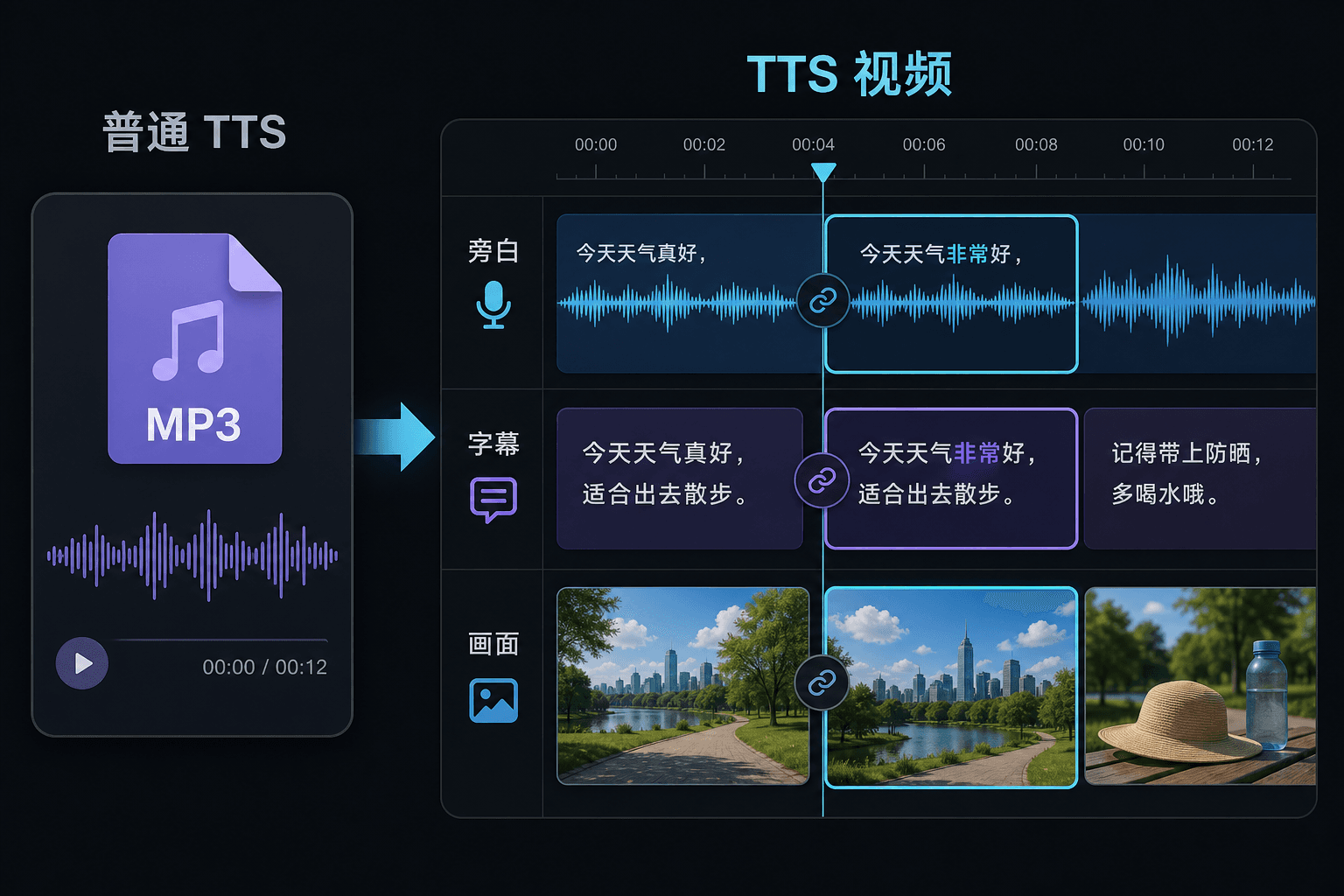
Video de texto a voz frente a texto a voz simple
Una herramienta TTS simple te entrega un archivo de audio y te desea suerte en tu editor. Aquí la voz se genera dentro de un proyecto de video, por lo que el tiempo, los subtítulos y la imagen ya están conectados. Esa diferencia importa más en el momento de la revisión: cambiar el texto actualiza la narración y los subtítulos juntos, en lugar de forzar una resincronización manual.
Diseñado para estos flujos de trabajo reales
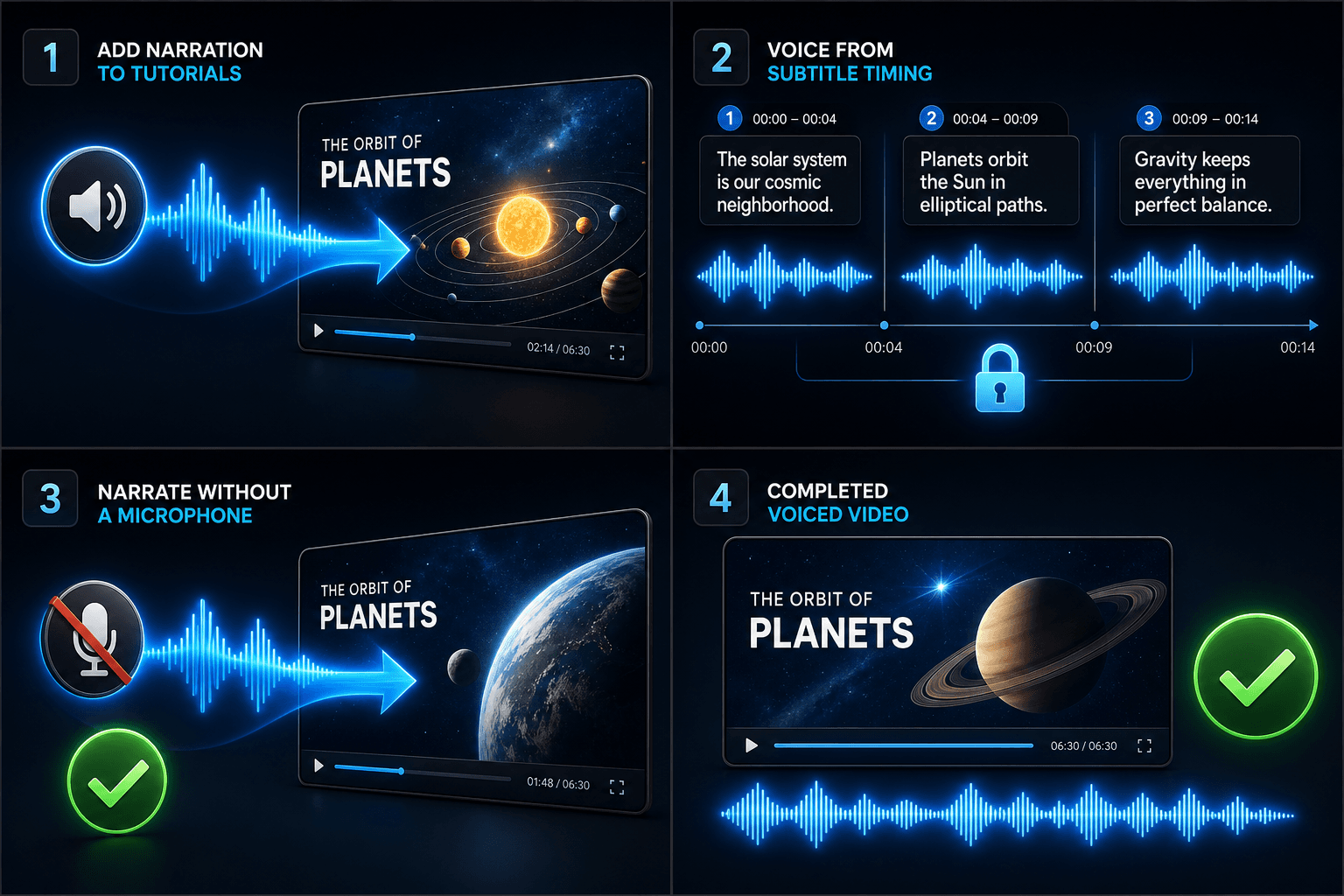
Añadir narración a tutoriales
Locutar un video a partir del tiempo de los subtítulos
Crear narración sin micrófono
Herramientas relacionadas
Preguntas frecuentes
¿Necesito mi propio metraje para hacer un video de texto a voz?
Necesitas alguna fuente visual — sube clips locales o importa desde un enlace. Muchos creadores extraen lo mejor de un video fuente más largo y dejan que la narración lleve la historia sobre ellos.
¿Los subtítulos están integrados o son editables?
Editables. Los subtítulos se generan en sincronía con la voz, y puedes editar el texto, cambiarles el estilo, exportar SRT/VTT o incrustarlos en el renderizado final — tú eliges.
¿Puedo hacer videos verticales para Shorts y TikTok de esta manera?
Sí. Después de generar el borrador, puedes recortarlo a 9:16, ajustar la colocación de los subtítulos para la visualización vertical y exportar según la plataforma.
¿Qué introduzco, texto o un archivo de video?
Pegas texto, no video. El video de texto a voz lee un guion escrito o palabras pegadas y genera un archivo de audio de narración hablada. No procesa metraje, así que úsalo para dar voz al guion que ya escribiste para tu recap.
¿Puedo elegir la voz de narración y la velocidad del habla?
Sí. Eliges una voz y puedes ajustar el ritmo y el tono para que la lectura se adapte a tu canal sin rostro o de comentarios. Recapo todavía está en desarrollo, por lo que las voces y controles disponibles se amplían con el tiempo.
¿Qué devuelve cuando termina?
Obtienes una pista de audio de narración que puedes descargar y colocar en la línea de tiempo de tu video junto con subtítulos y clips, lista para mezclar con música y exportar a través del resto del flujo de trabajo de Recapo.
Comienza a usar Video de texto a voz
Sube el archivo y ajusta la configuración arriba. El resultado se mantendrá en el flujo de la herramienta actual.
Probar gratis