Xiaohongshu Cover Maker
Erstellen Sie 3:4 Xiaohongshu (RedNote) Cover aus Ihrem Video: Wählen Sie ein Keyframe, fügen Sie den großen Poster-Titel hinzu, den der Feed belohnt, und exportieren Sie ein Cover, das darauf ausgelegt ist, den Klick zu erhalten.
Tipp: Ziehen zum Verschieben; Klicken zum Auswählen, dann die Eckziehpunkte zum Skalieren ziehen
Warum Xiaohongshu-Cover 3:4 und nicht 16:9 sind
Der Discovery-Feed von Xiaohongshu ist ein vertikales zweispaltiges Raster. Eine 3:4-Karte füllt die Spalte und drängt benachbarte Notizen weiter nach unten auf dem Bildschirm, während ein Querformat- oder quadratisches Bild sichtbare Lücken lässt und Ihre effektive Werbefläche verkleinert. Das Hochladen eines 16:9-Thumbnails, das für YouTube gedacht ist, ist der häufigste Fehler, den Cross-Posting-Creators machen – die Plattform zeigt es zwar an, aber es verliert den Höhenwettbewerb, bevor jemand den Titel liest.
- 01
Importieren Sie Ihr Notiz-Video
Laden Sie den Clip hinter Ihrer Notiz hoch oder importieren Sie ihn über einen Link. Vertikale, quadratische und Querformat-Quellen funktionieren alle – der Zuschnitt erfolgt als Nächstes.
- 02
Auf 3:4 zuschneiden und einen Poster-Titel hinzufügen
Wählen Sie ein Keyframe, rahmen Sie es im 3:4-Vertikalformat ein, das Xiaohongshu-Karten verwenden, und platzieren Sie ein Layout mit großem Titel, das den Nutzen der Notiz in wenigen Worten zusammenfasst.
- 03
Exportieren und veröffentlichen Sie die Notiz
Laden Sie das fertige Cover herunter, legen Sie es als erstes Bild der Notiz fest und veröffentlichen Sie es – oder springen Sie zurück zu Untertiteln und Voiceover für das Video selbst.
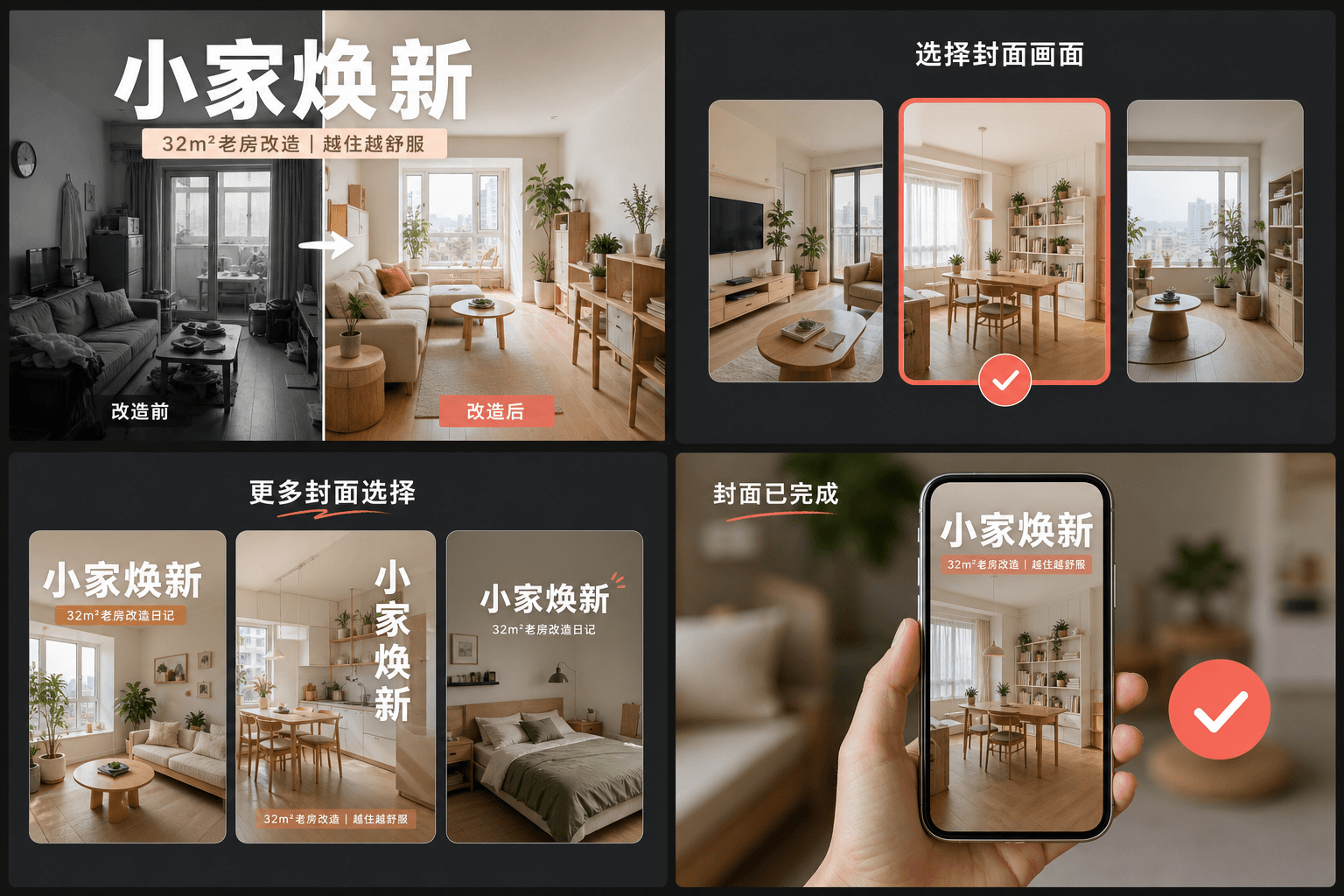
Die Gewohnheit des großen Titels: Wie RedNote-Cover den Klick verdienen
Leistungsstarke Notizen behandeln das Cover wie ein Magazin-Poster: eine große Textüberschrift, die den konkreten Nutzen angibt – was der Zuschauer lernen, speichern oder vermeiden wird – über einem klaren Bild platziert. Im Gegensatz zu YouTube-Thumbnails, die auf Gesichter und Ausdrücke setzen, setzen RedNote-Cover auf Worte. Die Layouts des Cover-Erstellers reservieren den größten Teil der Karte für diese Überschrift und halten sie in der Rastergröße lesbar, wo jede Karte kaum breiter als ein Daumen ist.
- Nennen Sie den Nutzen, nicht das Thema: „3 Fehler, die Nachtaufnahmen ruinieren“ schlägt „meine Kameraeinstellungen“.
- Halten Sie die Überschrift innerhalb der Kartenmitte – das Raster zeigt die Karten von Rand zu Rand ohne Rand für abgeschnittenen Text.
- Verwenden Sie ein Bild mit einem einzigen, klaren Motiv; unruhige Bilder verlieren im Thumbnail-Maßstab gegen klare.
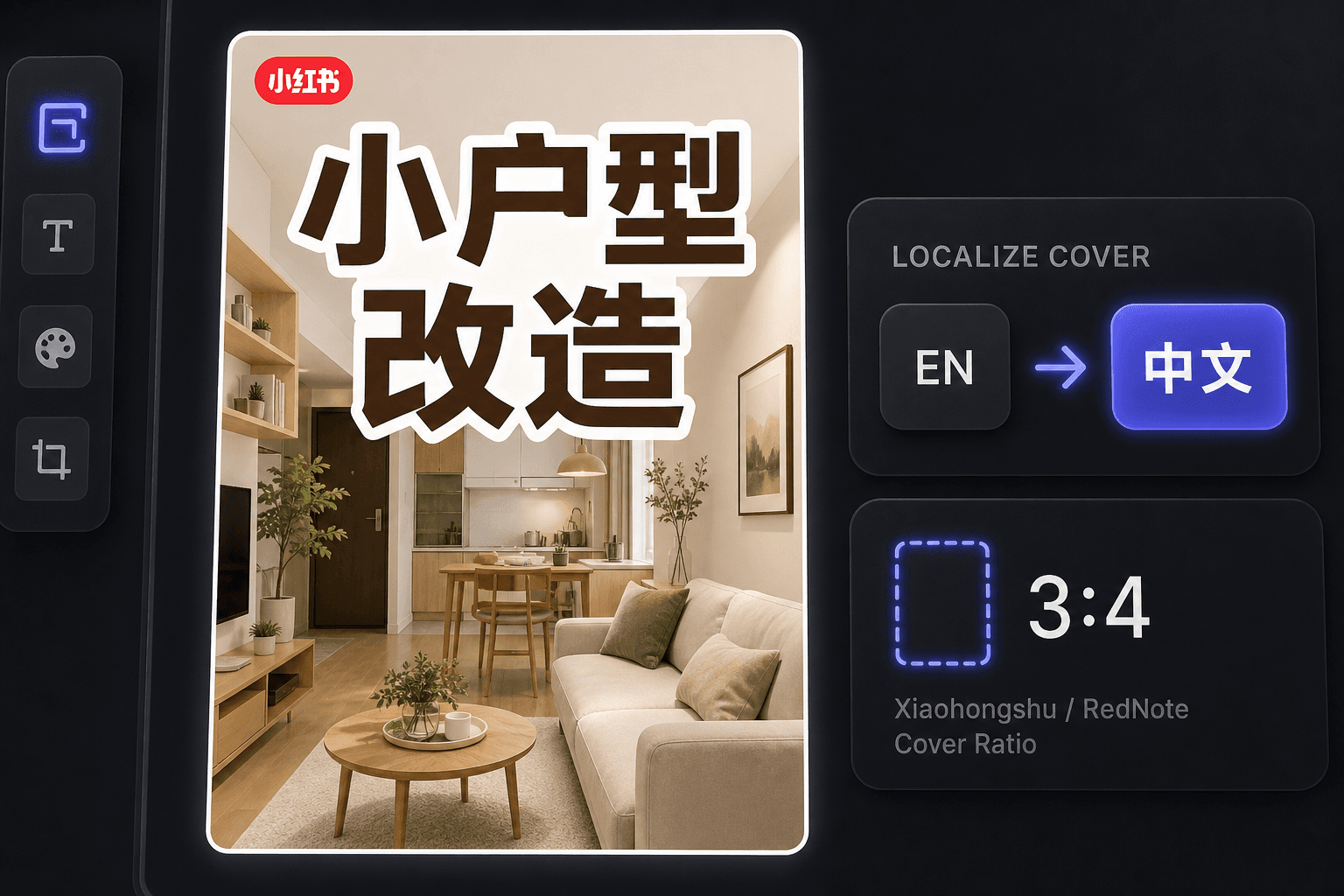
RedNote-Cover als überseeischer Creator erstellen
Seit dem internationalen Aufschwung von RedNote veröffentlichen viele Creators dort, ohne Chinesisch zu lesen. Der Cover-Ersteller hält den Workflow auf Englisch, während er Cover erstellt, die lokalen Konventionen entsprechen, und derselbe Arbeitsbereich bietet Untertitelübersetzung, wenn Sie das Video selbst für chinesischsprachige Zuschauer lokalisieren möchten.
Entwickelt für diese Praxis-Workflows
Mit einem markanten 3:4-Cover starten
Titelbild aus dem Video auswählen
Aktuelle Arbeitsfläche als PNG exportieren
FAQ
Welches Seitenverhältnis sollte ein Xiaohongshu-Cover verwenden?
3:4 vertikal. Es ist das Seitenverhältnis, auf das das Discovery-Raster ausgelegt ist – höhere Karten nehmen mehr von der Spalte ein und werden zuerst gesehen. Das Tool schneidet Ihr gewähltes Bild automatisch auf 3:4 zu.
Warum haben Xiaohongshu-Cover so viel Text?
Das Cover dient gleichzeitig als Überschrift der Notiz. Benutzer entscheiden anhand des Rasters, oft ohne die Bildunterschrift darunter zu lesen, daher ist es ein Titel im Poster-Stil auf dem Bild, der tatsächlich den Klick erhält. Die Layouts sind um diese Gewohnheit herum aufgebaut.
Kann ich RedNote-Cover erstellen, wenn ich kein Chinesisch spreche?
Ja. Das Tool selbst funktioniert auf Englisch, und englischsprachige Cover performen gut beim internationalen Publikum von RedNote. Wenn Sie chinesischsprachige Zuschauer ansprechen möchten, kombinieren Sie das Cover mit dem Untertitel-Übersetzer, um das Video zu lokalisieren.
Brauche ich eine Videodatei, um ein Cover zu erstellen?
Nein. Das Tool arbeitet mit einem einzigen Bild – entweder einem Keyframe, den Sie aus einem Recap extrahiert haben, oder einem beliebigen hochgeladenen Standbild – sodass kein Footage gerendert werden muss und kein Ton beteiligt ist.
Xiaohongshu-Cover-Ersteller jetzt starten
Geben Sie oben Ihre Datei und die gewünschten Einstellungen ein. Ihr Ergebnis bleibt direkt im aktuellen Tool-Workflow.
Kostenlos nutzen