VEED Alternatives for Captions & Quick Edits (2026)
Compare VEED alternatives for captions and quick browser edits: key dimensions, self-test workflow, and when VEED still wins.
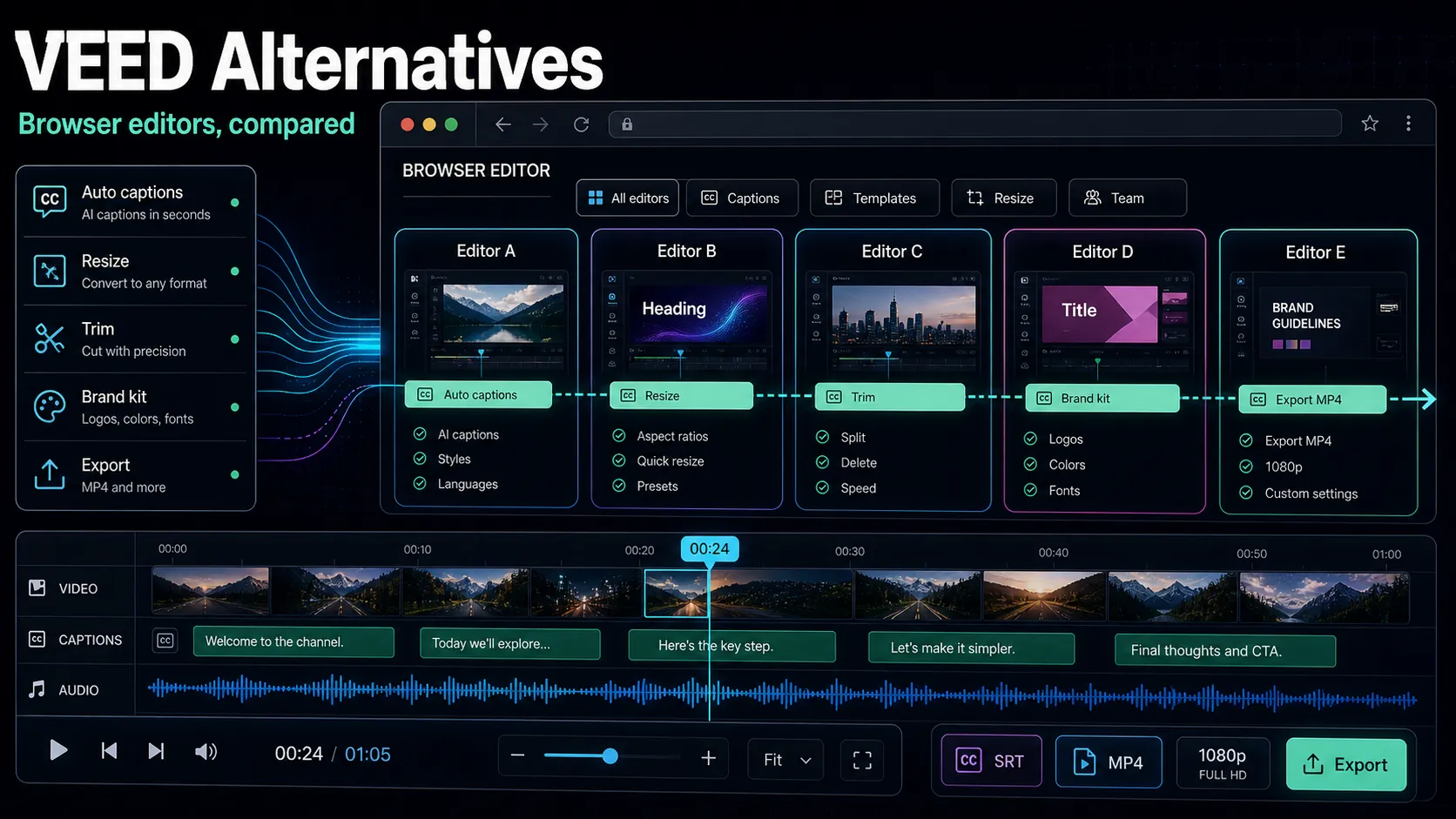
If you're searching for veed.io alternatives, you're almost always after one of three things: caption editing that doesn't fight you, quick edits in the browser without a heavy install, or a way past paywalls that gate exports, translation, or watermark removal. This guide is a straight, third-party-style comparison — no self-crowning, no invented benchmarks, no pretending one tool fits everyone. VEED is a capable browser-based video and subtitle editor; the real question isn't whether it's "bad," it's whether a different tool fits your specific workflow and budget better. Below you'll find the dimensions that actually matter when comparing veed.io competitors, honest category reviews, a 15-minute self-test on your own footage, and a section on when staying with VEED is the smart call.
Key Takeaways
Why creators go looking for a VEED alternative
Most people don't wake up wanting to switch editors — they hit a specific wall. The reasons behind "veed.io alternatives" searches boil down to the same three friction points, all of which you should verify yourself on current pricing pages, because plans change constantly.
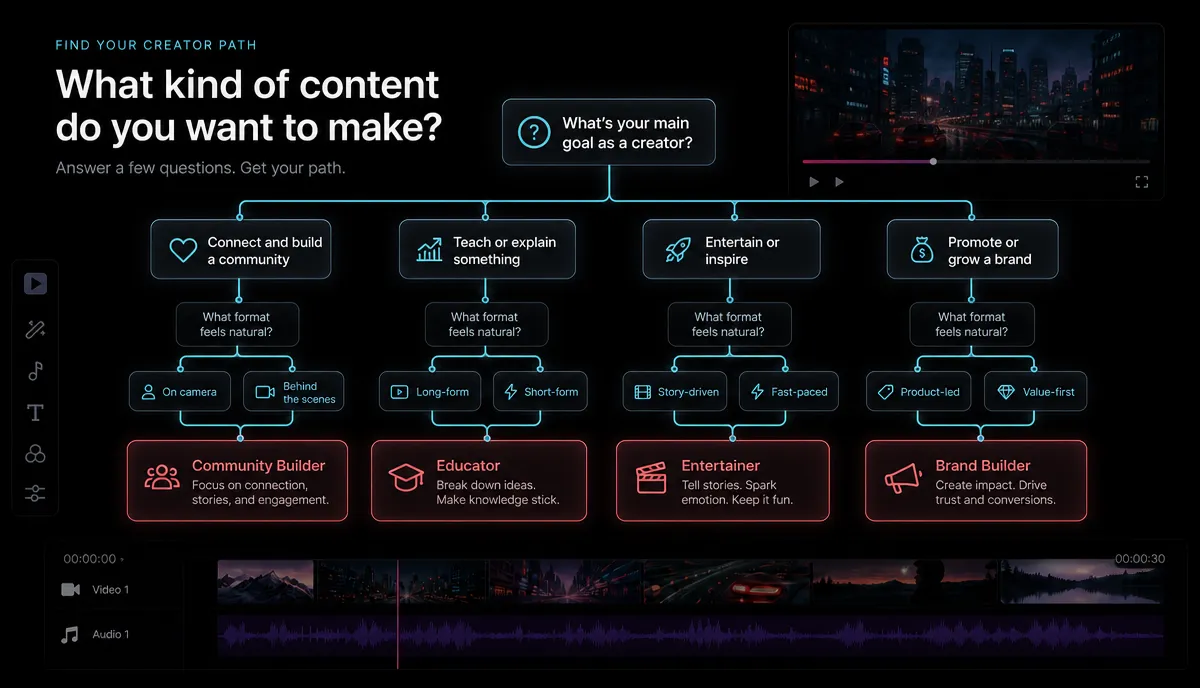
None of these make VEED a bad tool — they're mismatches between one product's pricing shape and one creator's workflow. The fix is a clear-eyed comparison.
The browser-based quick-edit paradigm
Before comparing specific names, it helps to understand the category VEED popularized: the browser-based quick editor. Instead of installing a desktop suite, you upload a file, the tool transcribes and captions it in the cloud, you trim and restyle in a timeline, and you export — all in a tab. It's fast, collaborative, and runs on a modest laptop.
That paradigm is a genuine strength, and it's the bar any alternative should clear. You're not just comparing feature lists — you're comparing how well each tool preserves that "upload, caption, cut, export, done" loop while fixing whatever pushed you to look elsewhere. Recapo sits squarely in this category: it runs entirely in the browser with no install, handles MP4, MOV and other common formats up to 6GB per task, and covers transcribe-and-caption, long-to-short clipping, summaries and scripts, AI voiceover, vertical reframing, and cover-and-export in one workspace.
The dimensions that actually matter
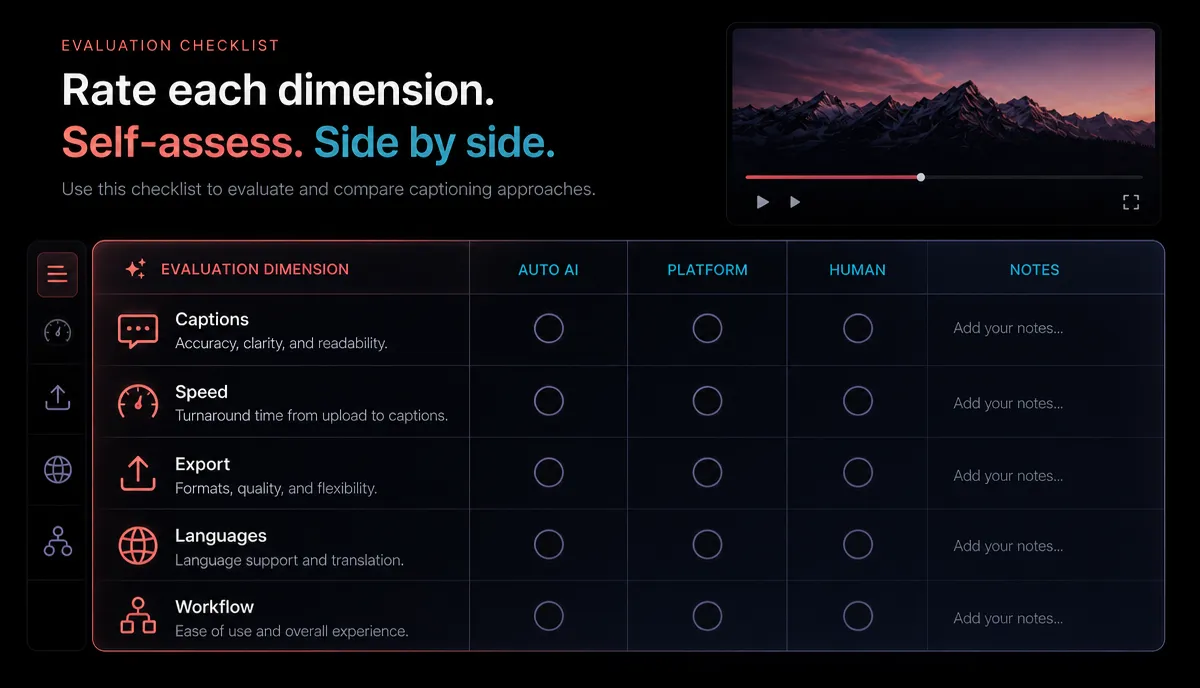
A feature checklist is the wrong way to compare editors, because feature names don't tell you how a tool behaves on your footage. Here's a better frame — the dimensions that genuinely decide whether a tool fits, and how to test each one in a few minutes. Treat this like a price-per-feature worksheet you fill in yourself with current, verified numbers.
| Caption accuracy | Fixing bad transcripts eats more time than any other step | Upload a clip with an accent, fast speech, or jargon; count the errors | Export cleanliness | Watermarks and resolution caps can appear only at export | Export a 1080p file on the tier you'd actually pay for; inspect it | Translation cost | Multilingual captions are often an add-on | Time and price one subtitle translation into a second language | Vertical reframing | Reformatting 16:9 to 9:16 by hand is slow | Reframe one horizontal clip to vertical and check the framing | Long-to-short workflow | Repurposing a long video into clips is a distinct job | Feed one 20-minute video in and see how it proposes clips | Pricing at your volume | "Cheap" depends entirely on your output | Multiply the per-video reality by your real monthly count |
Fill this in for two or three tools and the decision usually makes itself — you're matching a tool's strengths to the one or two things you do most, not chasing a perfect editor.
The main alternatives, reviewed honestly
Below are the categories that show up whenever people list veed.io competitors, described at the level that stays true over time — their stable, publicly known positioning. I've deliberately avoided quoting prices, free-tier quotas, or watermark rules, because those shift and you should confirm the current terms yourself. Use the "verify" column as your homework list.
| Descript | Transcript-based editing — edit video by editing text | Podcasters and talking-head creators who script heavily | Whether the text-first flow suits quick social cuts | CapCut | A widely used editor across web, desktop, and mobile for social edits | Creators who want templates and effects for short-form | Current export terms and any watermark on your tier | Kapwing | A browser-based editor and subtitler | Teams doing collaborative quick edits in a tab | Caption accuracy on your accents and export limits | Clipchamp | A browser-based editor in the Microsoft ecosystem | Windows users wanting a bundled quick editor | Whether its export options match your resolution needs | Submagic / Captions-style tools | Auto-caption styling built for short-form | Reels/Shorts/TikTok creators who want animated captions | Style flexibility and per-video cost at your volume | OpusClip-style tools | Turning long videos into short clips automatically | Long-form creators repurposing to Shorts and Reels | Clip selection quality on your kind of content | Pictory / InVideo | Script or article to video from templates | Faceless and text-to-video workflows | Whether template output feels generic for your niche |
Two honest caveats. First, most "best VEED alternative" lists on other tool sites are that tool's own self-promotion page — useful for discovery, but biased by design, so read them as brochures, not verdicts. Second, no tool above wins every row of the previous table: a transcript editor is great for talking-heads and awkward for template-driven Reels, and a template tool is the reverse. Match the tool to your dominant job.
A 15-minute self-test to pick your tool
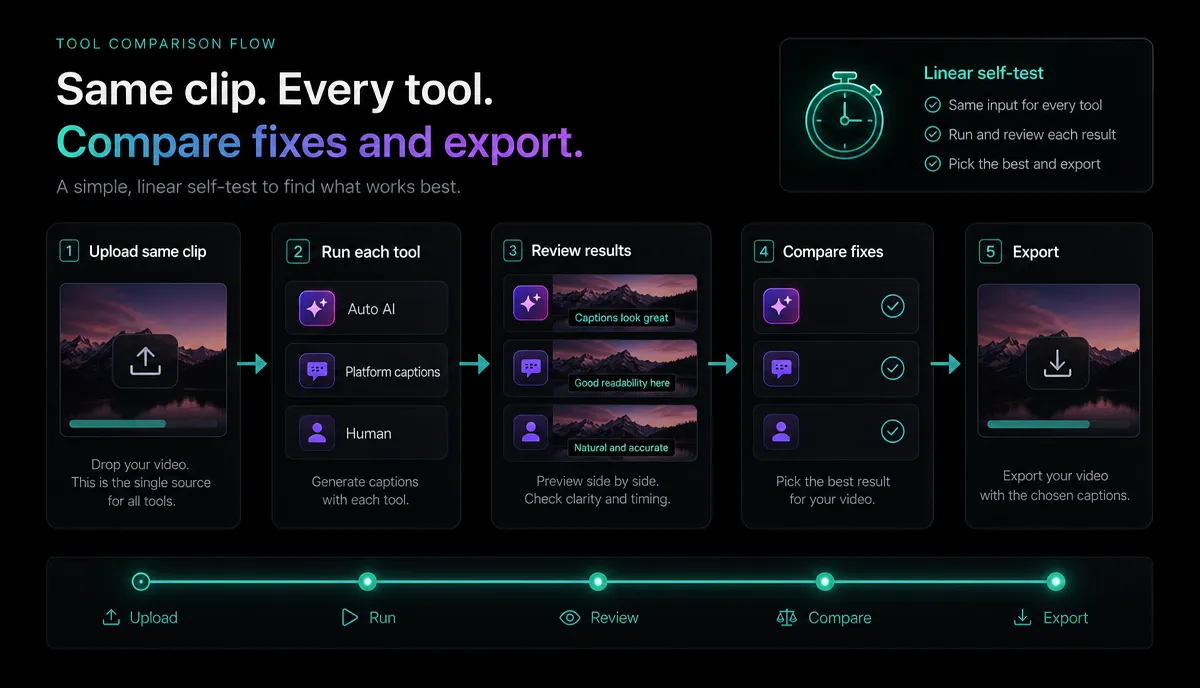
Reviews age; your own footage doesn't lie. Run this short test on any two or three candidates — including VEED and Recapo — with the same source file, and you'll have a defensible answer in under 15 minutes per tool.
- Pick a representative clip. Choose 60–90 seconds of your real content — ideally with an accent, some fast talking, or niche vocabulary. Easy audio makes every tool look good and tells you nothing.
- Transcribe and caption it. Import the file and generate captions. In Recapo you'd use auto-captions to transcribe and caption in the browser. Count the errors you'd have to fix by hand — this is usually the biggest time sink, so weight it heavily. For a deeper method, see how to add subtitles to a video.
- Restyle the captions. Try to match your channel's look — font, size, position, highlight color. In Recapo the subtitle-style-editor handles this; elsewhere, note how many clicks it takes and whether presets fit short-form platforms. A broader tool roundup lives in best auto caption generators.
- Make one quick edit. Trim dead air, cut a filler section, or reframe 16:9 to vertical. In Recapo the ai-video-editor covers trimming, reframing, and export in one place. Time how long the basic edit takes.
- Export on the tier you'd actually pay for. This is the moment watermarks and resolution caps reveal themselves. Export at 1080p (or higher) and inspect the file — no assumptions, just look at the output.
- Do the money math. Multiply the real per-video effort and cost by your monthly output. A tool that's pleasant once can be painful at scale, and vice versa.
Whichever tool leaves the fewest manual caption fixes and the cleanest export on your real footage is your answer — regardless of what any list, including this one, claims.
Recommendations by creator type
There's no universal winner, so here's an honest, use-case-first map. Recapo appears where it genuinely fits, not everywhere.
When VEED is still the right choice
A guide that only trashes the tool it's "replacing" isn't being honest — it's selling. So here's the section most alternative pages won't write: several situations where staying with VEED is the smart move.
The honest test is simple: list the one or two things pushing you to switch, then confirm — on a current pricing page and in the 15-minute self-test above — that an alternative actually fixes them without breaking something you rely on. If it does, switch. If it doesn't, stay.
FAQ
What is the best free VEED alternative? There's no single answer, because "free" depends on your output and your must-have features. Some tools offer a usable free or lower tier; others gate the exact thing you need. The reliable move is to run the 15-minute self-test on your real footage and export on the tier you'd actually use — that's where watermarks and resolution caps show up. Recapo runs in the browser with no install and lists its plans on the pricing page.
Which VEED alternatives have no watermark? This changes by tool and by plan, so verify it at the point of export rather than trusting any list. Take one clip, export it at 1080p on the tier you intend to pay for, and inspect the file for a stamp. Do that for each candidate and you'll have a definitive, current answer instead of a claim that may be out of date.
Is Recapo a good VEED alternative for captions? It fits well if your core loop is transcribe-and-caption plus quick edits in the browser. Recapo transcribes and captions, lets you restyle subtitles, turns long videos into short clips, adds AI voiceover, reframes to vertical, and exports — all in one workspace, no install, with MP4, MOV and other common formats up to 6GB per task. Whether it beats VEED for you depends on the dimensions in the table above, which is why the self-test matters.
Do I have to install anything to try these tools? Not for the browser-based ones. VEED, Recapo, and several others here run entirely in a tab, so you can test them on the same footage back to back without downloading software. Desktop suites are the exception — factor install and hardware requirements into your comparison if you consider one.
The smartest way to choose among veed.io alternatives is to stop reading lists and start testing on your own footage — including this list. Recapo gives you a browser-based place to do exactly that: transcribe and caption, restyle subtitles, cut long videos into Shorts, Reels, and TikToks, add voiceover, reframe vertical, and export, all in one tab with no install. Run the self-test above and let your real content decide. Create a free account and try it on your next video.