Scene Breakdown Generator
Break any film into a timestamped scene list with AI: what happens in each scene, the lines that matter, and turning points — an editing map for recap cuts.
Click to upload or drop a video file
Supports MP4, MOV, MKV, WebM, MPEG, MPG, 3GP, 3GPP
Up to 2 GB per file
Source video up to 60 minutes
Processing continues in the background, even if you leave this page or switch languages.
A scene list is an editing map
Editors who mark scenes before cutting work faster than editors who scrub — the question "where was that shot?" gets answered by a list instead of a search. The breakdown gives you that list up front, so the edit becomes selection: keep the setup, keep the betrayal, keep the payoff, skip everything between.
- 01
Import the footage
Upload the film from your device or import it via link. Long features are fine — that is exactly what a breakdown is for.
- 02
Generate the scene list
Scene detection segments the video, and AI annotates each scene: time range, what happens, and notable lines pulled from the dialogue.
- 03
Cut from the map
Use the timestamps to jump, screenshot keyframes, clip highlights, and shortlist the scenes that will carry your recap edit.
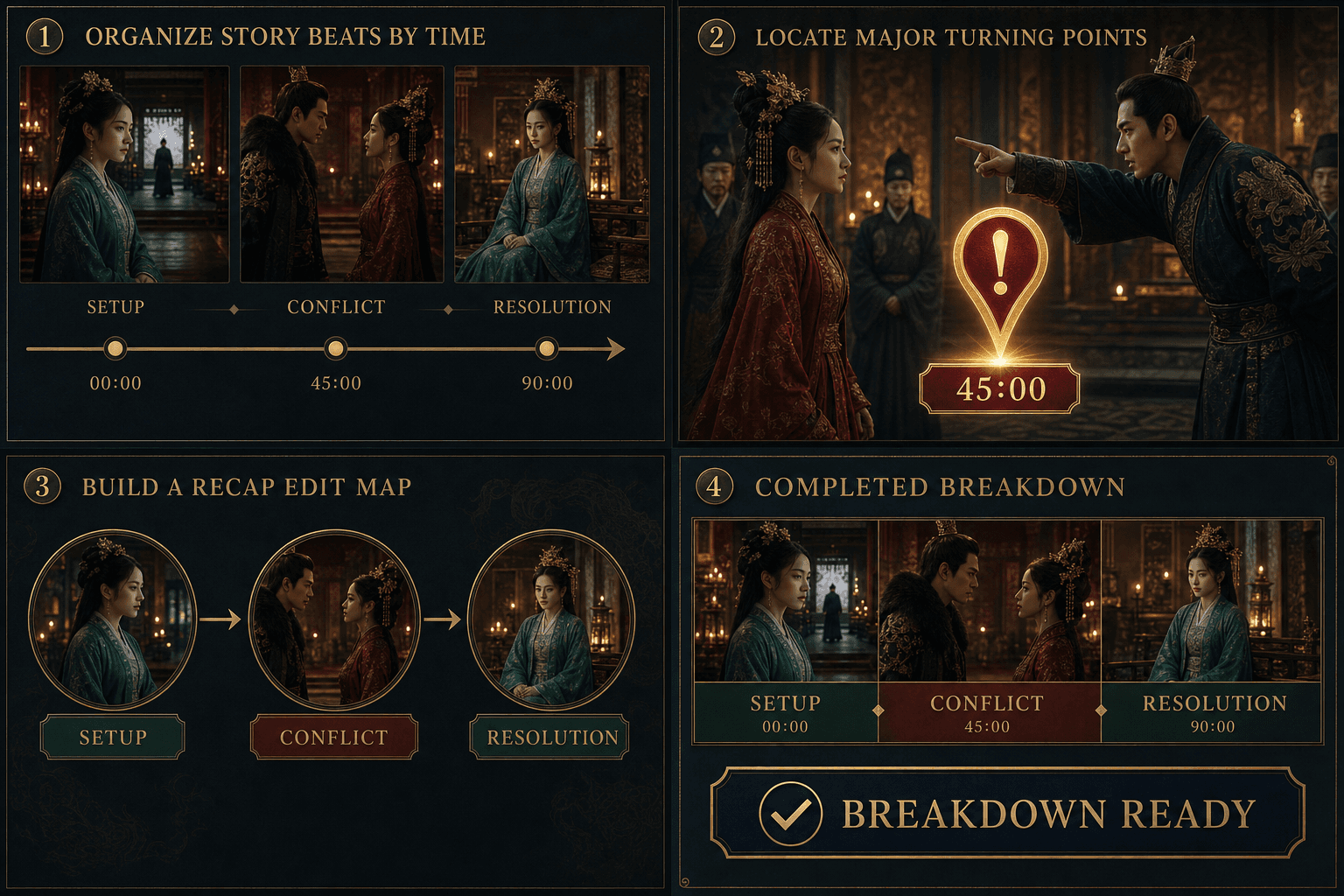
What each scene entry contains
Entries are compact on purpose — built to be scanned, not read:
- Time range — where the scene starts and ends, so any moment is one click away.
- Action summary — one or two lines on what actually happens on screen.
- Key dialogue — lines worth quoting in narration or burning into a clip.
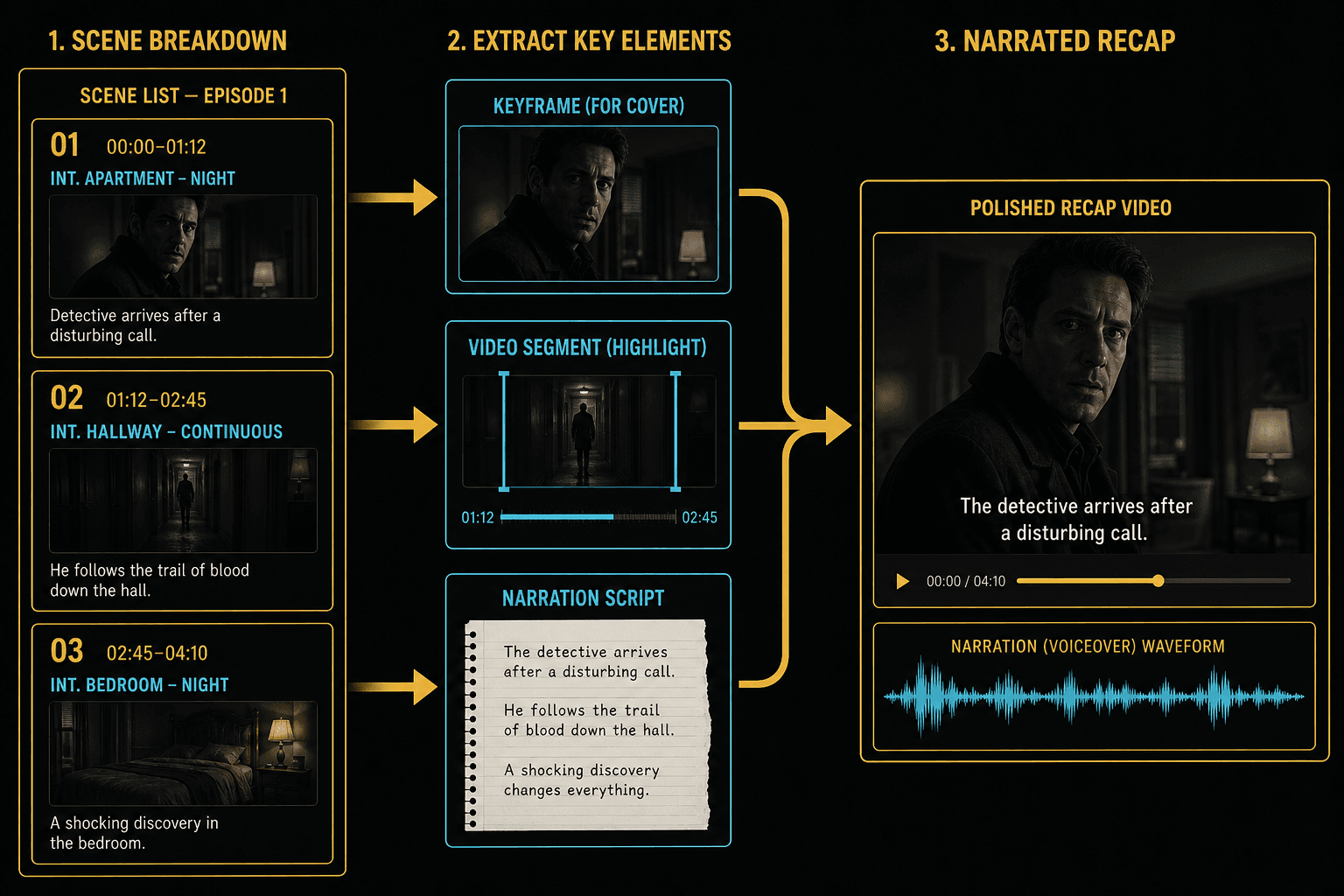
From scene breakdown to recap cut
The breakdown plugs into the rest of the pipeline. Grab keyframe screenshots from pivotal scenes for thumbnails and covers, send the strongest stretches to highlight clipping, and hand the shortlisted scenes to the movie recap script generator so the narration follows the exact moments you plan to show.
Built for these real workflows
Draft a Chinese recap script
Add an optional recap style
Download and review the Markdown
Continue with the next step
Frequently asked questions
How does the tool decide where one scene ends and the next begins?
Scene boundaries come from visual scene-change detection combined with shifts in the dialogue. The breakdown itself is editable text, so if two detected scenes belong together, merge their entries and keep moving.
Can I use the timestamps in my own editor?
Yes. The breakdown is plain text with time ranges, so you can keep it open next to any NLE as a logging sheet — or stay in Recapo and clip directly from the listed scenes.
Is this the same as a chapter outline from the video summarizer?
They differ in altitude. A chapter outline groups the video into a handful of story beats; the scene breakdown stays at shot level, listing every scene with its own timestamps and lines — the version you cut from.
What do I paste in to get a scene breakdown?
Any text version of the story works: a plot synopsis, an episode transcript, subtitles you have copied out, or even a few sentences describing the movie. The tool reads that text and structures it into scenes, so you do not upload a video file here.
Can I control how many scenes it produces?
The breakdown follows the structure of the text you paste in, so a short synopsis yields a handful of beats and a full transcript yields more. Recapo is still in development, so finer controls over scene count and detail are being refined.
Start using Scene Breakdown Generator
Provide the input and essential settings above. Your result stays in the current tool workflow.
Back to tool