Video narration dubbing
Upload a long video for speech recognition, scene splitting, documentary-style scripting, and TTS narration, then keep original audio, burn captions, and export a mixed video.
Click or drop a video
Supports MP4, MOV, WebM
Up to 2 GB per file
Upload a long video, pick narration mode and voice — AI will scene-split, script, dub, and compose
Source video up to 5 minutes
Sparse anchors vs full coverage
Sparse-anchor mode inserts complete blocks at key visuals with gaps of original sound between them — ideal for documentary pacing. Full-coverage narrates continuously for news-style or dense recap content.
- 01
Upload video
Sign in and upload MP4, MOV, MKV, or WebM. Videos can be up to 5 minutes long.
- 02
Configure narration
Pick sparse or full-coverage mode, voice, style, and density; optionally enable captions and original audio.
- 03
Download result
The cloud worker queues your job; download the mixed MP4 when processing completes.
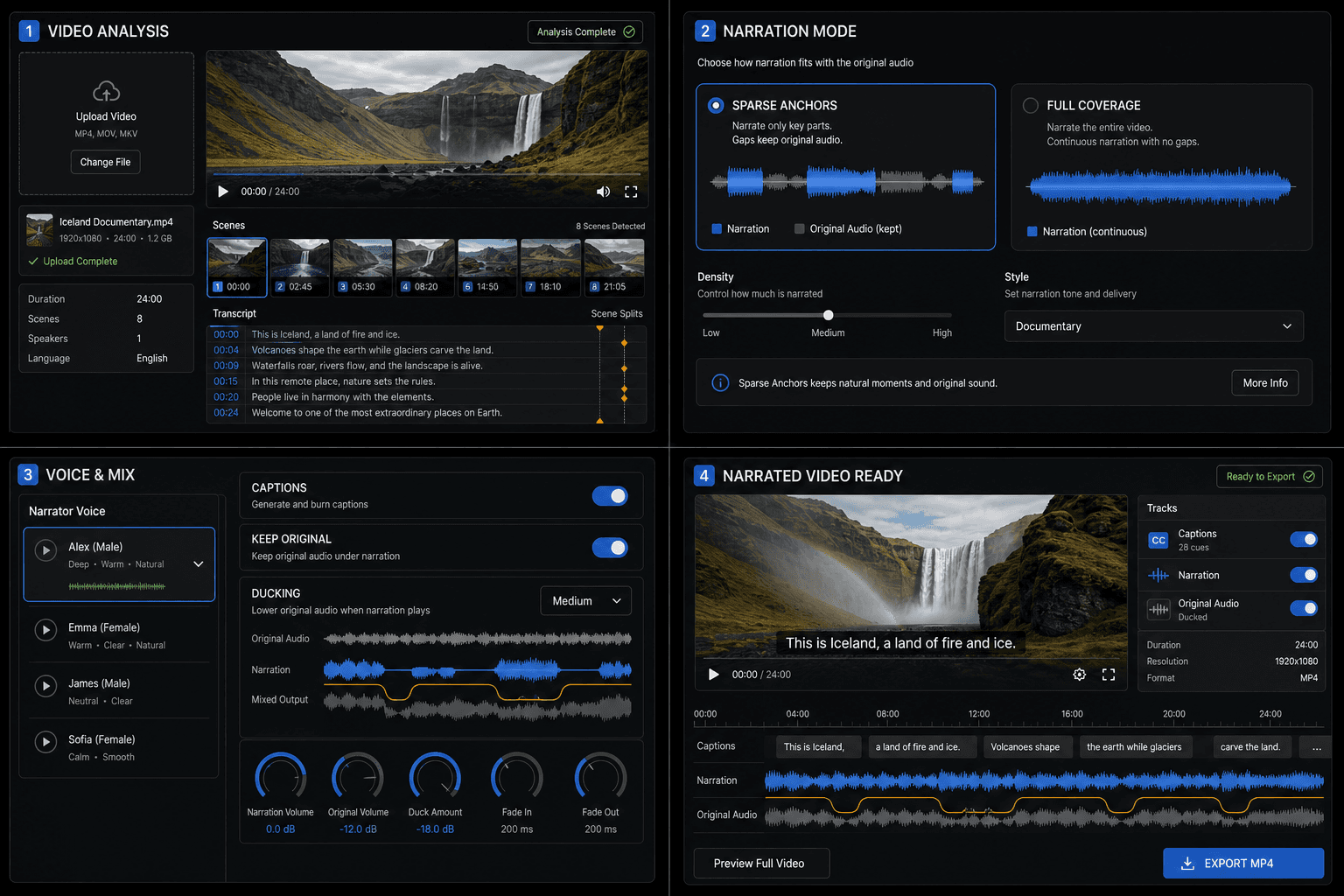
Mix the voice, captions, and original audio
After you choose a narrator, the tool synthesizes each narration block and automatically ducks the source audio while the voice speaks. Enable captions to burn the same narration text into the picture, and keep original audio to preserve ambience, dialogue, and music.
Built for these real workflows
Analyze scenes and draft narration
Add sparse documentary narration
Mix voice, captions, and original audio
Continue with the next step
Frequently asked questions
Do I need to sign in?
Yes. Like other Recapo tools, you must register and sign in before uploading or submitting jobs.
How long does processing take?
It depends on duration and scene count. ASR, scene analysis, and TTS on long videos can take tens of minutes — keep this page open while the job runs.
How is this different from the film recap workspace?
This page is a single-file upload-to-output tool. The workspace supports multi-turn script editing and full editing projects for deeper customization.
Start using Video Narration Dubbing
Provide the input and essential settings above. Your result stays in the current tool workflow.
Back to tool