AI Video Clipper
Blend AI suggestions with manual precision: mark quotable lines in the transcript, set exact in and out points, and cut publish-ready clips on Recapo.ai.
Click to upload or drop a video
Live-preview and trim in your browser; cloud rendering continues after you leave the page
Up to 2 GB per file
AI suggestions, human judgment
The AI is fast at surfacing candidates, but it does not know that minute 43 is the moment your community has been waiting for. In this clip maker the AI shortlist is a draft: keep what it got right, ignore what it missed, and add the cuts only you would know to make. Neither side overwrites the other.
- 01
Bring in the footage
Upload a video from your device or import it by link. The AI transcribes it and surfaces a first round of suggested moments.
- 02
Mark your moments
Skim the AI suggestions, then add your own marks — a golden quote, a reaction, a reveal. Click a sentence in the transcript to jump right to it.
- 03
Cut and carry on
Tighten the in and out points around each mark, then export the clips or send them into captions, voiceover, and 9:16 cropping.
Cut by transcript, not by scrubbing
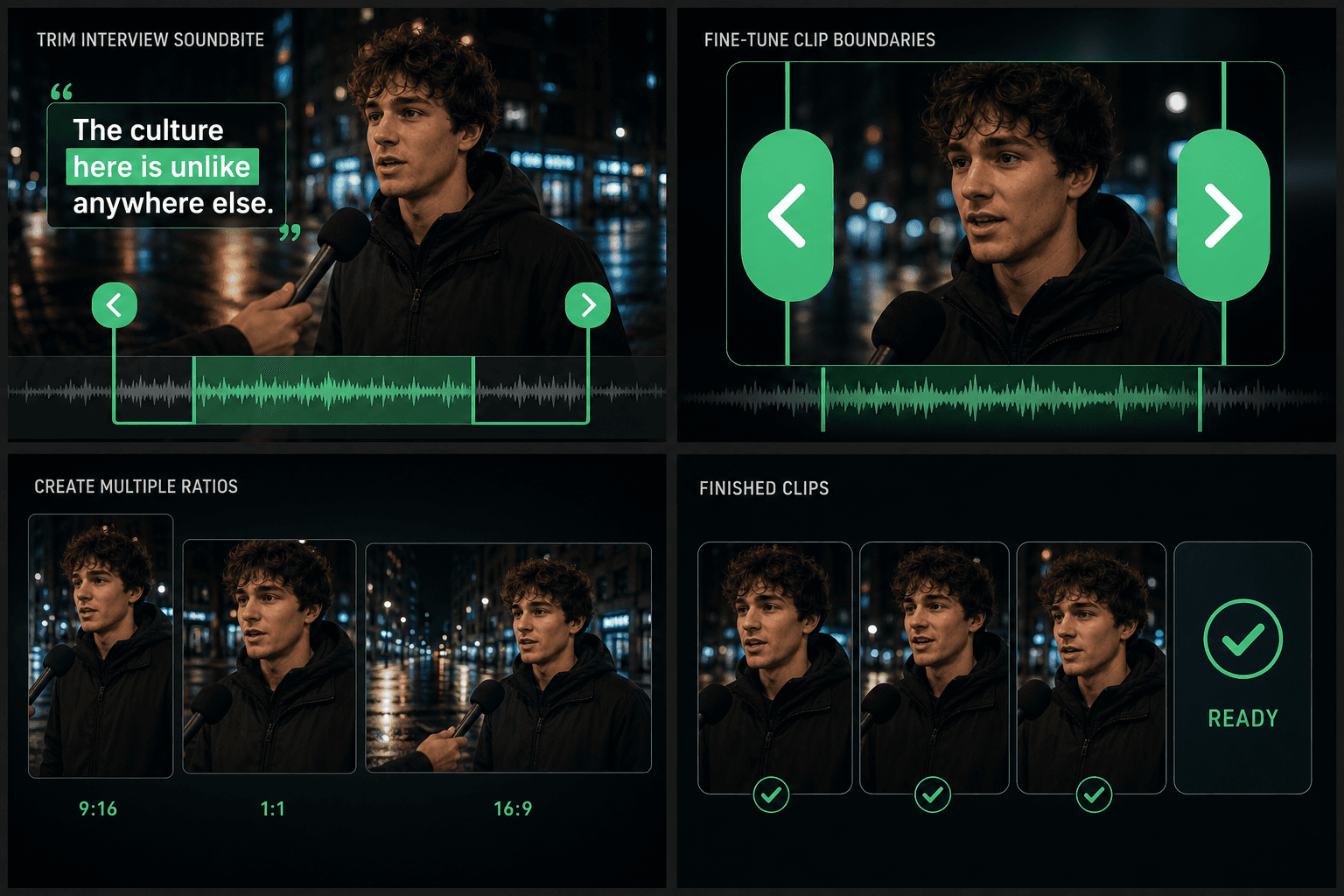
Hunting for one sentence in an hour of footage by dragging a playhead is the slowest part of clipping. Here you read the transcript like a document, spot the line, and the player jumps to that exact moment. Sentence boundaries give every cut a natural starting frame — then you nudge the in and out points until it lands cleanly.
- Search the transcript for a phrase instead of rewatching the video.
- Cut around complete sentences so clips never start mid-word.
- Keep multiple marked moments in one project and cut them in any order.
Built for these real workflows
Manually select an interview segment
Fine-tune its in and out points
Export one chosen ratio per task
Continue with the next step
Frequently asked questions
Can I make cuts the AI didn't suggest?
Absolutely — that is the point of the hybrid workflow. Mark any stretch of the timeline or any sentence in the transcript and cut it, whether or not the AI flagged it.
How precise can the cuts be?
Suggestions snap to sentence boundaries from the transcript, which already avoids clipped words. From there you adjust the in and out points manually until the cut lands exactly where you want it.
Can I export each clip on its own?
Yes. Every marked clip can be exported individually, or pushed forward into captions, AI voiceover, and vertical crop and exported as a finished short.
Does AI Clip Maker create new footage or just cut my existing video?
It cuts from the video you provide. It finds and trims segments out of your source recording rather than generating any new footage, so every clip comes straight from your own upload.
How many clips can I pull from one video?
You can cut several segments from a single source video and export each one as its own file. This is part of the Recapo recap and commentary workflow, so the clips you keep can move on to captioning, cropping, and Shorts export.
Start using AI Clip Maker
Provide the input and essential settings above. Your result stays in the current tool workflow.
Back to tool