AI Video Editor
Edit video by describing what you want. Recapo's AI video editor cuts clips, adds captions, generates voiceover and exports the finished video from one chat.
Click to upload or drop a video
Live-preview and trim in your browser; cloud rendering continues after you leave the page
Up to 2 GB per file
Real result preview
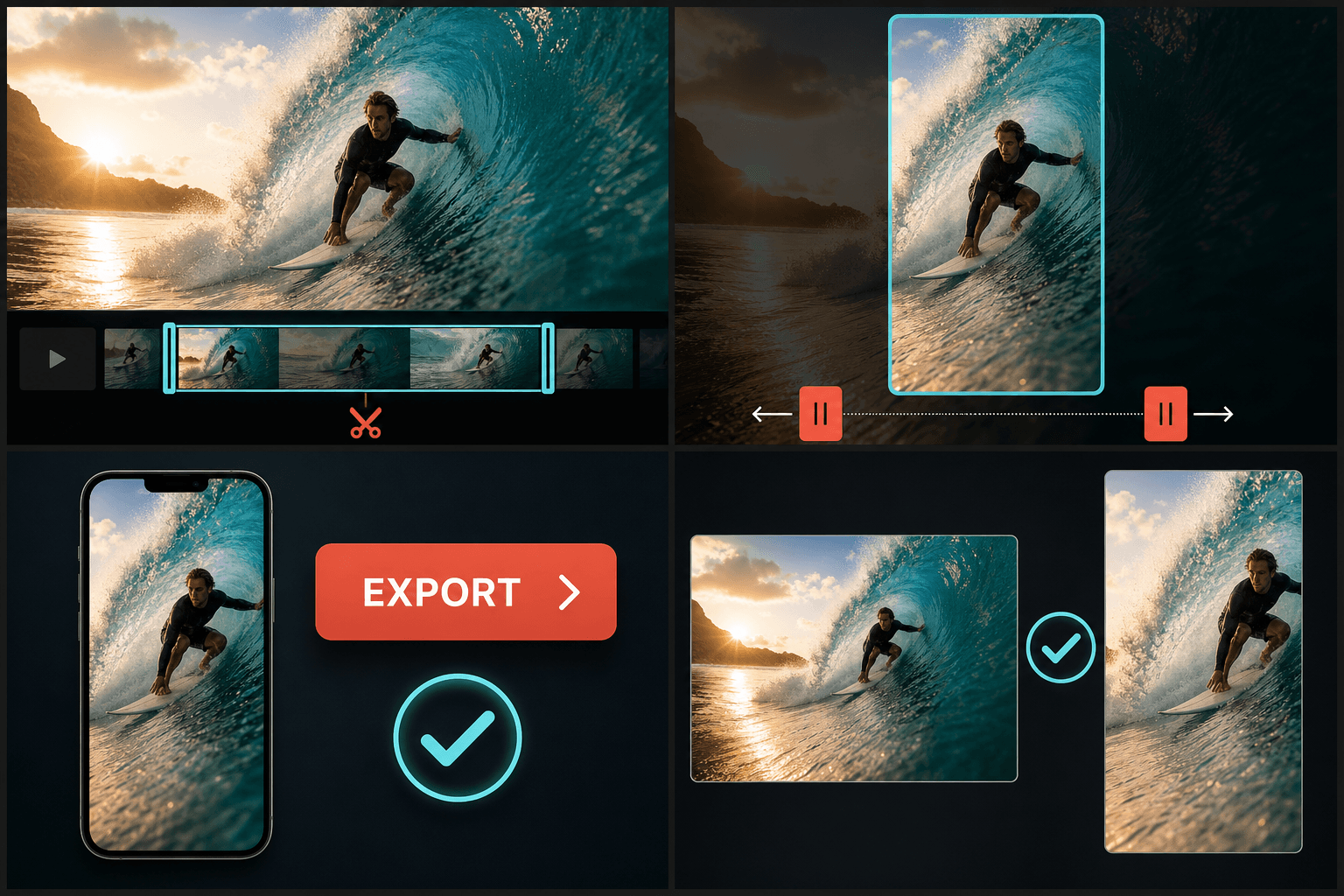
The current editor export pipeline trims and reframes the same live-action landscape clip into a vertical 9:16 video. This example demonstrates vertical reframing only.
What you can ask the AI to do
Every capability in Recapo is available through the same conversation. Instead of hunting for the right tool, you state the goal and the editor picks the steps:
- 01
Import your footage
Upload a local file or paste a video link. The AI analyzes the content first, so later instructions can reference specific scenes and moments.
- 02
Describe the edit
Type what you want in plain language — trim, caption, narrate, crop to vertical, summarize. Refine with follow-up messages instead of redoing steps by hand.
- 03
Review and export
Check the generated script, captions and voiceover, tweak any line yourself, then export the finished video or continue into covers and publishing.
Generate a commentary script or summary grounded in the footage itself.
Transcribe speech into editable captions, export SRT/VTT, or burn them into the picture.
Narrate the script with AI text-to-speech voiceover in your chosen voice.
Conversational editing vs. timeline editing
A timeline is precise but slow: every caption, cut and audio track is placed by hand. Chat-driven editing keeps the precision — every script sentence and caption line stays editable — while removing the busywork. You direct, the AI operates, and nothing exports without your review.
That makes it a fit for commentary and recap creators who publish often: the repetitive 80% of an edit is delegated, and your time goes into the script and the story.
Built for these real workflows
Rough-cut in the browser
Adjust clip and framing together
Export a social-ready video
Continue with the next step
Frequently asked questions
Do I need editing experience to use the AI video editor?
No. If you can describe the video you want, you can direct the edit. Each AI step produces output you can read and adjust, so beginners stay in control without learning timeline software.
Can I correct the AI when it gets something wrong?
Yes. Scripts, captions and voiceover text are fully editable, and you can reply in the chat to redo a step — for example "make the intro shorter" or "switch to a brighter voice."
Does the AI actually watch my video?
Yes. The editor is built on AI video understanding, so instructions like "start from the chase scene" or "summarize the plot" are grounded in the actual footage, not just the audio track.
What video files can I load into the AI Video Editor?
It is built for common recording and download formats like MP4 and MOV that recap creators usually work with. Format and codec support is still expanding as the tool develops, so very unusual containers may need converting first.
Does the editor add captions and voiceover, or only cut the video?
The editor itself focuses on trimming, scene cuts, and pacing. Captions, AI voiceover, and vertical cropping live in their own Recapo tools, and the edited cut flows directly into them so you do not re-import.
Can it edit a long source video down to a short recap automatically?
You can trim and reorder a long recording into a tighter cut here, and then use the AI Clip Generator to break out short segments. Fully hands-off long-to-short editing is still being refined as part of the Recapo workflow.
Start using AI Video Editor
Provide the input and essential settings above. Your result stays in the current tool workflow.
Back to tool