Subtitle Translator
Subtitle translator that turns a video into a finished clip with translated, burned-in subtitles. Upload, pick a target language, preview and download the MP4.
Click to upload or drop a video file
Supports MP4, MOV, MKV, WebM, MPEG, MPG, 3GP, 3GPP
Up to 2 GB per file
Source video up to 60 minutes
Very long videos may fail when extracted ASR audio exceeds 100MB — trim first if needed
Processing continues in the background, even if you leave this page or switch languages.
Translation that lands on screen in sync
Because the AI works straight from your video, each translated line shows up at the moment the original was spoken. A sentence said at 01:42 appears as a translated caption at 01:42 — in Spanish, Japanese, or German. The subtitles are rendered into the picture, so the timing travels with the video no matter where you post it, and there's nothing separate to keep in sync.
- 01
Upload your video
Drop in the clip you want translated. The AI listens to the spoken dialogue directly — no subtitle file to prepare or upload first.
- 02
Choose a target language
Pick the language to translate into. The AI transcribes the speech and translates each line into that language as it goes.
- 03
Preview and download
The translated subtitles are burned into the picture and the clip is rendered. Preview the finished video in-page, then download the MP4.
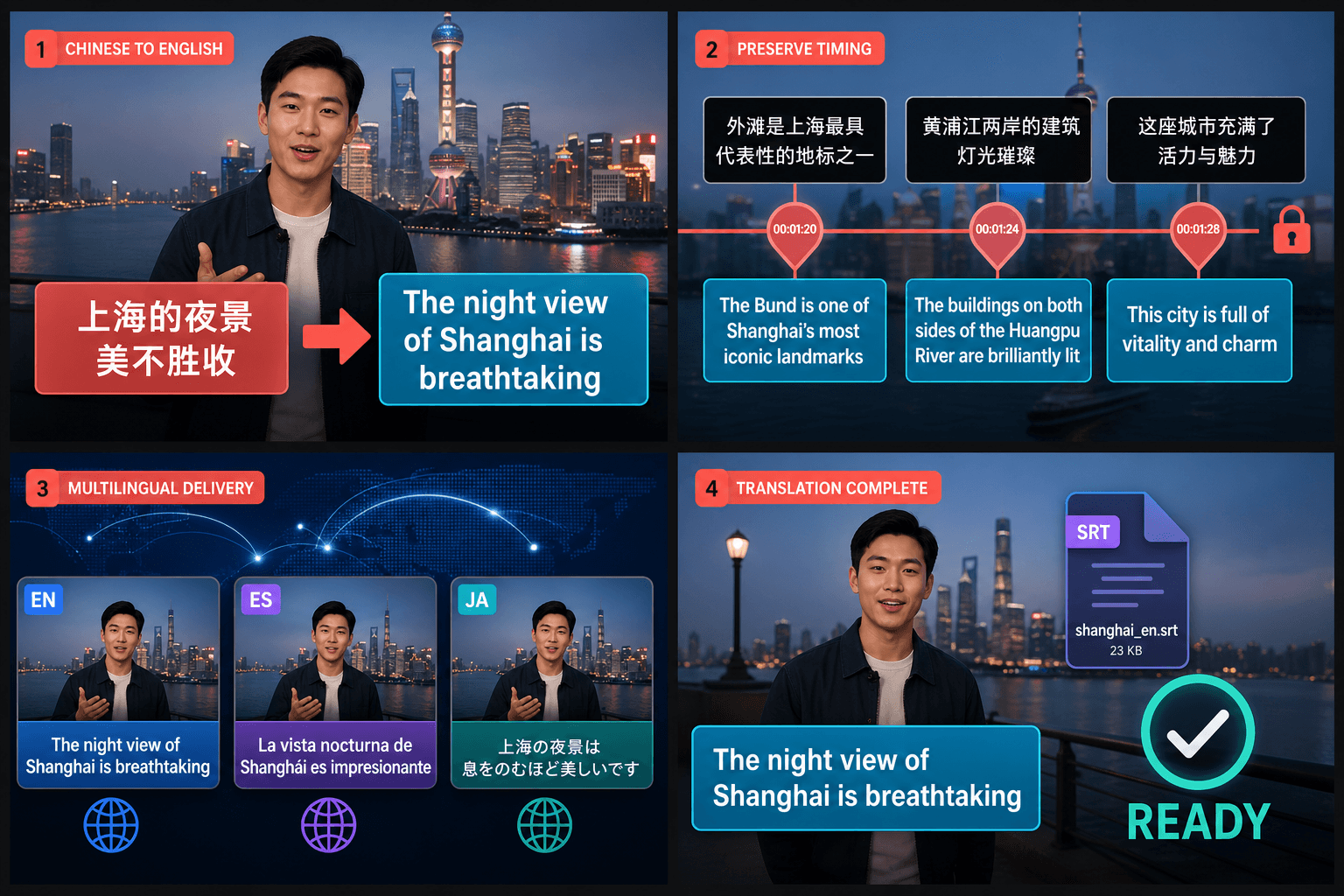
One video, many audiences
Localizing for a global audience usually means juggling files and tools. Here it's one flow: feed in the video, choose the language you need, and get back a finished clip with translated subtitles already on screen. Run it again for each language you want to reach, and if you'd like the audio localized too, pair the translation with TTS voiceover in the same workspace.
- Upload a video — no subtitle file needed; the AI hears and translates the speech for you.
- Subtitles are burned into the picture, so they play everywhere without extra setup.
- Full localization: translated on-screen subtitles, plus AI voiceover from the same source.
Built for these real workflows
Translate Chinese captions to English
Translate in batch while preserving timing
Deliver multilingual localization
Frequently asked questions
Do the translated subtitles stay in sync with the video?
Yes. The AI transcribes and translates straight from the video, then burns each line in at the moment it's spoken, so the captions track the action exactly.
Do I need to upload a subtitle file?
No. You upload the video itself. The AI listens to the dialogue, translates it into your target language, and embeds the subtitles for you — there's no SRT to prepare.
What do I get back?
A finished MP4 with the translated subtitles burned into the picture. You can preview it in-page and download it — ready to post anywhere, with no separate file to manage.
Which languages can I translate between?
It's built around the language pairs recap and commentary creators publish in most, so you can take an English caption track into other markets or bring foreign-language subtitles into your channel's language. The supported list keeps expanding.
Start using Subtitle Translator
Provide the input and essential settings above. Your result stays in the current tool workflow.
Back to tool