Batch Video Import
Queue multiple videos in one go with batch video import. Upload a folder's worth of footage, then run captions, compression or transcription across the set.
Click or drop multiple videos
Batch import: one background task per video; reopen this tool page to resume them
Batch workflows that save the most hours
Bulk import is the front door to every repetitive job in the pipeline. The patterns that pay off fastest:
- 01
Queue the whole set
Select multiple files in one pass — mixed formats like MP4, MOV and MKV can share a queue. Each file shows its own progress.
- 02
Let the queue run itself
Files upload in turn while you keep working. Items are independent, so one slow or failed file never blocks the rest of the batch.
- 03
Process in bulk, refine per file
Apply one job — transcription, compression, conversion — across all imports, then open individual videos for scripts, voiceover or cuts.
Batch transcription
caption a whole season of episodes for muted viewing and SRT/VTT archives.
Batch compression
shrink a raw-footage archive before it eats your storage.
Batch conversion
normalize a mixed MKV/MOV/WebM folder to MP4 before editing.
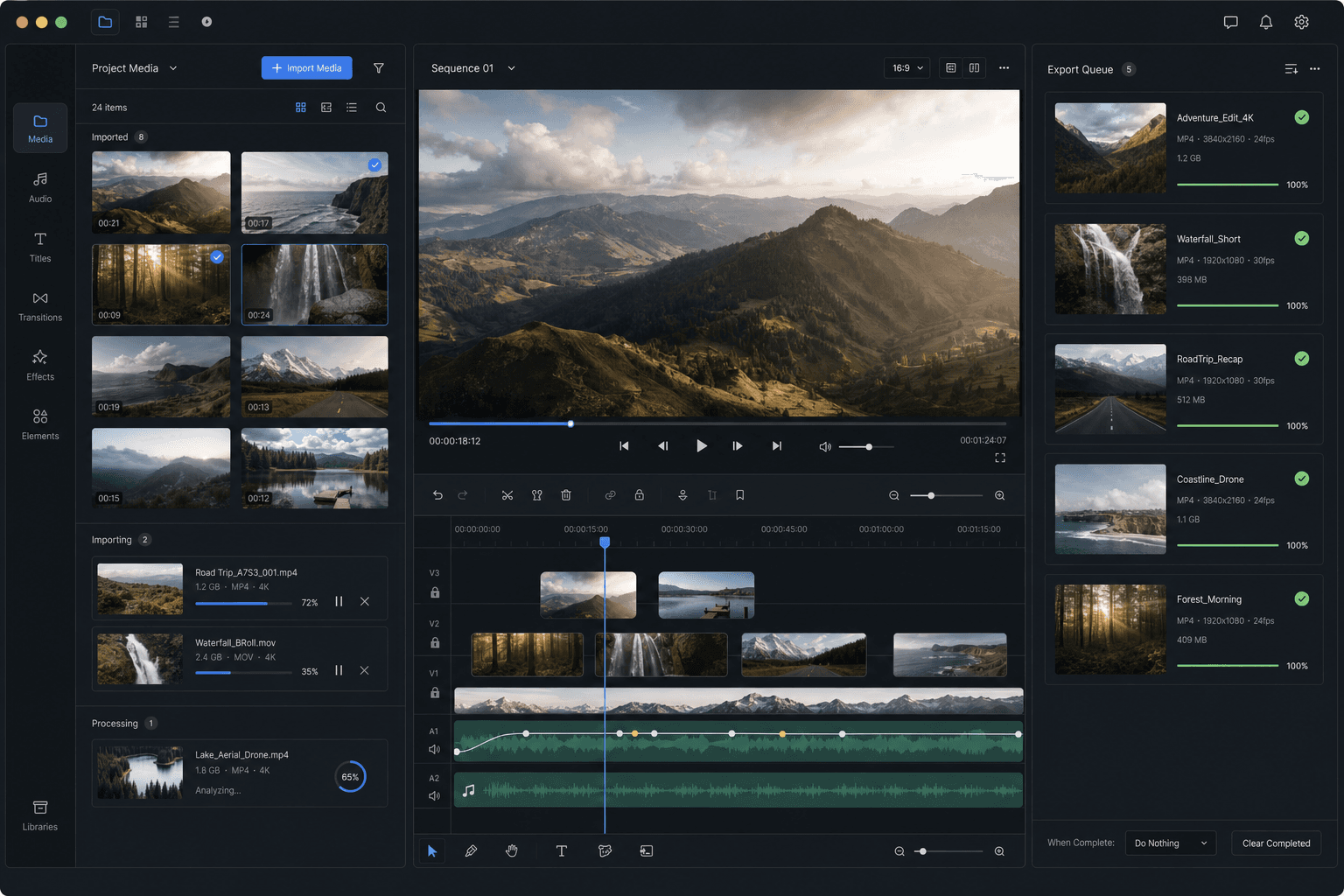
How the import queue behaves
Each file in the queue is its own job: it uploads, lands in your workspace, and becomes editable without waiting for its neighbors. If one item fails — an unsupported codec, a corrupted file — the queue carries on, and you fix or convert just that file rather than re-running the batch.
For very large batches, compress oversized files locally first or trim what you don't need; total upload time is the only part of the workflow your connection controls.
Built for these real workflows
Fast social edits
Local footage cleanup
Multi-file processing
Frequently asked questions
Can I mix different formats in one batch?
Yes. MP4, MOV, MKV, WebM and GIF can share a single queue. If you plan to process them identically afterwards, converting stragglers to MP4 keeps the batch uniform.
Do all files have to get the same processing?
No. Bulk operations like transcription or compression can run across the whole set, but every imported video remains individually editable for scripts, voiceover, cropping and export.
What happens if one file in the batch fails?
The rest of the queue keeps going. Failed items stay flagged so you can convert, compress or re-add just those files — you never lose the batch to one bad input.
How many videos can I import in one batch?
Batch Video Import is built to queue several source videos at once rather than handling them one by one. Very large queues import in stages so nothing gets dropped, and you can keep adding clips while earlier items finish.
Can I mix local files and video links in the same batch?
Yes. You can queue both local uploads and pasted video links together and import them in one pass, so you don't have to run separate import tools for each source type.
Start using Batch Video Import
Provide the input and essential settings above. Your result stays in the current tool workflow.
Back to tool