Remove Background Noise
Remove background noise from voice and video audio online — hiss, hum, wind, and room rumble. Clean up narration before captioning or publishing on Recapo.ai.
Click to upload or drop an audio or video file
Supports MP4, MOV, MKV, WebM, MPEG, MPG, 3GP, 3GPP, MP3, WAV, AAC, M4A, FLAC, OGG
Up to 2 GB per file
Source video up to 180 minutes
Processing continues in the background, even if you leave this page or switch languages.
Real result preview
Compare background noise and speech clarity in the same recording before and after processing.
What kinds of background noise can be removed?
Noise reduction is most effective against sound that stays roughly constant while you speak — the textures your ear tunes out until playback. Sudden one-off sounds like a door slam are a different problem; those are better cut out of the timeline than filtered.
- 01
Import the noisy take
Upload the recording — a voice track, or a video whose audio needs cleaning — or import it from a link.
- 02
Reduce the noise
AI separates steady background noise from speech and suppresses the hiss, hum, wind, and rumble underneath your voice.
- 03
Carry the clean audio forward
Preview the result, then export it or continue in Recapo — transcription, voiceover alignment, and publishing all benefit from the cleaner track.
Broadband hiss from cheap mics, preamps, or high gain settings.
Electrical hum and buzz from power lines and ground loops.
Wind noise on outdoor phone and action-cam recordings.
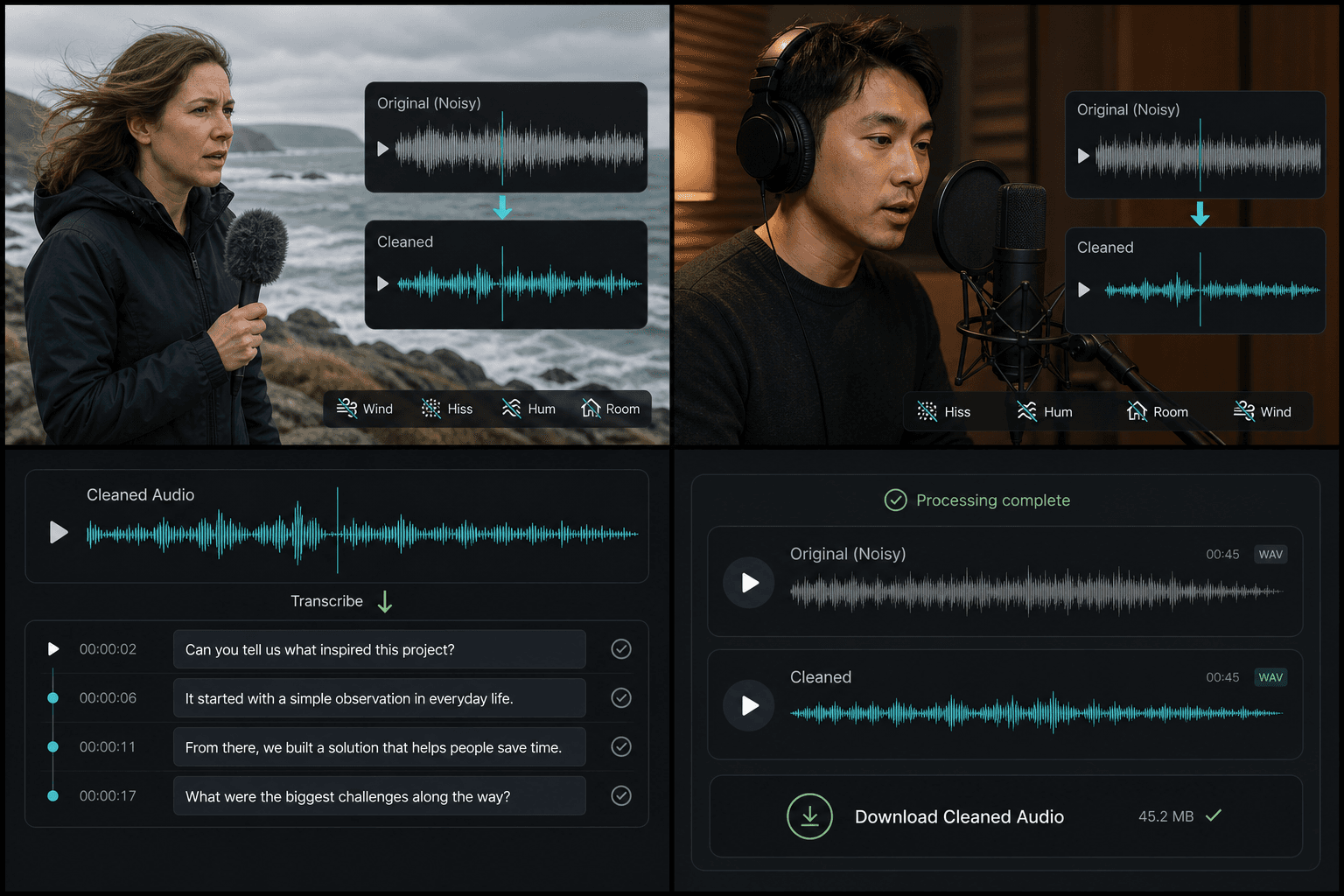
Denoise before transcription and captions, not after
Noise does not just bother listeners — it confuses speech recognition. A cleaner track means fewer misheard words when you generate subtitles or a transcript, which means less manual correction later. If a recording is headed for speech to text or auto captions, running noise reduction first is the cheapest accuracy upgrade available.
- Cleaner input raises ASR accuracy for subtitles and transcripts.
- Voice-only narration sits better against music after the noise floor drops.
- Archived takes stay usable instead of being re-recorded next month.
Built for these real workflows
Remove outdoor wind noise
Reduce indoor hiss and hum
Clean speech before transcription
Continue with the next step
Frequently asked questions
Will noise reduction make my voice sound robotic or underwater?
Aggressive denoising can, which is why the goal is suppression rather than total silence. The processing targets the steady noise floor and preserves speech detail; preview the result and keep the original if a take is too far gone.
Can it fix a recording where the noise is louder than the voice?
There are limits. If speech is buried under the noise, reduction will help but cannot fully reconstruct what the microphone never captured cleanly. For borderline takes, denoise first, then judge by ear before publishing.
Do I need to extract the audio before denoising a video?
No — you can clean a video's soundtrack directly. Extract the audio only if you also want a standalone clean file for podcasting or reuse elsewhere.
What kinds of noise can it remove?
It targets steady, constant background noise like microphone hiss, electrical hum, fan or air-conditioner drone, and general room tone. Sudden one-off sounds and noise that overlaps the exact same frequencies as the voice are harder to fully remove.
Start using Audio Noise Reduction
Provide the input and essential settings above. Your result stays in the current tool workflow.
Back to tool