AI Clip Generator
Recapo's AI clip generator watches long footage, scores every moment for hook strength, and ranks clip candidates. Set a clip goal and export Shorts-ready cuts.
Click to upload or drop a video
Live-preview and trim in your browser; cloud rendering continues after you leave the page
Up to 2 GB per file
How AI highlight detection actually works
Recapo runs genuine video understanding rather than keyword matching: it transcribes the speech, tracks scene changes, and weighs emotional peaks against dead air. Every candidate clip carries a score, so you review a short ranked list instead of scrubbing a two-hour timeline looking for the good part.
- 01
Import long footage
Upload a local file or paste a video link. Movies, livestream replays, podcasts, courses, and gameplay recordings all work as source material.
- 02
Set a clip goal
Choose what the AI should hunt for — best hook, talking clip, or 9:16 short. It analyzes the full video and returns highlight candidates ranked by score.
- 03
Rank, refine, continue
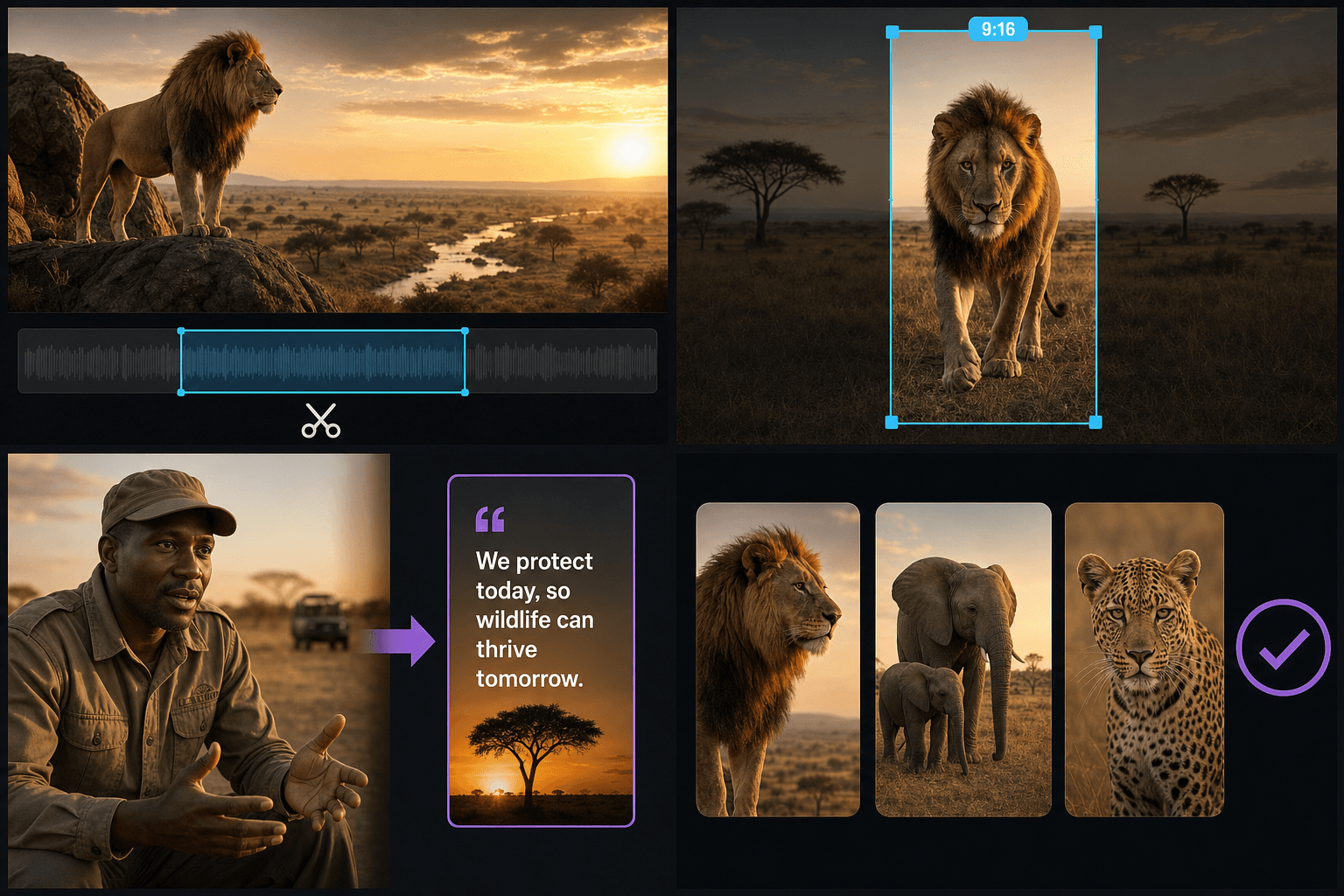
Reorder candidates, adjust in and out points, then push the keepers into captions, voiceover, vertical crop, or cover layout before exporting.
Clip goals: define what a good clip means
A highlight in a movie recap is not the same thing as a highlight in a product demo. The clip goal biases the scoring so the ranking matches your intent.
- Best hook — favors surprising openings that stop the scroll in the first seconds.
- Talking clip — favors complete, quotable sentences with clean start and end points.
- 9:16 short — favors moments whose framing still works after a vertical crop.
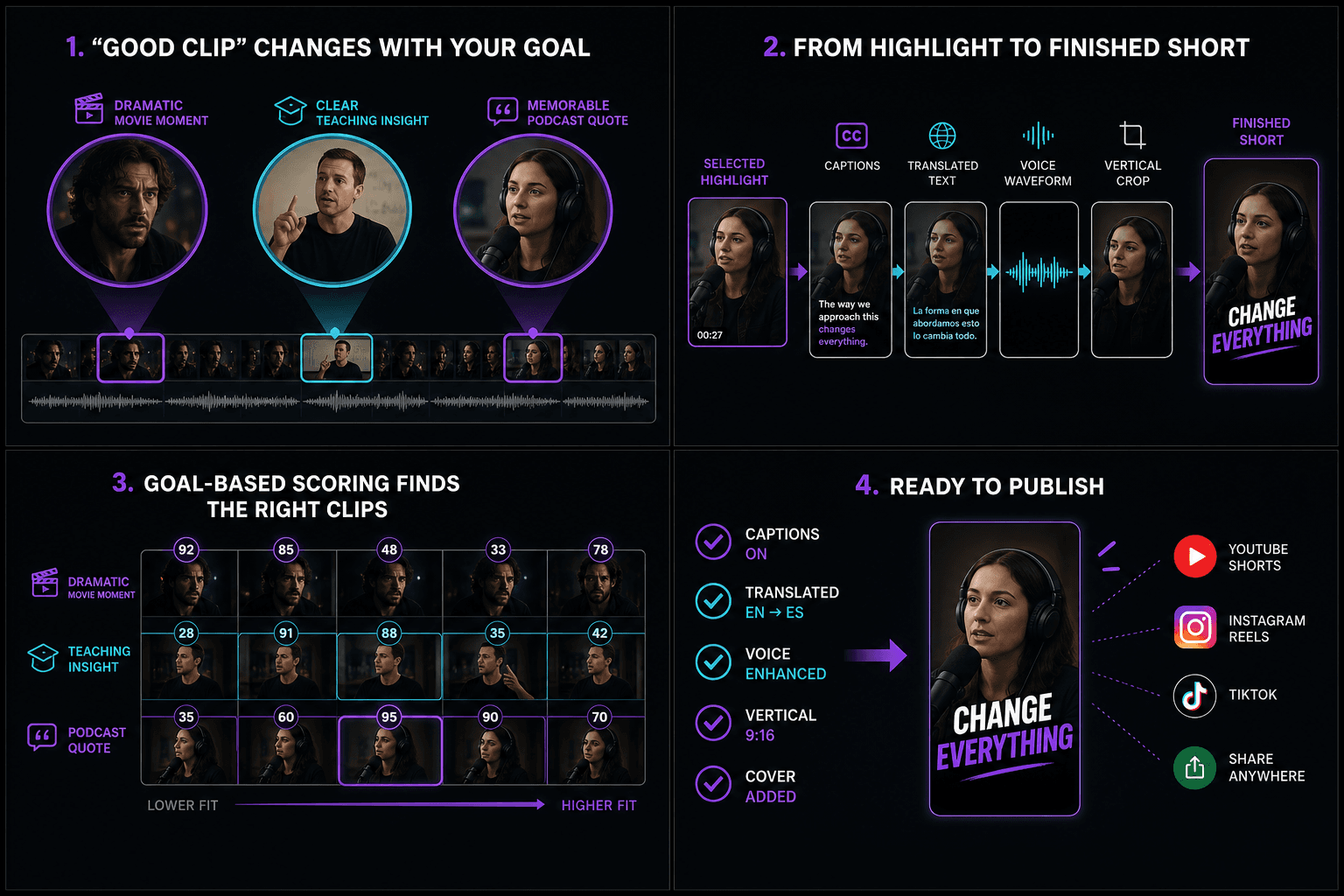
From ranked highlight to published short
Generated clips are not the end of the pipeline. Each one can pick up editable captions with SRT/VTT export or burn-in, a translated subtitle track, an AI voiceover, a vertical crop, and a cover layout — all inside the same project, no re-uploading between tools.
Built for these real workflows
Manually select one long-video segment
Choose one target ratio
Export one MP4 per task
Continue with the next step
AI Clip Generator frequently asked questions
How does Recapo choose the best moments from a long video?
Recapo transcribes the speech, tracks scene changes, and weighs emotional peaks against dead air. It then ranks candidate segments according to the selected goal: best hook, talking clip, or 9:16 short. The ranking reduces scrubbing time, but users still review, reorder, trim, reject, or add segments before export.
Can I edit or reorder the clips the AI picks?
Yes. The ranked list is a starting point, not a verdict. You can reorder candidates, fine-tune every in and out point, drop clips entirely, or add a stretch the AI did not flag.
Which kinds of video work best with an AI clip generator?
Anything with speech or clear scene structure: films and shows for recap highlights, livestream replays, interviews, lectures, and gameplay. Speech-light footage still works, but ranking leans more on visual scene changes.
How many clips can Recapo generate from one video?
Recapo does not publish a fixed number of clips per source. The ranked list depends on video length, signal density, and the chosen clip goal. Review the candidates and export only the keepers; the public page currently describes one MP4 export per task, so do not promise a batch count that the interface does not guarantee.
How does Recapo keep enough context around each clip?
Choose the talking-clip goal when complete statements matter, because it favors quotable sentences with clean start and end points. Then read the transcript immediately before and after each proposed cut. Extend the in or out point when the speaker, setup, response, or conclusion is missing, and reject clips that remain ambiguous without the original video.
Can I search for clips about a specific topic or speaker?
The public page does not currently document a dedicated search filter for a named topic or speaker. Use the closest clip goal and task instructions, then review the transcript and ranked candidates manually. If product search is added, update this answer only after the control is visible in the initial interface and has been tested on multi-speaker footage.
Does the AI Clip Generator add captions and vertical reframing?
The selected clip can continue into editable captions, SRT or VTT export, subtitle burn-in, translation, AI voiceover, vertical crop, and cover layout inside the same project without re-uploading. Those are connected next steps; do not imply that every treatment is applied automatically when the initial clip candidates are generated.
What is the difference between AI Clip Generator and AI Clip Maker?
AI Clip Generator is designed to analyze a long source, score moments, and return a ranked shortlist. AI Clip Maker emphasizes combining AI suggestions with manual precision when the user already knows which line or interval matters. Start with the Generator for discovery and use the Maker when deliberate manual selection is the primary task.
Start using AI Clip Generator
Provide the input and essential settings above. Your result stays in the current tool workflow.
Back to tool