Online Voice Enhancer
Enhance voice clarity online with DeepFilterNet3 and studio-style post-processing. Upload audio or video, reduce noise, sharpen speech, and download a cleaner result in Recapo.
Click to upload or drop an audio or video file
Supports MP4, MOV, MKV, WebM, MPEG, MPG, 3GP, 3GPP, MP3, WAV, AAC, M4A, FLAC, OGG
Up to 2 GB per file
Source video up to 180 minutes
Processing continues in the background, even if you leave this page or switch languages.
Real result preview
Compare voice clarity and presence in the same recording before and after processing.
What makes this different from basic denoise?
Basic denoise tools focus on removing steady background noise. Voice enhancement goes one step further: after the noise floor drops, the pipeline applies targeted EQ and gentle compression so consonants and midrange detail come through more clearly.
- 01
Upload the recording
Add an audio file or a video whose voice track needs cleaning — upload directly or import from a link.
- 02
Enhance the voice
DeepFilterNet3 suppresses steady background noise, then FFmpeg post-processing restores presence and clarity.
- 03
Preview and export
Listen to the result, then download the enhanced audio or video for transcription, voiceover work, or publishing.
DeepFilterNet3 targets speech-preserving noise suppression.
Post-processing adds clarity without the harsh artifacts of heavy filtering.
Video inputs keep the original picture; only the soundtrack is replaced.
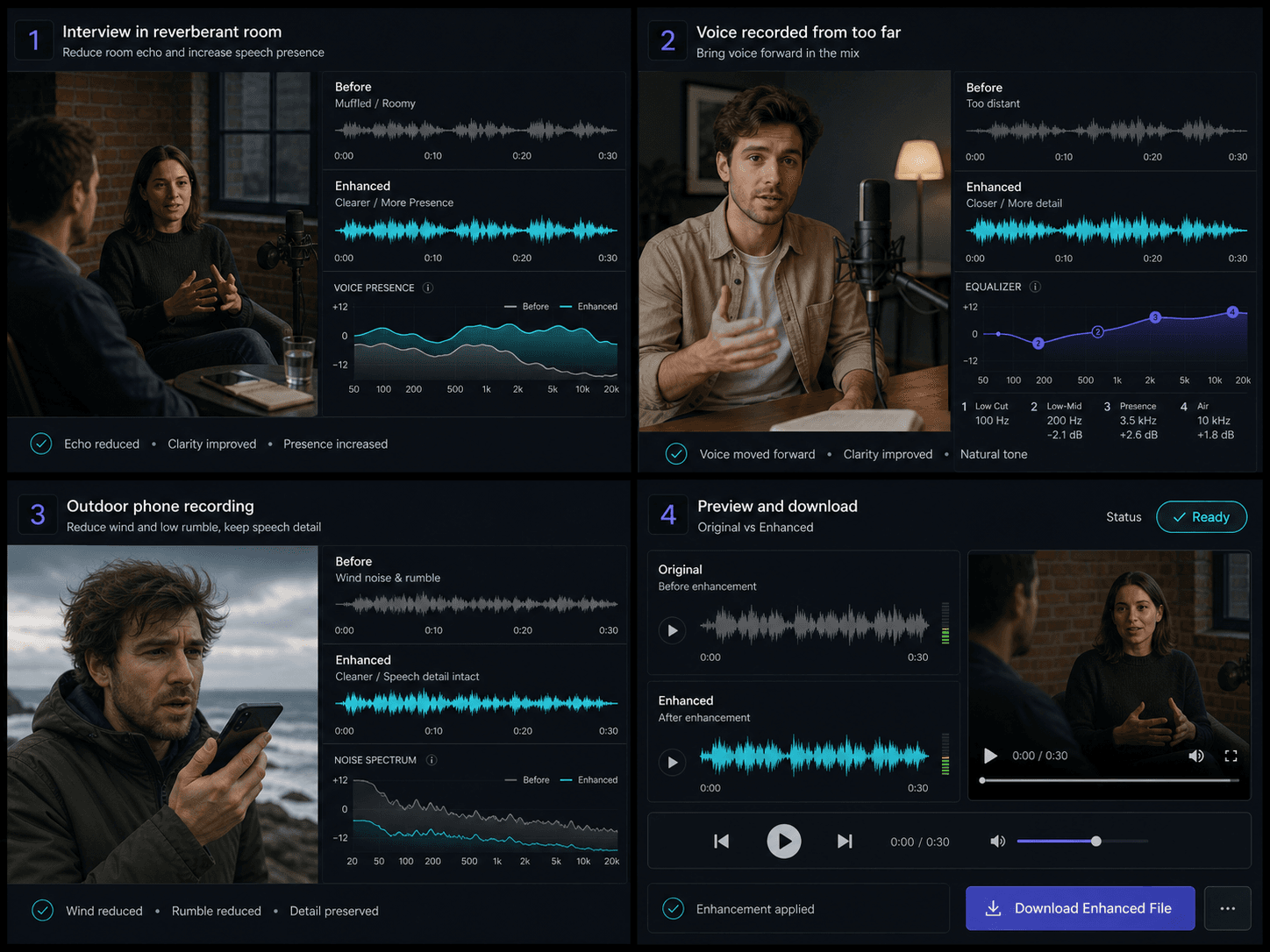
Best use cases
Use voice enhancement when the recording is understandable but not polished enough for subtitles, dubbing, or final delivery.
- Interview and podcast cleanup before transcription.
- Narration and talking-head clips that sound muffled or far away.
- Outdoor phone recordings with wind and room rumble underneath speech.
Built for these real workflows
Clarify interview speech
Enhance muffled narration
Polish voice before transcription
Continue with the next step
Frequently asked questions
Will enhancement make my voice sound robotic?
The pipeline is tuned for speech intelligibility, not extreme noise removal. Preview the result and keep the original if the source is too damaged.
Can it handle video files?
Yes. Upload a video and the tool keeps the original video stream while replacing the audio with the enhanced track.
How is this different from audio noise reduction?
Noise reduction focuses on removing background noise. Voice enhancement adds a second clarity stage after DeepFilterNet3 so speech sounds closer and more present.
Does it remove background music?
It is optimized for speech enhancement, not music separation. For heavy BGM, use vocal remover or stem splitter first, then enhance the vocal track.
Start using Voice Enhancer
Provide the input and essential settings above. Your result stays in the current tool workflow.
Back to tool