How to Make a Movie Recap Video (Step by Step, Legally)
Make movie recap videos step by step: scene breakdown, script, AI voiceover and subtitles — using licensed footage and fair-use basics.
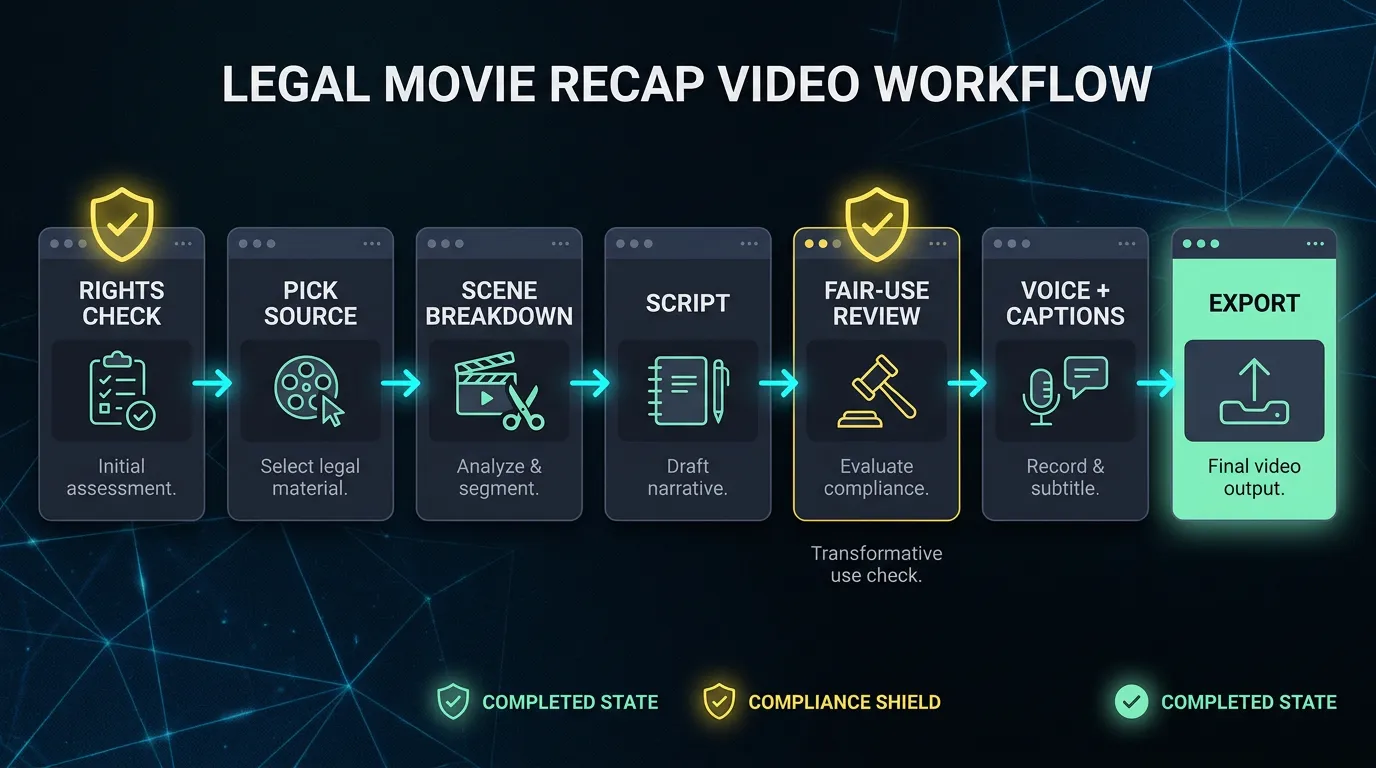
A movie recap video retells a film's story in compressed form: a narrator walks through the plot while the visuals hit the key scenes. The production side is a repeatable pipeline — scene breakdown, script, AI voiceover, subtitles, assembly. What separates recap channels that last from ones that disappear is the step most tutorials skip: making sure you have the legal right to show the footage at all.
This guide covers both, in the order you should actually do them.
Not legal advice. Everything in this article — including the fair-use section — is general information for creators, not legal advice. Copyright law differs by country and by case. Before you build a channel or a business on someone else's footage, talk to a qualified lawyer.
Why recap channels work
Two ingredients: structure and voice. The structure is the product — a two-hour story compressed into minutes, with nothing skippable. The narration voice is the brand: the asides, the tone, the verdict at the end. Recaps with interchangeable narration get watched once; narrators with a recognizable take get subscribed to.
It's also a fully faceless format — no camera, no studio. If you're still weighing recap against other faceless formats, start with how to make faceless videos.
Step 0: Understand Content ID before you edit anything
YouTube's Content ID is an automated system that compares every upload — both the video and the audio — against a database of reference files supplied by rights holders. When it finds a match, the outcome is out of your hands: the rights holder can claim the video's revenue or have the video blocked. The matching is automated; nobody has to file a complaint.
That's why source compliance is a survival requirement, not a suggestion. A recap channel built on footage it has no rights to can lose its income or its entire library on any given day, no matter how good the videos are.
Your workable options are footage that is licensed to you, in the public domain, or explicitly cleared for reuse by its owner — plus one narrow, frequently misunderstood defense called fair use. Step 1 covers sourcing; Step 4 covers fair use, at the point where you actually know what your cut uses.
Step 1: Pick a film you can legally use — and that recaps well
Two tests, in this order.
The rights test. Start from what you're allowed to show, not from what's trending:
- Public-domain films. Films old enough that copyright has expired. Verify the status for your country before committing — restored versions, added scores, and translations can carry fresh rights even when the underlying film doesn't.
- Licensed clips. Some rights holders and distributors license footage for creator use. If you license, save the agreement where you can find it.
- Explicitly reuse-friendly films. Some independent filmmakers publish terms that allow recap and commentary use. Screenshot and archive the permission page.
The recap test. Dense plots with clear act structure compress well: thrillers, mysteries, heist stories, courtroom dramas, disaster films. You need films where things happen. A quiet mood piece gives your narrator nothing to drive with.
Step 2: Break the film into scenes and mark the beats
Watch the film once as a viewer. Then again as an editor, building a timestamped scene list.
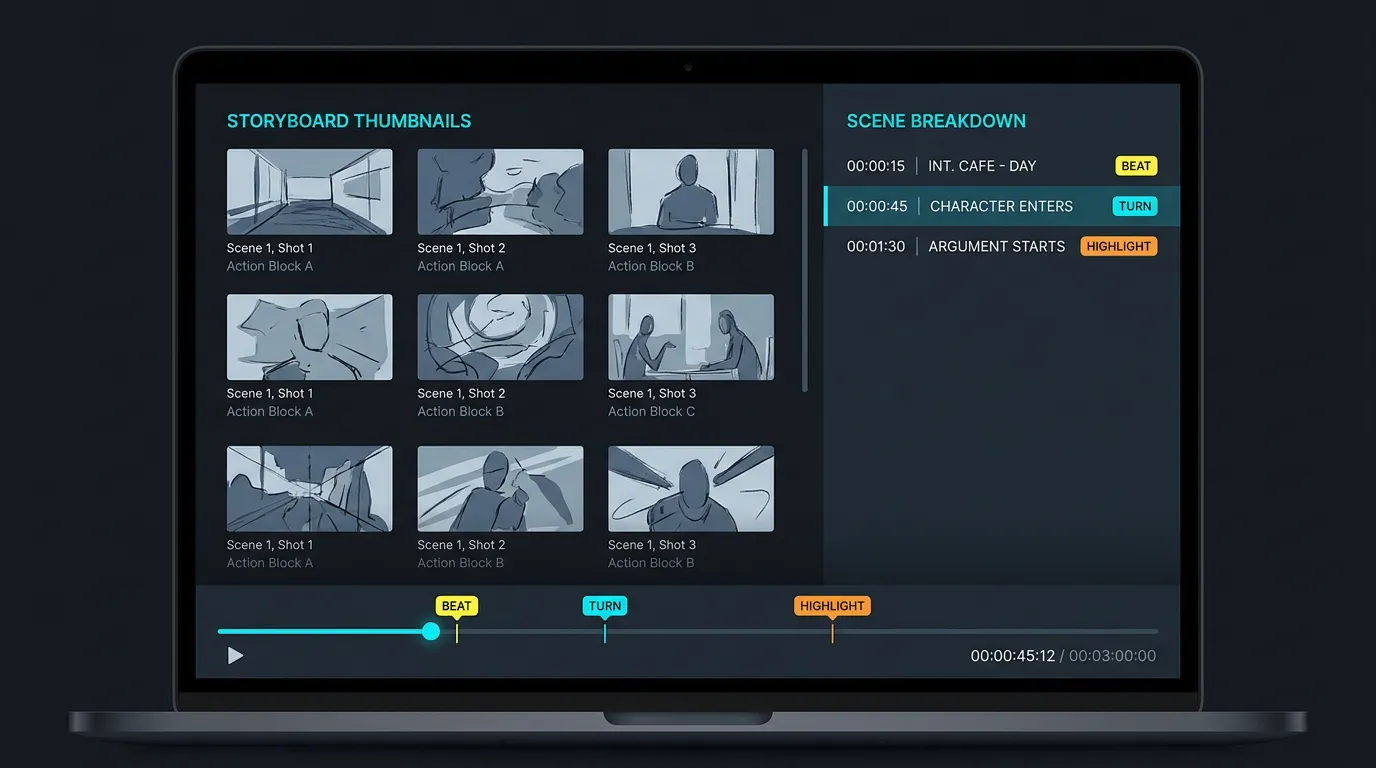
Your deliverables from this pass:
- A timestamped scene list — start and end for every scene.
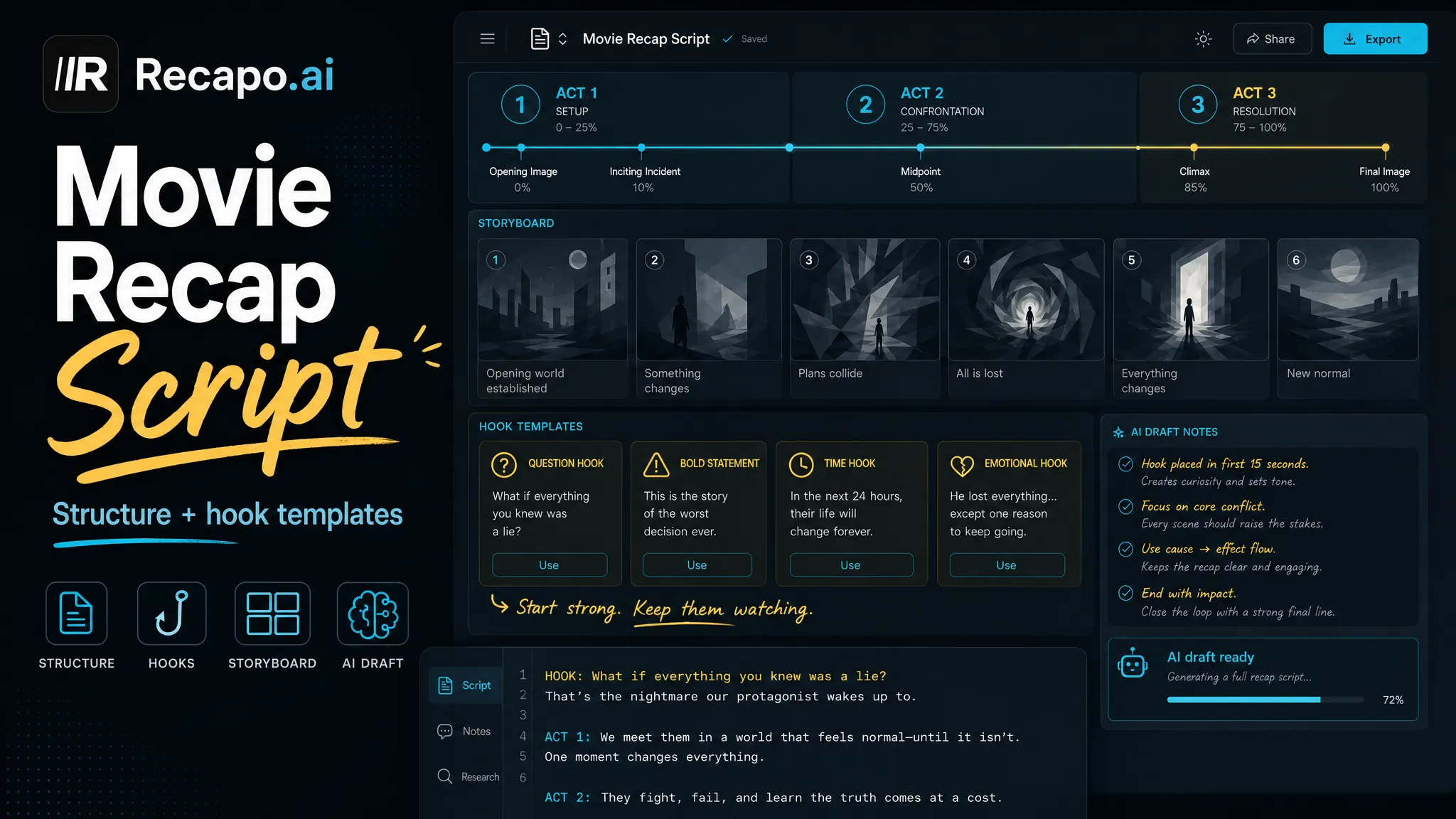
- The 6–8 plot-driving beats — the scenes where the story turns and can't turn back. These become the spine of your script.
- Visual highlight moments — shots that work out of context. They become your hook, your thumbnail, and your vertical clips.
Doing this manually on a feature-length film is the slowest part of the whole job. A scene breakdown generator produces the timestamped list from an uploaded file, so your time goes into judging beats instead of scrubbing a timeline. Pair it with a plot summary generator to get a compressed synopsis you can sanity-check your beat selection against. Recapo takes common formats like MP4 and MOV at up to 6GB per task, which covers feature-length sources.
The beat test: if you can delete a scene from the list and the ending still makes sense, it isn't a beat.
Step 3: Write the script — hook, mainline, verdict
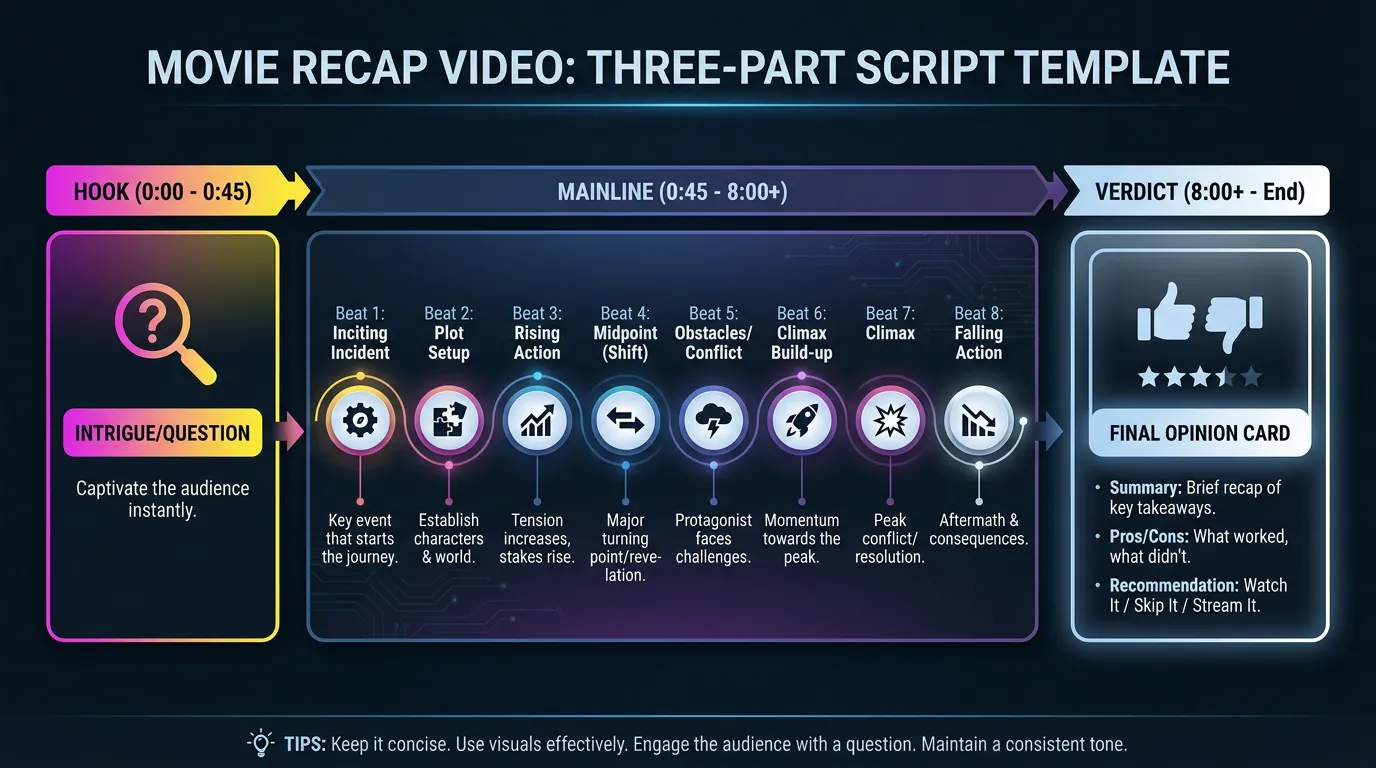
Open with the stakes. No preamble, no "today we're looking at." The first sentence drops the viewer into the central tension: who wants what, and what happens if they fail.
Compress the mainline. Walk the 6–8 beats and nothing else. Subplots, side characters, and lore get cut unless the ending breaks without them. Make transitions causal — "because of this, that" holds attention better than "and then."
End with a verdict. Your actual opinion: what worked, what didn't, who should watch it. The verdict is what makes the video yours rather than a plot summary — and under YouTube's monetization rules, that human creative layer (your angle, your commentary, your edit) is also what keeps AI-assisted content eligible.
Use AI for the first draft, then rewrite every line in your own voice. Draft from your beat list, not from a bare title prompt. Budget check: at a narration pace of roughly 140–160 words per minute, a 10-minute recap is a 1,400–1,600 word script.
Step 4: Run the fair-use check on your actual cut
A fair-use assessment only means something once you know which clips you'll show, how long they run, and how much commentary surrounds them — which is why this step sits after scripting, not before.
US fair use weighs four factors:
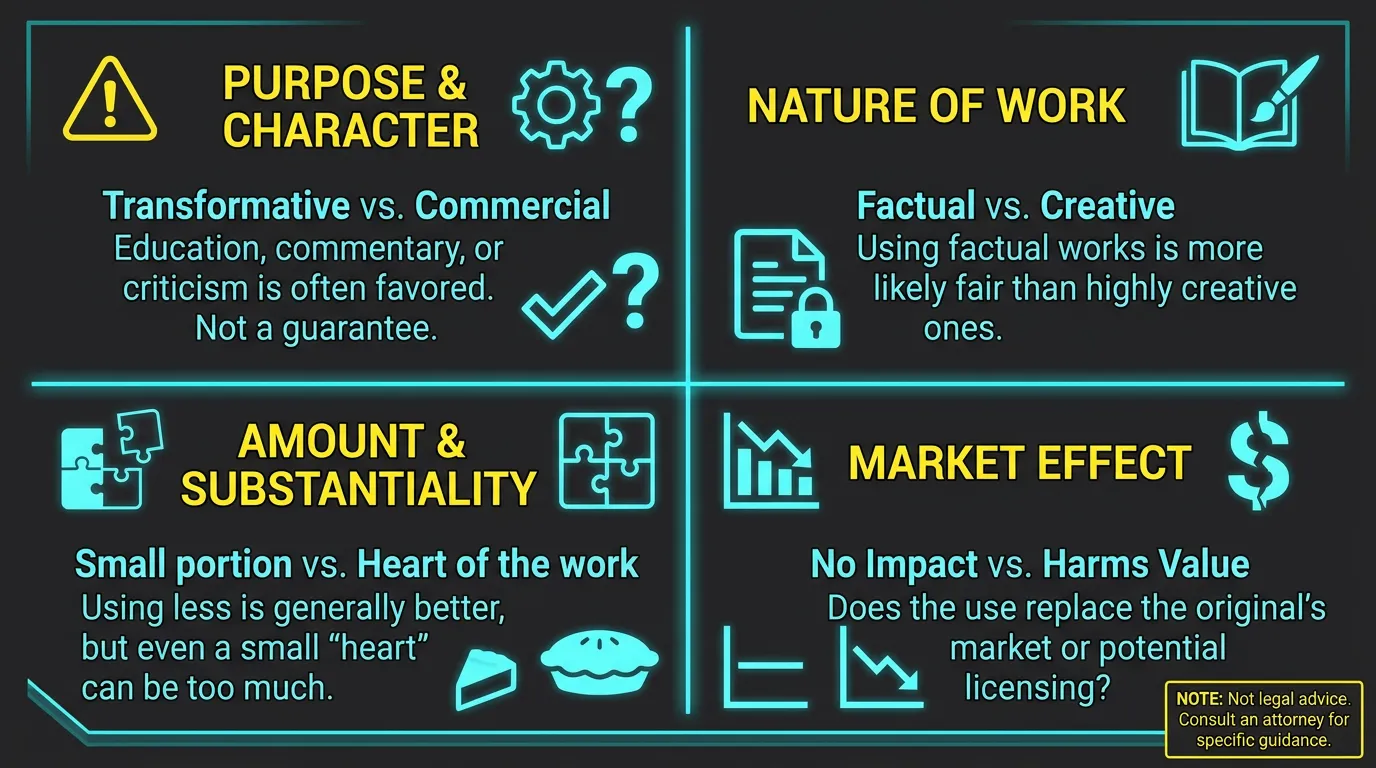
- Purpose and character of the use. Is your video transformative — commentary, criticism, new meaning — or does it mostly repackage the original?
- Nature of the original work. Creative works like films get stronger protection than factual footage.
- Amount used. How much of the film do you show, and is it the heart of the work?
- Market effect. Could your video substitute for watching the film, or damage its market?
The plain-English read for recap makers: long uninterrupted stretches of film with thin narration over them fail on amount and market effect. Short clips, dense commentary, and a video nobody would watch instead of the film point in the defensible direction. Two hard truths, though: fair use is a defense you argue after being accused, not a license you hold in advance — and Content ID claims first, without running any fair-use analysis. That's why the sourcing rules in Steps 0–1 matter more than any fair-use theory.
Reminder: this is general information, not legal advice. Fair use is decided case by case, and outcomes vary.
Before cutting, run a source check on every asset in the timeline:
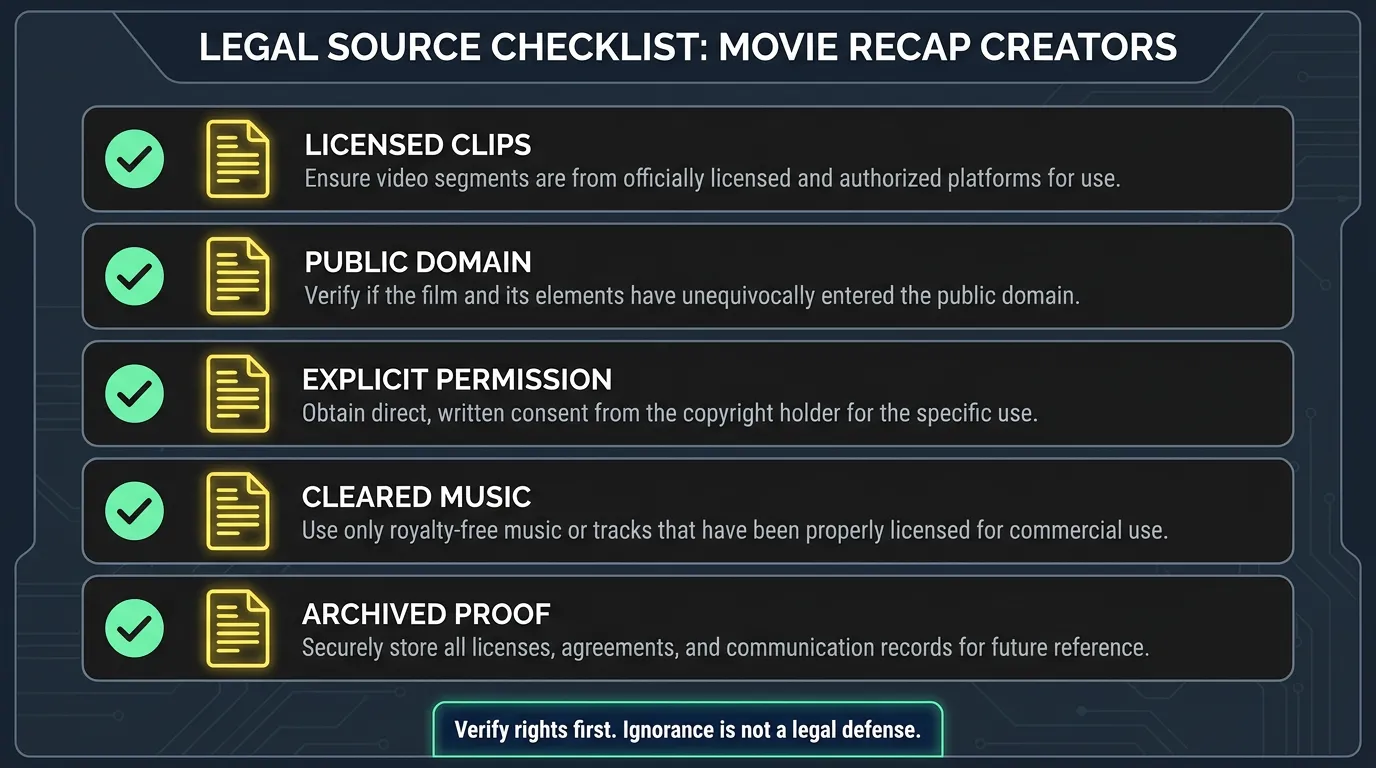
- Film footage: licensed, public domain, or explicitly permitted — with the document or status check saved.
- Music: cleared separately. Soundtrack rights are not the film's rights, even on public-domain films.
- Stills, posters, fonts, b-roll: each from a source whose terms you've actually read.
- Nothing in the project folder is "found it online."
Step 5: Record the AI voiceover
Narration for recaps sits comfortably around 140–160 words per minute — fast enough to feel urgent without outrunning the visuals.
Working in an AI voiceover maker, three habits pay off:
- One voice across all episodes. The voice is the channel; changing it resets recognition.
- Punctuation is your pacing control. Short sentences for action beats, longer ones between beats to let the viewer breathe. Add commas where a shot needs a moment to land.
- Proper-noun check before export. Listen to every character and place name, and respell them phonetically in the script wherever the voice trips.
Step 6: Subtitles synced to the narration
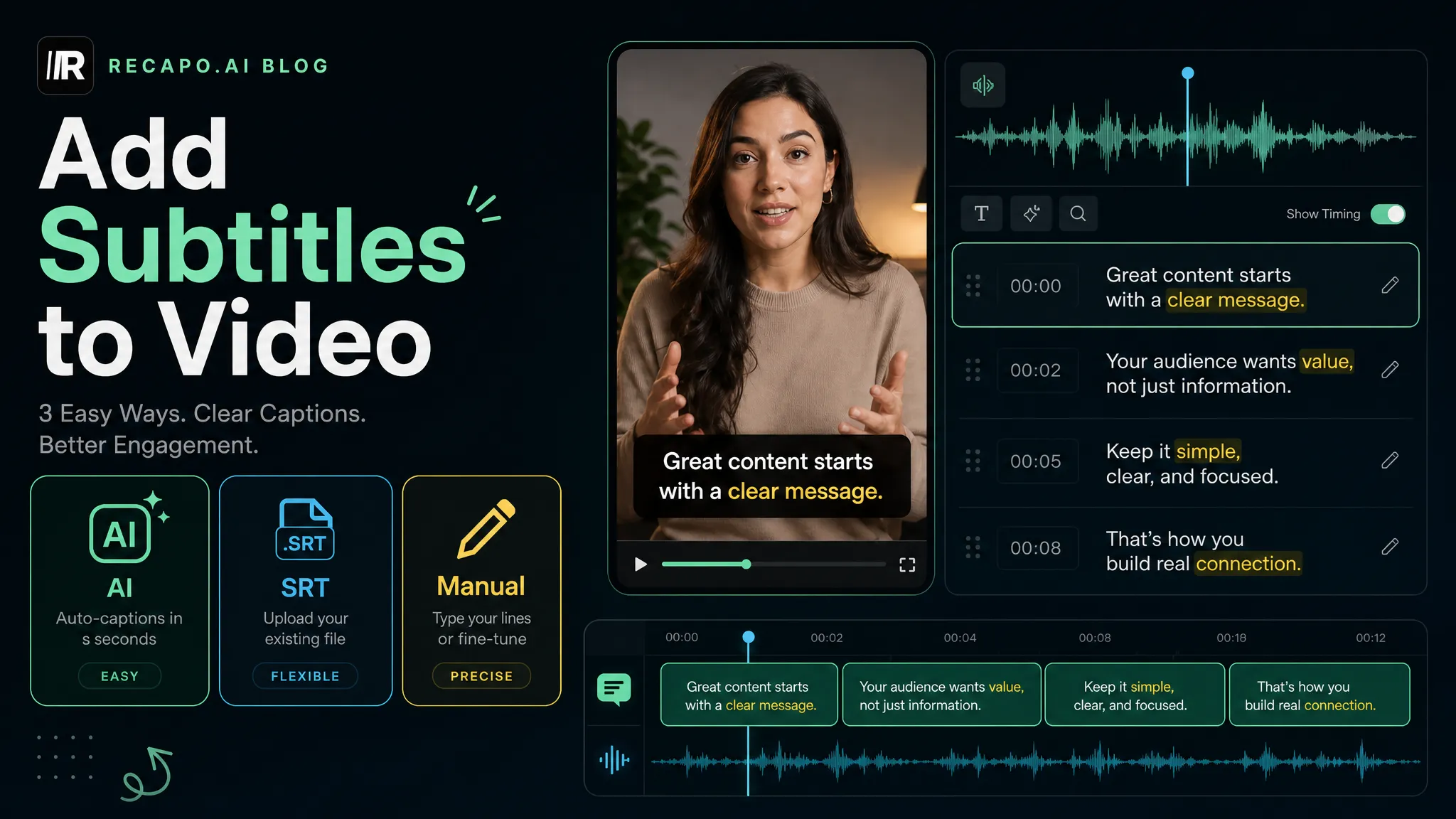
Subtitle the narration track, not the film's dialogue. Auto-transcribe, fix names against your script, and keep lines short — two lines on screen at most. Then use a tool to burn subtitles into the video so styling and position survive every platform's player. Burned-in is the safe default for recap channels, because a lot of viewing happens muted. For the detailed workflow, see how to add subtitles to a video.
Step 7: Assemble and export
Cut the visuals to the beat map: each script beat gets its matching scene, and the visual highlights go where attention dips — the hook and the mid-video stretch.
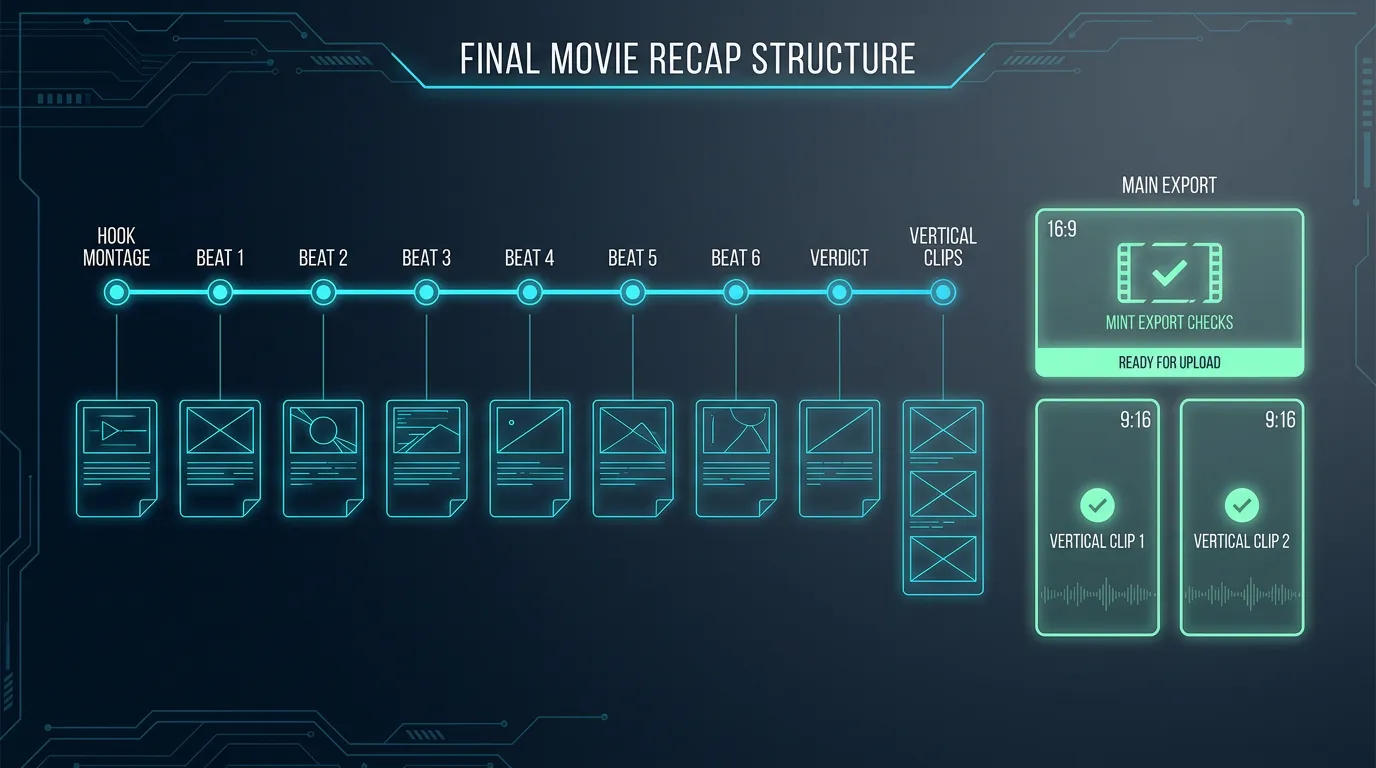
A timeline shape that works: highlight montage under the hook, then the beats in order with each beat's footage under its script section, then the verdict over your strongest remaining shot. Export 16:9 for the main upload, then resize the two or three strongest moments to vertical for YouTube Shorts, TikTok, and Instagram Reels.
Build the format, not just one video
Recap channels compound through consistency: same structure, same voice, same subtitle style, same thumbnail system, every episode. Viewers should know what they're getting from the first frame. Batch where you can — breaking down and scripting two or three films in one sitting beats context-switching every day.
FAQ
Is it legal to make a recap of any movie? No. You need footage you have the right to show: licensed clips, public-domain films, or explicitly permitted material. Fair use exists, but it's narrow, case-by-case, and only settled after a dispute — treat it as a last defense, not a plan. This is general information, not legal advice.
What happens if Content ID matches my footage? Content ID automatically compares uploads against a rights-holder database, and a match can send your video's revenue to the rights holder or get the video blocked. Keep documentation for every asset so you can respond from a real position, and check YouTube's official documentation for the current claims process.
How long should a movie recap video be? As long as the beats demand, and no longer. At 140–160 words per minute of narration, a 1,400–1,600 word script yields roughly a 10-minute video. If the script pads past the beats, cut the script rather than stretching the video.
Can AI write the whole recap script? It can draft one from your beat list, and that's a real time saver. Rewrite it in your own voice anyway — for retention, and because YouTube's 2025 monetization rules require human creative input; mass-produced, unmodified AI output is not monetizable.
Do I need to show my face or use my own voice? Neither. Recap is a faceless format, and a consistent AI voiceover can carry the channel — pick one voice and keep it for every episode.
Your first recap is mostly logistics, and the logistics are automatable. Recapo runs in the browser and handles this pipeline end to end: upload the source file (MP4, MOV and similar formats, up to 6GB per task), generate the scene breakdown and summary, script it, add AI voiceover and subtitles, then resize vertical cuts and export with covers. Create your account and start with a public-domain film this week.