How to Make Faceless Videos with AI (No Camera Needed)
Build faceless videos with AI — script, voiceover, b-roll and captions — and stay monetizable under YouTube's 2025 inauthentic-content policy.
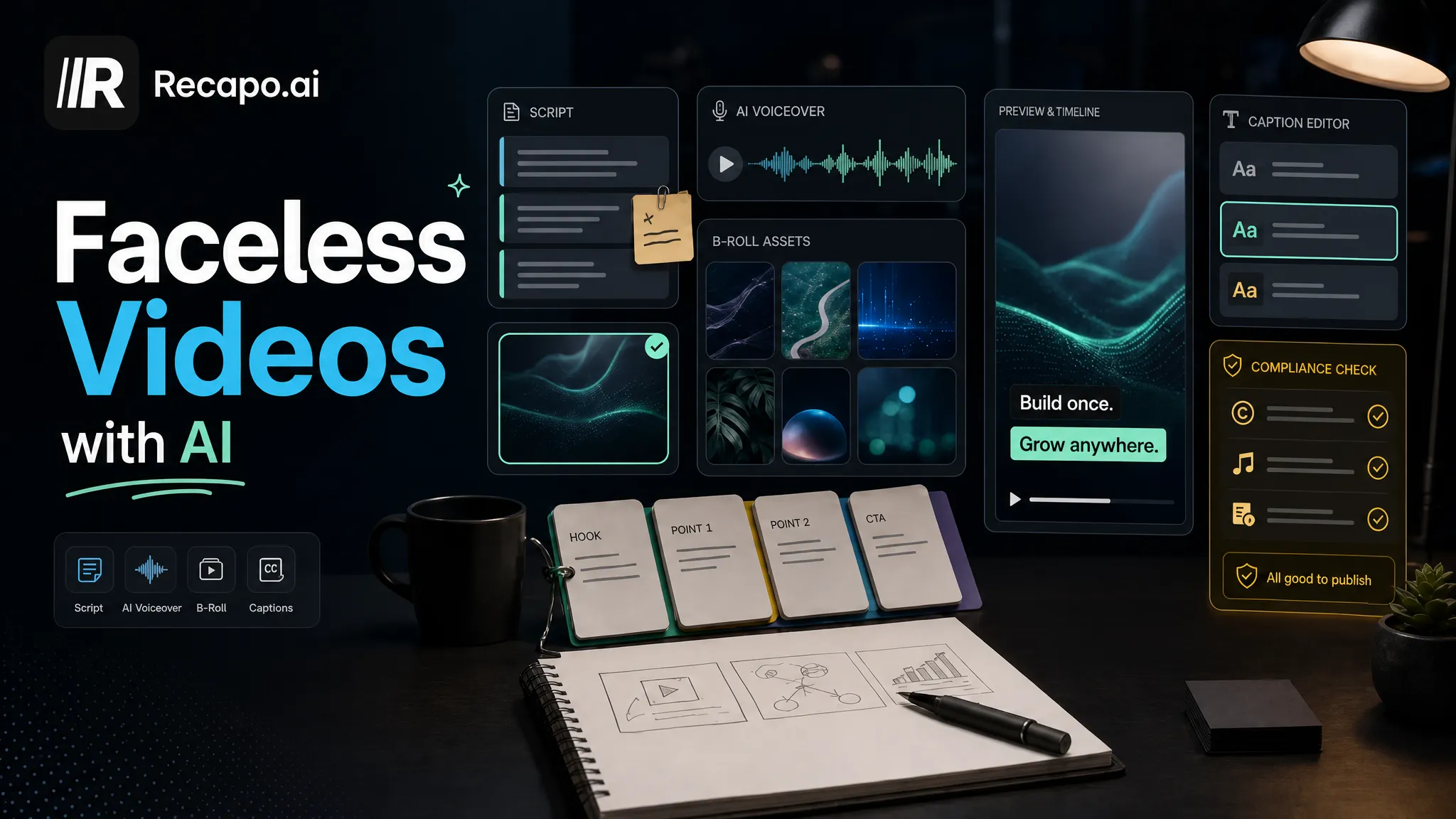
A faceless video is one where you never appear on camera: a voiceover carries the story over b-roll, motion graphics, screen recordings, or AI-generated visuals. To make one you need four assets — a script, a voice, visuals, and captions — and AI can draft all four in an afternoon. What AI can't do is the part that keeps you monetizable: since YouTube's July 2025 policy update on inauthentic content, the human judgment you add on top is the difference between a channel and a content farm.
Here is the full pipeline, in working order, including the compliance layer most tutorials skip.
Faceless is a format, not a niche
"Faceless" describes how a video is produced, not what it's about. History deep-dives, movie recaps, software tutorials, commentary tracks, list videos, ambient channels — many of the largest channels in these categories have never shown a face.
Creators pick the format for practical reasons: no on-camera time, production that can be batched, and a workflow one person can run with AI handling the mechanical passes.
Two consequences follow. First, "faceless" is not your niche — you still need a real topic underneath it. Second, because faceless production scales so easily, it's exactly the category YouTube's inauthentic-content rules were written to police. The format is fine. Mass-produced filler inside the format is what gets demonetized, and the second half of this guide covers where that line sits.
Run your niche through three filters
Most faceless channels die at niche selection, before the first upload. Test every idea against three filters, and only proceed if it passes all three.

Filter 1: Proven demand
Search the format on YouTube. You want to see mid-sized channels — not just one giant — getting steady views with it. Existing competition is evidence of demand; a format nobody makes usually means nobody searches for it. Also check the upload dates: a niche where active channels published this month is alive, one where the top results are two years old may have already peaked.
Filter 2: Revenue per view that justifies the effort
Ad rates vary widely by topic and audience geography, because advertisers bid more to reach some audiences than others. Business, software, and finance content generally draws higher bids than broad entertainment. YouTube publishes no rate card, so treat every RPM screenshot you see online as anecdote and trust your own analytics once you're live. The filter question is simple: does this niche work at a view count you can realistically reach, or only at millions of views?
Filter 3: Production you can sustain
Episode 40 must be as easy to make as episode 4. That means a renewable supply of material — new releases to recap, a weekly news beat, a deep catalog of explainable topics — and a pipeline you don't dread running.
Three formats reliably pass all three filters: recaps (full walkthrough in how to make a movie recap video), commentary on a beat you genuinely know, and list/explainer videos. None of them guarantees income — nothing does — but all three have proven demand and repeatable production.
The production pipeline
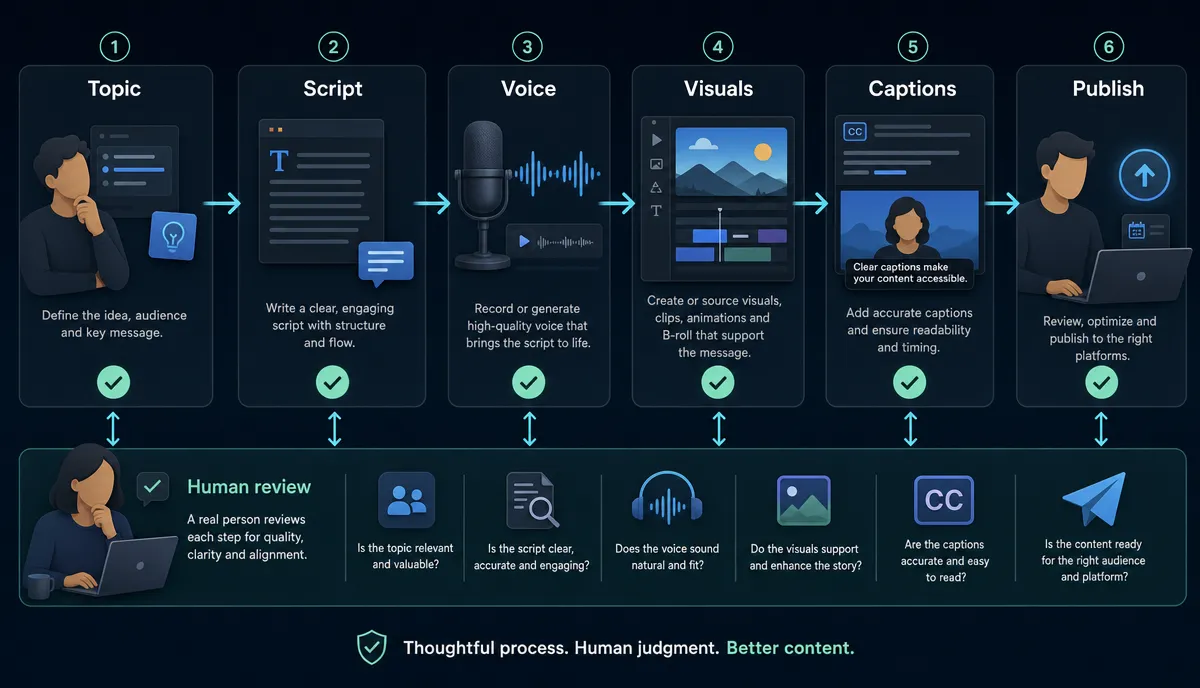
Step 1: Script — structure before prose
Strong faceless videos share a skeleton. Steal this template:
- Hook, first 15 seconds: state the payoff of watching. No channel intro, no "hey guys, welcome back."
- Setup: the minimum context a stranger needs to follow along.
- Body in 3–5 segments: each with its own small payoff, so retention doesn't sag in the middle.
- Ending with a stance: your conclusion, prediction, or open question — not a summary of what viewers just watched.
AI belongs here as a drafting tool. A faceless AI video generator can turn a topic or a source video into a first-pass script with matching visuals, which you then rewrite. The rule that keeps videos both watchable and policy-safe: AI drafts, you decide. Your angle, your opinions, your cuts.
Step 2: AI voiceover
You can record narration yourself, but AI voiceover is what makes a weekly faceless cadence realistic for one person.
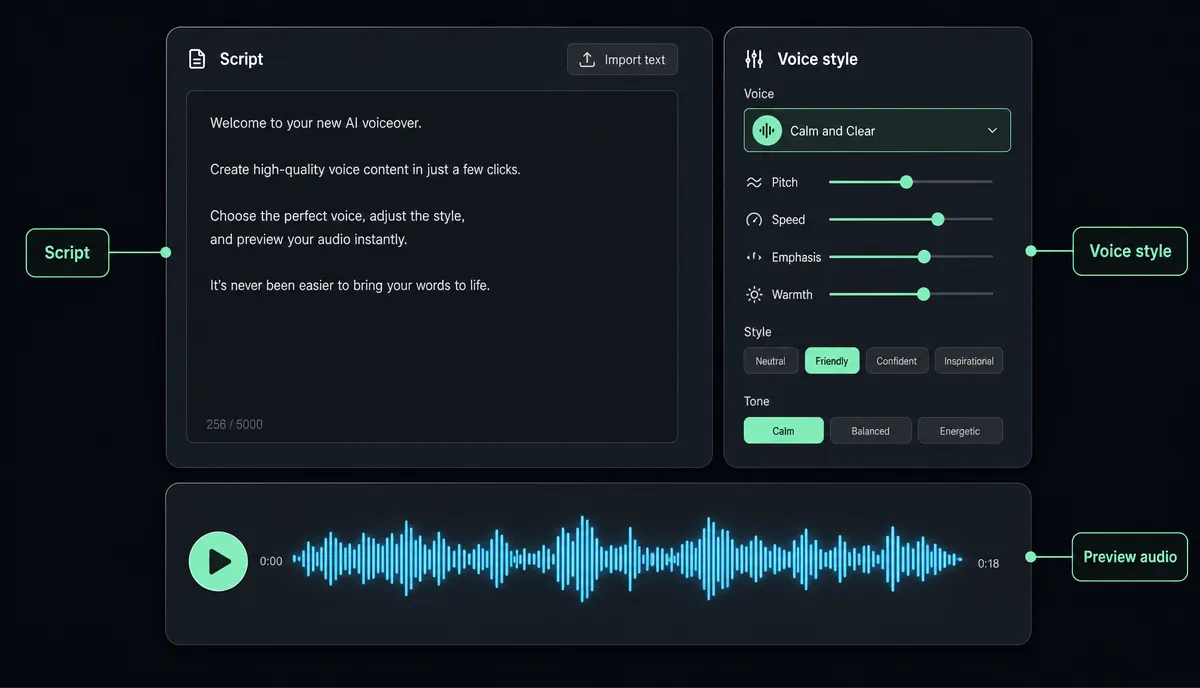
Three habits worth copying:
- One voice, permanently. The voice is your channel's face; changing it resets audience recognition.
- Punctuate for pacing. Short sentences read fast. Commas and full stops create the pauses — write them where you want emphasis to land.
- Proper-noun pass. Listen to every name and technical term before publishing, and respell them phonetically in the script if the voice stumbles.
A dedicated AI voiceover maker covers narration over footage you already have. Starting from a bare script instead? A text-to-speech video tool turns the script straight into a narrated video in one pass.
Step 3: Visuals you actually have rights to
In rough order of effort:
- Licensed stock b-roll from libraries whose terms explicitly cover monetized YouTube use.
- Screen recordings of your own work — the natural choice for software and tutorial niches.
- Motion graphics and on-screen text — underrated, and a good match for data-heavy scripts.
- AI-generated imagery you create for the specific video.
What's off the table: film, TV, or other creators' footage you haven't licensed. Copyright claims can redirect your revenue or block the video outright, which undoes everything else in this guide. Keep receipts — save the license terms for every asset you use.
Step 4: Captions
A lot of viewing happens with the sound off, and captions tighten perceived pacing even when the sound is on. Run the finished cut through an auto captions tool, fix names and jargon against the audio, and export. A sensible default: burned-in captions for vertical clips, a subtitle file for long-form uploads.
Step 5: Cover and packaging
Title and thumbnail are one unit — design them together, and keep thumbnail text to a few words that survive phone size. The thumbnail makes a promise; the video has to keep it, or retention will tell on you.
Then pull two or three vertical highlights from the finished video for YouTube Shorts, TikTok, and Instagram Reels. That repurposing step is its own craft, covered in how to make YouTube Shorts from long videos.
The two gates to monetization
Gate 1: Partner Program thresholds
Per YouTube's official requirements, the YouTube Partner Program threshold is 1,000 subscribers plus 4,000 public watch hours, or 10 million Shorts views within 90 days. These numbers change from time to time — verify them on YouTube's current official page before you plan around them.
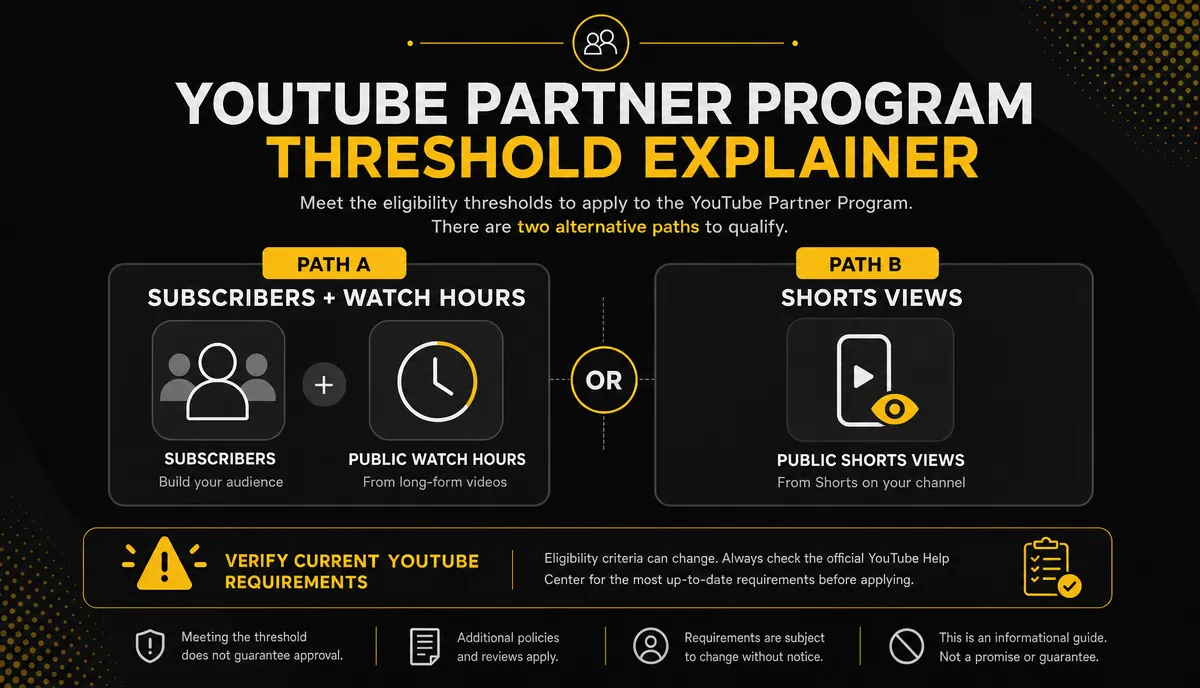
How fast you get there depends on niche, cadence, and packaging. Anyone promising you a timeline is selling something.
Gate 2: The July 2025 inauthentic-content policy
In July 2025, YouTube updated its monetization rules to target inauthentic content. The core of it: mass-produced, unmodified AI content is not monetizable, while content with real human creative input — your topic choice, your commentary, your editing decisions — stays eligible.
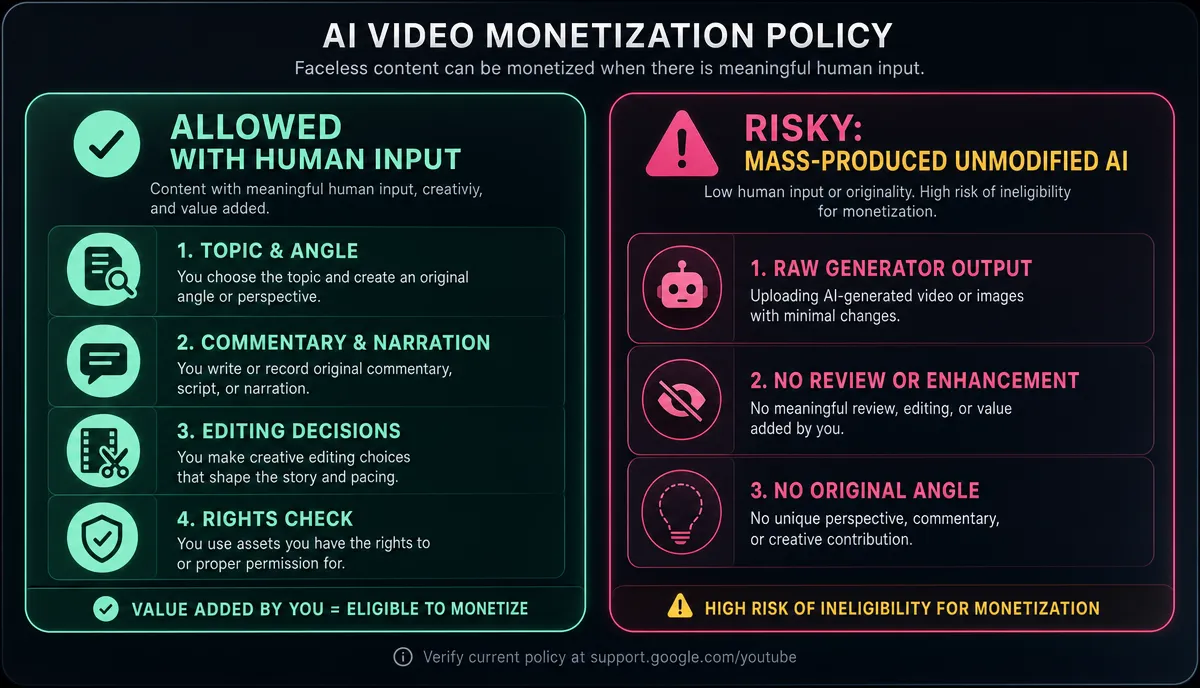
Read that as pro-craft, not anti-AI. AI voiceover, AI-assisted scripts, and AI visuals are all compatible with monetization when a human is visibly doing the creative work. Run this checklist on every upload:
- Your topic angle — you chose and framed the subject; it's not a re-skinned template.
- Your written opinions — the script carries your take, not just a generated summary.
- Your editing decisions — you picked the visuals, ordered the segments, and cut the pacing.
- No unmodified mass-generation — never batch-upload raw generator output.
Policies get revised. Read YouTube's current policy page rather than relying on any blog post, including this one.
Set a cadence you can hold for a year
For a solo creator with AI tooling, one long video plus two or three Shorts per week is a sustainable start. Daily uploads for two weeks followed by a month of silence is worse than steady weekly output — both for the algorithm's read on your channel and for your own stamina.
Systematize early: batch-write scripts in one sitting, reuse the structure template, keep a running topic list, and let tools handle the mechanical passes — transcription, captions, resizing. For a sober look at which editing tasks AI genuinely automates and which still need your eyes, read AI video editing explained.
FAQ
Can faceless channels still be monetized after the July 2025 policy update? Yes. Faceless is a production format, not a policy violation. The update targets mass-produced, unmodified AI content; if you choose the topics, write real commentary, and make the editing decisions, your videos remain eligible. Verify the details on YouTube's current policy page.
Is AI voiceover allowed on monetized videos? AI narration by itself doesn't make a video ineligible. The problem is whole videos of unmodified, mass-produced output with no human creative layer on top. Keep your angle, your script, and your edit demonstrably yours.
Do I need to show my face eventually to grow? No. A consistent narration voice, format, and visual style do the recognition work a face would do. Plenty of large channels have run for years without an on-camera host.
What equipment do I need to start? A browser. Recapo runs fully in the browser and covers scripts and summaries, AI voiceover, captions, vertical resizing, and covers and export. Uploads in common formats like MP4 and MOV work up to 6GB per task, which is enough for long source files.
Ready to make the first one? Recapo covers this whole pipeline in a single browser workspace — draft the script, generate the AI voiceover, caption the cut, resize vertical versions, and export with covers. Create your account and put your first faceless video into production today.