Runway Alternatives for Everyday Video Editing (2026)
Compare Runway alternatives by intent: generative AI video vs everyday editing, with a practical fit matrix for creators.
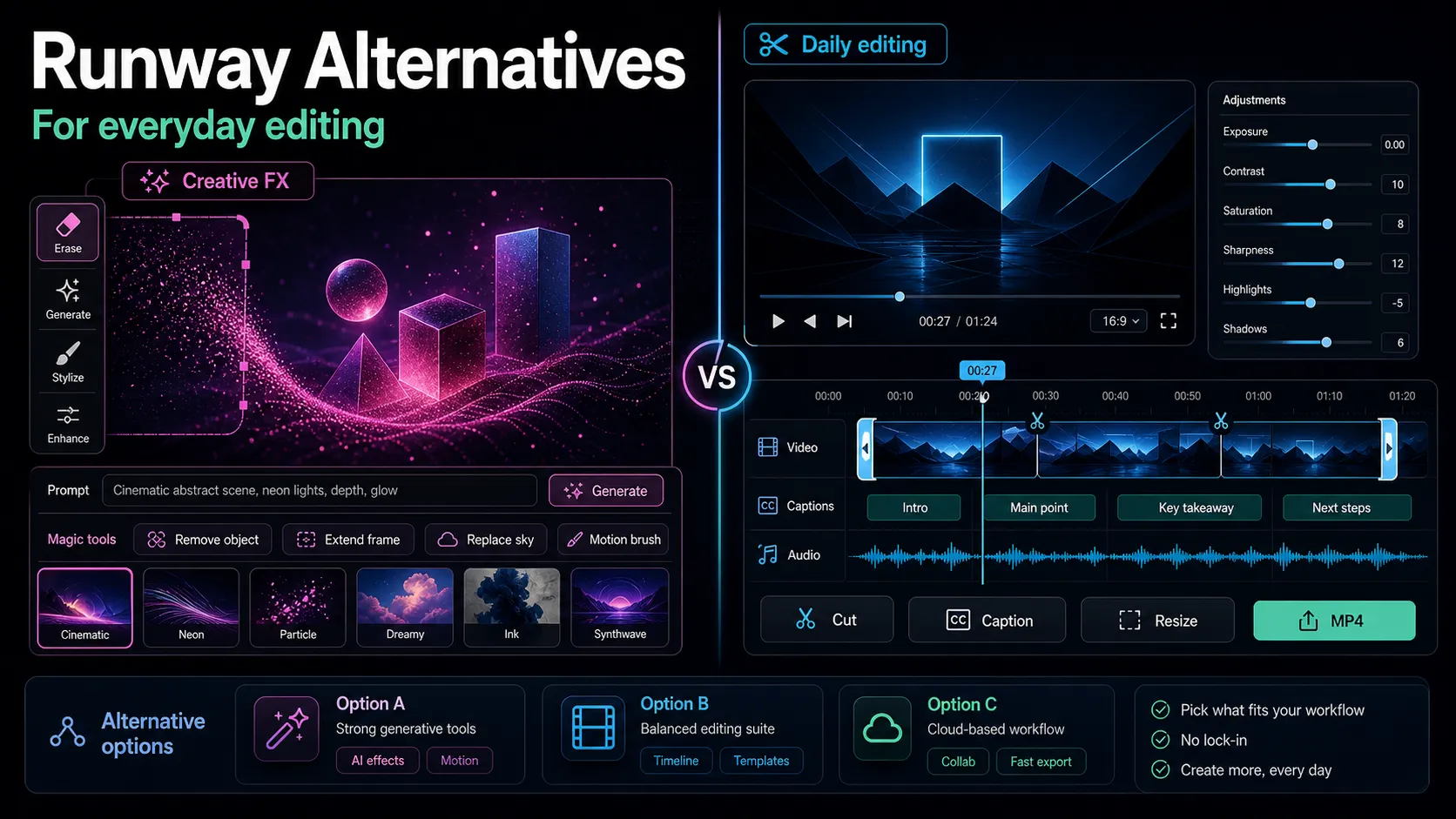
If you searched for Runway alternatives, you're probably in one of two camps: you either want another tool that generates video from a text prompt, or you want a practical editor that handles captions, clips, reframing, and voiceover without the generative-AI billing model. This guide is built for the second camp — creators who want Runway-style AI editing for everyday YouTube, TikTok, Shorts, and Reels work. The primary keyword here — runway alternatives for video editing — hides an intent split that most roundups blur together, so the first job is figuring out which category of tool you actually need before you compare anything.
Runway is best known as a generative AI video platform: text-to-video, image-to-video, and creative effects. That's a completely different job from turning a 40-minute podcast into ten captioned clips. Below, I'll separate those two worlds cleanly, give you a set of evaluation dimensions, walk through a 20-minute self-test you can run on any tool, and show where Recapo fits honestly — including where it doesn't.
Key Takeaways
The two camps behind "Runway alternatives"
When people type "Runway alternatives," they usually want one of two very different things:
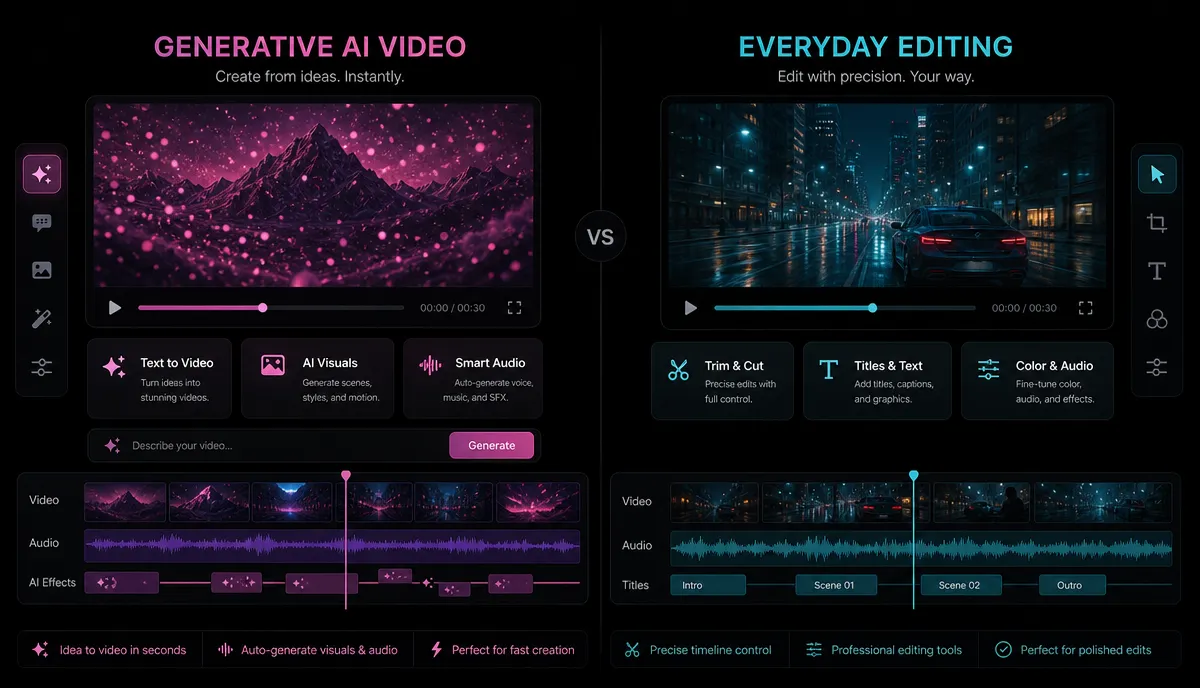
Most "Runway ml alternatives" articles lump both camps together and hand you a list of ten tools that don't actually solve the same problem. If you're in Camp A, you want a generative model. If you're in Camp B — which is where the majority of daily creator work lives — you want a dedicated editor, and that's what the rest of this guide focuses on.
Generative AI video vs. everyday editing
The fastest way to avoid buyer's remorse is to be clear about what each category is designed to do. They overlap in marketing copy but rarely in daily use.
| Generative AI video | Everyday AI editing | |
|---|---|---|
| Core job | Create footage from a prompt or image | Transform footage you already have |
| Typical inputs | Text prompt, reference image, short clip | Your MP4/MOV long video, podcast, stream |
| Typical outputs | Short generated shots, effects, animation | Captioned clips, vertical reframes, voiceovers |
| Billing norm | Often metered by generation / compute credits | Usually plan-based for repeat work |
| Best for | Concept art, B-roll, stylized scenes | Publishing volume on Shorts/Reels/TikTok |
If your weekly reality is "I recorded something long and need five publishable shorts by Friday," you're firmly in the editing camp. A runway ai video editing alternative in that sense isn't another generative model — it's a workspace that automates the boring, repeatable steps. If you want a broader primer on that category first, see our explainer on AI video editing.
The dimensions that matter in a Runway editing alternative
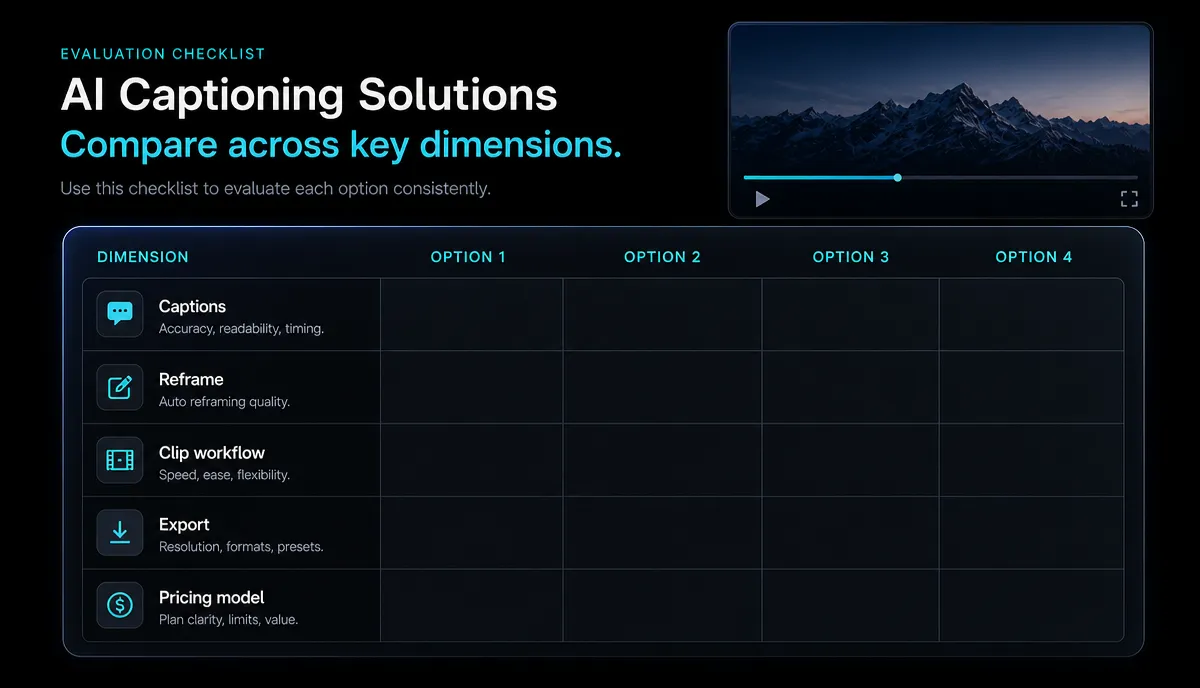
Once you know you're in Camp B, don't compare tools on marketing bullet points. Compare them on the dimensions that actually affect your throughput. Here's the checklist I use:
| Dimension | Why it matters | How to judge it yourself |
|---|---|---|
| Input tolerance | Big raw files break weak tools | Upload your largest real file and see if it accepts it |
| Caption accuracy | Bad transcripts mean manual cleanup | Transcribe a noisy clip; count the errors |
| Clip selection | You want usable cuts, not random slices | Check whether suggested clips have real hooks |
| Reframing quality | Vertical crops must keep the subject centered | Reframe a moving talking head and watch the edges |
| Voiceover fit | AI narration must sound listenable | Generate 30 seconds and play it on phone speakers |
| Export & format | You need clean files for each platform | Export and upload to a real Shorts/Reels draft |
| Pricing model | Credit-metered billing punishes volume | Read the pricing page before you commit |
Notice the last row. The single biggest reason creators look for a runway alternative free option or a cheaper editor is that compute-credit billing is unpredictable when you're editing every day. Generative models charge that way because generation is expensive; dedicated editors more often use flat plans. Whatever tool you consider, read its pricing page and match the billing model to how often you edit — that one check prevents most regret.
Types of Runway alternatives, compared
At the positioning level, the "alternatives" you'll run into fall into five stable buckets. I'm describing each only by what it's publicly known for — verify the specifics yourself with the self-test in the next section.
| Type | Known for | Good when you need | Watch-outs |
|---|---|---|---|
| Generative AI video models | Text/image-to-video creation | Original B-roll, effects, scenes | Credit metering; not built for bulk editing |
| Transcript-based editors | Editing video by editing text | Podcast and interview cleanup | Learning curve for a text-first workflow |
| Browser caption/clip editors | Auto-captions and clipping | Fast Shorts/Reels output, no install | Feature depth varies — test on your footage |
| Desktop editing suites | Frame-level manual control | Precise, high-end timeline edits | Heavier lift; slower for volume publishing |
| Template / script-to-video tools | Article or script to video | Faceless, templated explainers | Less control over your own raw footage |
The trap in most SERP roundups is mixing a generative model, a desktop suite, and a browser clipper into one list as if they're interchangeable. They're not. Pick the type first, then compare tools within it. If your target output is short-form, our roundups of AI clip generators and faceless video workflows narrow the field further.
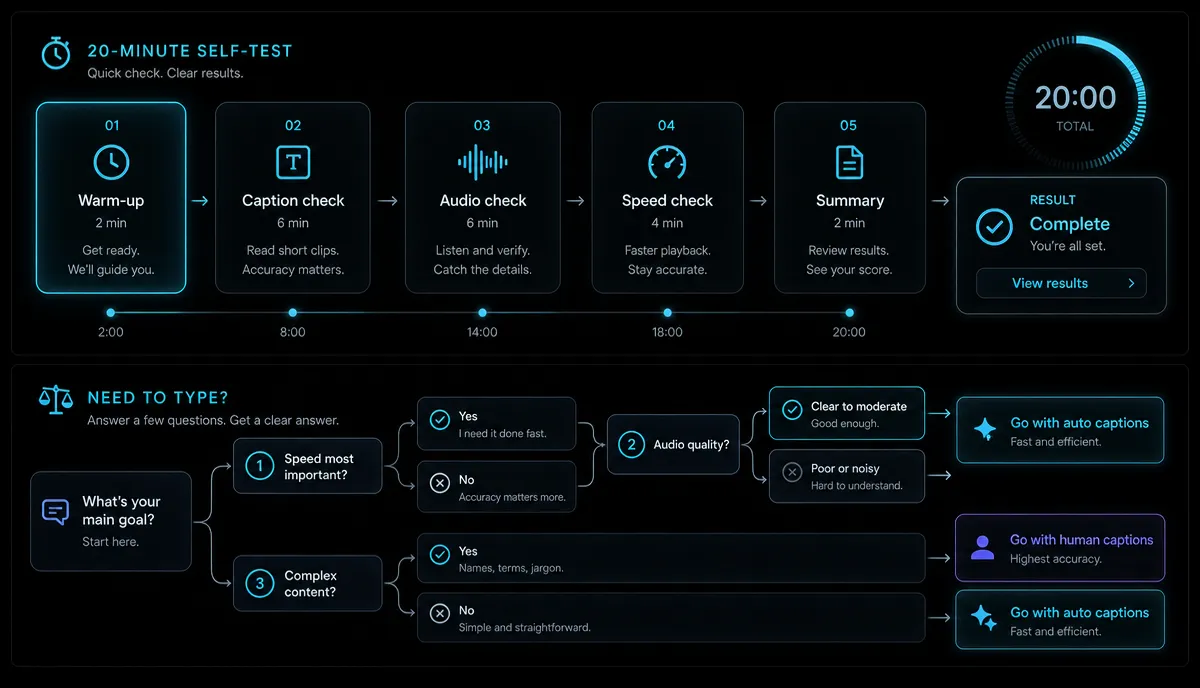
A 20-minute self-test for any Runway alternative
Reviews go stale because prices, quotas, and features change constantly. A self-test doesn't. Run these steps on any candidate tool with your own footage — it's the only way to know whether a tool fits your workflow rather than someone else's demo reel.
- Pick a real project file. Use an actual long video you need to publish — not a clean sample. If it's large, this also tests input limits.
- Upload and check acceptance. Confirm the tool takes your format and file size. Recapo, for example, runs in the browser with no install and accepts MP4, MOV, and other common formats, up to 6GB per task.
- Transcribe and read the captions. Auto-caption a two-minute stretch with background noise and count the mistakes. This alone eliminates half of weak tools.
- Generate clip suggestions. Ask the tool to turn the long video into shorts and judge whether the cuts have real hooks. You can run this step in the AI video editor and see the suggested clips on your own footage.
- Reframe to vertical. Take a clip with a moving subject and reframe it 9:16. Watch whether the subject stays centered and the framing holds.
- Add a voiceover. Generate 30 seconds of AI narration over a faceless segment and listen on phone speakers, not studio headphones. For a script-driven test, try the faceless AI video generator.
- Make a cover and export. Produce a thumbnail and export a finished file. Confirm the output opens cleanly and looks right.
- Upload to a real draft. Push the export into a private YouTube Shorts, Reels, or TikTok draft. If it plays correctly there, the tool passes.
Score each tool 1–5 on the seven dimensions from the previous section. Total the numbers. The winner isn't the tool with the flashiest generative demo — it's the one that got your real footage to a publishable draft with the least manual cleanup.
Where Recapo fits — and where it doesn't
Let me be honest about the boundary, because the intent split matters here too. Recapo is not a generative AI video model. If you're in Camp A and want to conjure cinematic shots from a prompt, Recapo is not that tool, and I won't pretend otherwise.
Recapo is a browser-based AI video editing workspace built for Camp B — transforming footage you already have. It runs entirely in the browser with no install, and it covers the repetitive editing jobs that eat a creator's week:
It accepts MP4, MOV, and other common formats up to 6GB per task, which comfortably covers most long recordings. For current plans, check the pricing page directly — that's where I'd point anyone comparing the billing model against how often they edit. In short: if you want a runway ai video editing alternative for everyday, high-volume short-form work — not a generative model — Recapo is a genuine fit. If you want to generate footage from scratch, look at a generative tool instead.
Pick your Runway alternative: a quick decision guide
Use this to shortcut the decision once you've run the self-test:
| Your main goal | Point yourself toward |
|---|---|
| Generate original footage or effects | A generative AI video model |
| Edit podcasts/interviews by editing text | A transcript-based editor |
| Caption and clip long videos fast, no install | A browser caption/clip editor like Recapo |
| Precise, frame-level timeline control | A desktop editing suite |
| Turn scripts or articles into faceless videos | A template / script-to-video tool |
Match the tool type to the job, run the 20-minute self-test on your two finalists, and let your own footage decide. That process beats any roundup — including this one — because it's grounded in the work you actually do.
FAQ
Is Runway a video editor or a video generator? Runway is best known as a generative AI video platform — text-to-video, image-to-video, and creative effects. That's different from everyday editing work like captioning, clipping, and reframing. If your job is transforming footage you already have rather than creating new footage, an editing-focused alternative usually fits better.
What's a good Runway alternative for everyday video editing? Look for a dedicated editor rather than another generative model — something that auto-captions, turns long videos into short clips, reframes to vertical, and exports cleanly. Recapo is one browser-based option built for exactly that workflow. Whichever you choose, run the 20-minute self-test on your own footage to confirm it fits.
Are there free Runway alternatives? Several tools offer a free entry point, but free tiers and quotas change often, so I won't quote specifics that could be outdated. The reliable move is to open each tool's pricing page, note how it bills — per generation or per plan — and match that to how often you edit. Credit-metered billing tends to get expensive for daily, high-volume editing.
Can I replace Runway with a browser tool that needs no install? For editing work, yes. Browser-based editors like Recapo run without installing anything and accept common formats such as MP4 and MOV up to 6GB per task, which covers most long recordings. For generative footage creation, you'd still want a generative model — that's the intent split to keep in mind.
How do I compare Runway alternatives without wasting money? Skip the feature checklists and run the self-test: upload your real footage, caption it, generate clips, reframe to vertical, add a voiceover, export, and push it to a private platform draft. Score each tool on input tolerance, caption accuracy, clip quality, reframing, voiceover, export, and pricing model. The best fit is the one that reaches a publishable draft with the least cleanup.
Ready to test an editing-first alternative? The fastest way to see whether an everyday editor beats a generative model for your workflow is to run one long video through the whole pipeline. Create a free Recapo account, upload a real project, and put it through the 20-minute self-test above — let your own footage make the call.