How to Make Talking-Head Videos with AI (Low-Cost Workflow)
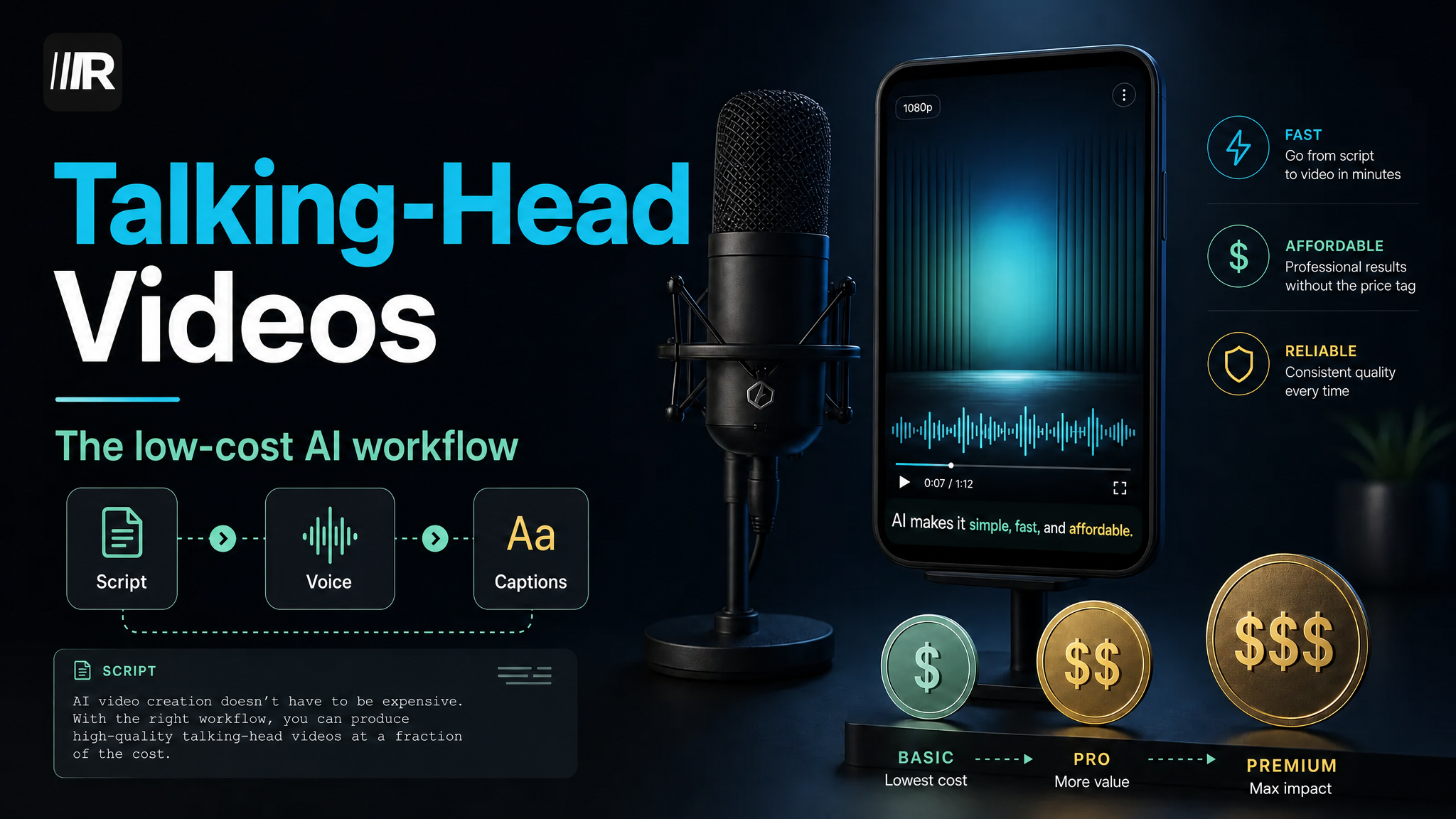
A talking-head video doesn't require anyone on camera. AI voiceover plus stock visuals and captions gets you a publishable video from a single laptop — the main cost left is your time. This guide first runs the numbers on three approaches — on-camera presenter, AI voiceover, and AI avatar — then walks through a five-step workflow, with a script template and publishing specs you can copy as-is.
Three Approaches: Run the Numbers First
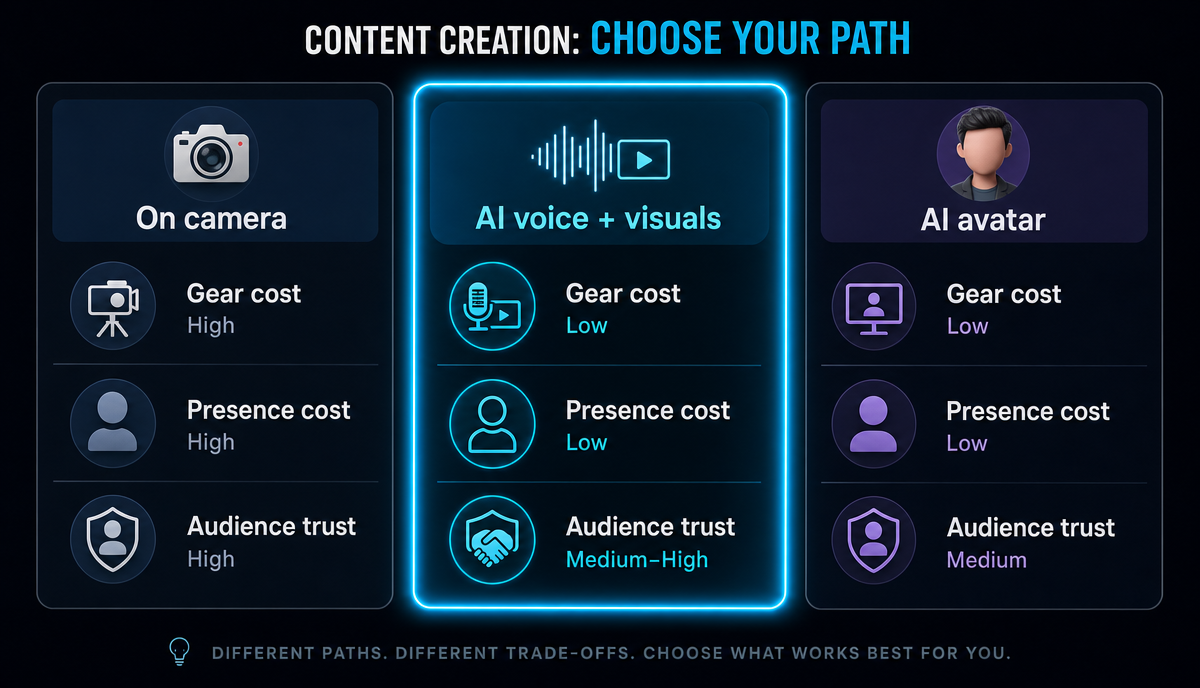 | Approach | Upfront investment | Per-video production | Main drawback |
| --- | --- | --- | --- |
| On-camera presenter | Lighting, microphone, on-camera practice | Recording plus retakes; time cost is unpredictable | High barrier to going on camera; off days drag down output |
| AI voiceover + visuals | Close to zero | Script → voiceover → assemble visuals; short pipeline | Visuals and captions carry everything; a weak topic falls flat |
| AI avatar | Custom face and voice setup | Fast to generate, but lip-sync and gestures need repeated fixing | Stiff delivery; viewers spot it at a glance |
| Approach | Upfront investment | Per-video production | Main drawback |
| --- | --- | --- | --- |
| On-camera presenter | Lighting, microphone, on-camera practice | Recording plus retakes; time cost is unpredictable | High barrier to going on camera; off days drag down output |
| AI voiceover + visuals | Close to zero | Script → voiceover → assemble visuals; short pipeline | Visuals and captions carry everything; a weak topic falls flat |
| AI avatar | Custom face and voice setup | Fast to generate, but lip-sync and gestures need repeated fixing | Stiff delivery; viewers spot it at a glance |
Who each one suits:
- On-camera presenter: people building a personal brand or trust-driven content (reviews, first-hand experience). Nothing substitutes for face-to-camera trust.
- AI voiceover + visuals: people who don't want to show their face and want to test topics at volume. It covers tutorials, roundups and explainer-style content — and it's the focus of this guide.
- AI avatar: accounts that need a fixed "host" persona and post very frequently. The production pipeline is long; not recommended when you're starting out.
The Five-Step AI Talking-Head Workflow
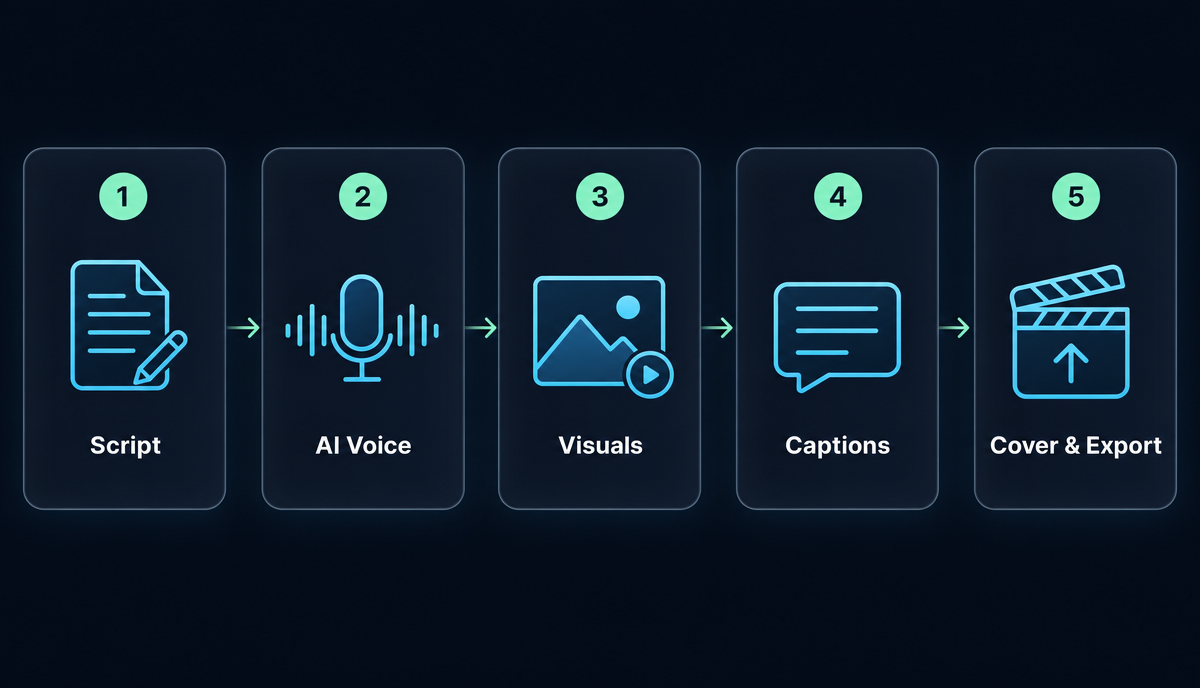 1. Write the script. Structure: one hook → three points → one call to action. Budget length at ~140–160 words per minute, so a 60-second video runs roughly 140–160 words; if you're over, cut a point — don't rush the pace. The template gets its own section below.
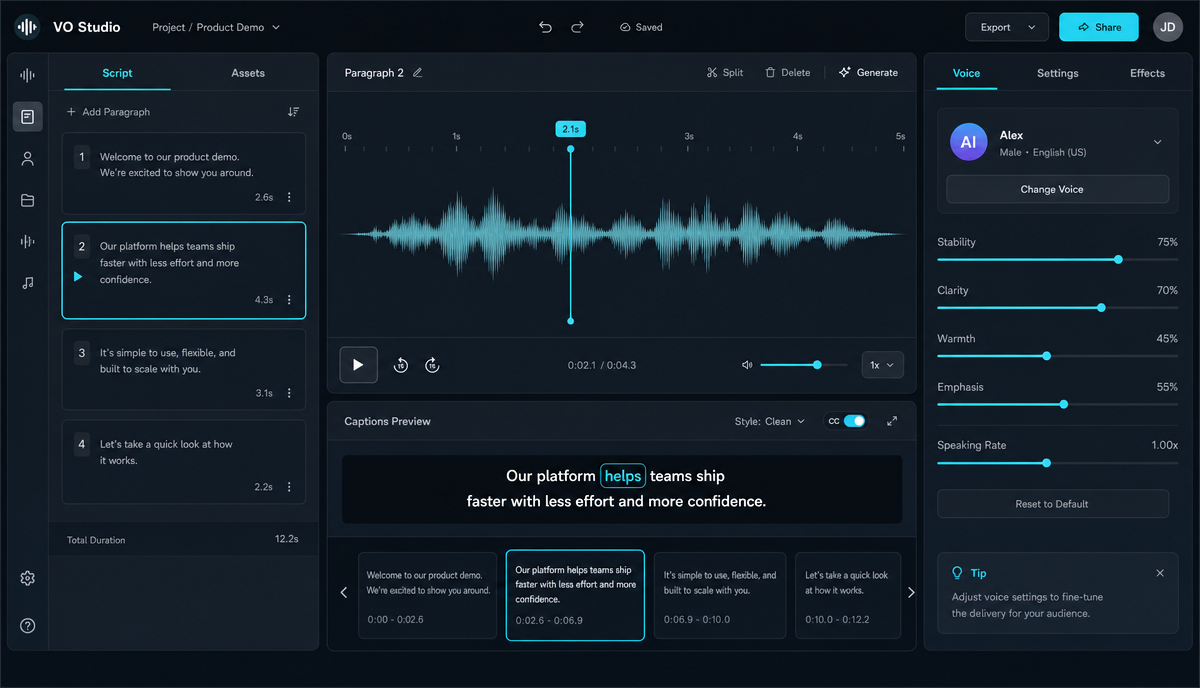
- Generate the voiceover. Drop the script into a text-to-speech tool. The key here isn't choosing a voice — it's proofreading: add punctuation that matches spoken rhythm; pre-rewrite anything the engine tends to misread (homographs like "read" and "live", names, numbers) into a form it can't get wrong; listen through the whole track before exporting. When AI voiceovers go wrong, it's almost always because nobody proofed the script.
-
Assemble the visuals. For a no-camera video, visuals come down to three types: b-roll, text cards (key points on screen), and screen recordings (for tutorials). Use a faceless video tool to match visuals to script sections — one visual idea per section, and never let a single image sit on screen for 20 seconds.
-
Add captions. Plenty of people scroll with the sound off; a talking-head video without captions might as well not exist. Run the voiceover through an auto-captions tool, then check it line by line — proper nouns and numbers are where errors cluster. Three styling rules: type large enough to read, no more than two lines on screen, and keep clear of the platform UI zones (bottom and right edge). If you'd rather generate the caption text first and style it separately, use the video caption generator.
-
Cover and title. Pick a frame from the finished video with real information in it, export it as the cover, and add one big line of text. Don't let the title repeat the cover text: the cover earns the curiosity, the title delivers the information.
A Script Template You Can Copy
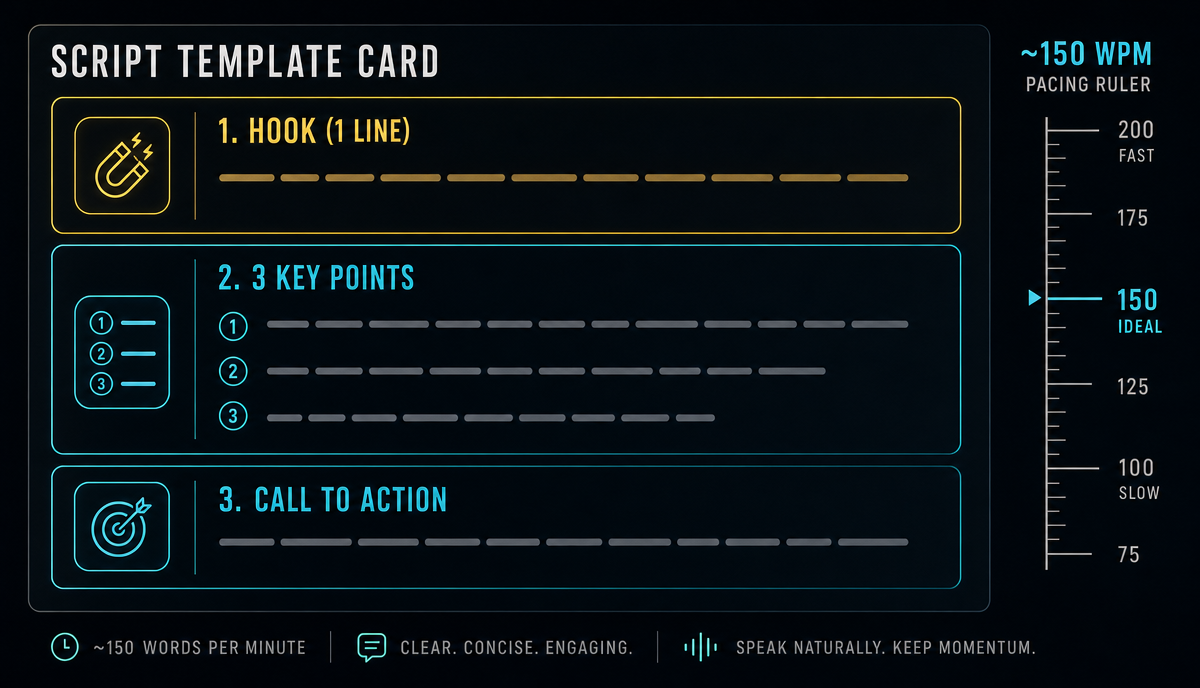 The skeleton: 1 hook → 3 points (each leads with the conclusion, then expands in 2–3 sentences) → 1 call to action.
A worked example (~60 seconds, tool-tutorial style):
You don't need to learn a full editing suite to make one talking-head video. (hook) First, the script: write it word for word, pace it at roughly 140 words a minute, and break up any sentence you stumble over out loud. Then the voiceover: pre-rewrite words the AI might misread, mark the pauses yourself — don't let it barrel through a whole paragraph in one breath. Last, captions: plenty of people watch on mute, so no captions means the video may as well not exist. Three steps, and you've got something you can publish. Which step are you stuck on? Tell me in the comments. (call to action)
Swap in a new topic and this skeleton scales to batch writing — but the three points have to be substance you've filtered yourself. The template controls structure, not quality.
TikTok / Shorts / Reels Publishing Specs at a Glance
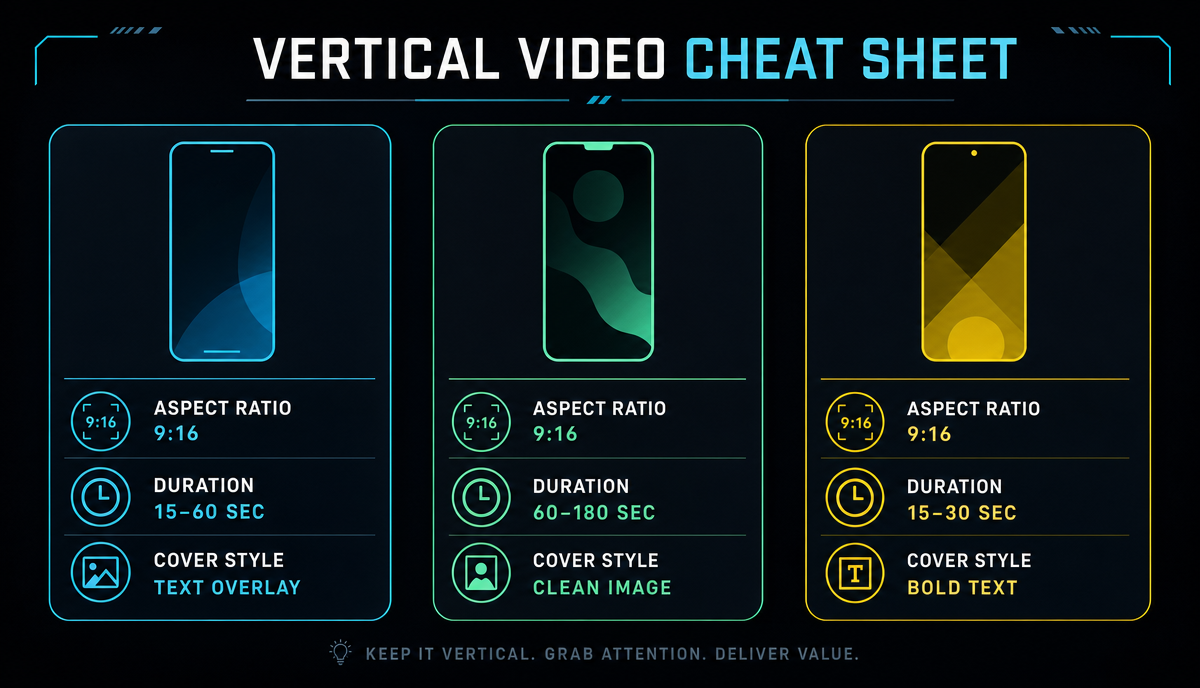 The specs below are the platforms' published rules; the durations are practical suggestions:
| Platform | Aspect ratio | Duration | Cover |
|---|---|---|---|
| TikTok | 9:16 (1080×1920) | 45–90 seconds is a solid starting range for talking-head | Pick a frame; cover text supported |
| YouTube Shorts | 9:16 (1080×1920) | Up to 3 minutes distributes as Shorts — defer to the official page | Chosen from video frames; no separate image upload |
| Instagram Reels | 9:16 (1080×1920) | Shorter wins; keep talking-head under ~90 seconds | Pick a frame, or upload a vertical cover image |
One 9:16 export can go out to all three platforms — no need for separate versions. The only things worth handling per platform are the cover and how you write the title.
YouTube's Inauthentic Content Policy: AI Talking-Head Can't Skip This
Since July 2025, YouTube's monetization policy replaced "repetitious content" with "inauthentic content" — aimed squarely at mass-produced, templated output with no human creative input; defer to the official page for the fine print. What it means for AI talking-head videos: AI-written script, AI voiceover, AI-assembled visuals, published exactly as generated — pure volume output like that is unlikely to pass monetization review.
The bottom line is keeping the human creative layer in your own hands: you pick the topics, you supply the point of view, you make the editing calls — AI only handles execution. Don't gamble on this one: losing monetization after the channel takes off costs far more than doing it right from the start. This article makes no traffic or revenue promises either — policies and algorithms change; the human creative layer is the one thing you actually control.
Is Daily Posting Sustainable?
The bottleneck in AI talking-head production is scripting and proofreading, not rendering. The sustainable approach is batching: write a week of scripts on one fixed day, generate the voiceovers and visuals in one batch, and spread caption proofreading across the week. That's far steadier than making each video from scratch every day, and it's easier to hold the quality line. Rather than chasing a daily upload, set a cadence you can keep running for eight straight weeks.
If you want to go deeper on narration-style videos, the full workflow is in how to make a movie recap video; for how the whole toolchain fits together, see AI video editing explained.
FAQ
Won't the AI voiceover sound fake?
The robotic feel mostly comes from bad phrasing and misread words. Write the script the way people actually talk, mark pauses by hand, and pre-rewrite anything the engine gets wrong — that removes most of the obvious tells. Audiences for informational talking-head content care about the information itself; their tolerance for the voice is higher than you'd expect.
Can faceless talking-head videos be monetized?
Yes, but they have to pass the platform's originality review. Take YouTube: the policy updated in July 2025 targets mass-produced inauthentic content, not "content that used AI." If a human picks the topics, supplies the viewpoint and makes the editing decisions, you're still inside the rules. Defer to the platform's official pages for exact terms — this article makes no revenue promises.
How many words should a 60-second script be?
At ~140–160 words per minute, roughly 140–160 words. Better to land the point in 130 words than cram in 200 and rush the pace — once the delivery speeds up, neither the captions nor the audience can keep up.
Do I need to make three separate versions for the three platforms?
No. One 9:16 vertical export works across all three; what needs per-platform handling is the cover (frame-selection rules differ) and how you write the title. Publish the same video everywhere first, see which platform picks it up, then customize for that one.
What are the file limits for making talking-head videos with Recapo?
Upload straight from the browser — common formats like MP4 and MOV are supported, with up to 6GB of source material per task. Voiceover, captions, vertical sizing and cover export all happen in one workspace, so you're not shuttling files between apps.
Every step in this workflow — voiceover, captions, visual assembly and cover export — runs end to end in Recapo's browser workspace, no installs required. Create an account, take the script for your next talking-head video, and run the five steps once.