Audio Separator vs Audio Extractor: Which Tool Do You Need?
Compare an audio separator vs an audio extractor, understand their outputs, and choose the right workflow for dialogue, music, effects, or a full mix.
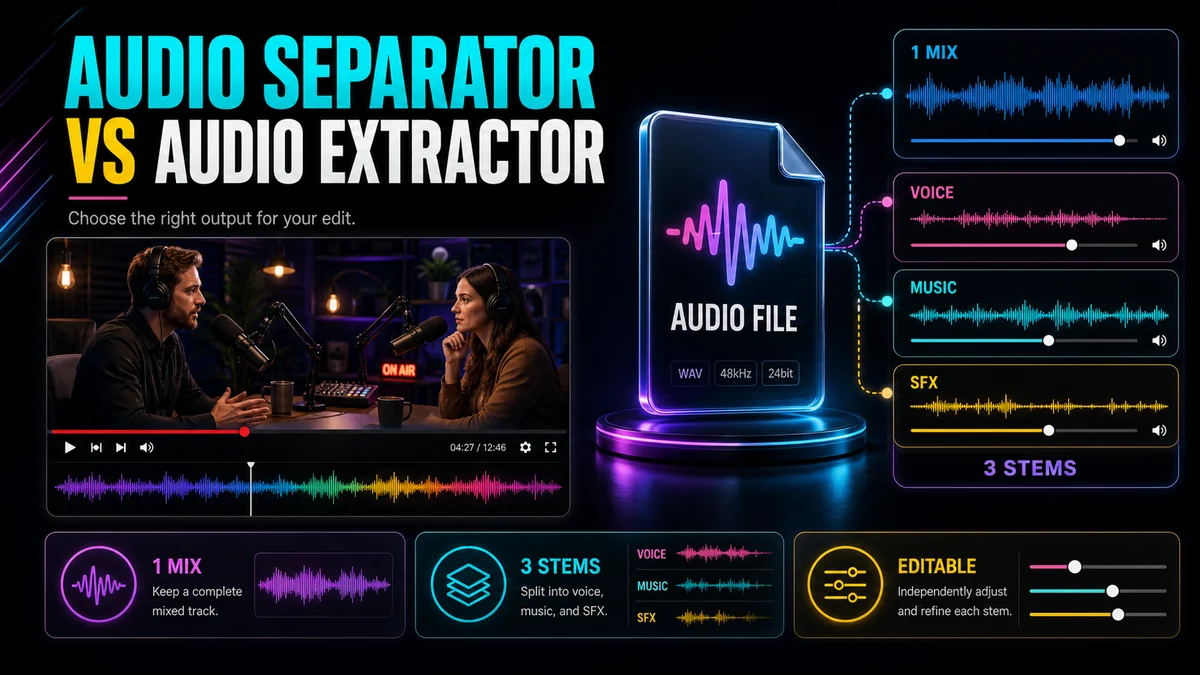
The audio separator vs audio extractor choice comes down to one question: do you need the complete soundtrack, or do you need to edit its parts independently? An audio extractor takes the whole mixed soundtrack out of a video as one audio file. An audio separator analyzes that mix and estimates separate sources—such as dialogue, music, and effects. Extract when the mix itself is the asset. Separate when one part must be removed, replaced, cleaned, or reused without changing the others.
That distinction sounds simple, but it prevents a common dead end: extracting a soundtrack and then discovering that the voice, score, ambience, and sound effects are still fused together.
Key Takeaways
- Extraction changes the deliverable from video-plus-audio to audio-only; it does not unmix the soundtrack.
- Source separation creates independently editable stems, but overlapping sounds can leave faint residue or artifacts.
- A dialogue/music/effects split is more useful for many video edits than a basic vocals/instrumental split.
- Use the lightest workflow that produces the files you actually need.
- Keep the original mix and review difficult transitions before committing to a new edit.
Audio Separator vs Audio Extractor at a Glance
| Decision pointAudio extractorAudio separator | ||
| Main job | Save the complete soundtrack without the picture | Estimate and split sound sources into separate stems |
| Typical result | One mixed audio file | Multiple files such as dialogue, music, and effects |
| Best fit | Listening, transcription input, podcast reuse, archive copy | Re-scoring, dubbing, dialogue isolation, remixing, sound design |
| What remains combined? | Every sound in the original mix | Ideally nothing, but some cross-stem residue may remain |
| Editing control | Global changes affect the whole soundtrack | Each stem can be muted, replaced, or rebalanced separately |
| Main tradeoff | No control over individual sources | More processing and a need for quality review |
What an Audio Extractor Actually Does
A video file can carry picture and sound together. Extraction produces an audio-only version of the soundtrack. It may be called “extract audio,” “video to audio,” or “video to MP3,” but the central operation is the same: the mixed audio remains mixed.
If a product demo contains narration, background music, keyboard clicks, and room ambience, the extracted file contains all four. Turning the picture off does not make the music separately editable.
Extraction is usually the direct choice when you want to:
- listen to a lecture or interview without watching the video;
- send the complete soundtrack into a transcription or captioning workflow;
- create an audio-only review copy;
- reuse a video podcast as an audio episode, subject to your rights and editorial checks;
- save the original mix before making further changes.
For those tasks, start with Recapo’s Extract Audio from Video tool. Adding source separation would create extra files and an extra review step without solving a real need.
What an Audio Separator Does Differently
An audio separator performs source separation. Instead of treating the soundtrack as one finished object, it estimates which parts belong to different sound sources and produces stems that can be edited independently.
Recapo’s Audio Separator currently offers a video-oriented dialogue/music/effects split as well as a simpler vocals/instrumental option. The three-part split matters because “background” is not one thing. Music may need replacement while footsteps, applause, interface sounds, traffic, or room ambience should stay in the edit.
Choose separation when you need to:
- replace background music while keeping spoken dialogue;
- lower or remove the original voice before dubbing;
- isolate speech for a cleaner edit or review pass;
- preserve effects and ambience while changing the score;
- rebalance dialogue, music, and effects independently;
- create vocal and instrumental stems for a music-centered workflow.
Source separation is not the same as recovering hidden studio tracks. The model works from the already mixed waveform. When speech and music share frequencies or reverb ties them together, a stem can contain faint bleed, softened transients, or a watery texture. Recapo’s official page describes the result as useful isolation rather than a lossless “un-mix.”
Use This Decision Workflow
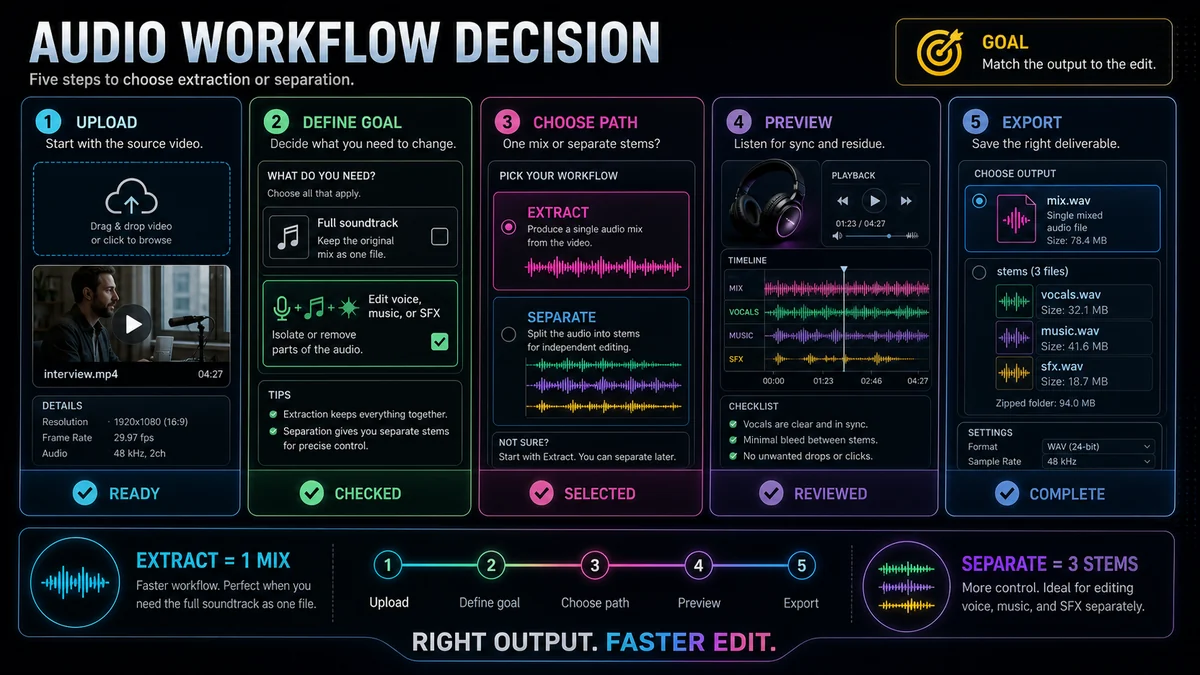
1. Define the final deliverable
Write down what you need at the end. “An audio file from this video” points to extraction. “The voice without the music” or “the ambience without the original narration” points to separation.
2. Identify what must change independently
If every edit can apply to the whole soundtrack—such as converting it to an audio-only file—do not separate it. If one source must be muted, replaced, translated, or rebalanced while another stays, independent stems are necessary.
3. Choose the right split
Use dialogue/music/effects for re-scoring, localization, and video sound design. Use vocals/instrumental when the recording is fundamentally a song or when a two-stem music workflow is all you need.
4. Preview stress points
Listen at moments where sources overlap strongly: a voice over loud music, applause under speech, sung syllables with reverb, or sharp effects during dialogue. Check both the stem you want and the stem you plan to remove. Residue is easiest to miss when you audition only one output.
5. Keep the original and export conservatively
Preserve the untouched mix. If a separated stem loses a useful detail, the original gives you a reference and may let you restore a short region with a careful edit.
Example: Replace Music but Keep Dialogue and Effects
Imagine a tutorial video with narration, a music bed, and interface clicks. The music cannot be reused in a new campaign, but the voice performance and clicks are still useful.
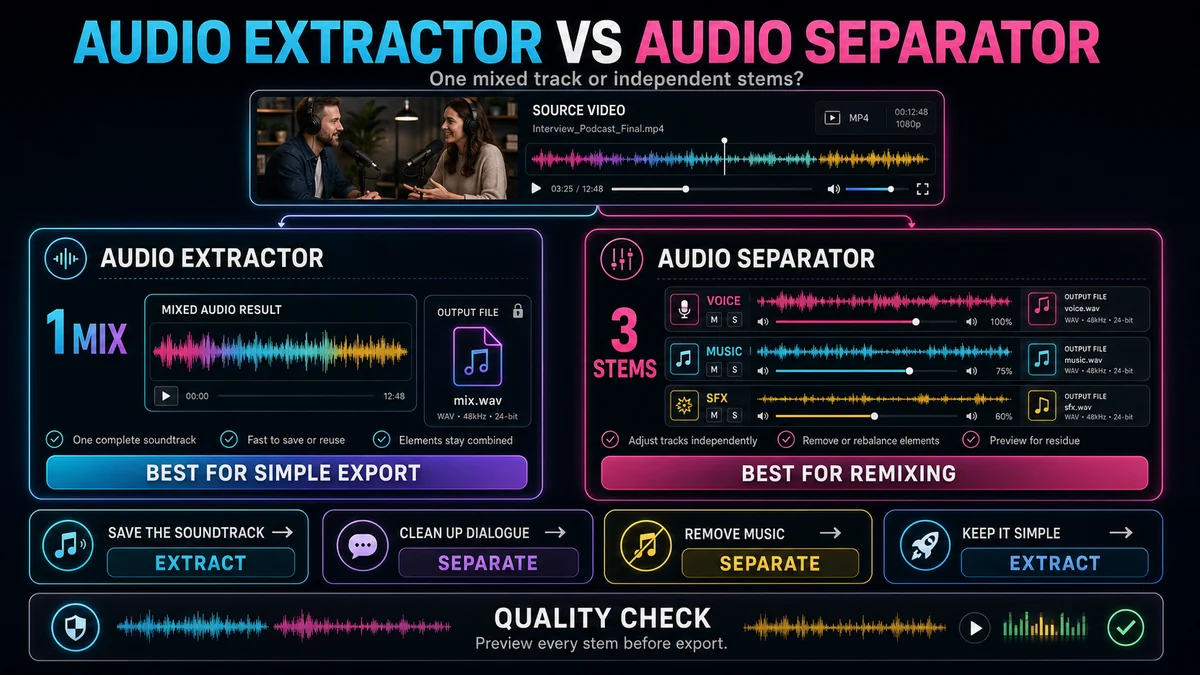
An extractor gives you one file containing all three elements. Any global attempt to lower the music also changes the voice and clicks. An audio separator can produce dialogue, music, and effects stems. You can mute the music stem, retain the dialogue and effects, add a replacement track, and then balance the new mix against the original.
The same logic applies to dubbing. Separate the original dialogue from the music and effects, use the non-dialogue stems as the foundation, and add the new voice recording. Review the result for original voice residue, especially where the speaker overlaps loud effects.
Extraction, Separation, and Noise Reduction Are Not Interchangeable
These three operations solve different problems:
- Extraction removes the picture from the deliverable but keeps the full sound mix.
- Separation divides the mix by source, such as dialogue, music, and effects.
- Noise reduction suppresses unwanted noise in a track, especially noise that stays relatively steady.
Suppose an outdoor interview contains speech, music, and wind. Extraction gives you the full noisy soundtrack. Separation may isolate dialogue from music, but wind can still be present in the dialogue stem because it was captured by the same microphone. Noise reduction may then help suppress that steady texture. A sudden horn or door slam is different: official Recapo and Audacity guidance both note that one-off or irregular sounds are harder to remove with general noise reduction and may need a targeted timeline or spectral edit.
How to Get More Usable Stems
Start from the best available source
Repeated exports and heavy compression can blur details the separator uses to distinguish sources. Use the earliest, cleanest authorized file you have.
Avoid processing the mix before separation unless necessary
Broad equalization, compression, or denoising can alter several sources at once. Separate first when the unwanted issue belongs mainly to one stem; then process only that stem. There are exceptions, so compare both orders on a short difficult section.
Judge stems in context
A faint artifact that sounds obvious in a soloed stem may disappear when the retained stems are recombined. Conversely, a stem that sounds clean alone may reveal missing ambience in the complete edit. Review solo and full-mix playback.
Use short repairs instead of overprocessing everything
If residue occurs in two seconds of a five-minute recording, repair that region rather than applying stronger processing to the entire file. Small fades, automation, or a patch from the original mix may sound more natural.
Quick Choice Checklist
Choose an audio extractor if all of these are true:
- You want one audio-only file.
- The original mix is acceptable.
- Dialogue, music, and effects do not need independent changes.
Choose an audio separator if any of these are true:
- You need dialogue without the music.
- You need music or ambience without the original voice.
- You plan to dub, re-score, remix, or rebalance individual sources.
- A two-stem or three-stem output matches the next editing step.
Frequently Asked Questions
Is extracting audio the same as separating audio?
No. Extraction creates an audio-only copy of the complete mixed soundtrack. Separation estimates multiple source stems from that mix.
Can an audio extractor remove background music?
Not by itself. The extracted soundtrack still contains the music. Use source separation when you need music and speech to become independently editable.
Will an audio separator produce perfectly clean stems?
Not always. Strong overlap, compression, reverb, and similar frequency content can leave bleed or artifacts. Preview the outputs and keep the original mix.
Should I separate audio before transcription?
If speech is already clear, the extracted full mix may be sufficient. If music or effects interfere with the voice, a dialogue stem can be a better input, but it still needs a listening check.
Is noise reduction a substitute for separation?
No. Noise reduction targets unwanted noise characteristics; it does not normally create dialogue, music, and effects stems. Use each process for the problem it is designed to solve.
Choose the Tool That Matches the Edit
Use extraction when the complete soundtrack is what you want. Use separation when the soundtrack contains parts that must move independently. If your edit calls for isolated dialogue, replacement music, or preserved effects, try Recapo’s Audio Separator, preview every stem, and keep the original mix as your reference.
References and Official Sources
- Recapo Video Audio Separator
- Recapo Extract Audio from Video
- Recapo Audio Noise Reduction
- Audacity Manual: Noise Reduction
Related Recapo Guides
- How to Separate Dialogue, Music, and Sound Effects from a Video
- How to Isolate Vocals from a Video Without Losing Quality
- How to Remove Hiss and Hum from Video Audio