
How to Batch-Create Shorts From One Long Video
Learn how to batch create shorts from one video: upload once, get a ranked batch, then bulk caption, reframe, and export vertical clips in your browser.

By the Recapo.ai Editorial Team · Fact-checked July 10, 2026
If you publish Shorts every week, editing them one at a time is your real bottleneck. This guide shows you exactly how to batch create shorts from one video: upload a single long recording once, get a ranked batch of clip candidates, then caption, reframe, and export them together in your browser. The angle here is throughput — turning one hour of footage into a week of vertical posts without ever opening a desktop editor or exporting clips one file at a time.
Most "how to make Shorts" articles walk you through a single clip. That is fine if you post once a month. But volume creators — podcasters, streamers, faceless channels, coaches with hours of talks — need a repeatable pipeline. Below is the workflow, a comparison of manual versus batch, the criteria that make a source video batch well, and an honest self-test for picking a tool.
What batch-creating Shorts actually means
Batching is not "cut one clip, then cut another." It is producing multiple clips from one video in a single pass: one upload, one round of transcription, one review session, and one export cycle that hands you several finished verticals at once.
The mental shift is from editing a video to harvesting a source. A 45-minute interview is not one Short — it is a field of five to twelve moments you can pull, each a candidate for its own post. When you treat the long file as raw material rather than a finished thing, the question changes from "how do I cut this?" to "how many good verticals can I extract before quality drops?"
That reframe is what separates creators who post daily from creators who burn out after three edits.
Why one long video is a batch waiting to happen
The economics are simple. Recording and setup are your most expensive steps. Once you have an hour of good footage, every additional Short you extract from it is nearly free in time and completely free in new filming. Bulk shorts from a long video are the highest-leverage content you can make.
Here is how different source types tend to batch. These are qualitative guides, not guaranteed counts — your yield depends on how much genuinely distinct, self-contained material the recording holds.
| Source type | Where the clips hide | Batch potential |
|---|---|---|
| Podcast / interview | Hot takes, disagreements, story beats, one-liners | High |
| Livestream / gameplay | Reactions, wins, funny fails, Q&A answers | High |
| Webinar / talk / lecture | Each teaching point or slide as its own tip | High |
| Tutorial / how-to | Individual steps split into micro-lessons | Medium–High |
| Vlog / talking-head | Strong opinions and mini-stories inside the ramble | Medium |
| Product demo | Feature highlights, before/after moments | Medium |
The pattern: the more a recording contains distinct, self-contained moments, the better it batches. A rambling monologue with one idea yields one clip. A structured conversation with a dozen sharp exchanges yields a dozen candidates.
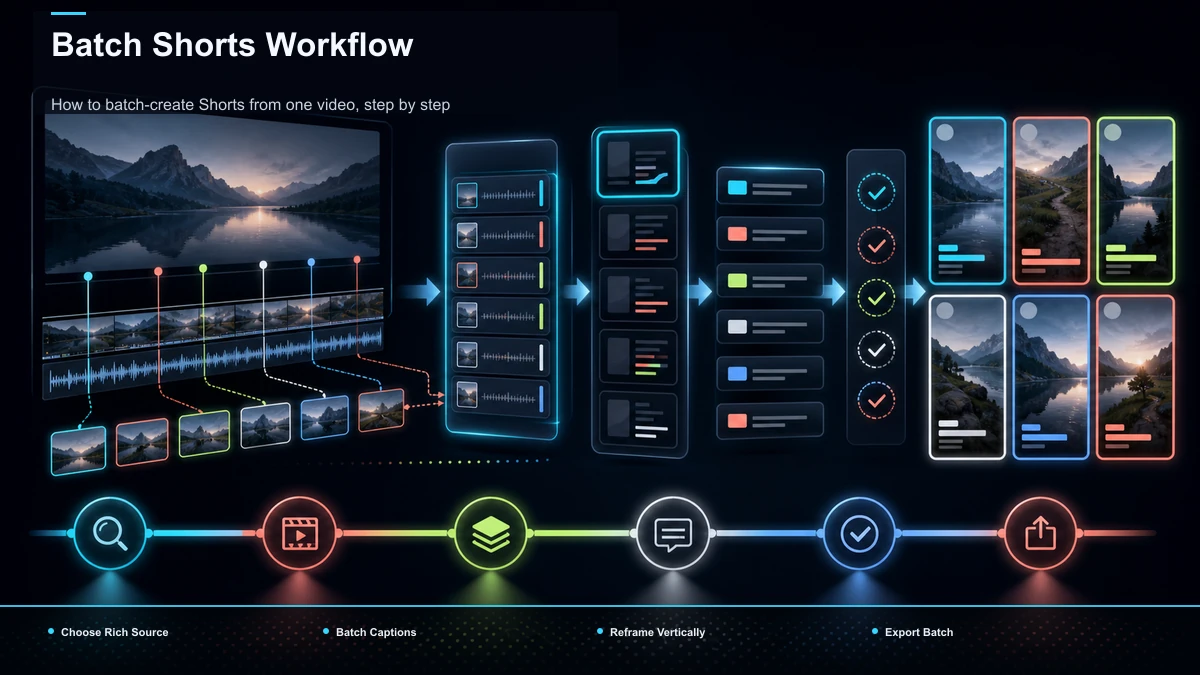
How to batch-create Shorts from one video, step by step
Here is the upload-once pipeline. The whole loop runs in a browser, so there is nothing to install and no local render queue to babysit.
- Pick a source with multiple moments. Favor recordings with clear peaks — a debate, a Q&A, a step list. One flat idea will not fill a batch.
- Upload the full long file once. Browser-based tools accept common formats like MP4 and MOV and handle large tasks (Recapo takes up to 6GB total per task), so you rarely need to pre-compress a long recording.
- Let the tool transcribe and find candidates. Automatic transcription is what makes batching possible — the system reads the whole timeline and surfaces a ranked batch of clip-worthy moments instead of making you scrub manually. A long-video-to-short-video AI does this first pass for you.
- Review the ranked list and keep the strongest. This is the one step you should never fully automate. Skim each candidate, cut the weak ones, and keep clips that stand alone without context. An AI clip generator gives you the shortlist; your judgment decides the final set.
- Bulk-caption the batch. Add captions across all selected clips in one pass rather than re-typing per file. Auto-generated subtitles from the transcript keep every clip consistent.
- Reframe to vertical in bulk. Convert each 16:9 clip to a 9:16 frame so it fills the screen on Shorts, Reels, and TikTok, keeping the speaker centered.
- Add a hook, voiceover, or cover where useful. For faceless or narrated batches, drop an AI voiceover or a text hook onto the front of each clip. A dedicated Shorts generator can assemble hook, captions, and reframe together.
- Export the batch and stagger publishing. Download the finished verticals and schedule them across days rather than dumping them all at once.
Done this way, the slow parts (transcribing, scanning, reframing) happen once for the whole set, and your hands-on time collapses to reviewing and captioning.
Manual editing vs. batch: where the time goes
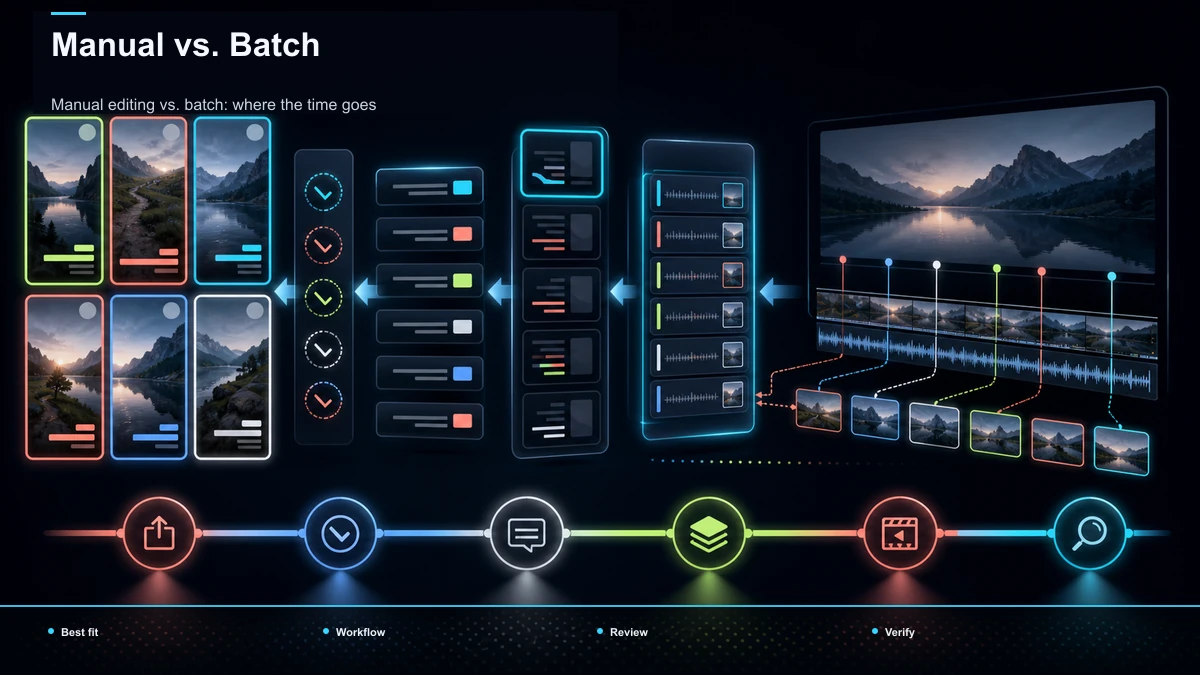
| Task | One-at-a-time editing | Batch workflow |
|---|---|---|
| Finding moments | Scrub the timeline for every clip | Transcribe once, get a ranked list |
| Cutting | Set in/out points manually, repeatedly | Confirm auto-selected candidates |
| Captions | Re-caption each file | Caption the whole selection in a pass |
| Reframing | Reposition the crop per clip | Reframe the batch to vertical together |
| Export | Render and download one by one | Export the set in one cycle |
| Publishing | Whenever you finish one | Schedule the whole batch ahead |
The manual column is why so many creators produce Shorts in bursts and then go quiet. The batch column is what makes daily posting survivable.
What makes a long video batch well
Not every recording is worth batching. Before you upload, sanity-check the source against these:
- Multiple distinct moments. Ideas that can each stand alone, not one thought stretched thin.
- Clean audio. Captions and any AI transcription are only as good as the sound. If the audio is muddy, clean it up before you extract.
- Self-contained lines. The strongest clips make sense to someone who never saw the full video — no "as I mentioned earlier."
- Visible energy or stakes. A strong reaction, a bold claim, a surprising number. Flat delivery batches poorly.
- Reasonable length. A tight 30–60 minute source usually yields a cleaner batch than a sprawling three-hour file where the good moments are buried.
If a recording fails most of these, it will produce a batch of mediocre clips — and publishing weak candidates adds noise to your test and can reduce audience trust.
Bulk captioning, reframing, and export
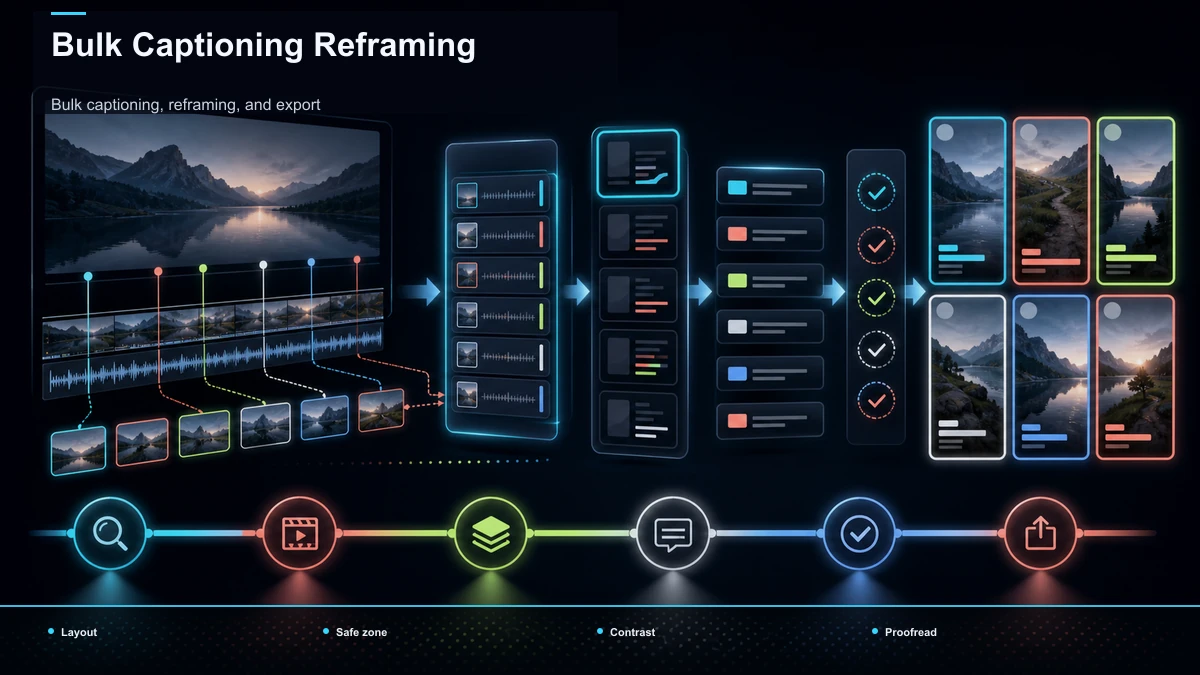
The three steps that eat the most time when done one-by-one are captions, reframing, and export — so they are exactly where batching pays off.
Captions. Because a transcript already exists from the first pass, captions can be generated for every clip at once. Keep the style consistent across the batch — same font, same placement — so the set reads as one channel identity.
Reframing. Long footage is almost always horizontal, and Shorts, Reels, and TikTok are vertical. Reframing the batch converts 16:9 to 9:16 and keeps the subject in frame, so you are not manually re-cropping every clip.
Export. Instead of rendering and downloading one file, then repeating, you export the confirmed set in a single cycle. Download once, then move to scheduling.
For the strategy side of stretching one recording into a full posting calendar, see how to repurpose long-form content into Shorts, and if you are still deciding on software, the best tools to turn long videos into Shorts covers the landscape.
How to choose a batch Shorts tool (a self-test)
The Shorts SERP is crowded — a browser-based clipper known for AI clip selection, a full desktop editor, an all-in-one design suite, and several automation platforms all pitch "batch." Instead of trusting anyone's feature list, run your own source video through a free trial and score each candidate on the dimensions that actually govern batch throughput:
| Dimension | What to test with your own footage |
|---|---|
| Ranking quality | Does the auto-selection surface genuinely strong moments, or random cuts you would reject? |
| Batch caption fidelity | Are auto-captions accurate on your accent and jargon across every clip? |
| Reframe accuracy | Does the subject stay centered when it converts to vertical, or drift off-frame? |
| Throughput | How many finished verticals can you get from one upload before quality slips? |
| File limits | Can it accept your longest, largest source without forcing you to pre-compress? |
| Friction | Is it truly browser-based, or does it need an install and a render queue? |
Recapo fits this workflow as a browser-based option: upload once, get a ranked batch, then transcribe, caption, reframe to vertical, add AI voiceover, and export — no install, formats like MP4/MOV, up to 6GB total per task. Whether it is right for you depends on how it scores on the test above with your footage, which is the most relevant benchmark for your workflow. Check current plan details on the pricing page.
Mistakes that kill a batch
- Publishing the whole batch at once. A week of clips dumped in an hour cannibalizes its own reach. Stagger them.
- Trusting the ranking blindly. Auto-selection is a shortlist, not a verdict. Always cut the weak candidates yourself.
- Skipping the hook. A batch of clips that all open flat will all underperform. Give each one a reason to keep watching in the first second.
- Ignoring context leaks. Clips that reference "earlier" confuse viewers who never saw the source. Keep only the self-contained ones.
- Batching bad audio. Extracting twelve clips from a muddy recording just multiplies the problem. Fix the sound first.
- Over-uniform captions. Consistent is good; identical and static is forgettable. Keep a house style but let the words carry the energy.
FAQ
How many Shorts can I make from one long video? It depends on how many distinct, self-contained moments the recording holds, not on a fixed number. A structured interview or Q&A can yield many candidates; a single-idea monologue yields one or two. Extract until the quality of the moments drops, then stop — posting weak clips at volume hurts more than it helps.
What's the fastest way to batch create shorts from one video? Upload the full recording once to a browser-based tool, let it transcribe and produce a ranked batch of candidates, review and keep the strong ones, then bulk-caption, reframe to vertical, and export the set in a single cycle. The time savings come from doing the slow steps once for the whole batch instead of per clip.
Do I need to edit each clip individually after the batch? Review effort varies with the source, caption accuracy, framing, and candidate quality. The batch pass handles selection, captions, and reframing across the set. Your remaining work is trimming weak candidates, tweaking a hook, and confirming captions read correctly — minutes per clip rather than a full edit each.
Can I batch Shorts without installing software? Yes. Browser-based tools run the whole pipeline — upload, transcribe, clip, caption, reframe, export — online, so there is nothing to install and no local render queue. This is the practical setup for anyone producing bulk shorts from a long video on a laptop.
What source videos work best for mass-producing Shorts? Recordings with multiple sharp, standalone moments and clean audio: podcasts, interviews, livestreams, webinars, and structured tutorials. Flat, single-idea, or noisy recordings batch poorly and are better posted as one clip than stretched into a weak set.
Ready to measure one recording and build an approved batch? Create your free Recapo account, upload a long video, and pull your first ranked batch of vertical clips — captioned, reframed, and export-ready — in one browser session. If you post Shorts every week, a repeatable batch pipeline is a way to publish from an approved queue instead of restarting the edit for every post.


