How to Recap a Full TV Season in One Video
Turn a full TV season into one coherent recap with episode maps, season arcs, character continuity, a runtime budget, scripting, editing, and QA.

The Short Answer
How to Recap a Full TV Season in One Video is a workflow for a creator turning many episodes into one coherent recap. The reliable objective is to compress a season by tracking season-level change rather than summarizing every episode equally. Start from a locked source, make the decision explicit, retain source evidence, and approve the finished deliverable—not an attractive first draft.
A useful result must pass four tests:
What the User Is Actually Trying to Solve
The search phrase “how to recap a TV season” can hide several different needs: finding the right source moment, deciding what to omit, choosing a tool, repairing a technical defect, creating versions, or approving a release. Before editing, write one sentence that names the audience, source, output, and action expected after viewing.
Then write the failure in viewer terms. Do not say only “the clip is weak” or “the localization feels wrong.” Say whether the viewer cannot identify the subject, follow causality, read the line, hear the claim, trust the voice, see the evidence, or reach the correct CTA. That description determines which stage needs work.
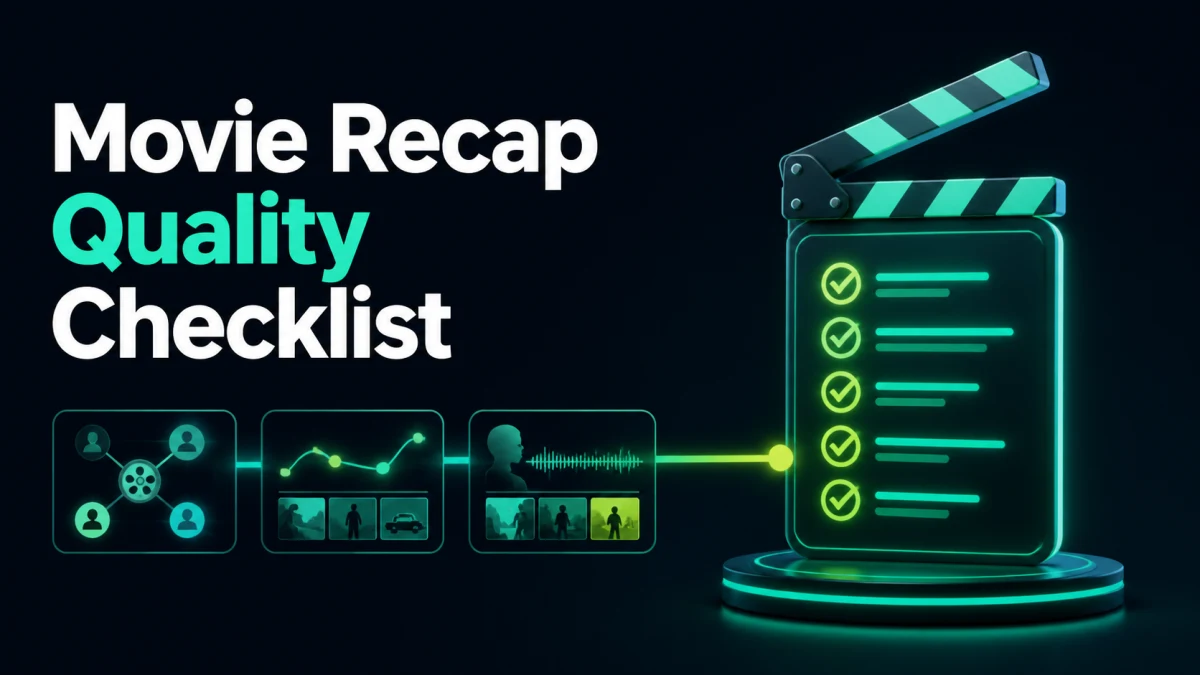
Define the Acceptance Criteria
| Source fidelity | No changed fact, identity, chronology, condition, or attribution | Timecoded comparison with the locked source | Editorial completeness | The output contains enough setup, evidence, and consequence for its purpose | Fresh-viewer explanation and reviewer notes | Language and terminology | Wording is natural and approved terms remain consistent | Native or subject-matter review | Visual delivery | Crop, text, graphics, and visible evidence remain readable | Final-frame review on the destination format | Audio delivery | Required speech is intelligible, balanced, synchronized, and correctly routed | Final encoded playback on representative devices | Rights and governance | Footage, music, voice, testimony, data, and disclosures fit the intended use | Rights record and named approver | Platform package | Filename, language, captions, metadata, thumbnail, CTA, and destination are correct | Private upload or release-package review |
Add stop conditions. Reject the candidate if protected meaning changes, a key word or image is missing, a correction creates a more distracting artifact, rights remain uncertain, or the final platform behaves differently from the editor preview.
Full Workflow
1. Define the season question
For how to recap a TV season, this stage exists to compress a season by tracking season-level change rather than summarizing every episode equally. Start with the exact source segment and the viewer action affected by the decision. Record the input version, timecode, assumptions, and expected output before making changes.
Do the smallest operation that can answer the question at this stage. Preserve protected facts, names, numbers, identity, chronology, visual evidence, and timing. When automation proposes a result, treat it as a candidate: inspect the surrounding source and compare it with an untouched reference.
Accept “Define the season question” only when a fresh reviewer can explain what changed, why it changed, and how the final audience benefits. If the correction introduces a new problem in captions, crop, audio, graphics, language, rights, or delivery, return to the previous stable version rather than stacking workarounds.
2. Create episode and character maps
For how to recap a TV season, this stage exists to compress a season by tracking season-level change rather than summarizing every episode equally. Start with the exact source segment and the viewer action affected by the decision. Record the input version, timecode, assumptions, and expected output before making changes.
Do the smallest operation that can answer the question at this stage. Preserve protected facts, names, numbers, identity, chronology, visual evidence, and timing. When automation proposes a result, treat it as a candidate: inspect the surrounding source and compare it with an untouched reference.
Accept “Create episode and character maps” only when a fresh reviewer can explain what changed, why it changed, and how the final audience benefits. If the correction introduces a new problem in captions, crop, audio, graphics, language, rights, or delivery, return to the previous stable version rather than stacking workarounds.
3. Identify season-level turning points
For how to recap a TV season, this stage exists to compress a season by tracking season-level change rather than summarizing every episode equally. Start with the exact source segment and the viewer action affected by the decision. Record the input version, timecode, assumptions, and expected output before making changes.
Do the smallest operation that can answer the question at this stage. Preserve protected facts, names, numbers, identity, chronology, visual evidence, and timing. When automation proposes a result, treat it as a candidate: inspect the surrounding source and compare it with an untouched reference.
Accept “Identify season-level turning points” only when a fresh reviewer can explain what changed, why it changed, and how the final audience benefits. If the correction introduces a new problem in captions, crop, audio, graphics, language, rights, or delivery, return to the previous stable version rather than stacking workarounds.
4. Group repeated conflicts
For how to recap a TV season, this stage exists to compress a season by tracking season-level change rather than summarizing every episode equally. Start with the exact source segment and the viewer action affected by the decision. Record the input version, timecode, assumptions, and expected output before making changes.
Do the smallest operation that can answer the question at this stage. Preserve protected facts, names, numbers, identity, chronology, visual evidence, and timing. When automation proposes a result, treat it as a candidate: inspect the surrounding source and compare it with an untouched reference.
Accept “Group repeated conflicts” only when a fresh reviewer can explain what changed, why it changed, and how the final audience benefits. If the correction introduces a new problem in captions, crop, audio, graphics, language, rights, or delivery, return to the previous stable version rather than stacking workarounds.
5. Select representative scenes
For how to recap a TV season, this stage exists to compress a season by tracking season-level change rather than summarizing every episode equally. Start with the exact source segment and the viewer action affected by the decision. Record the input version, timecode, assumptions, and expected output before making changes.
Do the smallest operation that can answer the question at this stage. Preserve protected facts, names, numbers, identity, chronology, visual evidence, and timing. When automation proposes a result, treat it as a candidate: inspect the surrounding source and compare it with an untouched reference.
Accept “Select representative scenes” only when a fresh reviewer can explain what changed, why it changed, and how the final audience benefits. If the correction introduces a new problem in captions, crop, audio, graphics, language, rights, or delivery, return to the previous stable version rather than stacking workarounds.
6. Bridge time jumps honestly
For how to recap a TV season, this stage exists to compress a season by tracking season-level change rather than summarizing every episode equally. Start with the exact source segment and the viewer action affected by the decision. Record the input version, timecode, assumptions, and expected output before making changes.
Do the smallest operation that can answer the question at this stage. Preserve protected facts, names, numbers, identity, chronology, visual evidence, and timing. When automation proposes a result, treat it as a candidate: inspect the surrounding source and compare it with an untouched reference.
Accept “Bridge time jumps honestly” only when a fresh reviewer can explain what changed, why it changed, and how the final audience benefits. If the correction introduces a new problem in captions, crop, audio, graphics, language, rights, or delivery, return to the previous stable version rather than stacking workarounds.
7. Protect finale setup and consequence
For how to recap a TV season, this stage exists to compress a season by tracking season-level change rather than summarizing every episode equally. Start with the exact source segment and the viewer action affected by the decision. Record the input version, timecode, assumptions, and expected output before making changes.
Do the smallest operation that can answer the question at this stage. Preserve protected facts, names, numbers, identity, chronology, visual evidence, and timing. When automation proposes a result, treat it as a candidate: inspect the surrounding source and compare it with an untouched reference.
Accept “Protect finale setup and consequence” only when a fresh reviewer can explain what changed, why it changed, and how the final audience benefits. If the correction introduces a new problem in captions, crop, audio, graphics, language, rights, or delivery, return to the previous stable version rather than stacking workarounds.
8. Audit episode order and spoilers
For how to recap a TV season, this stage exists to compress a season by tracking season-level change rather than summarizing every episode equally. Start with the exact source segment and the viewer action affected by the decision. Record the input version, timecode, assumptions, and expected output before making changes.
Do the smallest operation that can answer the question at this stage. Preserve protected facts, names, numbers, identity, chronology, visual evidence, and timing. When automation proposes a result, treat it as a candidate: inspect the surrounding source and compare it with an untouched reference.
Accept “Audit episode order and spoilers” only when a fresh reviewer can explain what changed, why it changed, and how the final audience benefits. If the correction introduces a new problem in captions, crop, audio, graphics, language, rights, or delivery, return to the previous stable version rather than stacking workarounds.
Worked Example
A ten-episode season repeats the same conflict in four episodes. The recap uses one representative example, then spends time on the decision that changes the relationship and drives the finale.
The important lesson is not the surface technique. The team solves the highest-impact constraint first, checks the source around the candidate, and then re-evaluates the whole deliverable. This prevents a fast local edit from creating an expensive factual, narrative, localization, or publishing failure later.
Understand What Automation Can and Cannot Prove
Automation can accelerate transcription, search, candidate generation, segmentation, reframing, captions, voice creation, cleanup, and repeated exports. It can also create consistent logs when prompts and outputs retain timecode. These are valuable forms of leverage.
Automation cannot independently prove that:
Assign those decisions to named reviewers. The aim is not to keep a person in every mechanical step; it is to keep accountability where evidence and consequences require judgment.
How Recapo Fits the Workflow
Recapo’s current relevant video tool can accelerate the central operation for how to recap a TV season. Use it on a copy of the locked source, test one representative difficult segment, and preserve the output under a versioned filename. Review current public behavior for the actual file type and workflow; do not rely on a remembered feature list.
A responsible Recapo workflow keeps:
- source filename, duration, and version;
- transcript or event map;
- prompt, settings, or target language;
- candidate timecodes;
- human corrections;
- rights or consent notes;
- approval owner and date; and
- final export plus any editable handoff.
The product output is a candidate until the article’s acceptance criteria pass.
Decision Branches
When the first candidate is almost right
Identify the first failed layer: source selection, structure, boundary, wording, crop, caption, voice, sound, metadata, or export. Change only that layer and explicitly lock accepted elements. Broad regeneration makes it difficult to know why a later version improved or regressed.
When the source itself is weak
Do not polish missing information. Return to a cleaner channel, longer source window, original recording, approved transcript, higher-quality export, or subject-matter owner. If the source never captured the fact, word, visual, or permission, a smoother output cannot restore it.
When several outputs are required
Approve one canonical master first. Separate invariant layers—source facts, timecodes, rights, approved terminology—from adaptable layers such as hook, duration, crop, captions, voice, graphics, metadata, and CTA. Keep every version tied to one source ID.
When speed conflicts with review
Route by risk. Mechanical versions of an approved master can use sampling after the process stabilizes. New claims, narrative reordering, testimony, rights-sensitive footage, synthetic voice, and new languages should receive full review.
Common Failure Modes
Optimizing the first draft instead of the approved output
A rapid candidate can still require substantial context repair, caption correction, audio work, rights review, and failed exports. Measure total elapsed time and correction effort through approval.
Choosing an exciting moment that changes meaning
Read or watch the source before and after the candidate. Restore the definition, qualifier, cause, or consequence; narrow the title; or reject the moment.
Applying one preset to the entire source
Long-form material contains different speakers, rooms, scenes, visual density, emotional intent, and risk. Test difficult and clean segments, then localize treatment where needed.
Letting captions hide other defects
Captions improve access but do not excuse unintelligible speech, missing visual evidence, wrong speaker identity, or an overloaded crop. Review each layer and their interaction.
Publishing without checking the encoded file
Rendering, channel mapping, font fallback, platform compression, language labels, and metadata can fail after the timeline looks correct. Review the actual deliverable and, when possible, a private upload.
Internal Links for the Complete User Journey
These links should appear where the reader’s next decision actually begins. They are handoffs in a Hub-Spoke system, not a list of unrelated keywords.
Team Handoff and Governance
A production handoff should contain the source, exact timecodes, audience, format, language or market, intended message, protected facts, editable assets, prompt or settings, known limitations, and acceptance status. Use one job ID across transcript, candidates, reviews, exports, and performance reporting.
Track defects as blocker, major, minor, or preference. A wrong language, unsupported claim, rights uncertainty, broken sync, missing media, or unintelligible required line is a blocker. Repeated terminology errors, obvious artifacts, or failed CTA are major. Keep stylistic preferences from obscuring release risks.
Final Validation
Review three ways:
- Source comparison: verify facts, sequence, identity, terminology, and omissions.
- First-view test: ask a fresh reviewer to state the message, subject, evidence, and next action.
- Delivery test: inspect the encoded file on representative devices and the destination platform.
Then confirm:
Frequently Asked Questions
Should I accept the shortest result?
No. Accept the shortest result that still fulfills the viewer task and preserves protected meaning. Extra seconds can be cheaper than a misleading edit.
How many candidates should I generate?
Generate enough to compare genuinely different approaches, then stop when review cost exceeds the expected improvement. Five well-structured candidates can be more useful than fifty unranked clips.
Can one reviewer handle everything?
A producer can coordinate, but native language, subject matter, rights, audio, and technical delivery may need different expertise. Assign the smallest reviewer set that covers the real risks.
What should I measure after publication?
Pair reach and completion with the intended outcome: qualified click, episode start, product evaluation, comprehension, follow, lead, or conversion. Preserve source moment, hook, version, language, and CTA so the team can learn what caused the result.
Conclusion
For how to recap a TV season, reliable quality comes from a locked source, a viewer-centered problem statement, explicit acceptance criteria, staged decisions, and final-deliverable review. Use automation to reduce search and mechanical work, while humans own meaning, evidence, exceptions, and release accountability.
References