Video transcription and subtitle file export
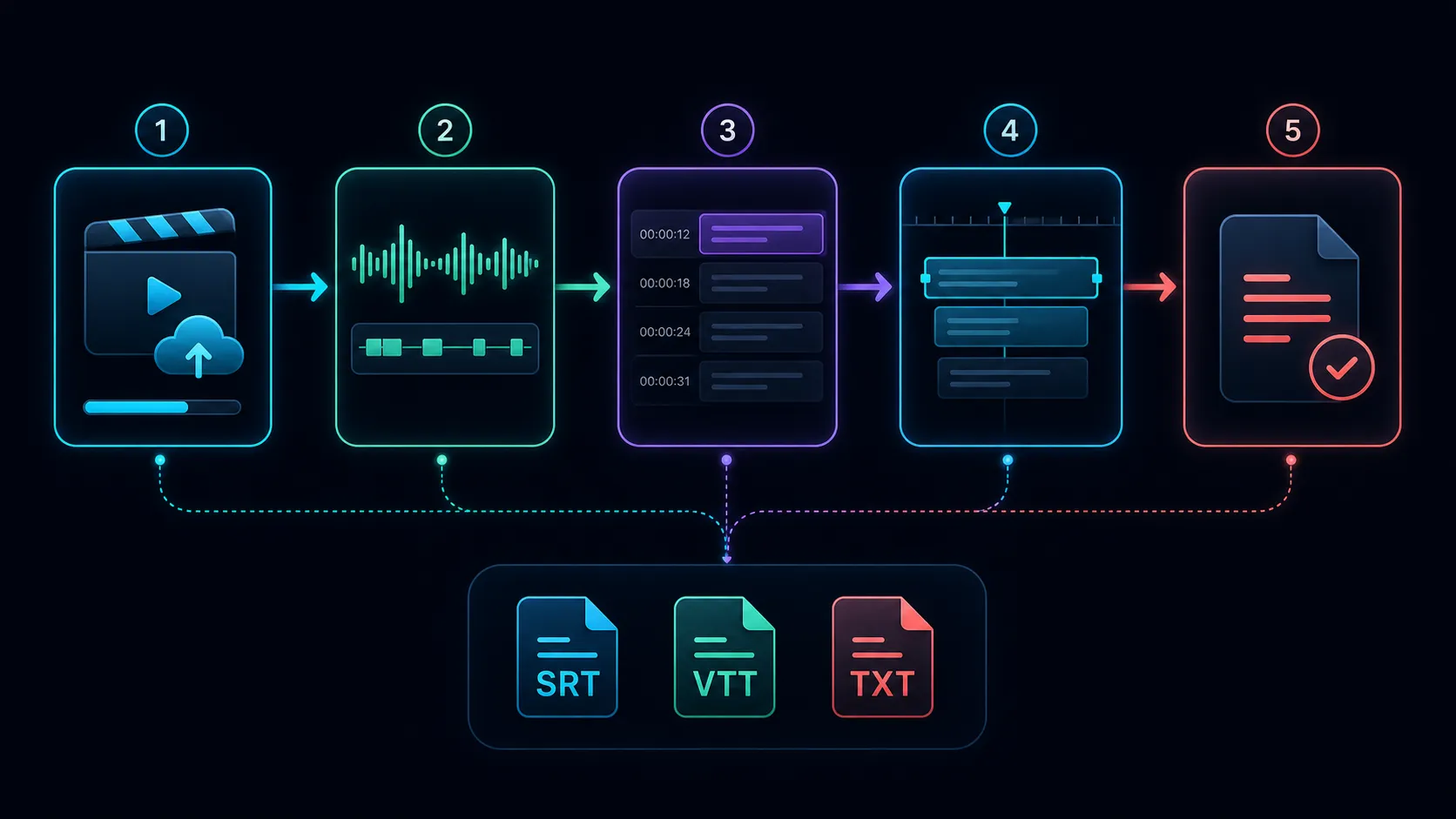
We explain the steps to transcribe the video, check the speaker, timestamp, and proper nouns, and then export to SRT, VTT, TXT.

Use SRT or VTT when the next step needs timed captions, and TXT when it needs readable prose without subtitle timing. Before transcribing a long video, confirm that your chosen workflow actually downloads the required file. A video with captions burned into the picture is a different deliverable.
Choose the deliverable first
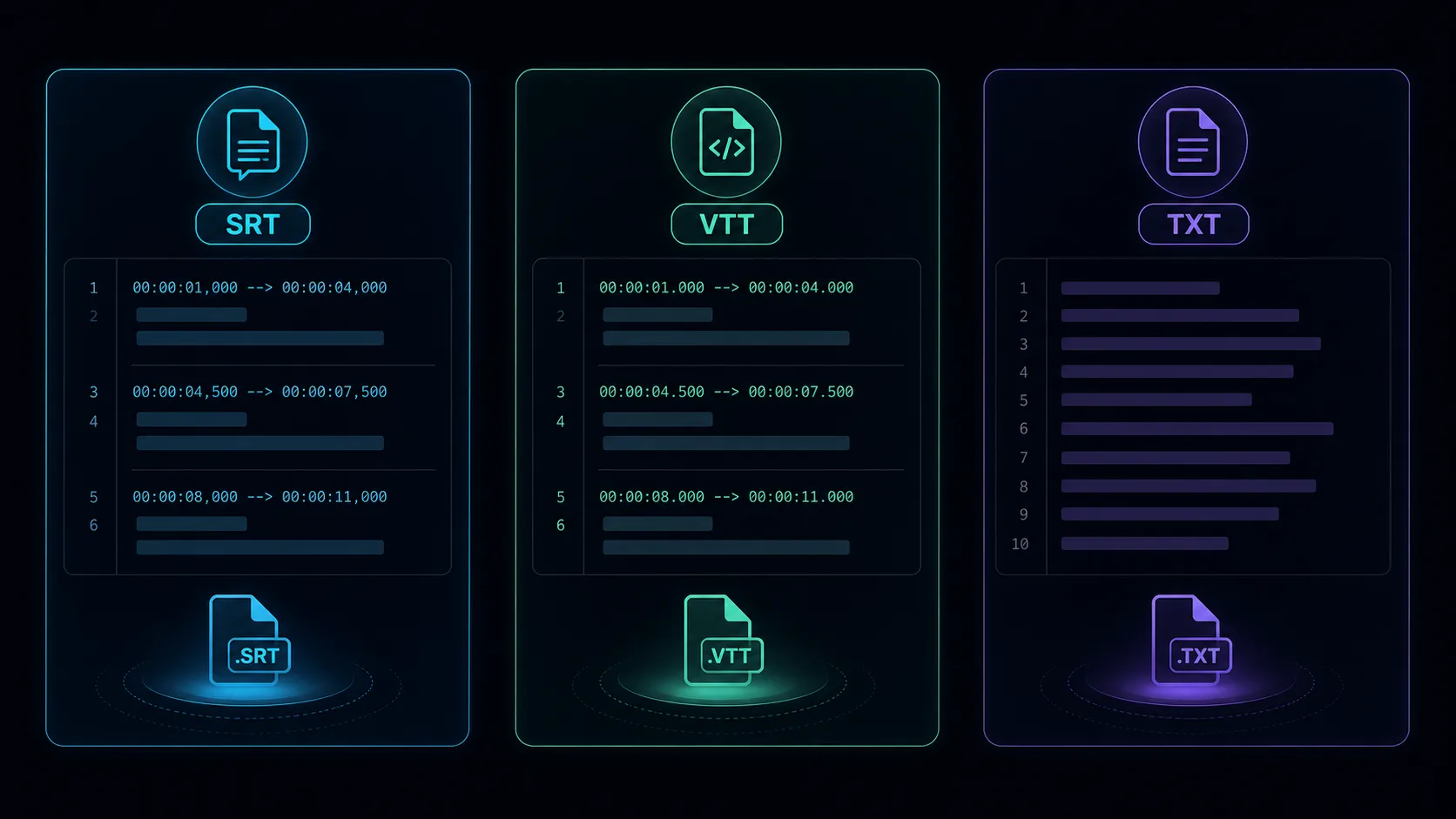
- SRT: a common subtitle format containing numbered cues, start and end times, and text. Check whether your editor or publishing platform accepts it.
- VTT: the WebVTT timed-text format used in web playback workflows. It can include cue settings; the destination determines which features it supports.
- TXT: plain text for reading, searching, notes, or further writing. Timing and speaker labels remain only if you deliberately include them.
- Captioned MP4: captions are part of the image. Viewers see them while the video plays, but the picture does not provide an editable subtitle file.
For example, a training team might need a captioned preview for approval, an SRT for its learning platform, and a cleaned transcript for an accessible reading page. Agree on all three deliverables before processing the full recording.
Prepare and transcribe the source
- Use the authorized original with the clearest speech. Keep a private copy for comparison.
- Note the spoken language, speaker names, product names, and specialized vocabulary.
- Transcribe a short sample containing a difficult passage. Confirm the output format and how corrections are made.
- Process the full source in a workflow that meets those requirements.
- Review the transcript against the audio, especially numbers, names, negation, abbreviations, and changes of speaker.
Check what the Recapo caption tool returns
The current Recapo caption generator describes a finished MP4 with captions burned into the frame. Its page does not establish separate SRT, VTT, or TXT downloads. Use that workflow when a captioned video is the required output. For subtitle files or plain text, select a workflow with an explicit export option for that format and test the download first.
Keep timing tied to the final video
Subtitle cues have a start, an end, and the text shown during that interval. They should follow the speech without covering the next speaker's words. Check line breaks and reading time on the destination player; a valid file can still be uncomfortable to read.
If you remove ten seconds from the start after transcribing, the old cues may all appear late. If you remove material from the middle, a single global offset may fix the beginning while leaving later cues wrong. Update the timing against the final edit, then test near each cut and near the end.
Export and inspect each file
- Save the reviewed timed version before making a reading copy.
- Export the requested format through the tool's real export control; changing a filename extension does not convert the content.
- Open SRT or VTT in the target player and inspect the beginning, middle, end, and edited boundaries.
- Open TXT in a text editor. Check paragraph breaks, speaker labels, punctuation, and any characters that became corrupted.
- Keep file names tied to the video version so an older transcript is not paired with a newer edit.
Common questions
Can I remove timestamps for a reading copy?
Yes, after preserving the reviewed timed version. Keep speaker labels or source references when the reader needs them.
Does automatic transcription replace review?
No. Plausible-looking mistakes can reverse meaning. Use a reviewer who understands the subject when accuracy matters.
Can I rename SRT to VTT?
No. The formats have different syntax. Use a converter or editor that produces valid WebVTT and test the result.
References
Related Recapo guides
- Audio-to-text transcripts with timestamps
- Accuracy Guide for Free Voice Transcription Tools
- SRT, VTT, and TXT compared