
How to Add Right-to-Left Arabic Subtitles to a Video
Create Arabic subtitles from a verified source transcript, localize meaning for the target market, then validate Unicode direction, numbers, punctuation, lin

Create Arabic subtitles from a verified source transcript, localize meaning for the target market, then validate Unicode direction, numbers, punctuation, line breaks, timing, fonts, and the final encoded video. Right-to-left text is not solved by right-aligning a text box.
The practical goal is not to make one processing screen look successful. It is to preserve the viewer’s ability to understand the intended message after editing, encoding, platform upload, and localization. This guide treats the task as a controlled workflow: diagnose first, make the least destructive change, and validate the actual deliverable.
Start With the Viewer’s Failure
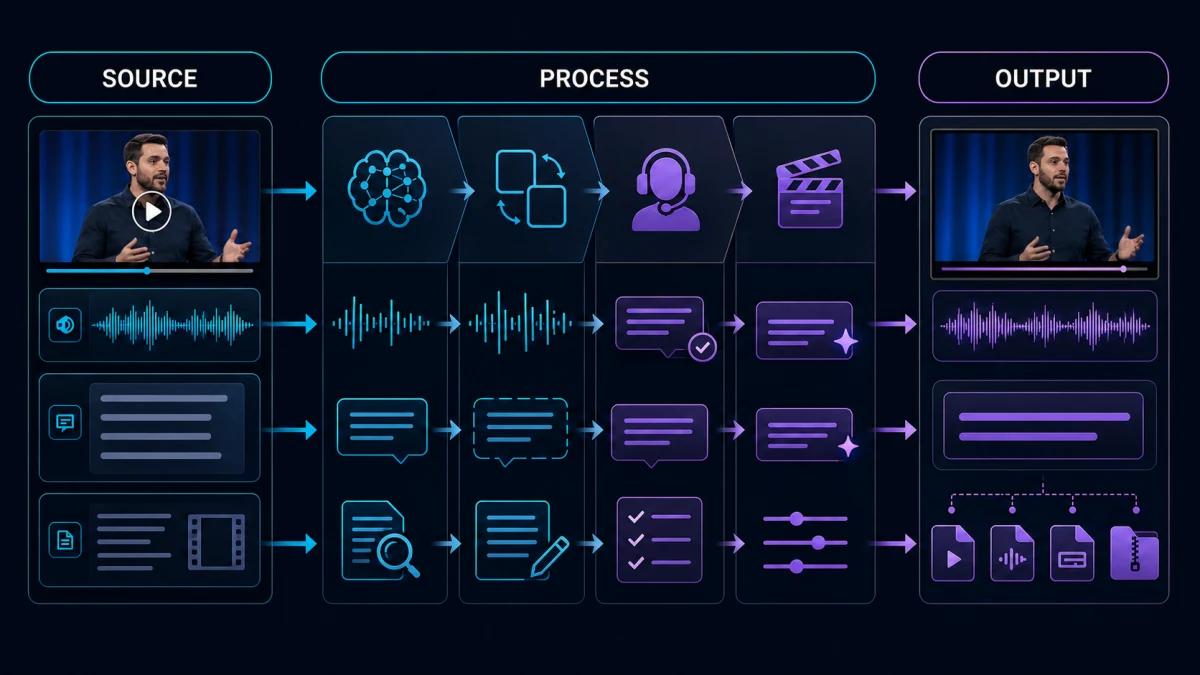
People usually describe a production symptom—“the subtitles look wrong,” “the voice sounds off,” or “the audio is bad”—but that description is not yet a diagnosis. Ask what the viewer cannot do. Can they not read the line, identify the speaker, hear a word, follow the sequence, trust the performance, or act on the CTA? The answer determines which evidence matters.
- Confirm whether the deliverable is Modern Standard Arabic or a market-specific dialect.
- Identify every mixed-direction element: Latin brands, URLs, product codes, dates, percentages, and phone numbers.
- Test the real subtitle renderer because the editor preview and exported file may apply different bidirectional rules.
Create a short issue log with timecode, symptom, likely cause, severity, owner, and acceptance test. This is faster than passing subjective notes such as “make it cleaner” among editors, translators, and reviewers.
Decide What Good Looks Like
Use explicit release criteria before you touch the file.
| Gate | Question | Evidence |
|---|---|---|
| Meaning | Are facts, names, numbers, negation, conditions, and intent preserved? | Source comparison and native or subject-matter review |
| Perception | Can a first-time viewer understand the important moment once? | Fresh-listener or fresh-viewer test |
| Technical | Does the output retain sync, encoding, channels, fonts, and required format? | File inspection and final-render playback |
| Continuity | Do edited sections belong to the same program? | A/B review across transitions |
| Delivery | Does the destination platform display and play it correctly? | Private upload or representative device test |
| Repeatability | Can another operator reproduce the approved result? | Versioned settings, glossary, or decision log |
A quality gate should include a stop condition. If key words remain unintelligible, if protected meaning changes, if direction or timing breaks, or if processing artifacts attract attention, do not keep adding aggressive corrections. Escalate to a different method or replacement.
Full Workflow
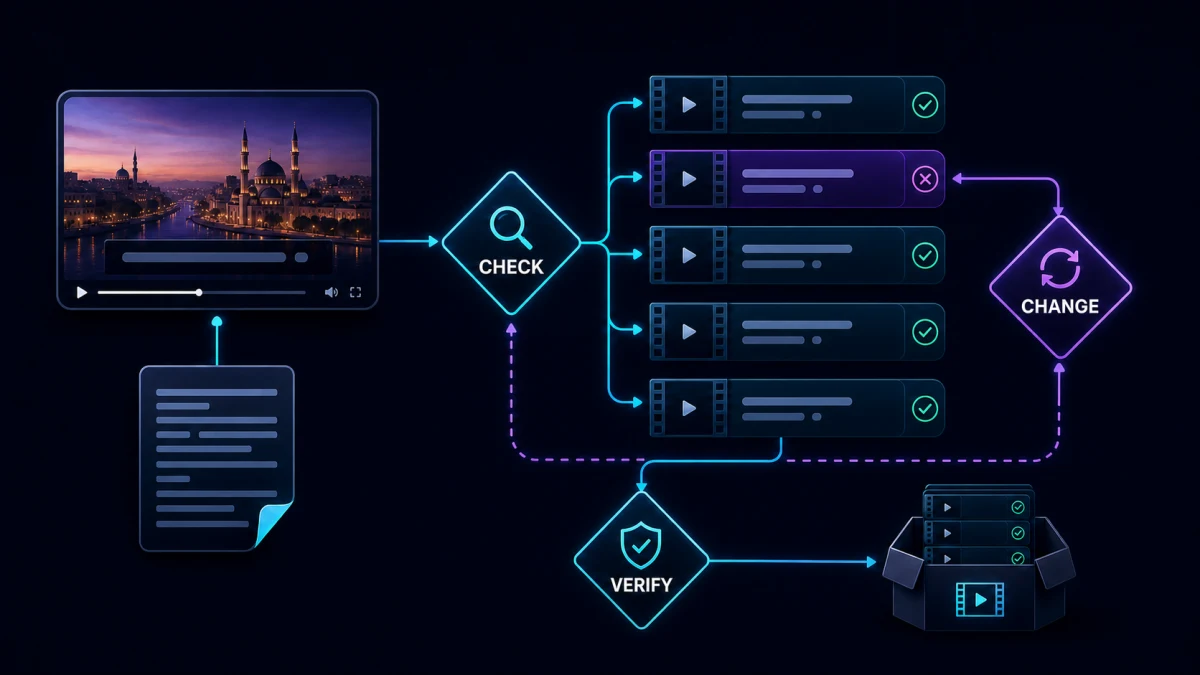
1. Lock the source and language brief
Correct the source transcript first. Define market, Arabic variety, formality, terminology, do-not-translate items, number style, and whether names stay Latin or use an approved Arabic form.
Do not approve this stage from an interface message alone. Compare the result with the preserved source, inspect the most difficult segment, and record the setting or decision that produced the accepted version. If this stage changes timing, wording, channels, or visible text, flag every downstream asset that must be regenerated.
2. Translate for meaning, not source word order
Arabic syntax and subtitle length differ from English. Preserve instructions, causality, tone, negation, names, and numbers, but write a natural Arabic reading unit instead of mirroring the source sentence.
Do not approve this stage from an interface message alone. Compare the result with the preserved source, inspect the most difficult segment, and record the setting or decision that produced the accepted version. If this stage changes timing, wording, channels, or visible text, flag every downstream asset that must be regenerated.
3. Build cues around semantic units
Keep articles, prepositions, names, and tightly connected phrases together. Split at natural clause boundaries and avoid leaving a single short word on a line merely to fit a character count.
Do not approve this stage from an interface message alone. Compare the result with the preserved source, inspect the most difficult segment, and record the setting or decision that produced the accepted version. If this stage changes timing, wording, channels, or visible text, flag every downstream asset that must be regenerated.
4. Handle bidirectional text deliberately
Inspect mixed Arabic and Latin runs. Keep URLs, model numbers, and brand spellings intact; use Unicode-aware software and, where necessary, isolate directional runs rather than inserting spaces until the preview looks acceptable.
Do not approve this stage from an interface message alone. Compare the result with the preserved source, inspect the most difficult segment, and record the setting or decision that produced the accepted version. If this stage changes timing, wording, channels, or visible text, flag every downstream asset that must be regenerated.
5. Choose and embed a capable font
Use a font with complete Arabic glyph coverage, correct joining, readable diacritics, and the required licensing. Test bold, punctuation, numerals, and small mobile rendering before producing every language file.
Do not approve this stage from an interface message alone. Compare the result with the preserved source, inspect the most difficult segment, and record the setting or decision that produced the accepted version. If this stage changes timing, wording, channels, or visible text, flag every downstream asset that must be regenerated.
6. Synchronize against Arabic reading load
Retime after translation. A cue should appear with the relevant speech and remain long enough to read; do not inherit English cue durations blindly when Arabic wording expands or contracts.
Do not approve this stage from an interface message alone. Compare the result with the preserved source, inspect the most difficult segment, and record the setting or decision that produced the accepted version. If this stage changes timing, wording, channels, or visible text, flag every downstream asset that must be regenerated.
7. Test external and burned-in delivery
Open SRT or VTT in the target platform and also inspect any burned-in export. Check alignment, punctuation placement, line order, clipping, safe areas, and collisions with Arabic on-screen graphics.
Do not approve this stage from an interface message alone. Compare the result with the preserved source, inspect the most difficult segment, and record the setting or decision that produced the accepted version. If this stage changes timing, wording, channels, or visible text, flag every downstream asset that must be regenerated.
8. Run native and technical review
A native reviewer checks meaning, dialect, tone, terminology, and fluency. A technical reviewer checks direction, font shaping, timing, encoding, and final-platform behavior. Record defects by timecode.
Do not approve this stage from an interface message alone. Compare the result with the preserved source, inspect the most difficult segment, and record the setting or decision that produced the accepted version. If this stage changes timing, wording, channels, or visible text, flag every downstream asset that must be regenerated.
Worked Example
A software tutorial contains the line “Open Settings, choose AI Voice, then export MP4” while the screen shows English UI labels. The Arabic subtitle should preserve the official labels or pair them with concise Arabic guidance according to the brief. The reviewer checks that AI Voice and MP4 remain in logical order inside the Arabic sentence, that punctuation does not jump to the wrong edge, and that the cue appears while the matching buttons are visible.
This example illustrates a wider rule: solve the highest-impact constraint first, then reassess. Processing order matters because every stage changes the evidence available to the next one. A workflow that jumps straight to export can hide the cause and make later corrections expensive.
How to Judge the Result Objectively
Use a three-pass review.
Pass 1: technical isolation
Inspect the exact defect on a short, repeatable segment. Keep settings stable, compare against the original, and avoid changing multiple variables. For audio, level-match before listening. For subtitles or graphics, use the same frame, scale, and renderer.
Pass 2: narrative and task context
Watch at least the full scene before and after the corrected moment. Verify that the line, sound, or graphic still performs its job. A local edit may be technically clean but remove a joke, soften a warning, hide a product demonstration, or create an unnatural transition.
Pass 3: final delivery
Review the encoded deliverable from beginning to end. Test representative devices and the destination platform when possible. Verify the first seconds, the most difficult section, transitions, and the ending. Random spot checks are useful only in addition to these known risk points.
Track defects by severity:
- Blocker: wrong language, missing media, changed fact, rights problem, broken sync, unreadable text, or unintelligible required speech.
- Major: repeated terminology error, obvious artifact, inconsistent tone, distracting level jump, or failed CTA.
- Minor: isolated cosmetic issue that does not change comprehension.
- Preference: stylistic alternative that does not violate the brief.
Do not let a long list of preferences obscure one blocker.
Where the Related Workflows Fit
If the defect is upstream, start with the related workflow to localize every on-screen label that accompanies the captions. That prevents polishing a symptom while the source problem remains.
When the first pass is stable, retime the translated cues against speech and shot changes provides the next operational layer. Use it only where the current diagnosis shows that extra treatment is needed.
Before delivery, decide where adaptation is justified instead of translating literally. This handoff matters because a technically correct intermediate file can still fail in context.
Finally, run the full multilingual release review so the decision is validated in the complete publishing workflow.
These links represent handoffs, not a requirement to use every tool. Keep the workflow proportional. If the source is already clear and valid, additional processing can create more risk than value.
How Recapo Fits the Process
Recapo’s current relevant production tool can accelerate the central processing step in this workflow. Use it on a copy of the source, begin with a representative sample, and save the output with a versioned name. Automation is most valuable when it produces a reviewable candidate quickly.
It does not replace:
- source-version control;
- native-language or subject-matter judgment;
- rights and consent review;
- an acceptance test tied to the viewer’s task;
- inspection of the final encoded file; or
- a human decision when the source information was never captured.
For a repeatable team process, store the source, tool output, settings or prompts, human corrections, approval status, and final export together. That record prevents the next project from repeating the same diagnosis.
Common Failure Modes and Recovery
The Arabic words are translated correctly but displayed in visual rather than logical order.
Why it fails: the workflow optimizes one visible symptom while leaving meaning, timing, intelligibility, or delivery behavior untested.
Correction: return to the smallest representative sample, change one variable, compare at matched conditions, and accept the result only after it survives the final context.
Numbers, parentheses, or Latin product names move to the wrong side of a sentence.
Why it fails: the workflow optimizes one visible symptom while leaving meaning, timing, intelligibility, or delivery behavior untested.
Correction: return to the smallest representative sample, change one variable, compare at matched conditions, and accept the result only after it survives the final context.
A font fallback breaks connected letterforms or omits glyphs.
Why it fails: the workflow optimizes one visible symptom while leaving meaning, timing, intelligibility, or delivery behavior untested.
Correction: return to the smallest representative sample, change one variable, compare at matched conditions, and accept the result only after it survives the final context.
English timing is reused, making dense Arabic cues unreadable.
Why it fails: the workflow optimizes one visible symptom while leaving meaning, timing, intelligibility, or delivery behavior untested.
Correction: return to the smallest representative sample, change one variable, compare at matched conditions, and accept the result only after it survives the final context.
The file passes in the editor but fails after platform upload.
Why it fails: the workflow optimizes one visible symptom while leaving meaning, timing, intelligibility, or delivery behavior untested.
Correction: return to the smallest representative sample, change one variable, compare at matched conditions, and accept the result only after it survives the final context.
A Practical Team Handoff
A useful handoff package contains:
- source filename and checksum or version;
- exact timecodes in scope;
- target language, market, platform, and aspect ratio where relevant;
- approved transcript, glossary, pronunciation, or audio reference;
- processing method and settings;
- known limitations and intentionally accepted residue;
- before-and-after sample;
- final acceptance criteria;
- reviewer name and review date; and
- final export plus editable source.
For high-volume work, review every first item in a new format or language, then sample routine items and inspect every flagged exception. Sampling is safe only after the process is stable and blockers have an escalation route.
Final Checklist
Before approval, confirm:
- the correct source and destination version were used;
- the original remains preserved;
- the problem was classified before treatment;
- protected meaning, names, numbers, and timing remain correct;
- settings were tested on both difficult and clean sections;
- no new artifact is more distracting than the original defect;
- transitions and continuity are natural;
- captions, voice, graphics, and picture remain aligned;
- the final encoded file was reviewed;
- representative device or platform behavior was tested;
- rights, disclosures, and accessibility needs were checked; and
- the decision and reusable settings were documented.
Frequently Asked Questions
Should I use the strongest automatic setting?
Usually no. Stronger processing can remove useful speech detail, natural ambience, typographic structure, or performance nuance. Start with the least destructive change that passes the acceptance test.
Can I approve from a waveform, transcript, or preview?
No single representation proves quality. A waveform cannot show meaning, a transcript cannot prove timing, and an editor preview cannot prove platform behavior. Review the finished audiovisual result.
Should every language or recording use identical settings?
Use the same quality gates, not necessarily identical settings. Languages differ in syntax, direction, duration, and performance. Recordings differ in room, microphone, noise, and dynamics.
What if the source is genuinely unrecoverable?
Do not invent missing information or hide the limitation. Re-record, replace, return to an original source, revise the edit, or disclose the uncertainty. A clean-looking output cannot restore content that was never captured.
How do I scale the workflow?
Stabilize one representative item, document decisions, create reusable glossaries or presets, and maintain an exception queue. Automate candidate generation and mechanical checks while keeping human review on meaning, naturalness, and release risk.
Conclusion
Create Arabic subtitles from a verified source transcript, localize meaning for the target market, then validate Unicode direction, numbers, punctuation, line breaks, timing, fonts, and the final encoded video. Right-to-left text is not solved by right-aligning a text box.
The reliable pattern is simple: preserve the source, diagnose the viewer-facing failure, test a small representative segment, make the least destructive correction, and approve only the final deliverable. That sequence produces better quality and a process the team can repeat.
References
- Recapo How to Add Right-to-Left Arabic Subtitles to a Video, accessed August 26, 2026.
- Internal workflow references linked above, prepared for the same Recapo editorial batch.