Best AI Video Editors for TikTok
Choosing the best AI video editor for TikTok? Compare tools by job—hand-edit, auto-clip, or generate—with a self-test on your own footage and honest picks.
By the Recapo.ai Editorial Team · Fact-checked July 10, 2026
If you're comparing the best AI video editor for TikTok, the fastest route to a good decision is to stop asking "which tool is best" and start asking "best at which job." TikTok content splits into three different editing jobs—hand-editing footage you shot, auto-clipping shorts out of a long video, and generating a video from a script—and no single tool leads all three. This guide segments the market by job, leans into the repurposing lane (turning one long horizontal video into vertical, captioned TikToks) where many creators spend their week, and hands you a self-test so your own footage picks the winner. No self-crowning, no invented prices, no pretending one AI tool for TikTok videos fits everyone.
Disclosure and method: Recapo.ai publishes this guide and may appear among the tools discussed. We checked official product pages on July 10, 2026. This edition is a desk-research comparison, not a standardized hands-on benchmark. We compare stated workflow fit rather than unverified performance scores and recommend testing the same source file in each finalist. Features, limits, and pricing can change.
Key Takeaways
- Pick by job first: hand-edit, auto-clip from a long video, or generate from scratch. The "best tiktok editing app ai" is the one that matches the job you do most.
- The repurposing lane—long video → 9:16 + animated captions—is where most recurring TikTok work lives, and where a browser-based tool pays off.
- Positioning changes slowly; pricing, free tiers, watermarks, and export caps change fast—verify those on each vendor's current official pages, not on any list.
- Run the same-footage self-test. The tool that leaves the fewest manual fixes on your clips wins, regardless of rankings.
- Recapo fits the browser-based repurposing loop honestly—not every TikTok job.
The three jobs behind "AI video editor for TikTok"
Almost every "best" list mixes tools that do completely different things, which is why they feel contradictory. Sort them by job first and the noise clears up.
- Job 1 — Hand-edit footage you shot. You filmed a piece to camera, a product demo, or a skit, and you need to trim, add captions, reframe to vertical, and post. This is the classic editor lane.
- Job 2 — Auto-clip shorts from a long video. You have a 20-minute podcast, stream, or talking-head upload, and you want several TikToks pulled out of it automatically. This is the repurposing lane—and the one most part-time creators underestimate.
- Job 3 — Generate a video from a script or text. You have no footage at all and want a faceless clip built from a prompt, article, or script with stock visuals and voiceover.
| Job | Typical creator | Tool category | What to test hardest |
|---|---|---|---|
| Hand-edit | Talking-head, product, skit creators | Browser or desktop editor | Caption accuracy, reframe control, export |
| Auto-clip | Podcasters, streamers, long-form YouTubers | Long-to-short clipper | Which moments it picks on your content |
| Generate | Faceless / text-to-video channels | Script-to-video generator | Whether output looks generic in your niche |
Most creators live mostly in one lane and dip into another. Identify your dominant job before you read a single price—it changes which tool is even worth testing.
The dimensions that decide it for TikTok
A feature checklist won't tell you how a tool behaves on your footage. These six dimensions will, and each takes a few minutes to test. Treat this as a worksheet you fill in with numbers you verified yourself, not ones a landing page claimed.
| Dimension | Why it matters on TikTok | How to test it in 5 minutes |
|---|---|---|
| Vertical reframing | 16:9 to 9:16 done badly cuts off faces and text | Reframe one horizontal clip and check the subject stays centered |
| Caption accuracy & style | Captions drive silent-scroll retention; fixing bad ones eats hours | Caption a clip with fast speech or slang; count the errors |
| Clip selection | For repurposing, the wrong moment kills the video | Feed a long video in and judge whether the picked hooks land |
| First-3-seconds control | TikTok lives and dies on the opening | Check how easily you can trim to a strong cold open |
| Export cleanliness | Watermarks and resolution caps can appear only at export | Export on the tier you'd actually pay for and inspect the file |
| Cost at your volume | "Cheap" for one video can be painful at ten a week | Multiply real per-video effort by your true monthly output |
Fill this in for two or three candidates and the decision usually makes itself—you're matching a tool's strengths to the one or two things you do most.
Lead with the repurposing lane: long video → 9:16 + captions
If you post to TikTok regularly, the highest-leverage workflow isn't editing every clip from scratch—it's turning content you already made into vertical, captioned shorts. One long recording can become a week of TikToks, plus the same clips reshaped for Shorts and Reels. This is the lane where an AI editor earns its subscription—you run it again and again.
The loop is simple and repeatable: import the long file, let the tool find candidate moments, cut them to a tight length, reframe to 9:16, caption them, and export. Recapo is built around exactly this browser-based loop—no install, working with MP4, MOV and other common formats up to 6GB total per task. In practice you'd use ai-clip-generator to pull short segments out of a long video, tiktok-video-resizer to reframe a horizontal cut to vertical without lopping off the subject, and auto-captions to transcribe and style captions for silent scrollers. You then review the AI's picks, fix the hook, and export—the AI drafts, you direct.
Two honest limits. First, automatic clip selection is a starting point, not a final cut; you should always re-trim the opening so the first three seconds earn the watch. Second, captions from any tool need a proofread pass on names, slang, and jargon. Budget a few minutes for that and the workflow still saves hours.
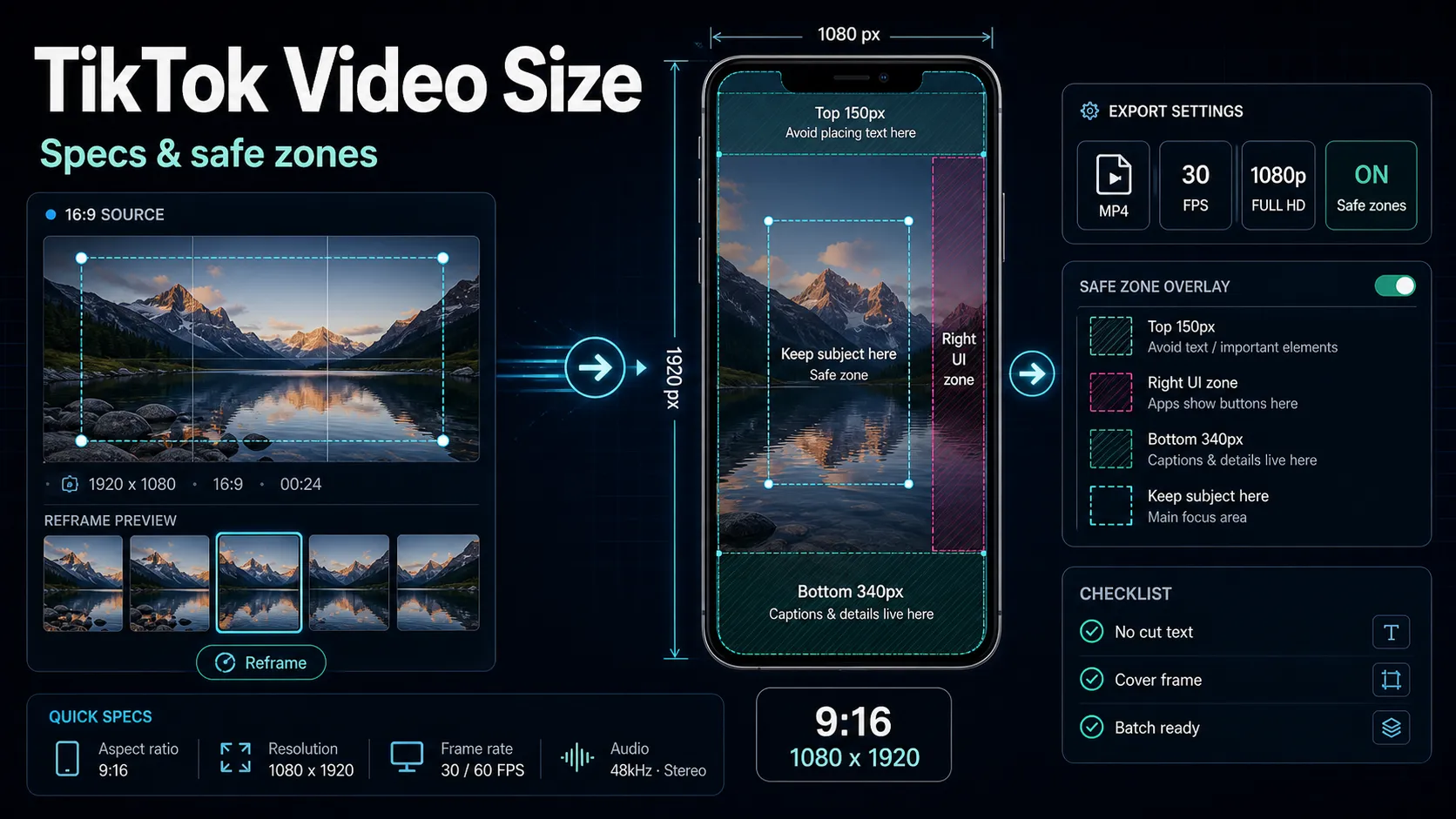
For the mechanics of getting each dimension right, see how to repurpose long-form content into shorts, the TikTok video size guide for correct 9:16 dimensions and safe zones, and best caption styles for shorts for styling that survives the silent scroll.
AI TikTok editors by category, reviewed honestly
Below are the categories that show up on every "tiktok video editor ai" list, described at the level that stays true over time—their stable, public positioning. I've deliberately left out prices, free-tier quotas, watermark rules, and export caps, because those shift constantly and you should confirm the current terms yourself. Use the last column as your homework list.
| Tool / category | Known for | Best fit | Verify for yourself |
|---|---|---|---|
| CapCut-style editors | A widely used editor across web, desktop, and mobile with heavy TikTok-style templates and effects | Creators who hand-edit and want trends and presets | Current export terms and any watermark on your tier |
| Submagic / Captions-style | Animated, auto-styled captions built for short-form | Reels/Shorts/TikTok creators who want punchy captions | Style flexibility and per-video cost at your volume |
| OpusClip / Vizard-style | Auto-selecting short clips out of long videos | Long-form creators repurposing to Shorts and TikTok | Clip-selection quality on your kind of content |
| InVideo / Pictory-style | Script or text to video from templates and stock | Faceless and text-to-video workflows | Whether output feels generic in your niche |
| Descript | Transcript-based editing—edit video by editing text | Podcasters and heavy-script talking-heads | Whether the text-first flow suits fast social cuts |
| Canva-style | Design-first editor with short-form video templates | Creators who also make thumbnails and graphics | Whether video controls go deep enough for your edits |
| Recapo | Browser-based repurposing: clip, reframe, caption, voiceover, export | Long → vertical short-form, no install | Clip and caption quality on your real footage |
Two caveats. First, most "best TikTok editor" pages on tool sites are that tool's own promotion—useful for discovery, biased by design, so read them as brochures, not verdicts. Second, no tool above wins every row of the dimensions table: a transcript editor is great for talking-heads and clumsy for template Reels, and a generator is the reverse. Match the tool to your dominant job.
A 20-minute self-test on your own footage
Reviews age; your footage doesn't lie. Run this on two or three candidates with the same source file and you'll have a defensible answer fast.
- Pick a representative source. Choose real content—ideally a horizontal clip with some fast talking, an accent, or niche vocabulary. Clean, easy audio makes every tool look good and tells you nothing.
- Let it find or make the clip. For repurposing, feed in a longer video and see which moment the tool proposes. In Recapo you'd use ai-clip-generator and judge whether its pick is actually the strongest 30 seconds.
- Fix the first three seconds. Trim so the clip opens on the hook, not on a slow ramp. Time how long this basic edit takes in each tool.
- Reframe to vertical. Convert 16:9 to 9:16 and check the subject stays centered and captions aren't clipped. In Recapo the tiktok-video-resizer handles this; elsewhere, note the control you get over framing.
- Caption it. Generate captions and count the errors you'd fix by hand—weight this heavily, it's the biggest time sink. In Recapo that's auto-captions; the best caption styles for shorts guide covers styling.
- Export on the tier you'd pay for. This is where watermarks and resolution caps reveal themselves. Export and inspect the file—no assumptions, just look.
- Do the money math. Multiply the real per-video effort and cost by your monthly output. A tool that's pleasant once can be painful at scale.
Whichever tool leaves the fewest manual fixes and the cleanest export on your real footage is your answer—no matter what any list, including this one, claims.
Recommendations by creator type
There's no universal winner, so here's an honest, use-case-first map. Recapo appears where it genuinely fits, not everywhere.
- Repurposers (long video → TikTok/Shorts/Reels). You need auto-clipping plus fast reframe and captions. A browser-based repurposing loop like Recapo covers this end to end—test clip-selection quality on your niche before committing.
- Talking-head and podcast creators. If you edit by rewriting a script, a transcript-based editor may feel natural. If you'd rather caption, trim, and reframe visually, a browser quick-editor keeps you in one tab.
- Faceless / text-to-video channels. Script-to-video generators shine for volume, but check whether output feels generic in your niche; pair a script workflow with a quick editor for more caption and reframe control.
- Solo creators doing a bit of everything. Prioritize the tool that handles your dominant job well and does the others acceptably—one tab beats stitching three subscriptions together.
FAQ
What's the best AI video editor for TikTok? There isn't one universal answer, because "best" depends on your job. If you repurpose long videos, you want strong auto-clipping and reframing; if you hand-edit, you want caption accuracy and quick trims; if you generate from text, you want template quality. Decide your dominant job, then run the 20-minute self-test on your own footage. Recapo runs in the browser with no install and lists plans on the pricing page.
Which AI tool for TikTok videos is best for turning long videos into shorts? Look at clip-selection quality on your content, not a demo reel. Feed in one real long video and judge whether the tool picks the moment you'd have chosen, and how much you re-trim afterward. Recapo's ai-clip-generator pairs with a vertical tiktok-video-resizer and auto-captions so the whole long-to-short loop stays in one browser tab.
Do AI TikTok editors add a watermark? It depends entirely on the tool and the plan, and it changes often, so never trust a list on this. Take one clip, export it on the exact tier you intend to pay for, and inspect the output for a stamp or a resolution cap. Do that for each candidate and you'll have a current, definitive answer.
Is Recapo a good AI video editor for TikTok? It fits well if your core loop is repurposing—turning long footage into vertical, captioned TikToks in the browser. It transcribes and captions, clips long videos into shorts, reframes to vertical, adds AI voiceover, and exports, with MP4, MOV and other common formats up to 6GB total per task and no install. Whether it beats another tool for you depends on the dimensions table above, which is why the self-test matters.
Do I need to install anything to edit TikToks with AI? Not for the browser-based tools. Recapo and several others run entirely in a tab, so you can test candidates on the same footage back to back without downloading software. Desktop and mobile apps are the exception—factor install and hardware needs into your comparison if you consider one.
A practical way to pick among AI TikTok editors is to stop reading lists and start testing on your own footage—including this list. Recapo gives you a browser-based place to do exactly that: clip long videos into shorts, reframe to vertical, transcribe and style captions, add voiceover, and export, all in one tab with no install. Run the self-test above and let your real content decide. Create a free account and try it on your next TikTok.
References and official sources
- TikTok Newsroom: How TikTok recommends videos for For You
- TikTok Support: TikTok Studio and auto captions
- TikTok Ads Manager: In-feed video specifications and safe zones
- Recapo.ai: Product overview and current upload limits
- Recapo.ai: AI Video Editor
- CapCut: Official product page
- VEED: Official product page
- OpusClip: Official product page
- Submagic: Official product page
- Vizard: Official product page